 PluginStats
SQL Server (mssql) installs statistics
By Microsoft (223 listings) · VS Code Marketplace · Programming Languages
Design and optimize schemas for SQL Server, Azure SQL, and SQL Database in Fabric using a modern, lightweight extension built for developers
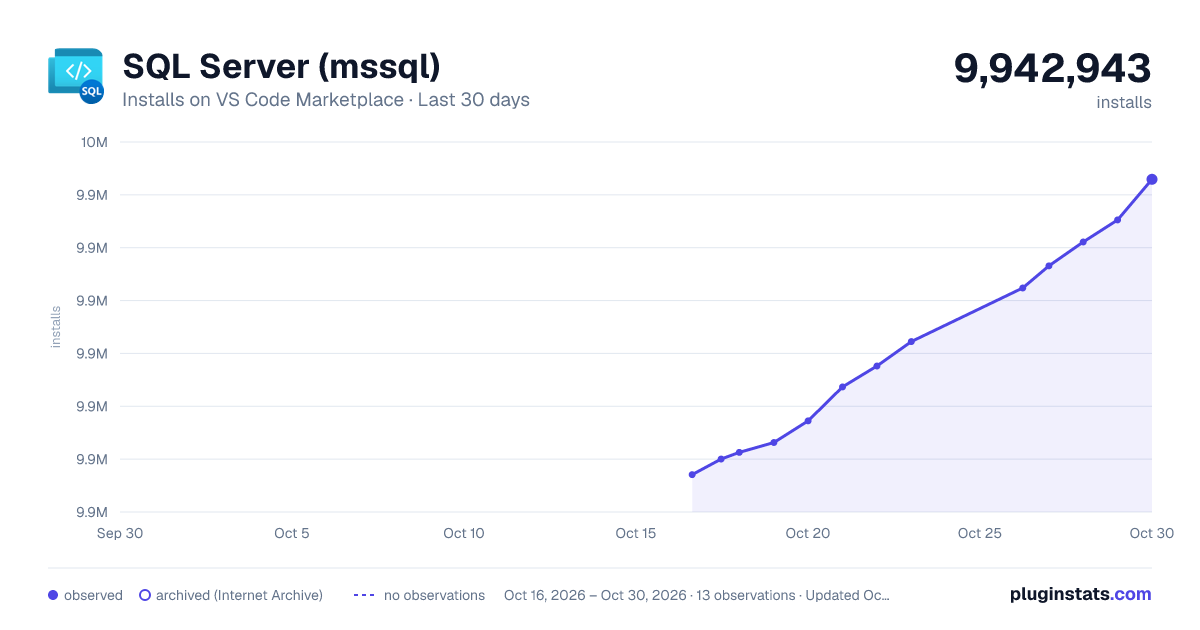
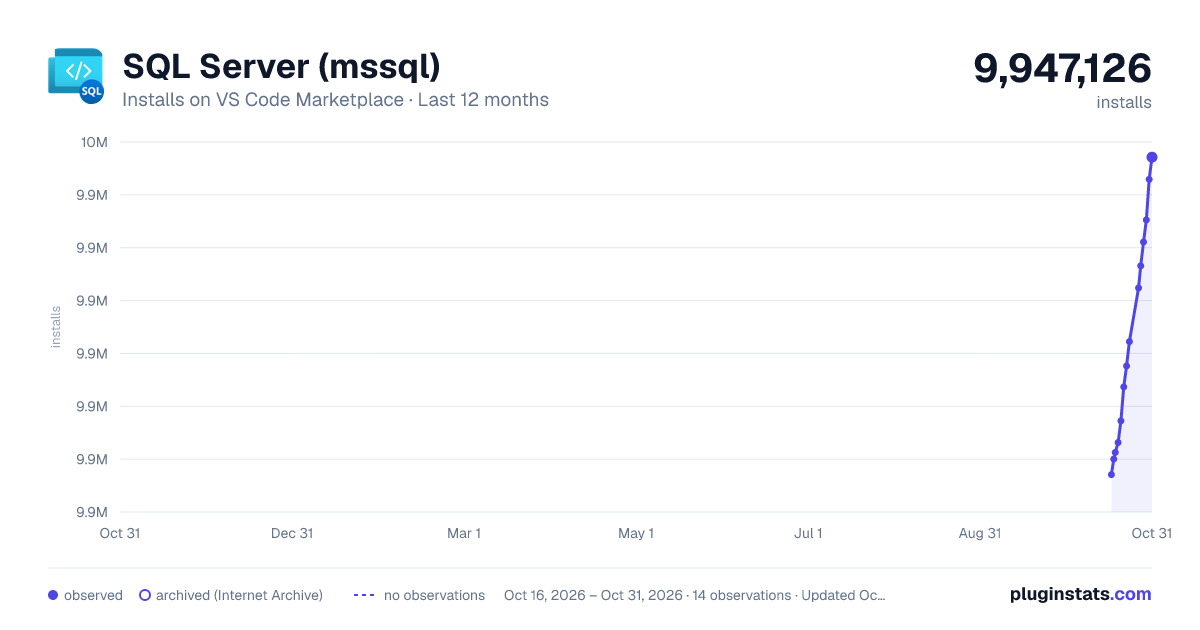
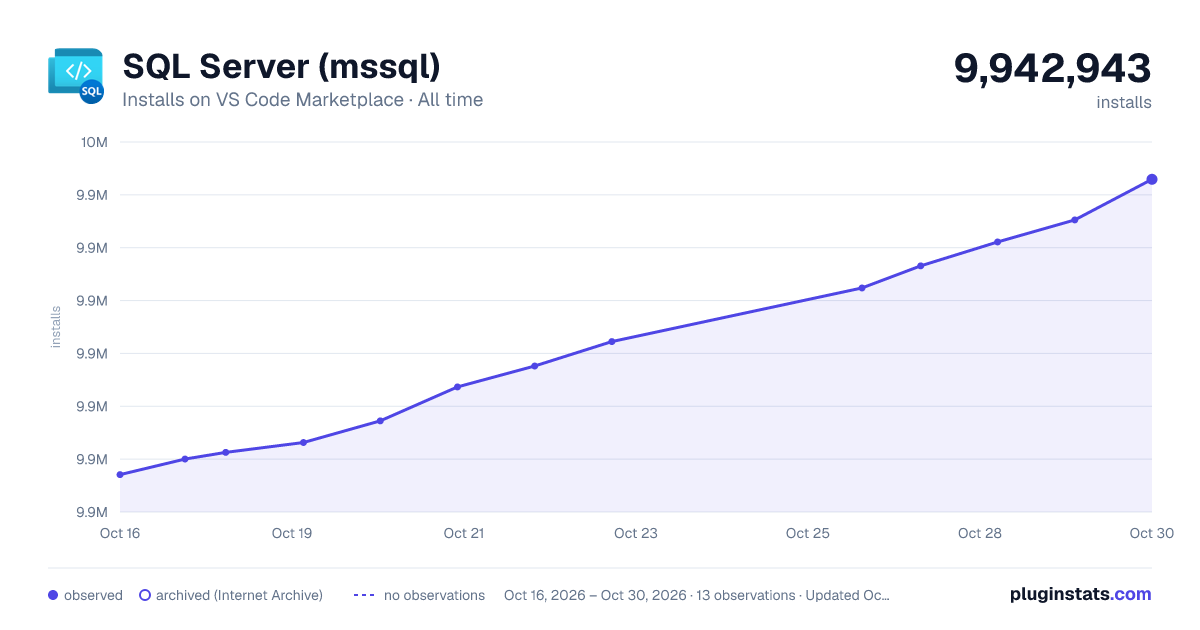
SQL Server (mssql) has 9,891,278 recorded installs on VS Code Marketplace.
It ranks #100 of 2,500 tracked VS Code Marketplace listings by installs.
It is rated 3.2 out of 5 from 216 ratings.
PluginStats has 3 daily observations since Oct 16, 2026; the latest is from Oct 18, 2026.
Rating: 3.18 / 5 from 216 ratings
About SQL Server (mssql)
MSSQL extension for Visual Studio Code
The MSSQL Extension for Visual Studio Code is designed to empower developers by providing a seamless and modern database development experience. Our goal is to make SQL development more productive and intuitive by integrating essential features such as schema management, query execution, and AI-powered assistance.
Explore and Learn
• 🎬 Watch the demos: Explore key features through our YouTube playlist • 🤖 Watch the GitHub Copilot demos: Learn how to use GitHub Copilot to write, explain, and refactor your database schema • 📝 Read the blog posts: Learn from use cases, walkthroughs, and product updates • 📖 Read the documentation: Get started or go deep with our official docs • 🗺️ Check out the roadmap: See what's coming next, including upcoming features and improvements
Features
The MSSQL extension provides a rich set of capabilities for SQL development. Each capability links to its detailed documentation on Microsoft Learn.
General Availability
| Capability | Description |
| Connection Dialog | Connect using parameters, connection strings, or Azure/Fabric browse. Organize connections with color-coded groups | | Object Explorer | Browse and filter database objects with type-aware search | | Database Object Search | Search for tables, views, stored procedures, and other objects across a database | | Fabric integration | Browse Fabric workspaces and provision SQL databases | | Query Results | View, sort, copy, and export query results | | Query Plan Visualizer | Analyze execution plans with interactive node navigation | | Query Profiler | Real-time database activity monitoring with Extended Events | | Table Designer | Create and manage tables with a visual interface | | Schema Designer | Visual schema modeling with drag-and-drop, auto-layout, and T-SQL script generation | | GitHub Copilot in Schema Designer | Natural language schema design within the visual Schema Designer | | Schema Compare | Compare and synchronize schemas between databases or DACPACs | | GitHub Copilot integration | AI-assisted SQL development with natural language chat and agent mode | | Local SQL Server containers | Create and manage SQL Server containers locally | | View & Edit Data | Browse and modify table data inline without writing T-SQL | | Database Operations | Rename, back up, restore, import data from flat files, and drop databases from Object Explorer | | Data-tier Application (DACPAC and BACPAC) | Deploy, extract, import, and export DACPAC and BACPAC files | | Fabric integration | Browse Fabric workspaces and provision SQL databases | | SQL Database Projects | Build, publish with the visual Publish Dialog, and analyze SQL projects with Code Analysis | | Query Profiler | Real-time database activity monitoring with Extended Events | | Backup and Restore | Back up and restore SQL Server databases | | Flat File Import | Import flat files (CSV, TXT) as new database tables using a guided wizard | | Object Search | Search for database objects by name across a server or database | | Database Management | Create, rename, and drop databases | | SQL Notebooks | Jupyter-based SQL notebooks with rich results and multi-kernel support | | Data API builder | Create REST, GraphQL, and MCP endpoints for SQL databases | | GitHub Copilot in Data API builder | Generate Data API builder configs using natural language | | Azure SQL database provisioning | Create and connect to free tier Azure SQL database | | Shortcuts Configuration | Create and manage keyboard shortcuts for Quick Queries, Query Editor, and Results Grid |
Public Preview
| Capability | Description |
| New Query Results Grid | New results grid experience with more column customizations (freeze, show, hide) | | New SQL Formatter | New T-SQL formatter, enabled by default, with more formatting options |
Using the MSSQL Extension
Follow these steps to get started with the MSSQL extension:
1. Install Visual Studio Code and then install the MSSQL extension from the Extensions view or via the command palette (F1, then type Install Extensions). 2. Open or create a .sql file. To manually set language mode, press Ctrl+K M and select SQL. 3. Press F1, type MS SQL: Manage Connection Profile, and follow the prompts to create a profile. See manage connection profiles for advanced options. 4. Connect to a database using F1 > MS SQL: Connect or the shortcut Ctrl+Shift+C. 5. Write your T-SQL script using IntelliSense and snippets. Type sql to explore available snippets. 6. Run queries by selecting MS SQL: Execute Query from the Command Palette (F1), or use the shortcut:
• Windows/Linux: Ctrl+Shift+E • macOS: Cmd+Shift+E
7. Customize shortcuts via the command palette or in your settings.json. See customize shortcuts for help.
Resources
• Get started with the MSSQL extension: Step-by-step tutorial to connect and query your first database • SQL Developer tutorial: Build full-stack apps using SQL Server with C#, Java, Node.js, Python, and more • Local development with Azure SQL: Learn how to develop locally with Azure SQL Database • Dev Containers for Azure SQL: Set up repeatable dev environments using Dev Containers • Join the Discussion: Ask questions, suggest features, and engage with the community
Command Palette Commands
Press F1 and type MS SQL to see all available commands. Here are the most commonly used:
View common commands
Connections
• MS SQL: Connect — connect using connection profiles or recent connections • MS SQL: Disconnect — disconnect the current editor session • MS SQL: Use Database — switch to another database on the same server • MS SQL: Manage Connection Profiles — create, edit, or remove connection profiles • MS SQL: Add Connection — add a new connection to the Object Explorer
Queries…
Description from the VS Code Marketplace listing.
- Azure SQL Database
- chat-participant
- keybindings
- language-model-tools
- MSSQL
- multi-root ready
- snippet
- SQL
- SQL database in Fabric
- SQL Server
- sqlplan
- SQLServerExecutionPlan
- tools
Where SQL Server (mssql) sits in the listing
Each band is one page of 20. Installs on a log scale. Placement is projected from installs, so it can differ from the marketplace's own sort order. Hover a dot to see the listing.


Charts
Images: 30d · 1y · all time · 1600×900 dark

Adoption over time


7/30/90-day growth


Ranking history


Filled points are observed values; hollow points come from Internet Archive snapshots of the listing page. Dashed segments span periods with no observations — values between points are not interpolated.
Recent observations
Full history (3)Similar VS Code Marketplace Programming Languages plugins
Data source
Install counts, average rating, and rating counts come from the public Visual Studio Marketplace gallery API. Installs are cumulative and exclude updates.
Listing: https://marketplace.visualstudio.com/items?itemName=ms-mssql.mssql. First seen Oct 16, 2026; last successful collection Oct 18, 2026. See the methodology.