 PluginStats
Maven for Java installs statistics
By Microsoft (223 listings) · VS Code Marketplace · Programming Languages
Manage Maven projects, execute goals, generate project from archetype, improve user experience for Java developers.
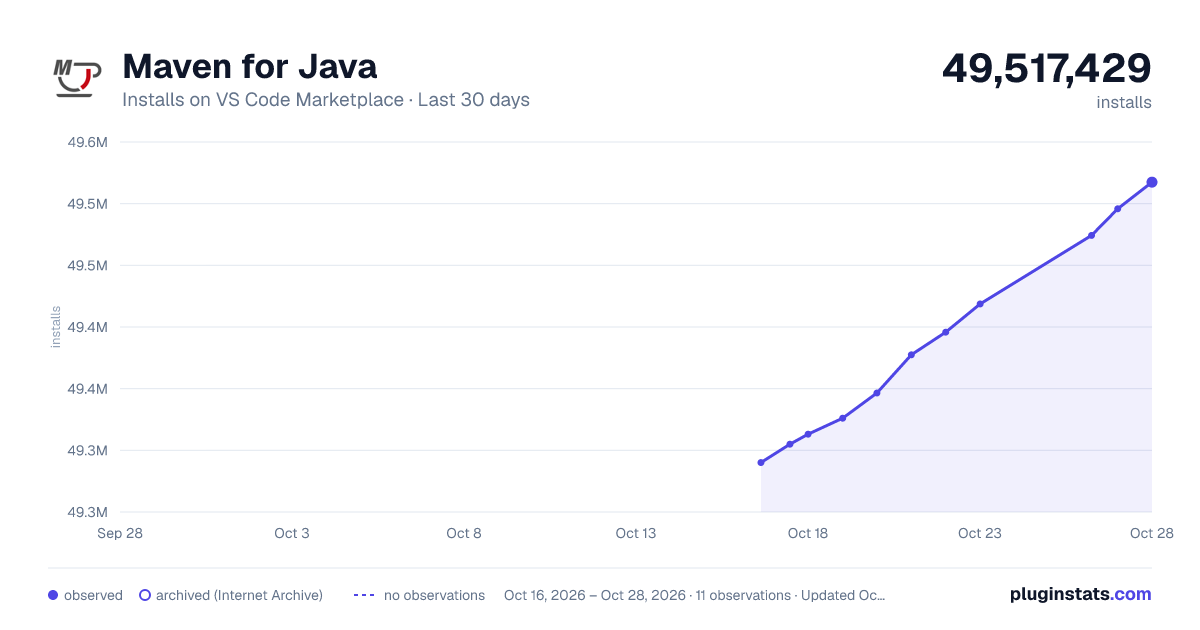
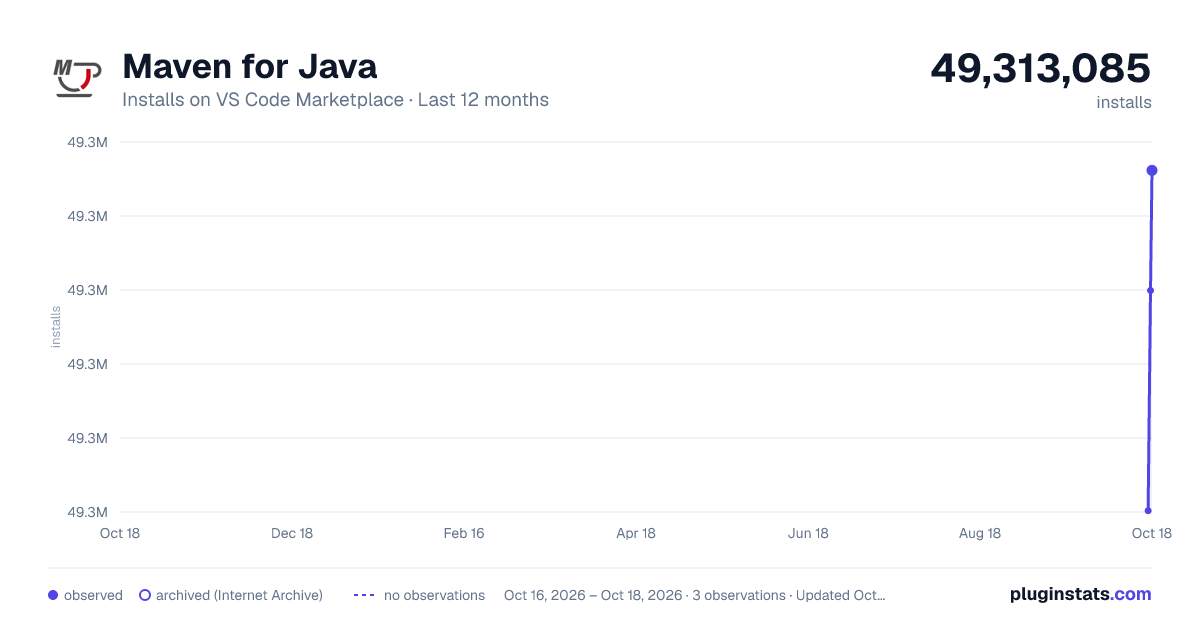
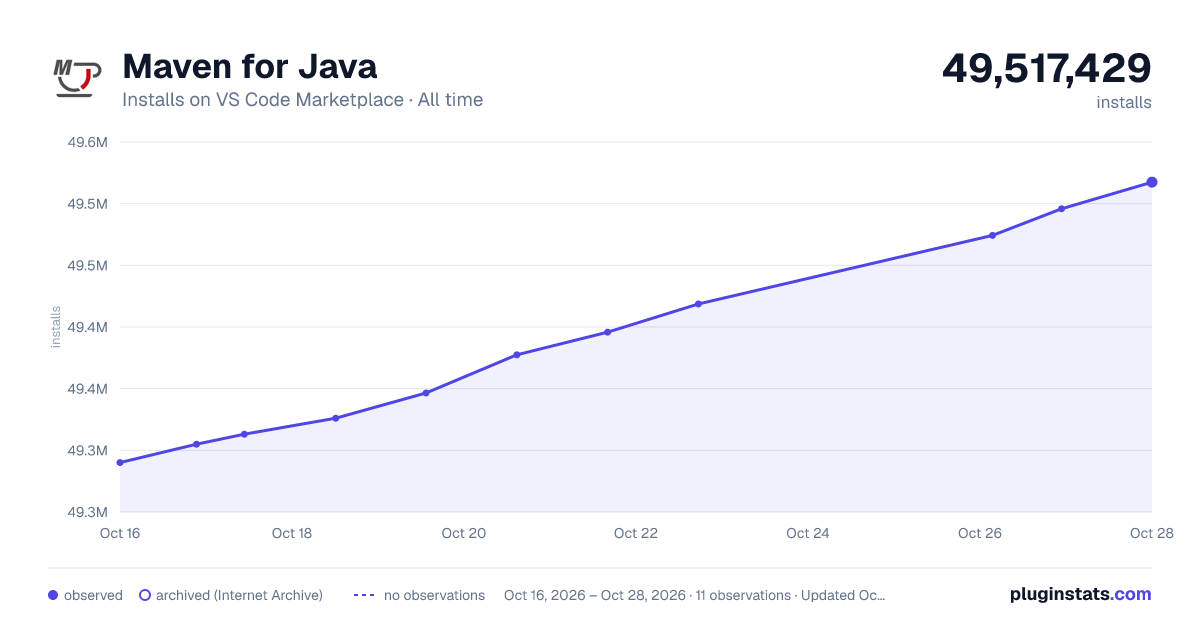
Maven for Java has 49,313,085 recorded installs on VS Code Marketplace.
It ranks #25 of 2,500 tracked VS Code Marketplace listings by installs.
It is rated 4.1 out of 5 from 17 ratings.
PluginStats has 3 daily observations since Oct 16, 2026; the latest is from Oct 18, 2026.
Rating: 4.12 / 5 from 17 ratings
About Maven for Java
Maven for Java
Features
Maven extension for VS Code. It provides a project explorer and shortcuts to execute Maven commands, improving user experience for Java developers who use Maven.
• Support to generate projects from Maven Archetype. • Support to generate effective POM. • Provide shortcuts to common goals, plugin goals and customized commands. • Preserve command history to fast re-run.
Requirements
• Java • Maven / Maven Wrapper
For troubleshooting, please refer to the page HERE.
Workspace Trust
Generating dependency trees, effective POMs, and other background Maven data requires a trusted workspace. Use Manage Workspace Trust in VS Code to enable these features only for projects you trust. Dependency and effective-POM document links must reference existing files inside the workspace, including after resolving symlinks or junctions. Read-only local repository documents remain available in Restricted Mode.
Before launching Maven for a dependency or effective-POM document, the extension rechecks the POM and workspace paths against their initially resolved locations. Maven still receives the original POM path to preserve linked projects' relative paths and workspace settings. This recheck narrows, but does not eliminate, filesystem races: it cannot atomically bind Maven's later file opens or protect mutable ancestors, wrappers, settings, or other build inputs.
Basic Usage
Maven Explorer
The extension scans pom.xml in your workspace, and displays all Maven projects and their modules in the sidebar.
Run Plugin Goals
The extension parse effective-pom of Maven projects, and displays all plugins and plugin goals hierarchically.
POM File Editing
The extension provides Maven specific completion suggestions when editing POM files, including snippets and artifact hints.
Re-Run Historical Commands
It preserves history of goals for each project, so you can fast re-run previous long commands, e.g. mvn -Dparam1=value1 -Dparam2=value2 -Dparam3=value3 ... There are 2 entries for it: • Command Palette -> select Maven: History ... -> Select a project -> Select command from the history • Right-click on a project -> Click History ... -> Select command from the history
Archetype Related
Generate from Maven Archetype
The extension loads archetypes listed in local/remote catalog. After selection, the extension sends mvn archetype:generate -D... to terminal. There are 2 entries for it: • Command Palette -> select Maven: Generate from Maven Archetype • Right-click on a folder -> Click Generate from Maven Archetype
Update Maven Archetype Catalog
With following steps, you can update the local cache of Maven remote catalog. It takes some time to download meta data from Maven central repository.
Command Palette -> select Maven: Update Maven Archetype Catalog.
Additional Configurations
JAVA_HOME and Other Environment Variables
This extension executes Maven by opening a terminal session and then calling Maven in that session. Maven requires the JAVA_HOME environment variable to be set. Maven will also look for other variables such as MAVEN_OPTS. If you prefer not to set those variables permanently you can configure them, or any other environment variable, in settings:
Using a different JDK for Maven than your system default
If mvn is picking up the wrong JDK (e.g. the system default JDK 17 is used even though your project targets JDK 1.8), set the JAVA_HOME entry in maven.terminal.customEnv to the JDK installation you want Maven to use. This setting is honored by every command this extension runs — both Maven commands launched in the integrated terminal and background commands such as effective-pom generation.
The setting is per-folder, so in a multi-root workspace you can configure a different JDK for each folder via the folder's .vscode/settings.json.
Already-open Maven terminals keep their environment from the moment they were created. After changing this setting, close any existing Maven terminal (or reload the window) so the next command picks up the new value.
Special Handling for JAVA_HOME
To run Maven with a specific JDK, set JAVA_HOME via maven.terminal.customEnv (see the section above). This value is applied to both terminal commands and background commands launched by this extension.
Default Options for Maven Command The usage of Maven executable is:
usage: mvn [options] [] []
You can use maven.executable.options to specify default options for all your Maven commands executed in current project.
Folder Exclusion for Searching POM Files
To speed up the searching of Maven projects, you can exclude folders in settings:
Customize Favorite Maven Commands
Specify a favorite command in settings:
Now right-click on an project item, and then click Favorite .... The option full-build without tests should show up.
Settings
| Name | Description | Default Value |…
Description from the VS Code Marketplace listing.
- Java
- Maven
Where Maven for Java sits in the listing
Each band is one page of 20. Installs on a log scale. Placement is projected from installs, so it can differ from the marketplace's own sort order. Hover a dot to see the listing.


Charts
Images: 30d · 1y · all time · 1600×900 dark

Adoption over time


7/30/90-day growth


Ranking history


Filled points are observed values; hollow points come from Internet Archive snapshots of the listing page. Dashed segments span periods with no observations — values between points are not interpolated.
Recent observations
Full history (3)Similar VS Code Marketplace Programming Languages plugins
Data source
Install counts, average rating, and rating counts come from the public Visual Studio Marketplace gallery API. Installs are cumulative and exclude updates.
Listing: https://marketplace.visualstudio.com/items?itemName=vscjava.vscode-maven. First seen Oct 16, 2026; last successful collection Oct 18, 2026. See the methodology.