 PluginStats
Composer installs statistics
By Ioannis Kappas (2 listings) · VS Code Marketplace · Programming Languages
PHP Composer for Visual Studio Code
Composer has 382,385 recorded installs on VS Code Marketplace.
It ranks #988 of 2,501 tracked VS Code Marketplace listings by installs.
It is rated 4.5 out of 5 from 4 ratings.
PluginStats has 4 daily observations since Oct 16, 2026; the latest is from Oct 19, 2026.
Rating: 4.50 / 5 from 4 ratings
About Composer
vscode-composer
This Visual Studio Code plugin provides an interface to Composer dependency manager for PHP. It also provides schema validation for composer.json configuration files.
Installation
You must install Visual Studio Code and Composer on your system before you can use this plugin.
Visual Studio Code Installation
If Visual Studio Code is not installed, please follow the instructions here.
Composer Installation
If Composer is not installed, please follow the instructions here.
Plugin Installation
1. Open Visual Studio Code. 1. Press Ctrl+P on Windows or Cmd+P on Mac to open the Quick Open dialog. 1. Type ext install composer to find the extension. 1. Press Enter or click the cloud icon to install it. 1. Restart Visual Studio Code when prompted. 1. Go to Visual Studio Code user settings and configure the composer.executablePath setting.
Configuration
You can configure the following options by making changes to your user or workspace preferences.
composer.enabled
[ Scope: Global | Optional | Default: true ]
Use this setting to enable or disable this plugin.
composer.executablePath
[ Scope: Global | Required ]
Use this setting to specify the absolute path to the composer executable on your system.
Example user settings.json on Mac/Linux:
Example user settings.json on Windows:
Important: You will be unable to use this plugin unless you configure this setting before first use.
composer.ignorePlatformReqs
[ Scope: Global | Optional | Default: false ]
Use this setting to ignore all platform requirements (php, hhvm, lib-* and ext-*) and force the installation even if the local machine does not fulfill these.
composer.runInTerminal
[ Scope: Global | Optional | Default: true ]
Use this setting to defines whether the command is run in a terminal window or whether the output form the command is shown in the Output window. The default is to show the output in the terminal.
composer.runQuiet
[ Scope: Global | Optional | Default: false ]
Use this setting to run composer commands with the --quiet option.
composer.workingPath
[ Scope: Workspace | Optional | Default: null ]
Use this setting to specify the absolute or workspace relative path to your composer.json. If not specified the workspace root path is used as default.
Example user settings.json on Mac/Linux:
Example user settings.json on Windows:
Usage
All composer commands are available through the Command Pallet using F1.
Supported Commands
Composer: About
Display short information about composer.
Composer: Archive
Create an archive of this composer package.
Composer: Clear Cache
Clears composer's internal package cache.
Composer: Depends
Displays detailed information about where a package is referenced.
Composer: Diagnose
Diagnoses the system to identify common errors.
Composer: Dump Autoloader
Dumps the autoloader.
Composer: Fund
Discover how to help fund the maintenance of your dependencies.
Composer: Init
The init command creates a basic composer.json file in the current directory.
Composer: Install
Installs the project dependencies from the composer.lock file if present, or falls back on the composer.json.
Composer: Licenses
Shows information about licenses of dependencies.
Composer: Outdated
Shows a list of installed packages that have updates available, including their current and latest versions.
Composer: Prohibits
Displays detailed information about why a package cannot be installed.
Composer: Remove
Removes a package from the require or require-dev.
Composer: Require
Adds required packages to your composer.json and installs them.
Composer: Run Script
Run the scripts defined in composer.json.
Composer: Self Update
Updates composer.phar to the latest version.
Composer: Show
Show information about packages.
Composer: Status
Show a list of locally modified packages.
Composer: Suggests
Show a sorted list of suggested packages.
Composer: Update
Updates your dependencies to the latest version according to composer.json, and updates the composer.lock file.
Composer: Validate
Validates a composer.json and composer.lock
Composer: Version
Shows the composer version.
Composer: Why
Displays detailed information about where a package is referenced.
Composer: Why Not
Displays detailed information about why a package cannot be installed.
Contributing and Licensing
The project is hosted on GitHub where you can report issues, fork the project and submit pull requests.
The project is available under MIT license, which allows modification and redistribution for both commercial and non-commercial purposes.
Description from the VS Code Marketplace listing.
- composer
- dependency
- json
- manager
- multi-root ready
- php
Where Composer sits in the listing
Each band is one page of 20. Installs on a log scale. Placement is projected from installs, so it can differ from the marketplace's own sort order. Hover a dot to see the listing.


Charts
Images: 30d · 1y · all time · 1600×900 dark
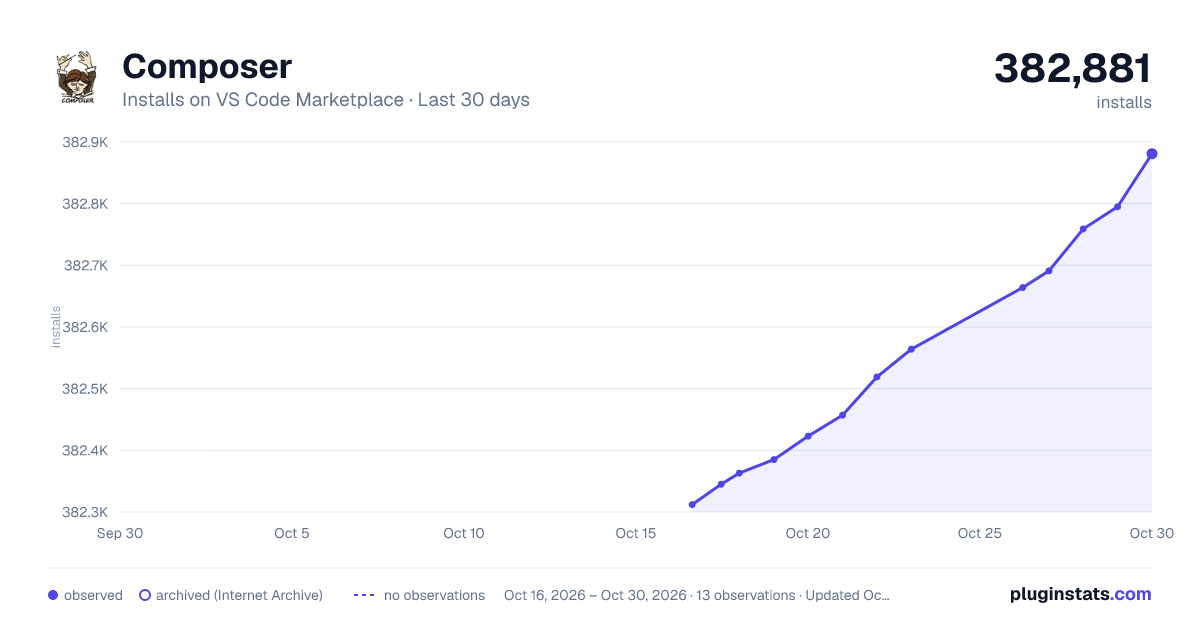
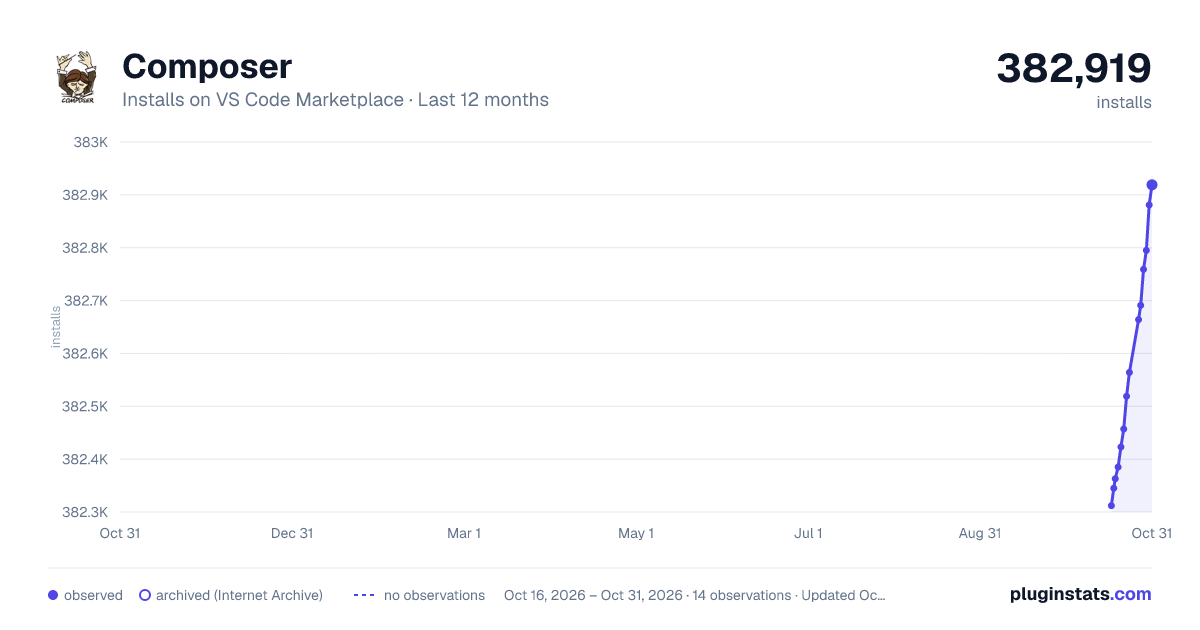
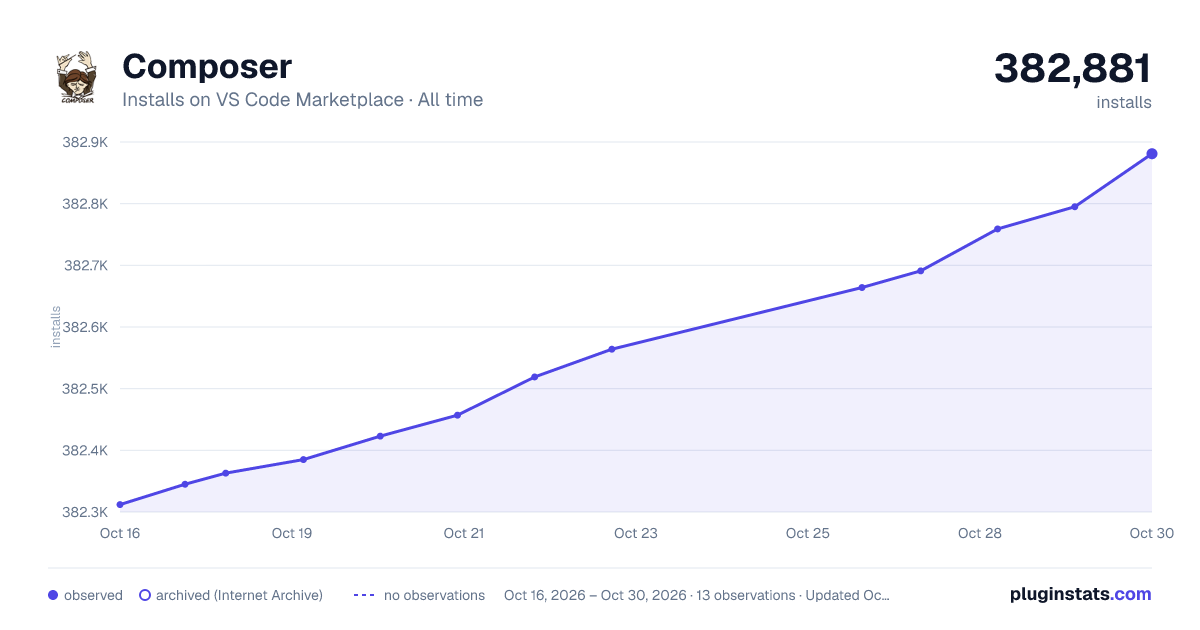

Adoption over time


7/30/90-day growth


Filled points are observed values; hollow points come from Internet Archive snapshots of the listing page. Dashed segments span periods with no observations — values between points are not interpolated.
Recent observations
Full history (4)Similar VS Code Marketplace Programming Languages plugins
Data source
Install counts, average rating, and rating counts come from the public Visual Studio Marketplace gallery API. Installs are cumulative and exclude updates.
Listing: https://marketplace.visualstudio.com/items?itemName=ikappas.composer. First seen Oct 16, 2026; last successful collection Oct 19, 2026. See the methodology.