 PluginStats
Log File Highlighter installs statistics
By Emil Åström · VS Code Marketplace · Other
Adds color highlighting to log files to make it easier to follow the flow of log events and identify problems.
Log File Highlighter has 577,330 recorded installs on VS Code Marketplace, ranking #783 of 2,501 tracked listings.
Rating: 4.97 / 5 from 36 ratings
About Log File Highlighter
Log File Highlighter

![alt text][sample]
Description
A Visual Studio Code extension for adding color highlighting to log files. It is based on standard conventions for log4net log files but it's general enough to be useful for other variations of log files as well. The colors are customizable but by default the current color theme's colors are used.
Open Source
This extension is open source under the MIT License and completely free but if you like it and want to encourage further development, then you might want to consider supporting it using one of the links below:

But that's completely optional, of course 😊
Note
An earlier version of the syntax highlighting definition from this extension was included into Visual Studio Code version 1.20. If the default behavior of log files in VS Code is good enough for you, then you don't need this extension. However, if you want additional highlighting, customizable patterns and time duration calculation and visualization, then keep reading :-)
Features
Syntax Highlighting
The extension associates with .log files and applies coloring to the different elements in the file, for example:
| Category | Example |
|---|---|
| Dates and times in ISO format, such as | 2015-12-09, 2015-12-09 09:29, 2015-12-09 09:29:02.258 |
| Dates and times in some culture-specific formats | 12/09/2016, 12.09.2016, 12-09-2016, 12-09-2015 09:29, 12-09-2015 09:29:02,258 |
| Log level | TRACE, DEBUG, INFO, INFORMATION, WARN, WARNING, ERROR, FAIL, FAILURE |
| Numeric constants | 1, 234 |
| Standard .Net constants | null, true, false |
| String constants | "lorem ipsum", 'lorem ipsum' |
| GUIDs | 859A4209-A82D-4CA1-8468-C2606A3501EE |
| MAC addresses | 43:A4:19:A5:AF:C0, 43-A4-19-A5-AF-C0, fde8:e767:269c:0:9425:3477:7c8f:7f1a, fde8-e767-269c-0-9425-3477-7c8f-7f1a |
| .Net exception type names | ArgumentNullException, HttpException |
| .Net exception stack traces | Lines starting with whitespace characters, followed by at |
| Urls | http://www.meadow.se/wordpress/ |
| Namespaces | MyApp.MyNameSpace.MyClass |
Visualization of Time Duration and Progress
If you select multiple lines of a .log file, some simple timestamp analysis is performed.
- A status bar item is displayed that indicates how many days, hours, minutes, seconds and milliseconds that is selected.
- A progress bar is also drawn under the timestamps in the selection to give a visual representation of each line's point in time within the selection.
- Press <kbd>Escape</kbd> to clear the progress bars.

Settings
-
enableProgressIndicator can be used to disable the progress indicator feature. The default value is
true. Set it tofalseto disable the feature. -
progressIndicatorUnderlineColor can be used to set the color of the progress indicator. The default value is
#00ff1f8f. Note the alpha channel value at the end of the color value (8f). This can be used to make the color semi-transparent for mixing with the background color.
Example:
"logFileHighlighter.enableProgressIndicator": true,
"logFileHighlighter.progressIndicatorUnderlineColor": "#ffee00",
Tail Mode
The extension also supports a tail mode where the end of the log file is kept in view as new lines are added. To activate it, scroll to the end of the log file until a message is shown in the status bar: Log File Tail Mode
To deactivate tail mode for the current file, scroll up again.
This feature can be disabled by setting the logFileHighlighter.enableTailMode setting to false.
Customization
Customizing the colors…
Description from the VS Code Marketplace listing.
- keybindings
- log
- Log File
README badge
Show your rank in a README or on your website. The badge updates automatically.
Charts
Images: 30d · 1y · all time · 1600×900 dark
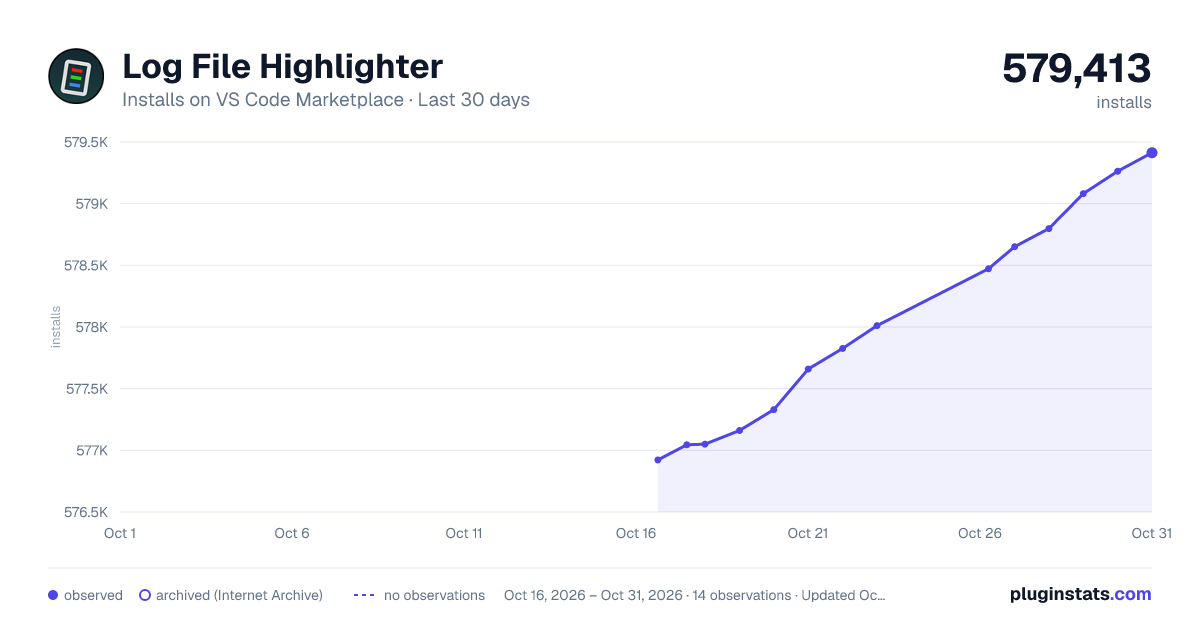
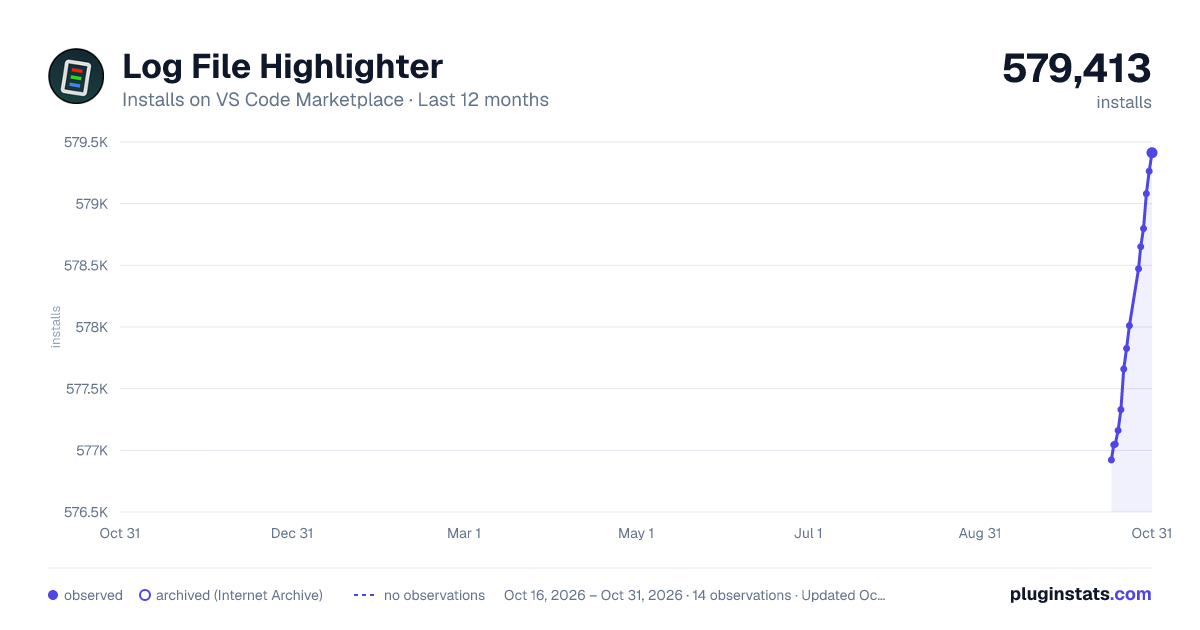
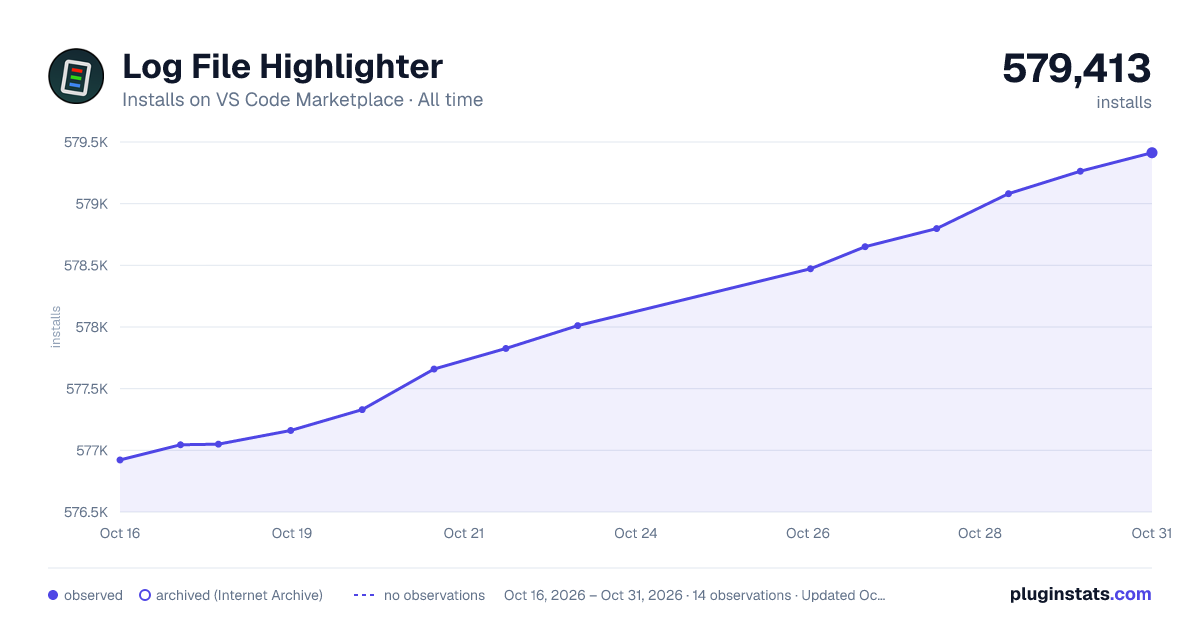

Adoption over time
7/30/90-day growth
Ranking history
Ratings over time
Listing placement
Listing placement
Filled points are observed values; hollow points come from Internet Archive snapshots of the listing page. Dashed segments span periods with no observations — values between points are not interpolated.
Each band is one page of 20. Installs on a linear scale. Placement is projected from installs, so it can differ from the marketplace's own sort order. Hover a dot to see the listing.
Recent observations
Full history (5)Similar VS Code Marketplace Other plugins
All 20 Log File Highlighter alternativesData source
Install counts, average rating, and rating counts come from the public Visual Studio Marketplace gallery API. Installs are cumulative and exclude updates.
Listing: https://marketplace.visualstudio.com/items?itemName=emilast.LogFileHighlighter. First seen Oct 16, 2026; last successful collection Oct 20, 2026. See the methodology.