 PluginStats
PowerShell installs statistics
By Microsoft (223 listings) · VS Code Marketplace · Programming Languages
Develop PowerShell modules, commands and scripts in Visual Studio Code!
PowerShell has 22,266,672 recorded installs on VS Code Marketplace.
It ranks #51 of 2,500 tracked VS Code Marketplace listings by installs.
It is rated 3.6 out of 5 from 174 ratings.
PluginStats has 3 daily observations since Oct 16, 2026; the latest is from Oct 18, 2026.
Rating: 3.56 / 5 from 174 ratings
About PowerShell
PowerShell for Visual Studio Code
This extension provides rich [PowerShell][] language support for [Visual Studio Code][] (VS Code). Now you can write and debug PowerShell scripts using the excellent IDE-like interface that VS Code provides.
This repository, vscode-powershell, is the [Language Server Protocol][] client for VS Code and [PowerShellEditorServices][] is the server (also used by other editors, such as Emacs and Vim).
Available Features
• [Syntax highlighting][] • Advanced built-in [code snippets][] • [IntelliSense][] for cmdlets and more • [Problems][] reported by [PowerShell Script Analyzer][] • [Go to Definition][] of cmdlets, variables, classes and more • [Find References][] of cmdlets, variables, classes and more • Document and Workspace [Symbol Navigation][] • Symbol-based [Outline View][] • Run selected PowerShell code in current terminal using F8 • Launch online help for the symbol under the cursor using Ctrl+F1 • PowerShell [Debugger][] integration • An Extension Terminal that can interact with the debugger (try Set-PSBreakpoint!) • PowerShell ISE theme findable in the [theme picker][] • Also try ISE Mode with the Toggle ISE Mode command
Bundled with the extension is the PowerShell ISE theme. It is not activated by default, but after installing this extension either click Set Color Theme or use the [theme picker][] and select PowerShell ISE.
Platform Support
The extension should work everywhere Visual Studio Code is supported using [PowerShell 7+ currently supported versions][].
[!IMPORTANT] For Windows PowerShell, only version 5.1 is supported and only on a best-effort basis. [.NET Framework 4.8][dotnet-framework] or higher is required.
[!IMPORTANT] Visual Studio Code for the Web is only supported for limited functionality such as basic syntax highlighting, as the PowerShell engine cannot run in this environment currently.
VS Code Remote Development Environments, including Github Codespaces and VS Code Server are supported.
We actively test the following configurations in Github Actions on every commit:
• Windows Server 2025 with Windows PowerShell 5.1 and PowerShell 7+ • macOS 15.7.1 with PowerShell 7+ • Ubuntu 24.04 with PowerShell 7+
On Windows, we also test with and without Constrained Language Mode enabled.
Read the [installation instructions][] to get more details on how to use the extension on these platforms.
Installing the Extension
The PowerShell extension can be installed from the Visual Studio Code Marketplace by clicking the [Install Button][]. You can also install the PowerShell extension from within VS Code by opening the Extensions view with keyboard shortcut Ctrl+Shift+X, typing PowerShell, and selecting the extension.
We would encourage you to try the _pre-release_ version whenever possible. When a _Pre-Release_ is available, it can be installed from the marketplace using the Switch to Pre-Release Version button. You can switch back to the stable version of the extension by using the Switch to Release Version button that will appear. You can also downgrade to other versions of the extension using the arrow next to the Uninstall button and choosing Install Another Version.
Getting Help
Please our support document.
Code of Conduct
Please see our Code of Conduct before participating in this project.
Contributing to the Code
Check out the development documentation for more details on how to contribute to this extension!
Security Note
For any security issues, please see here.
Maintainers
Current
• Andy Jordan - @andyleejordan • Patrick Meinecke - @SeeminglyScience • Sydney Smith - @SydneyhSmith • Justin Grote - @JustinGrote
Emeriti
• Keith Hill - @rkeithhill • Rob Holt - @rjmholt • Tyler Leonhardt - @TylerLeonhardt • David Wilson - @daviwil
License
This extension is licensed under the MIT License. Please see the third-party notices file for details on the third-party binaries that we include with releases of this project.
Description from the VS Code Marketplace listing.
- color-theme
- debuggers
- keybindings
- language-model-tools
- powershell
- pwsh
- snippet
- theme
- tools
Where PowerShell sits in the listing
Each band is one page of 20. Installs on a log scale. Placement is projected from installs, so it can differ from the marketplace's own sort order. Hover a dot to see the listing.


Charts
Images: 30d · 1y · all time · 1600×900 dark
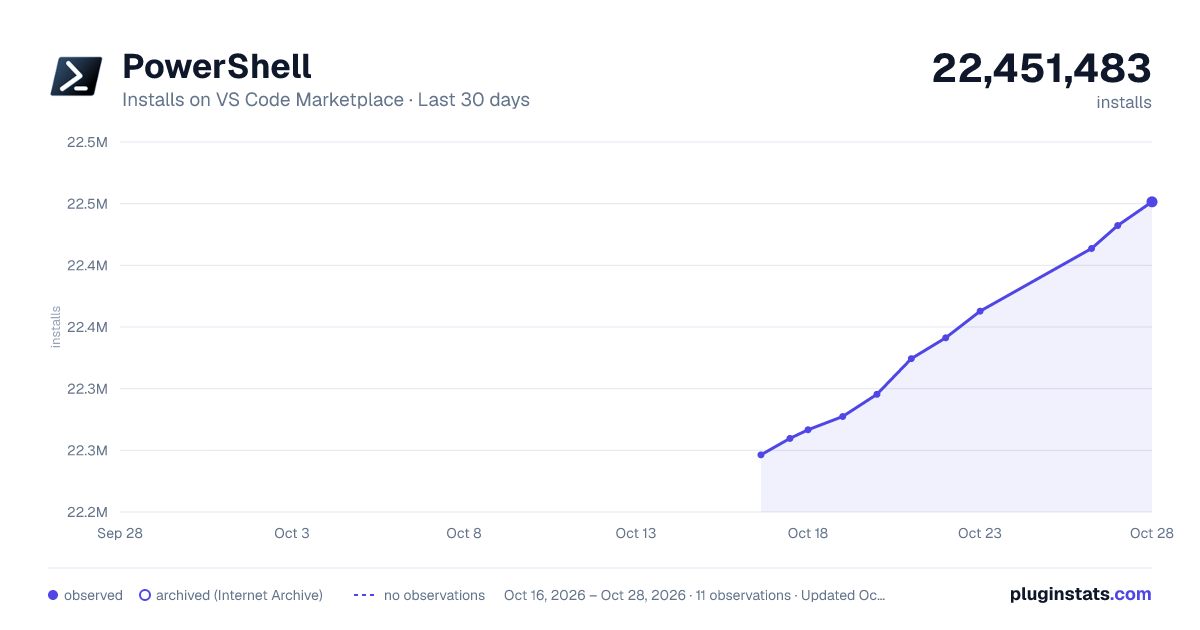
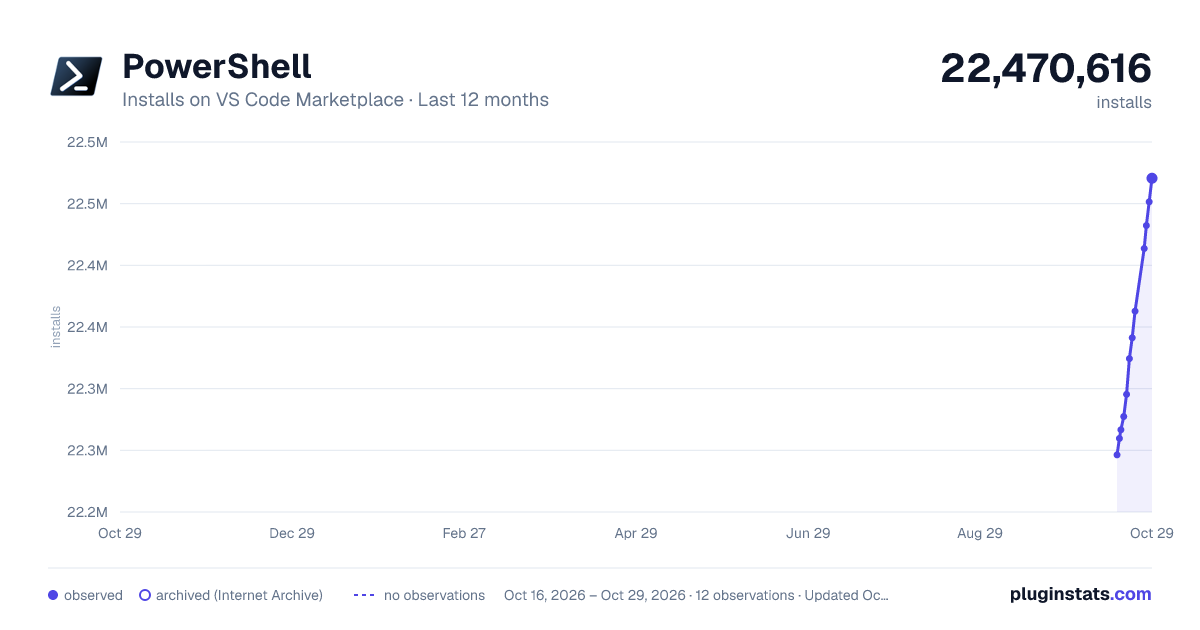
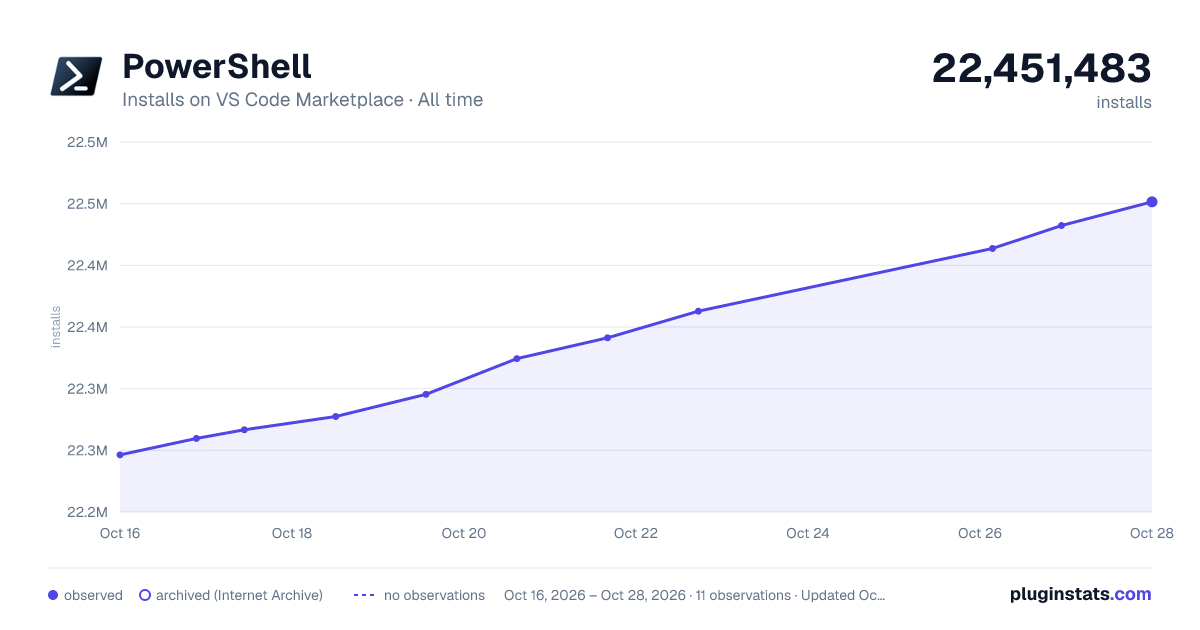

Adoption over time


7/30/90-day growth


Filled points are observed values; hollow points come from Internet Archive snapshots of the listing page. Dashed segments span periods with no observations — values between points are not interpolated.
Recent observations
Full history (3)Similar VS Code Marketplace Programming Languages plugins
Data source
Install counts, average rating, and rating counts come from the public Visual Studio Marketplace gallery API. Installs are cumulative and exclude updates.
Listing: https://marketplace.visualstudio.com/items?itemName=ms-vscode.PowerShell. First seen Oct 16, 2026; last successful collection Oct 18, 2026. See the methodology.