 PluginStats
Android ADB WLAN — Wireless Debugging installs statistics
By deskbtm · VS Code Marketplace · Debuggers
Connect Android phones to ADB over Wi-Fi. Wireless debugging, QR pairing (Android 11+), adb connect/pair, USB-assisted setup, multi-device picker, and mDNS reconnect for cross-platform mobile dev: React Native, Flutter, Expo, Capacitor, and native Android.
Android ADB WLAN — Wireless Debugging has 107,687 recorded installs on VS Code Marketplace, ranking #2265 of 2,501 tracked listings.
Rating: 4.20 / 5 from 5 ratings
About Android ADB WLAN — Wireless Debugging
Android ADB WLAN



Connect Android phones and tablets to ADB over Wi-Fi (wireless debugging) directly from VS Code. Pair with a QR code on Android 11+, run adb connect / adb pair, or switch from USB on older devices — then work cable-free. Built for native Android, React Native, and Flutter workflows: multi-device picker, recent IP history, mDNS reconnect, and a title-bar shortcut.
Screenshots
Device list and status bar

End-to-end usage

What's New
Recent improvements in this release:
- QR code pairing (Android 11+) — Generate an AOSP-compatible pairing QR in VS Code; scan on the phone to pair and connect without typing IP or codes.
- Recent IP history — Previously used IPs appear in the Quick Pick; select to fill, or remove entries with the trash icon.
- Smarter mDNS connect — When multiple
_adb-tls-connect._tcpendpoints exist, stale ports (Connection refused) are skipped automatically until a working one is found. - Test coverage — Unit tests for parsers and pairing credentials; integration tests for command registration and extension activation.
- Automated publishing — Pushing a
v*tag triggers GitHub Actions to lint, test, and publish to the VS Code Marketplace.
Table of Contents
- Screenshots
- What's New
- Overview
- Features
- Requirements
- Installation
- Getting Started
- Connection Workflows
- Commands
- Troubleshooting
- Known Limitations
- Development
- Related Extensions
- License
Overview
Android ADB WLAN wraps common ADB wireless workflows into VS Code commands and UI affordances:
- A title-bar action for quick access
- A status bar indicator for the active device
- A device picker backed by
adb devices -l - Automatic LAN IP matching between host and device
The extension shells out to the system adb binary. No additional daemon or mobile app is required.
Features
| Capability | Description |
|---|---|
| Wireless debugging | Connect devices over WLAN after setup |
| Multi-device support | View and switch between multiple connected devices |
| USB-assisted setup | Switch a USB-connected device to wireless ADB (Android 10 and below) |
| Android 11+ pairing | Native wireless debugging with adb pair / adb connect |
| QR code pairing | In-editor QR for Pair device with QR code on Android 11+ |
| Recent IP history | Quick Pick list of recent wireless IPs with one-click fill and delete |
| mDNS endpoint retry | Tries all _adb-tls-connect._tcp ports when stale entries refuse connections |
| Status bar | Shows the current device model; click to open the device list |
| IP selection | Prefers addresses on the same LAN segment as the host |
Requirements
| Item | Details |
|---|---|
| Editor | VS Code ^1.64.0 or compatible forks |
| Host OS | Windows, macOS, and Linux |
| ADB | Android SDK Platform-Tools on PATH |
| Network | Phone and computer on the same LAN |
| Device | USB debugging enabled; wireless debugging enabled for Android 11+ |
Verify ADB before using the extension:
adb --version
adb devices -l
Installation
From the Marketplace
- Open the Extensions view in VS Code (
Ctrl+Shift+X/Cmd+Shift+X) - Search for Android ADB WLAN, adb wifi, wireless debugging, or adb wireless
- Click Install
Direct link: Visual Studio Marketplace
Getting Started
- Install and configure ADB on your machine.
- Enable USB debugging on the Android device.
- For Android 11+, also enable Wireless debugging under Developer options.
- Ensure the device and host share the same Wi-Fi network.
- Launch a connection:
- Click the ADB icon in the editor title bar, or
- Open the Command Palette (
Ctrl+Shift+P/Cmd+Shift+P) and runADB WLAN: Connect over Wi-Fi
After a successful connection, the status bar displays the connected device model. Click it to inspect the device list.
Connection Workflows
USB-assisted (Android 10 and below)
Use this path when the device is connected over USB (Android 10 and below).
- Connect the device via USB and authorize the debugging prompt.
- Run
ADB WLAN: Connect over Wi-Fi(title-bar ADB icon or Command Palette). - Select the USB device from the picker (not the wireless-debugging menu items).
- Enter a TCP port when prompted (default:
1031). - Choose the device IP address (a matching LAN IP is preferred when available).
- Remove the USB cable once the success dialog appears.
Wireless debugging (Android 11+)
Use this path when Wireless debugging is enabled on the device.
Pair with QR code
- Run
ADB WLAN: Connect over Wi-Fiand select Wireless debugging (Android 11+). - In the address prompt, select Generate pairing QR code.
- On the phone, tap Pair device with QR code and scan the QR shown in VS Code.
- The extension waits for the
_adb-tls-pairing._tcpmDNS announce, runsadb pair, then connects automatically.…
Description from the VS Code Marketplace listing.
- adb
- adb connect
- adb pair
- adb wifi
- adb wireless
- android
- android 11
- android debug bridge
- android device
- capacitor
- cross platform
- cross-platform
- developer options
- device picker
- expo
- flutter
- ionic
- javascript
- mdns
- mobile
README badge
Show your rank in a README or on your website. The badge updates automatically.
Charts
Images: 30d · 1y · all time · 1600×900 dark
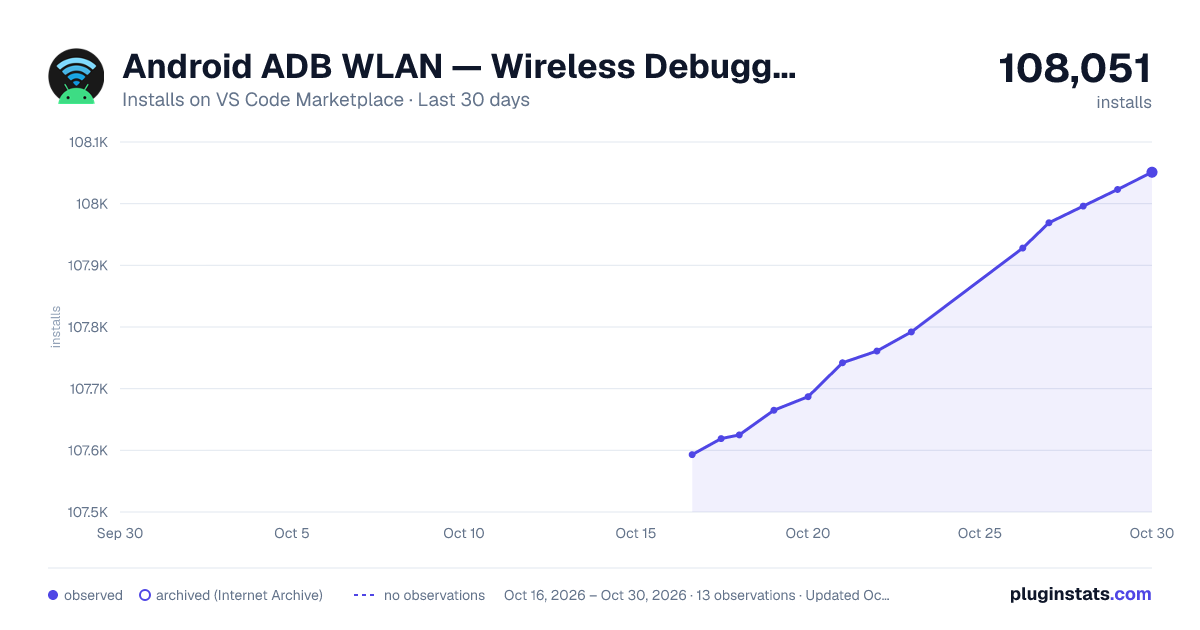
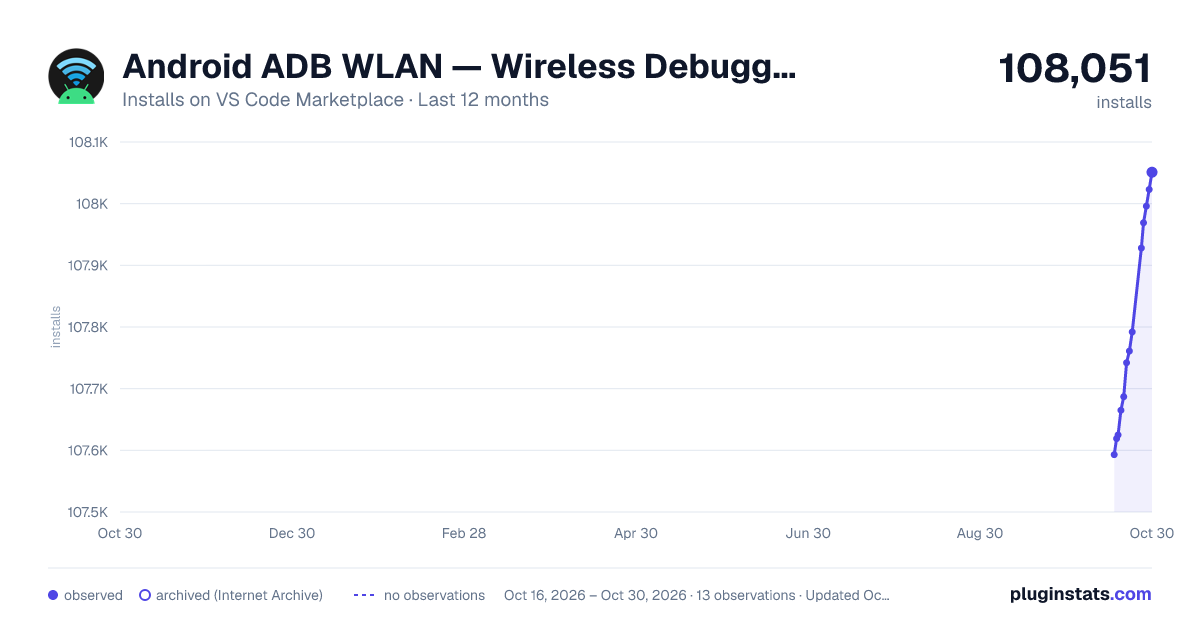
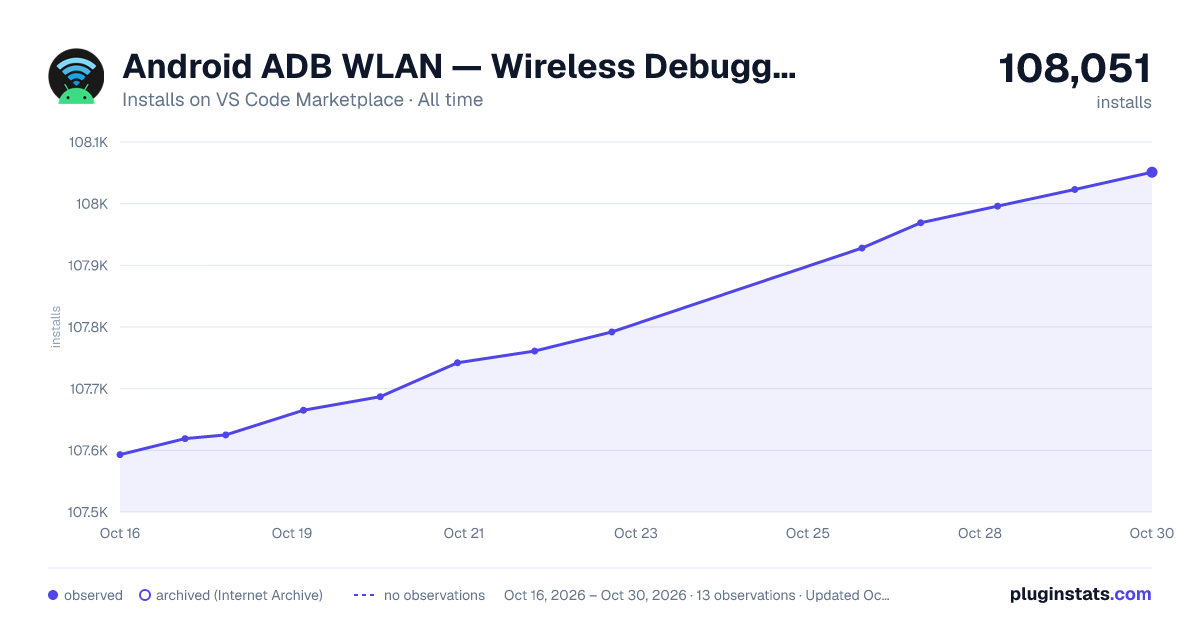

Adoption over time
7/30/90-day growth
Ranking history
Ratings over time
Listing placement
Listing placement
Filled points are observed values; hollow points come from Internet Archive snapshots of the listing page. Dashed segments span periods with no observations — values between points are not interpolated.
Each band is one page of 20. Installs on a linear scale. Placement is projected from installs, so it can differ from the marketplace's own sort order. Hover a dot to see the listing.
Recent observations
Full history (5)Similar VS Code Marketplace Debuggers plugins
All 20 Android ADB WLAN — Wireless Debugging alternativesData source
Install counts, average rating, and rating counts come from the public Visual Studio Marketplace gallery API. Installs are cumulative and exclude updates.
Listing: https://marketplace.visualstudio.com/items?itemName=HanWang.android-adb-wlan. First seen Oct 16, 2026; last successful collection Oct 20, 2026. See the methodology.