 PluginStats
haskell-linter installs statistics
By Cody Hoover (4 listings) · VS Code Marketplace · Programming Languages
An extension to use hlint in vscode
haskell-linter has 166,060 recorded installs on VS Code Marketplace.
It ranks #1739 of 2,500 tracked VS Code Marketplace listings by installs.
It is rated 5.0 out of 5 from 3 ratings.
PluginStats has 3 daily observations since Oct 16, 2026; the latest is from Oct 18, 2026.
Rating: 5.00 / 5 from 3 ratings
About haskell-linter
README
Overview
"haskell-linter" is a wrapper for hlint. It highlights hlint warnings and errors inline and provides a code-action to accept hlint suggestions.
Dependencies
It expects a version of hlint >= 1.9.1 to be installed and already added to the path. If it is installed but cannot be found, add the path to your preferences as seen below.
Configuration:
There are various options that can be configured by making changes to your user or workspace preferences.
Lint onType or onSave
By default the linter will lint as you type. Alternatively, set haskell.hlint.run to onSave or never if you want to lint only when the file is saved (works best if auto-save is on) or disable it for a workspace or entirely.
Hints
By default the linter simply calls the hlint command without arguments. To specify a set of hints to use or a set of hints to ignore, add them to the configuration as shown below.
Troubleshooting
Make sure you have a hlint installed and that the version is 1.9.1 or newer. If you're having issues with the extension, set the logLevel setting to log and check the output in the developer tools console.
Acknowledgements
The extension architecture is based off of the PHPValidationProvider from the built-in php extension.
Changelog
0.0.6: • Fixed issue #11 Incorrect Type in settings.json
0.0.4: • Added hlint.ignore configuration (Thanks to @vigoo)
0.0.3: • Fixed bug where linting was always being performed on save • Added option to disable linting • Added configuration schema to package.json which helps users when changing preferences
0.0.2: • Fixed configuration, setting haskell.hlint.executablePath should work • Fixed code actions in response to this VS Code issue • Made issues more readable • Get information/choose from multiple suggestions • Default linting is now onType • Removed ignoreSeverity setting
Description from the VS Code Marketplace listing.
- haskell
Where haskell-linter sits in the listing
Each band is one page of 20. Installs on a log scale. Placement is projected from installs, so it can differ from the marketplace's own sort order. Hover a dot to see the listing.


Charts
Images: 30d · 1y · all time · 1600×900 dark
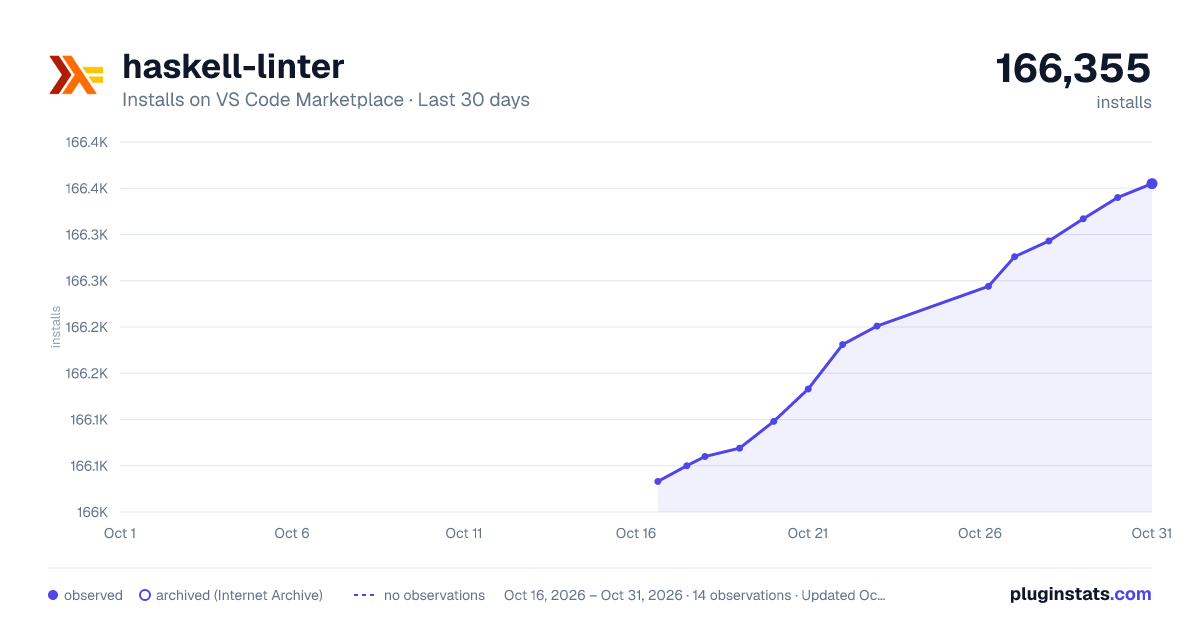
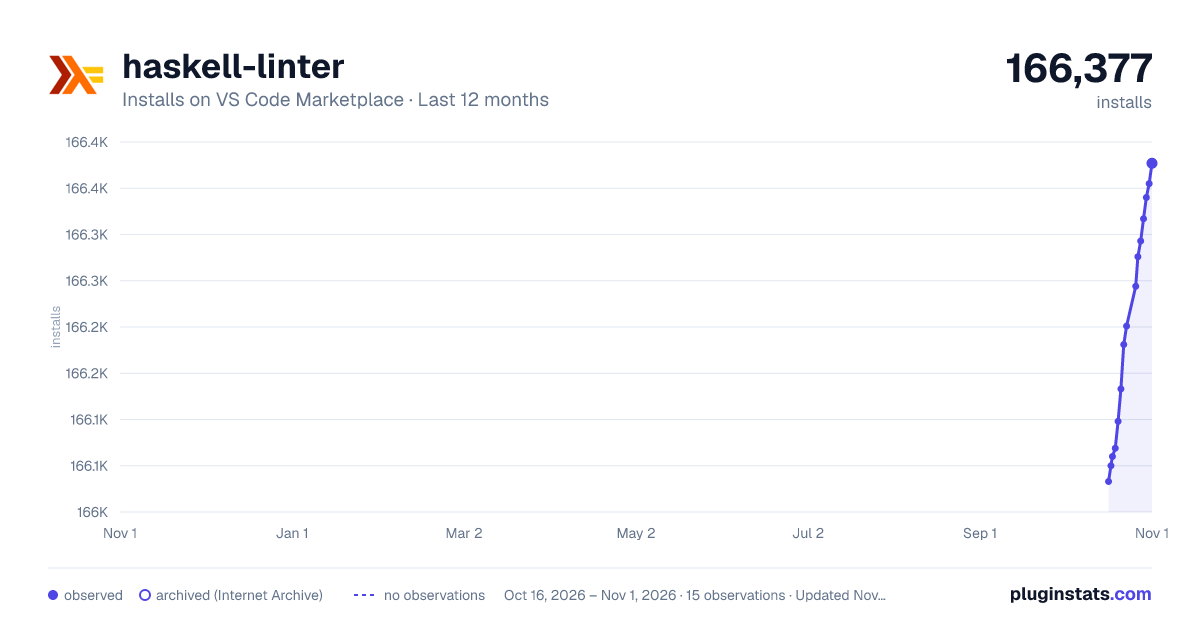
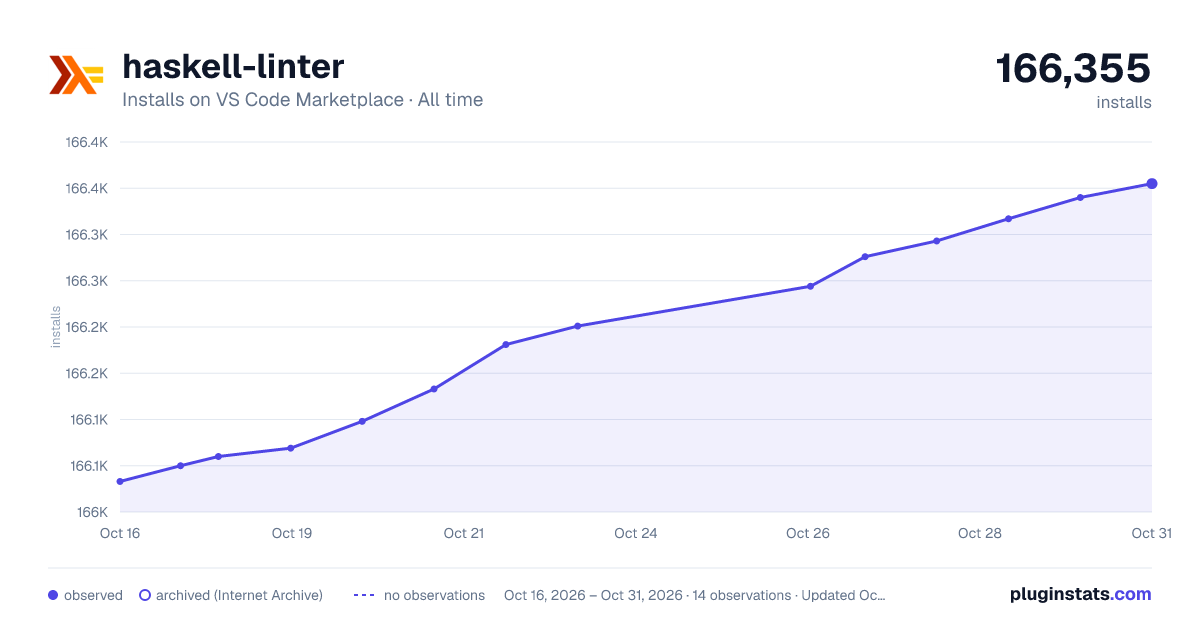

Adoption over time


7/30/90-day growth


Ranking history


Filled points are observed values; hollow points come from Internet Archive snapshots of the listing page. Dashed segments span periods with no observations — values between points are not interpolated.
Recent observations
Full history (3)Similar VS Code Marketplace Programming Languages plugins
Data source
Install counts, average rating, and rating counts come from the public Visual Studio Marketplace gallery API. Installs are cumulative and exclude updates.
Listing: https://marketplace.visualstudio.com/items?itemName=hoovercj.haskell-linter. First seen Oct 16, 2026; last successful collection Oct 18, 2026. See the methodology.