 PluginStats
VS Code Speech installs statistics
By Microsoft (224 listings) · VS Code Marketplace · Other
A VS Code extension to bring speech-to-text and other voice capabilities to VS Code.
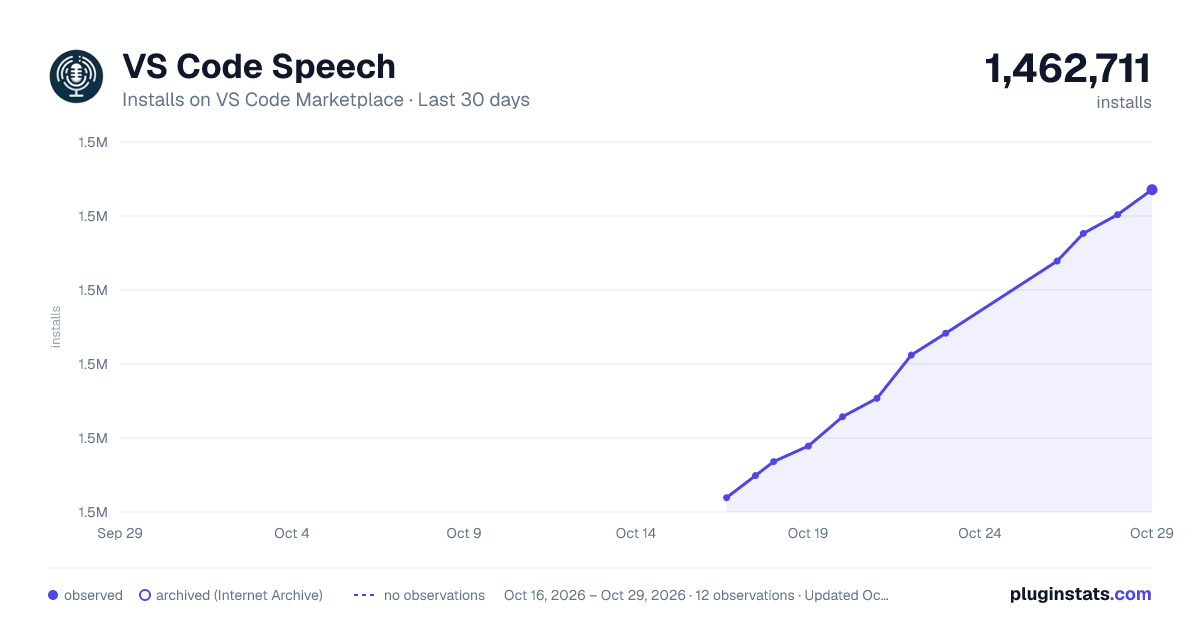
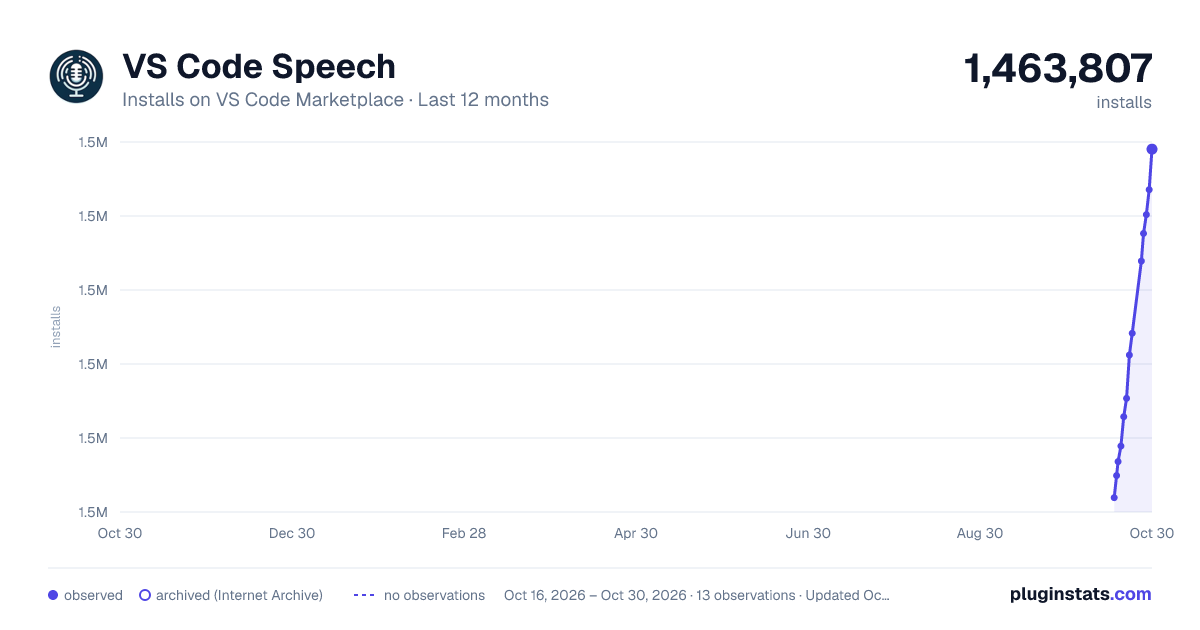
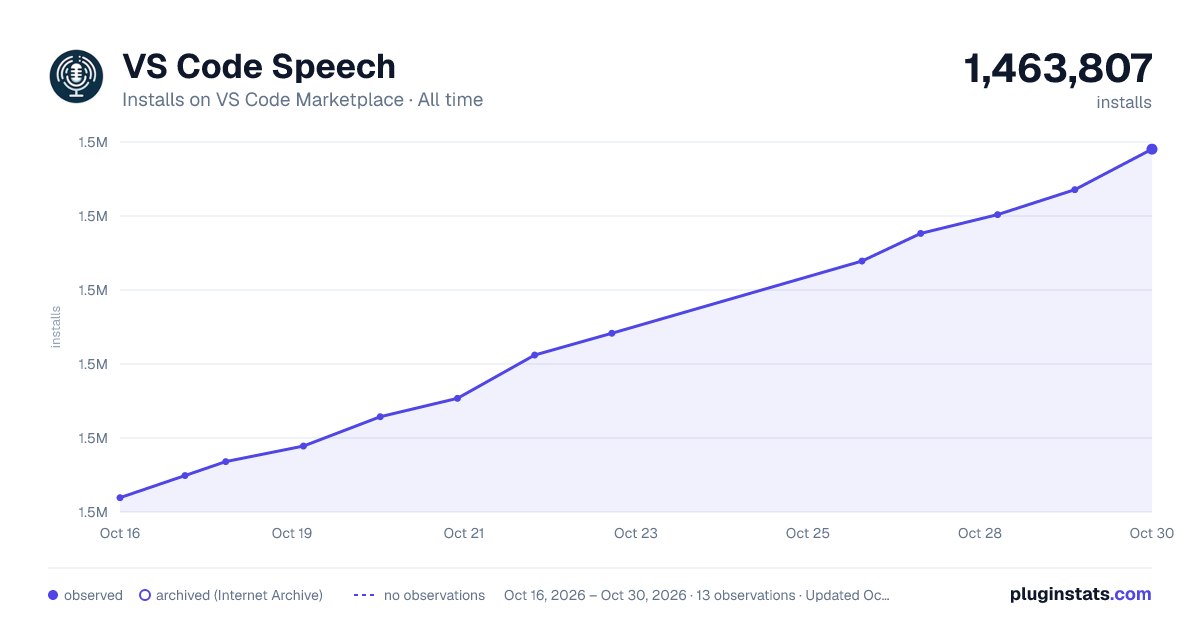
VS Code Speech has 1,455,782 recorded installs on VS Code Marketplace.
It ranks #431 of 2,501 tracked VS Code Marketplace listings by installs.
It is rated 3.5 out of 5 from 33 ratings.
PluginStats has 4 daily observations since Oct 16, 2026; the latest is from Oct 19, 2026.
Rating: 3.55 / 5 from 33 ratings
About VS Code Speech
Speech extension for Visual Studio Code
The Speech extension for Visual Studio Code adds speech-to-text and text-to-speech capabilities to Visual Studio Code. No internet connection is required, the voice audio data is processed locally on your computer.
For example, you can use this extension anywhere VS Code offers chat capabilities such as with GitHub Copilot Chat:
You can also use this extension to dictate directly into the text editor:
Chat responses can be read out aloud if you prefer to listen:
Getting Started
If you want to use this extension in AI powered Chat in VS Code, please install the GitHub Copilot Chat extension and sign in. You will see a microphone icon in all chat interfaces that GitHub Copilot Chat extension provides:
If you want to use this extension to dicate directly into the editor, no further setup is required!
Keybindings and Walky-Talky Mode
The easiest way to get going with voice in chat is to use the keybinding Ctrl+I (Cmd+I on macOS). If you press and hold the keys, voice transcription starts immediately and submits when you release. Otherwise, when a chat input field is focused, pressing this key will start the voice session until it gets submitted.
For the editor dictation mode, use the keybinding Ctrl+Alt+V (Cmd+Alt+V on macOS).
You can easily configure your own keybinding to your liking via the Keybinding Shortcuts Editor:
Settings
You can find all settings that are voice related by opening the Settings Editor and searching for voice:
If you want chat responses to be automatically read out aloud when you used voice as input, make sure to enable accessibility.voice.autoSynthesize.
Troubleshooting
On certain platforms, it maybe necessary to grant VS Code the permissions to use the microphone. For example, on macOS the "Privacy & Security" settings page has an entry for "Microphone". Make sure that Visual Studio Code is enabled:
Supported Platforms
This extension is compatible with Windows, Linux, and macOS: • Windows x64 / ARM • macOS x64 / ARM
Linux
This extension only supports the following distributions on the x86 (Debian/Ubuntu), x64, ARM32 (Debian/Ubuntu), and ARM64 (Debian/Ubuntu) architectures:
• Ubuntu 20.04/22.04/24.04 • Debian 11/12 • Red Hat Enterprise Linux (RHEL) 8 • CentOS 8
The extension depends on the shared library for ALSA applications (libasound).
For more information, please refer to this documentation of the Azure Speech SDK this extension is built with.
Supported Languages
The VS Code Speech extension supports 26 languages in total. You can configure the setting accessibility.voice.speechLanguage to the desired language for speech recognition and synthesis. This may require additional extensions to be installed for the language support.
Issues
This extension is still in development, so please refer to our issue tracker for known issues, and please contribute with additional information if you encounter an issue yourself.
Building
| Build | Status |
| Stable | | | Nightly | ?repoName=microsoft%2Fvscode-speech&branchName=main) |
Description from the VS Code Marketplace listing.
- a11y
- Accessibility
- ai
- Chat
- co-pilot
- Microsoft
- multi-root ready
- STT
- transcription
- voice
Where VS Code Speech sits in the listing
Each band is one page of 20. Installs on a log scale. Placement is projected from installs, so it can differ from the marketplace's own sort order. Hover a dot to see the listing.


Charts
Images: 30d · 1y · all time · 1600×900 dark

Adoption over time


7/30/90-day growth


Ranking history


Filled points are observed values; hollow points come from Internet Archive snapshots of the listing page. Dashed segments span periods with no observations — values between points are not interpolated.
Recent observations
Full history (4)Similar VS Code Marketplace Other plugins
Data source
Install counts, average rating, and rating counts come from the public Visual Studio Marketplace gallery API. Installs are cumulative and exclude updates.
Listing: https://marketplace.visualstudio.com/items?itemName=ms-vscode.vscode-speech. First seen Oct 16, 2026; last successful collection Oct 19, 2026. See the methodology.