 PluginStats
IBM Db2 for z/OS Developer Extension installs statistics
By IBM (3 listings) · VS Code Marketplace · Programming Languages
Provides support for developing IBM Db2 for z/OS SQL applications.
IBM Db2 for z/OS Developer Extension has 342,213 recorded installs on VS Code Marketplace.
It ranks #1061 of 2,500 tracked VS Code Marketplace listings by installs.
It is rated 4.4 out of 5 from 5 ratings.
PluginStats has 3 daily observations since Oct 16, 2026; the latest is from Oct 18, 2026.
Rating: 4.40 / 5 from 5 ratings
About IBM Db2 for z/OS Developer Extension
IBM Db2 for z/OS Developer Extension
IBM® Db2® for z/OS® Developer Extension (Db2 Developer Extension) is an extension for Visual Studio Code that provides language support for developing Db2 for z/OS SQL applications. Complete documentation is contained in our documentation repository.
Licenses
Before downloading this extension, review the Db2 Developer Extension License Agreement and Third Party Notices.
Overview
This extension provides language support for the Structured Query Language (SQL) syntax that is used to define, manipulate, and control data in IBM Db2 for z/OS databases, including the latest SQL enhancements that were introduced with Db2 13 for z/OS. It includes basic productivity features that make it easier to write SQL, such as:
• Syntax checking and highlighting • Code completion and signature help • SQL formatting • Customizable code snippets • DDL generation
And it includes features that enable you to easily:
• Run SQL • Deploy and run native, Java and SQLJ, and external SQL stored procedures • Debug native and external SQL procedures and Java and SQLJ stored procedures • Deploy, run and debug user-defined functions • Analyze and tune the performance of SQL • Navigate the Db2 catalog • Import database connections from Data Studio • Work with DDL in CI/CD pipelines by using integrated Db2 CI/CD Expert features
For more information about the latest Db2 Developer Extension features, see What's new in this release.
Table of contents
• Privacy notice for feedback • Prerequisites for installing Db2 Developer Extension • Configuring Java • Setting the JDBC license and JDBC driver files • Specifying port numbers • Limitations for this release
Privacy notice for feedback
Db2 Developer Extension is provided free of charge, but we ask you to provide us feedback via the various means available, such as submitting an issue in our GitHub repository, submitting review comments in the VS Code Marketplace, and keeping the built-in telemetry and crash reports enabled.
This extension uses Microsoft VS Code's Telemetry solution, which collects telemetry data that is used to help understand how to improve the product. While we appreciate the insights this data provides, we also know that not everyone wants to send usage data. You can disable telemetry as described in Disable Telemetry Reporting. You can also read IBM's General Privacy Statement to learn more about our policies.
This current release of Db2 Developer Extension will collect anonymous data for the following events:
• Activation of this VS Code extension • Opening supported file types (See the Feature Contributions tab for a list of supported file types.) • Syntax parsing • Connecting to Db2 • SQL execution • Deploying, running, or debugging stored procedures and user-defined functions • Performing tuning actions • Navigating the Db2 catalog • Deactivation of this VS Code extension
Each of these events is logged with the following information:
• Event time • Operating system and version • Country or region • Anonymous user and session ID • Version numbers of Microsoft VS Code and Db2 Developer Extension
Prerequisites for installing Db2 Developer Extension
Installing Db2 Developer Extension requires the following software:
• An appropriate version of Visual Studio Code: • For Db2 Developer Extension 2.2.7 and earlier, VS Code 1.102.3 or later is required. • For Db2 Developer Extension 1.3 and later, VS Code 1.59.0 or later is required. • For Db2 Developer Extension 1.2 and earlier, VS Code 1.44.0 or later is required.
Db2 Developer Extension is delivered as an extension to VS Code instead of a stand-alone editor, so you must install and configure VS Code first. We recommend always using the latest version of VS Code available. For information about installing and configuring VS Code, see its documentation.
• One of the following Java SDKs: • Oracle Java SDK the LTS version 21 of Oracle Java • Version 21 of the OpenJDK
Alternatively, if you are not developing Java applications, you can install a supported JRE (including 21).
See Configuring Java for information about setting the various options that control how Db2 Developer Extension uses Java.
• IBM Data Server Driver for JDBC and SQLJ 4.34 (12.1), which is packaged with Db2 Developer Extension, and one of the following licenses, which is required to connect to Db2 for z/OS: • Db2 Connect Enterprise Edition (client-side license). See Setting the JDBC license and JDBC driver files for information about specifying this license in your VS Code settings. • IBM Db2 Connect Unlimited Edition for System z (server-side license). See Activating the license certificate file for Db2 Connect Unlimited Edition for information about obtaining and activating this license. • libsecret on Linux
If you are running Db2 Developer Extension for VS Code on Linux, install libsecret by running the appropriate command for your distribution:
• Debian/Ubuntu: sudo apt-get install libsecret-1-0 • Red Hat-based: sudo yum install libsecret-devel • Arch Linux: sudo pacman -S libsecret • The SQL tuning capabilities require the following additional software: • If you want to use only the following base set of SQL tuning features, you need the Database Services Expansion Pack component of Db2 Accessories Suite 4.2, which is a no-charge add-on to Db2 for z/OS, plus APAR PH42944: • Statistics Advisor • Visual Explain • Capture Query Environment • If you want to use the base set of SQL tuning features and the following additional SQL tuning capabilities, you need Db2 Query Workload Tuner for z/OS 6.1: • Access Path Advisor • Access Path Comparison • Index Advisor • Query Rewrite Advisor • SQL Annotator
See Installing and configuring SQL Tuning Services for information about enabling these features.…
Description from the VS Code Marketplace listing.
- Connection
- Database
- Db2
- Db2 for z/OS
- debuggers
- IBM Db2
- IBM Z
- java
- Mainframe
- Run SQL
- snippet
- SQL
- SQL notebook
- SQL PL
- SQL Procedure
- SQL Syntax
- Stored Procedure
- User Defined Function
- Z Software
- z/OS
Where IBM Db2 for z/OS Developer Extension sits in the listing
Each band is one page of 20. Installs on a log scale. Placement is projected from installs, so it can differ from the marketplace's own sort order. Hover a dot to see the listing.


Charts
Images: 30d · 1y · all time · 1600×900 dark
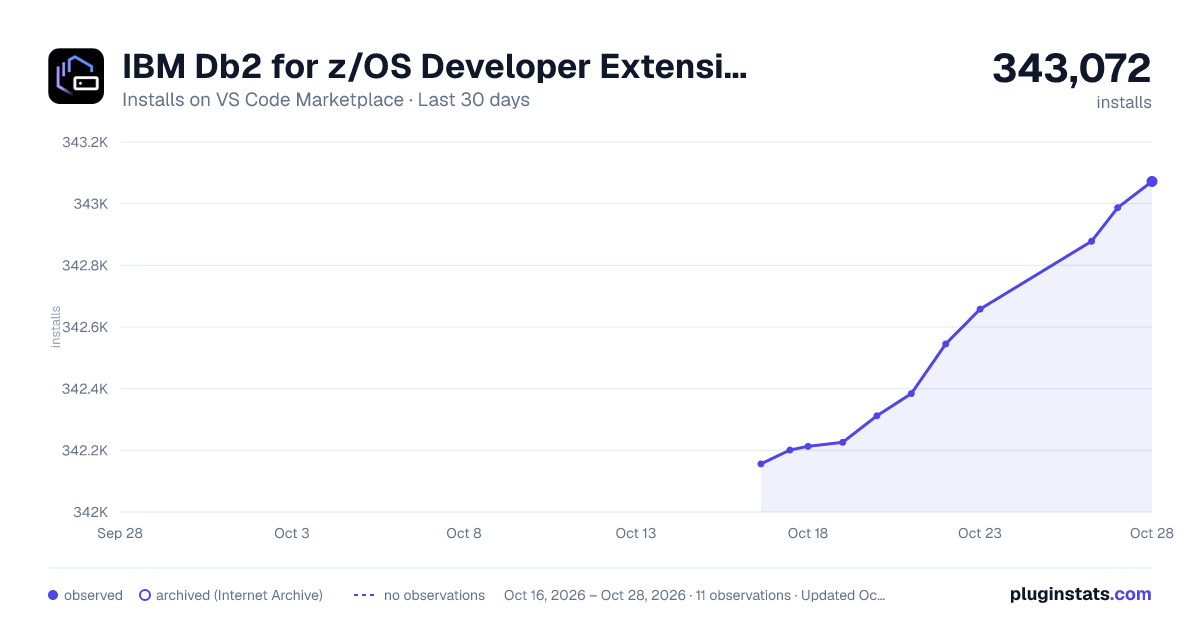
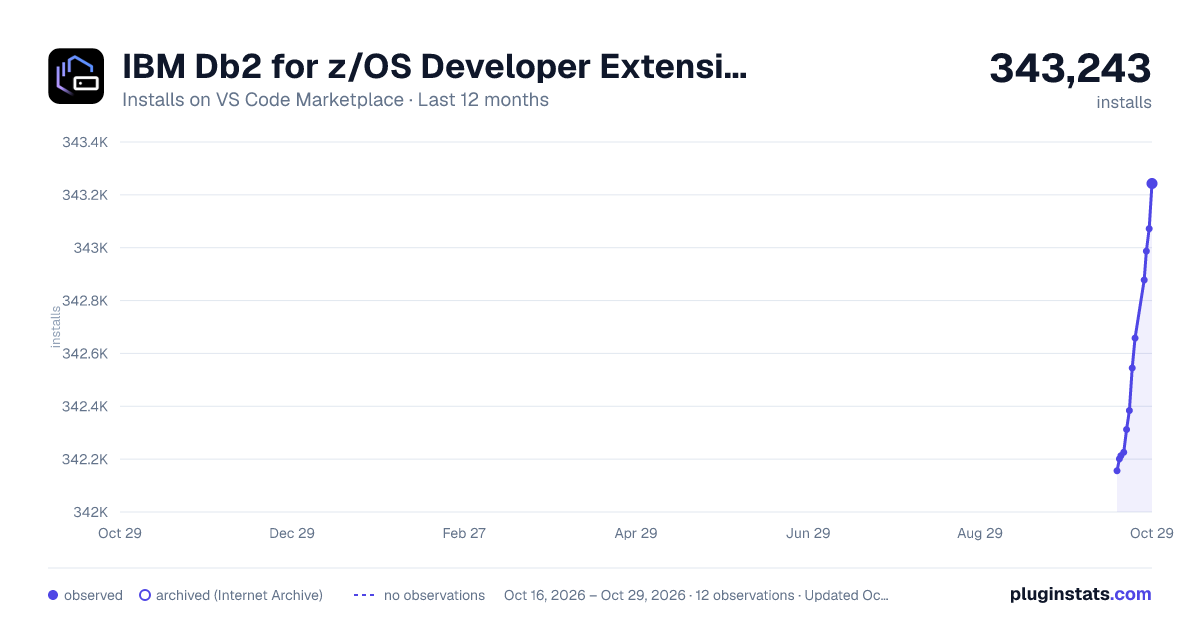
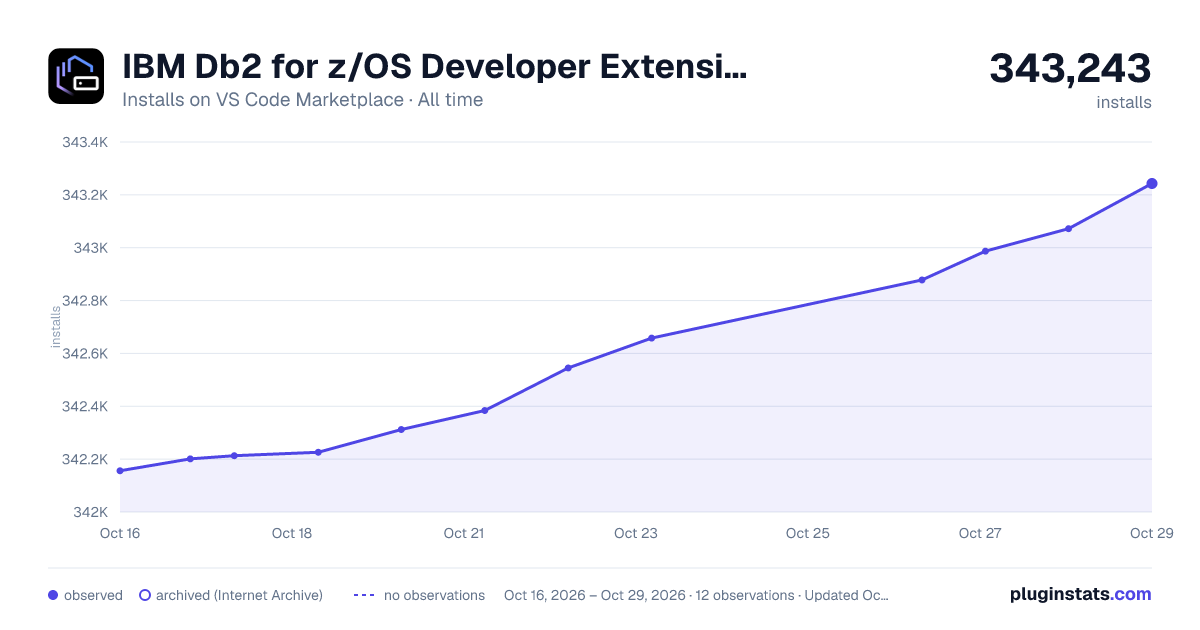

Adoption over time


7/30/90-day growth


Ranking history


Filled points are observed values; hollow points come from Internet Archive snapshots of the listing page. Dashed segments span periods with no observations — values between points are not interpolated.
Recent observations
Full history (3)Similar VS Code Marketplace Programming Languages plugins
Data source
Install counts, average rating, and rating counts come from the public Visual Studio Marketplace gallery API. Installs are cumulative and exclude updates.
Listing: https://marketplace.visualstudio.com/items?itemName=IBM.db2forzosdeveloperextension. First seen Oct 16, 2026; last successful collection Oct 18, 2026. See the methodology.