 PluginStats
GitHub Repository Manager installs statistics
By Henrique Bruno · VS Code Marketplace · SCM Providers
Easily and quickly clone and access your GitHub repositories and create new ones
GitHub Repository Manager has 105,349 recorded installs on VS Code Marketplace.
It ranks #2292 of 2,500 tracked VS Code Marketplace listings by installs.
It is rated 4.9 out of 5 from 10 ratings.
PluginStats has 3 daily observations since Oct 16, 2026; the latest is from Oct 18, 2026.
Rating: 4.90 / 5 from 10 ratings
About GitHub Repository Manager
GitHub Repository Manager
VS Code extension that lists your personal and organizations GitHub repositories, allowing you to clone and access them and create new ones
_This gif is a little old! We are now using the VS Code integrated GitHub login system and the extension is prettier!_
_The * means that the repository is dirty! So it has local changes that aren't yet commited!_
Guide
Cloned Repositories Search
To make your GitHub cloned repositories show up in the Cloned tree view, you will need to set the "git.defaultCloneDirectory" in your VSCode settings.json to the path your cloned repositories are located (they may be deeply located there).
1.4.0 - there is now a button to set this config interactively!
Creating a repository
By hovering the REPOSITORIES tree view title, a + button appears. Click on it, enter the new repository name, description (optional) and visibility. On success, you may choose to clone the new repository.
If you are a member of at least one organization that allows you to create repositories for it, it will be asked, before the repository name input, to pick the new repository owner: your own account or one of those organizations.
Creating a repository for current project
You may create a GitHub repository and push your current project within the same flow. If there are multiple folders in your workspace that may be published to GitHub, it will be prompted to pick one.
There are 2 possible cases that allows using that publish functionality:
1) Your project doesn't have a Git yet. After entering the repository name, description and visibility, the repository will be created, the git will be initialized for the workspace folder, main branch will be created and selected, GitHub remote will be added as origin and your files will then be pushed to it.
2) Your project has a Git, but it hasn't a remote yet. After filling the repository information, it will be checked if your git HEAD is master. If so, it will ask if you want the branch to be renamed to main. Then the repository will be created, the GitHub remote is added as origin and your code is pushed.
Settings
• ### Always Clone To Default Directory
_"githubRepositoryManager.alwaysCloneToDefaultDirectory"_
Always clone to the directory specified in "git.defaultCloneDirectory".
Default: false
• ## Default Clone Directory Maximum Depth
_"githubRepositoryManager.clonedRepositoriesSearch.defaultCloneDirectoryMaximumDepth"_
How deep on "git.defaultCloneDirectory" the cloned repositories will be searched. A depth of 0 means it will only search in the directory itself, a depth of 3 means it will search up to 3 directories below. The lesser the faster.
Default: 2
• ## Directories To Ignore
_"githubRepositoryManager.clonedRepositoriesSearch.directoriesToIgnore"_
Directories names that are ignored on the search for the cloned repositories. **/ is added to their start.
Default: ["node_modules", ".vscode", ".git/*", "logs", "src", "lib", "out", "build"]
Changelog
Roadmap
• Search and clone public repositories • Visualize without cloning (useful for getting some value or checking something from some repository) • "Order by" (alphabetically, stars, your open frequency, created on, updated on) in top menu • Search repository by name • Fetch repositories on demand - Some devs have hundreds or thousands of repos. Instead of fetching all of them on init and displaying all of them together, there could be a \[1..100\], \[101, 200\] tree system, for both on demand fetch and display.
Feel free to open an issue for features requests, problems or questions!
For developing: clone it, run npm i, npm start and run the debugger.
Donation
Help me to keep and improve this project!
Description from the VS Code Marketplace listing.
- git
- github
- manager
- repo
- repository
Where GitHub Repository Manager sits in the listing
Each band is one page of 20. Installs on a log scale. Placement is projected from installs, so it can differ from the marketplace's own sort order. Hover a dot to see the listing.


Charts
Images: 30d · 1y · all time · 1600×900 dark
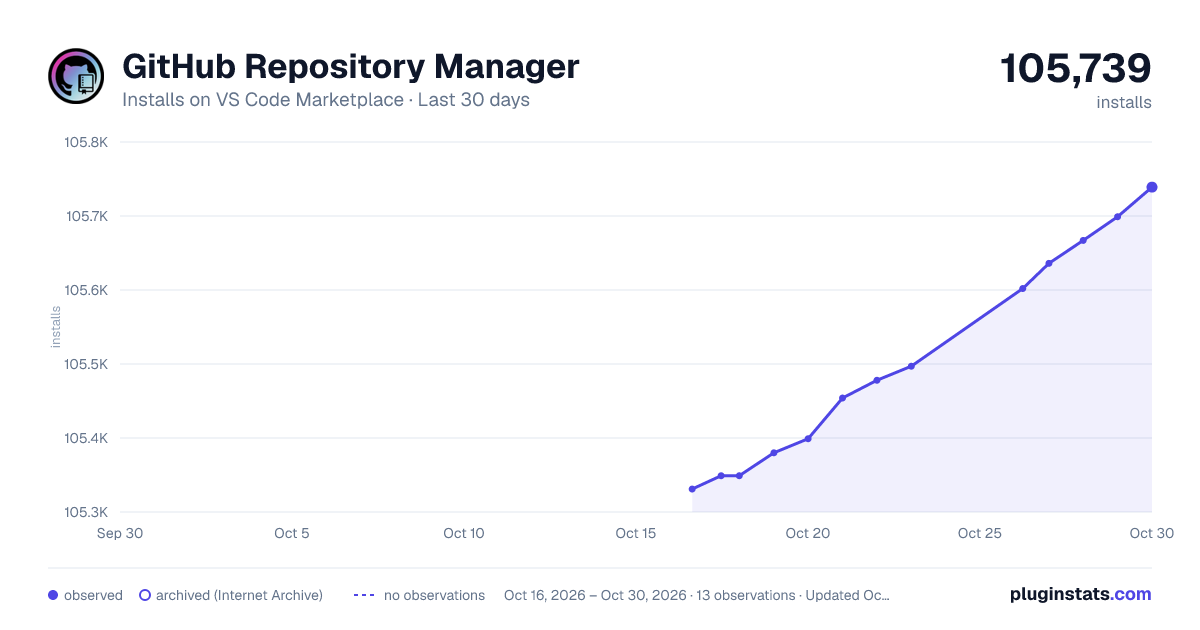
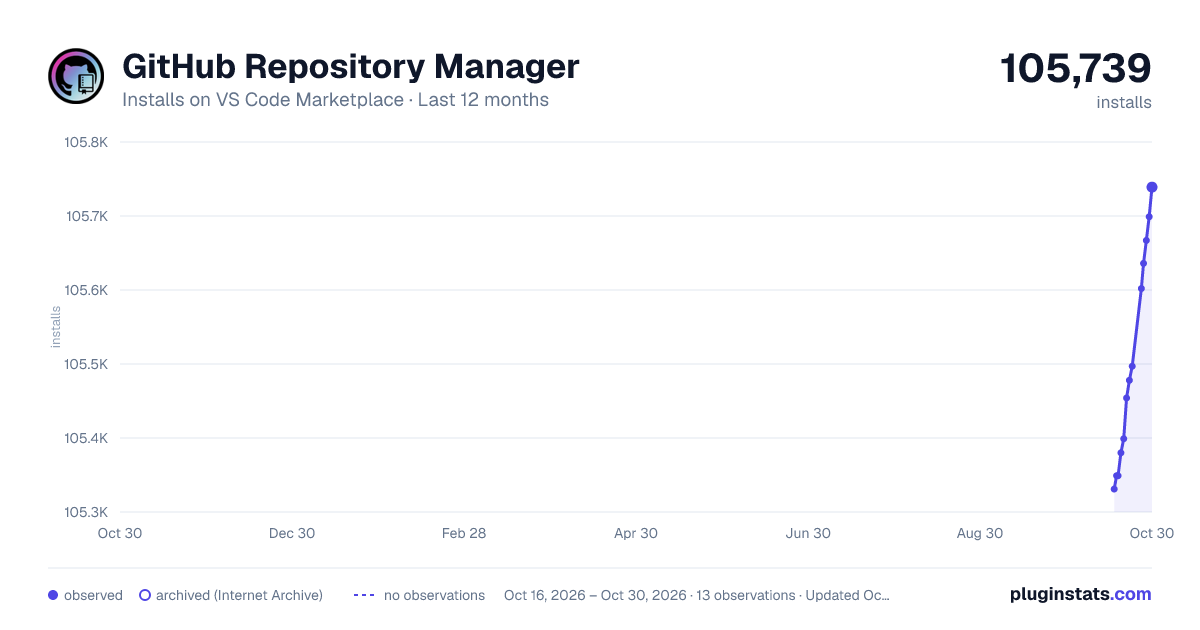
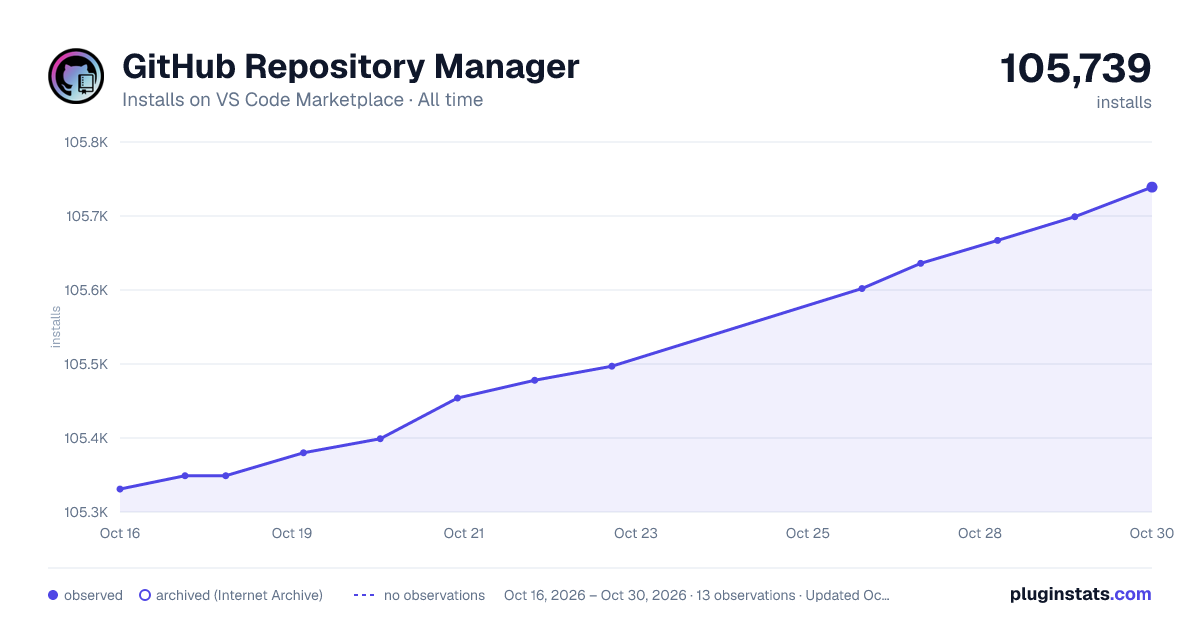

Adoption over time


7/30/90-day growth


Ranking history


Filled points are observed values; hollow points come from Internet Archive snapshots of the listing page. Dashed segments span periods with no observations — values between points are not interpolated.
Recent observations
Full history (3)Similar VS Code Marketplace SCM Providers plugins
Data source
Install counts, average rating, and rating counts come from the public Visual Studio Marketplace gallery API. Installs are cumulative and exclude updates.
Listing: https://marketplace.visualstudio.com/items?itemName=henriqueBruno.github-repository-manager. First seen Oct 16, 2026; last successful collection Oct 18, 2026. See the methodology.