 PluginStats
Salesforce Apex Language Server (Typescript) installs statistics
By Salesforce (33 listings) · VS Code Marketplace · Programming Languages
VSCode extension for Apex Language Server
Salesforce Apex Language Server (Typescript) has 550,994 recorded installs on VS Code Marketplace.
It ranks #805 of 2,500 tracked VS Code Marketplace listings by installs.
PluginStats has 3 daily observations since Oct 16, 2026; the latest is from Oct 18, 2026.
About Salesforce Apex Language Server (Typescript)
Salesforce Apex Language Server Extension
A Visual Studio Code extension providing comprehensive Apex language support powered by a modern TypeScript-based language server.
Features
Core Language Support
• Syntax Highlighting: Full Apex, SOQL, and Anonymous Apex syntax highlighting • Real-time Diagnostics: Instant error detection and validation as you type • Code Intelligence: Hover information, go-to-definition, find references, and more • Document Symbols: Quick navigation through class members and methods • Code Lens: Inline actionable insights for test methods and class references • Folding Ranges: Smart code folding based on structure and comments • Auto-completion: Context-aware code completion (development mode)
Advanced Features
• Missing Artifact Resolution: Automatically finds and loads referenced types when needed • Workspace Loading: Batch loading of Apex files for comprehensive cross-file analysis • Queue-Based Processing: Priority-based request handling for responsive editing • Performance Profiling: Built-in CPU and heap profiling for performance analysis (desktop only)
Platform Support
• Desktop: Full Node.js-based language server • Web: Browser-based language server for vscode.dev and github.dev
Installation
1. Install from the VS Code Marketplace or Extensions view 2. Open a workspace containing Apex files (.cls, .trigger, .apex) 3. The language server starts automatically
Configuration
All settings use the apex.* prefix. Configure in VS Code Settings (UI or JSON).
Quick Start: Recommended Settings
Settings Reference
Server Mode
Control the language server's operational mode and feature set.
apex.environment.serverMode
Type: "production" | "development" Default: "production"
Sets the server's operational mode:
• production: Optimized for performance with minimal features • Disabled: hover, completion resolve, will-save notifications • Full document sync for reliability • development: Full feature set with enhanced diagnostics • Enabled: all features including hover and completion • Incremental document sync for better performance
Override: Set APEX_LS_MODE environment variable to force a specific mode.
Comment Collection
Configure how comments are parsed and processed during compilation.
apex.commentCollection.enableCommentCollection
Type: boolean Default: true
Master switch for comment collection. When disabled, no comments are collected.
apex.commentCollection.includeSingleLineComments
Type: boolean Default: false
Include single-line (//) comments in addition to block comments (/* */).
apex.commentCollection.associateCommentsWithSymbols
Type: boolean Default: true
Associate comments with nearby symbols for enhanced features like hover documentation. ⚠️ Performance Impact: May affect large files.
apex.commentCollection.enableForDocumentChanges
Type: boolean Default: true
Enable comment collection when documents are modified.
apex.commentCollection.enableForDocumentOpen
Type: boolean Default: true
Enable comment collection when documents are opened.
apex.commentCollection.enableForDocumentSymbols
Type: boolean Default: false
Enable comment collection for document symbol requests. ⚠️ Performance Impact: May affect responsiveness.
apex.commentCollection.enableForFoldingRanges
Type: boolean Default: true
Enable comment collection for folding range requests. ⚠️ Performance Impact: May affect responsiveness.
Performance Settings
Optimize language server performance for your environment.
apex.performance.commentCollectionMaxFileSize
Type: number (bytes) Default: 102400 (100KB)
Maximum file size for comment collection. Files larger than this skip comment collection.
apex.performance.useAsyncCommentProcessing
Type: boolean Default: true
Use asynchronous comment processing to improve UI responsiveness.
apex.performance.documentChangeDebounceMs
Type: number (milliseconds) Default: 300
Debounce delay for document change processing. Higher values reduce processing frequency.
Logging Settings
Control logging verbosity and output.
apex.logLevel
Type: "error" | "warning" | "info" | "log" | "debug" Default: "info"
Extension log level for the main extension process and all worker processes.
apex.worker.enablePerformanceLogs
Type: boolean Default: false
Enable detailed performance logging for request processing.
apex.worker.logCategories
Type: string[] Default: ["STARTUP", "LSP", "SYMBOLS", "COMPLETION", "DIAGNOSTICS"] Options: "STARTUP", "LSP", "SYMBOLS", "COMPLETION", "DIAGNOSTICS", "PERFORMANCE"
Filter log output by category.
Environment Settings
Configure runtime environment and profiling.
apex.environment.profilingMode
Type: "none" | "full" | "interactive" Default: "none" Desktop Only
Profiling mode for performance analysis:
• none: Profiling disabled • full: Continuous profiling from startup (best for test suites) • interactive: Manual start/stop via commands (best for specific events)
apex.environment.profilingType
Type: "cpu" | "heap" | "both" Default: "cpu" Desktop Only
Type of profiling data to collect when profiling is enabled.
apex.environment.profilingTag
Type: string Default: "" Desktop Only
Optional tag appended to profile filenames for organization.
apex.environment.jsHeapSizeGB
Type: number (0.1-32 GB) Default: (Node.js default) Desktop Only
Set Node.js heap size for large workspaces. Example: 4 for 4GB.
apex.environment.additionalDocumentSchemes
Type: Array Default: []
Add custom URI schemes for language server support beyond default schemes (file, apexlib, vscode-test-web).
Example:
Resource Loading
Control how standard Apex library is loaded.
apex.resources.loadMode
Type: "lazy" | "full" Default: "lazy"
• lazy: Load standard library types on-demand • full: Load entire standard library at startup
Missing Artifact Resolution
Configure automatic discovery and loading of missing type definitions.
apex.findMissingArtifact.enabled
Type: boolean Default: true…
Description from the VS Code Marketplace listing.
- AnonymousApex
- apex
- apex-anon
- ApexAnonymous
- SalesforceObjectQueryLanguage
- snippet
- soql
Where Salesforce Apex Language Server (Typescript) sits in the listing
Each band is one page of 20. Installs on a log scale. Placement is projected from installs, so it can differ from the marketplace's own sort order. Hover a dot to see the listing.


Charts
Images: 30d · 1y · all time · 1600×900 dark
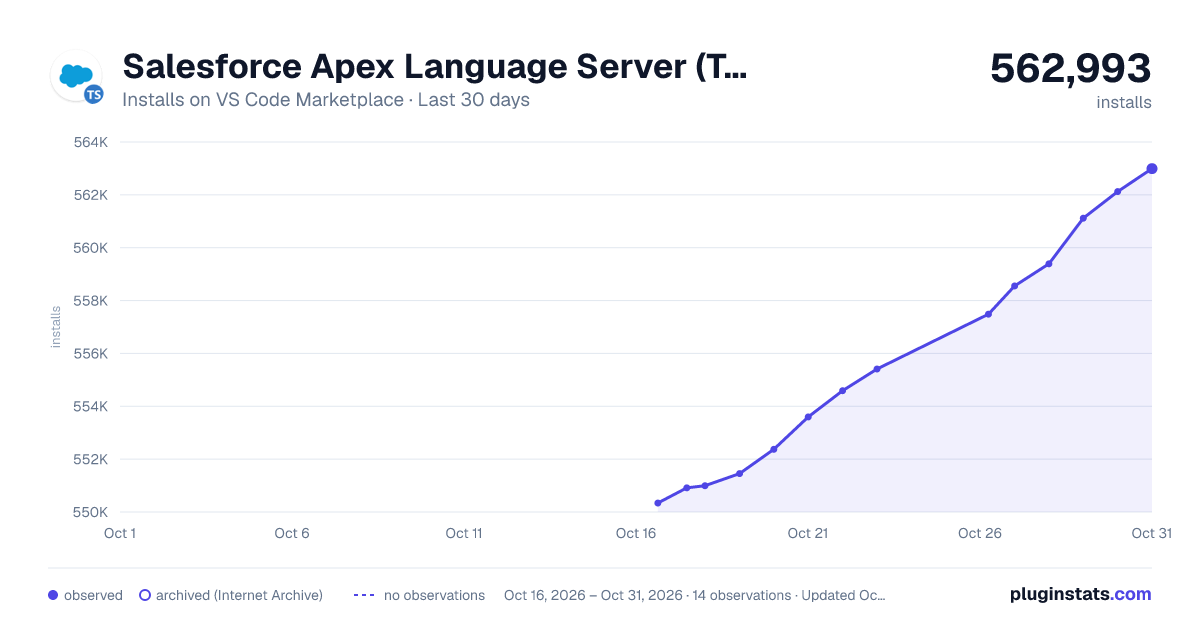
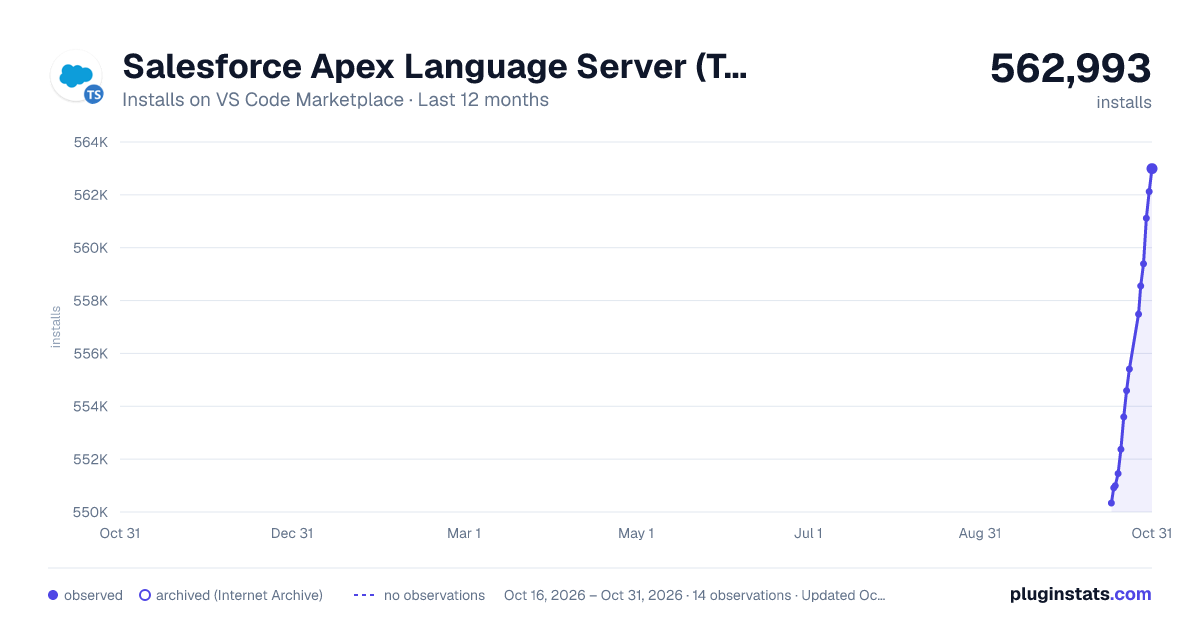
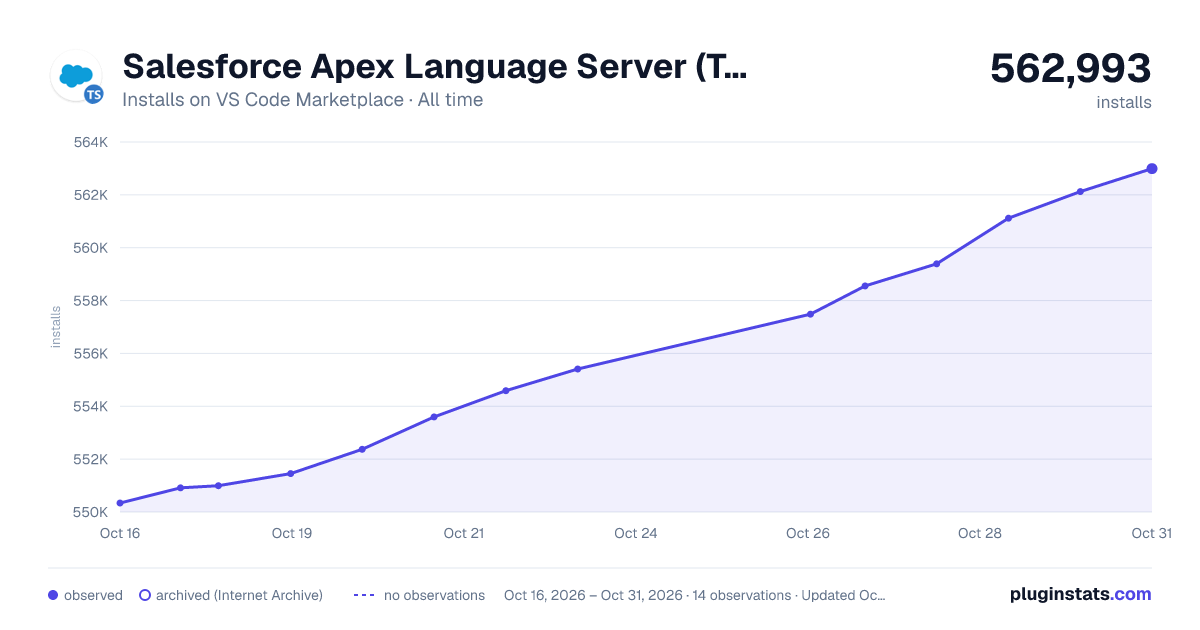

Adoption over time


7/30/90-day growth


Ranking history


Filled points are observed values; hollow points come from Internet Archive snapshots of the listing page. Dashed segments span periods with no observations — values between points are not interpolated.
Recent observations
Full history (3)Similar VS Code Marketplace Programming Languages plugins
Data source
Install counts, average rating, and rating counts come from the public Visual Studio Marketplace gallery API. Installs are cumulative and exclude updates.
Listing: https://marketplace.visualstudio.com/items?itemName=salesforce.apex-language-server-extension. First seen Oct 16, 2026; last successful collection Oct 18, 2026. See the methodology.