 PluginStats
Subtitles Editor installs statistics
By Peter Prikryl · VS Code Marketplace · Other
Edit subtitles in SRT, WebVTT, and SBV in VS Code.
Subtitles Editor has 186,741 recorded installs on VS Code Marketplace, ranking #1601 of 2,501 tracked listings.
Rating: 5.00 / 5 from 19 ratings
About Subtitles Editor
Subtitles Editor
This editor allows you to make edits to files with subtitles - shift the timestamps, do a linear correction, or translate them to another language.
Supported File Formats
- SubRip Text (
.srt) - Web Video Text Tracks (
.vtt) - SubViewer (
.sbv,.sub)
Features
- Colorizer for subtitle files.
- Shift all timestamps by a specific time value.
- Renumber frame sequence with specified start index.
- Reorder frames based on their sequence number or timestamp.
- Linear correction by mapping two existing time stamps to new values.
- Translate subtitles to different languages.
- Only subtitles in selection are affected. If there is no selection, all subtitles are affected.
Usage
Use command Subtitles: Shift and enter offset time to shift subtitles. The format is "HH:mm:ss,zzz". You can use negative time if subtitles are too late.
With Subtitles: Renumber, you can renumber the frames using the sequence with specified start index. After selecting this option, enter the start of the sequence (usually 1) and it will be renumbered accordingly.
The command Subtitles: Linear Correction prompts you for two timestamp mappings. The input is in form "original timestamp -> new timestamp". Pick one point from the beginning of the movie and second one from the end of the movie to get the best approximation.
The command Subtitles: Convert Time Format converts timestamps in the file into one of the supported formats you can choose from (SRT, VTT, and SBV). Converting changes separator between start and end timestamp, separator for milliseconds, and number of digits used for milliseconds. You can also use this command to normalize the format of the timestamps if the file contains mixed timestamp formats.
Use command Subtitles: Translate to translate subtitles to another language using Google translation service.
With Subtitles: Reorder by Sequence, you can reorder the frames based on their sequence number. This can be useful if you want to work with translated and original subtitles at the same time. You can first translate the subtitles (which will replace the original ones) and append the original subtitles at the end. Then, you can reorder them so you will have translated and original frames near each other.
The Subtitles: Reorder by Timestamp reorders the frames by the time offset.
For Developers
The goal of this extension is to allow easily modify subtitles files.
Tenet of this software is to do minimal modifications to the file when fulfilling any command, ignoring any errors that might be in the subtitles file. For instance, when asked to renumber frames, it should not modify the time format even if it is invalid. When altering timestamps, keep the time formatting.
All commands are to be applied to selection only. If no selection exists, they should be applied to whole file.
Existing Subtitle Formats
There is bunch of existing file formats. This extension currently supports SRT, VTT, and SBV files.
SubRip Text (SRT)
1
00:02:17,440 --> 00:02:20,375
Senator, we're making
our final approach into Coruscant.

2
00:02:20,476 --> 00:02:22,501 X1:100 X2:100 Y1:100 Y2:100
Very good, Lieutenant.
WebVTT (VTT)
WEBVTT Kind: captions; Language: en

00:09.000 --> 00:11.000
<v Roger Bingham>We are in New York City

00:32.500 --> 00:33.500 align:start size:50%
<v Neil deGrasse Tyson><i>Laughs</i>
SubViewer (SBV, SUB)
00:01:00.10,00:02:00.20
Oh, no.
The eggs are hatching!
Updating Supported Languages
The languages that can be used for translation are published by Google in Google documentation. The extension uses languages defined in src/languages.json file.
To convert the published table to JSON:
- copy the table from Google documentation (https://cloud.google.com/translate/docs/languages)
- replace
^(.*?)\t(.*?)(?: or .*?)?(?: \(.+\))?$with\t"$2": "$1", - remove the last comma
- wrap the result in curly braces
- save it as
src/languages.json
Packaging
npm run package
# verify that packaged .vsix file contains the required files only
npm run publish
Attributions
- SubRip Text information by Wikipedia Contributors is licensed under CC BY-SA 3.0.
- Web Video Text Tracks Format information by Mozilla Contributors is licensed under CC BY-SA 2.5.
- SubViewer information by VideoLAN Wiki Contributors is licensed under GPLv3.
- Icon from Font Awesome Free 5.2.0 by @fontawesome is licensed under CC BY 4.0 and was modified to add white background.
Description from the VS Code Marketplace listing.
- sub
- subrip
- SubRipText
- subtitles
- SubViewer
- vtt
- WebVideoTextTracks
- WebVTT
README badge
Show your rank in a README or on your website. The badge updates automatically.
Charts
Images: 30d · 1y · all time · 1600×900 dark
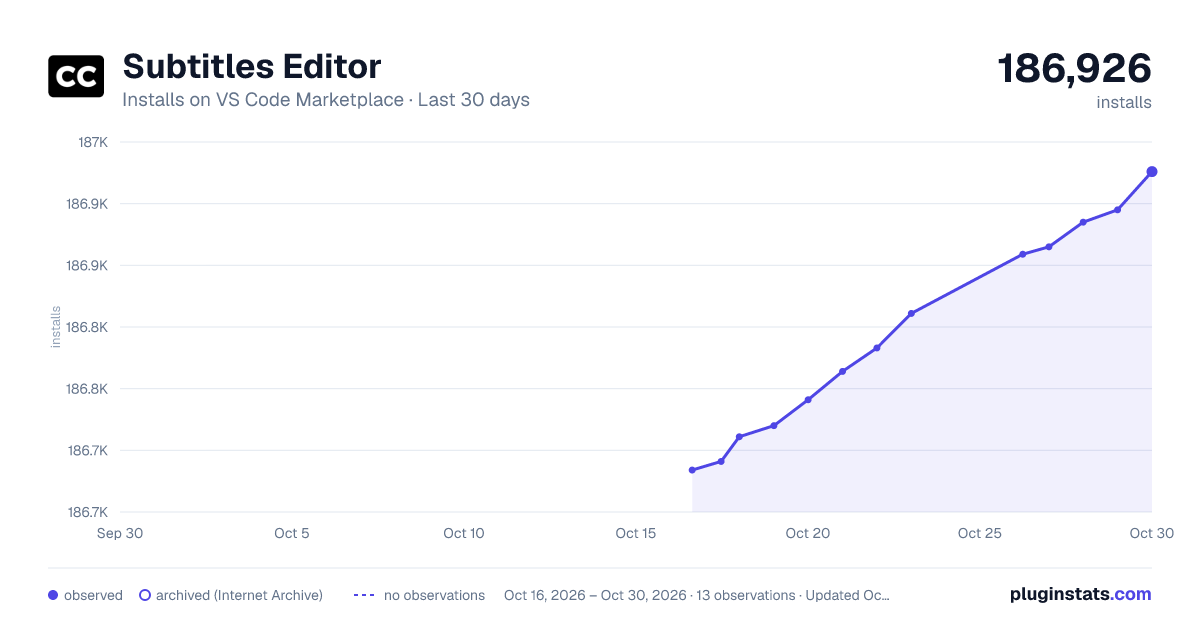
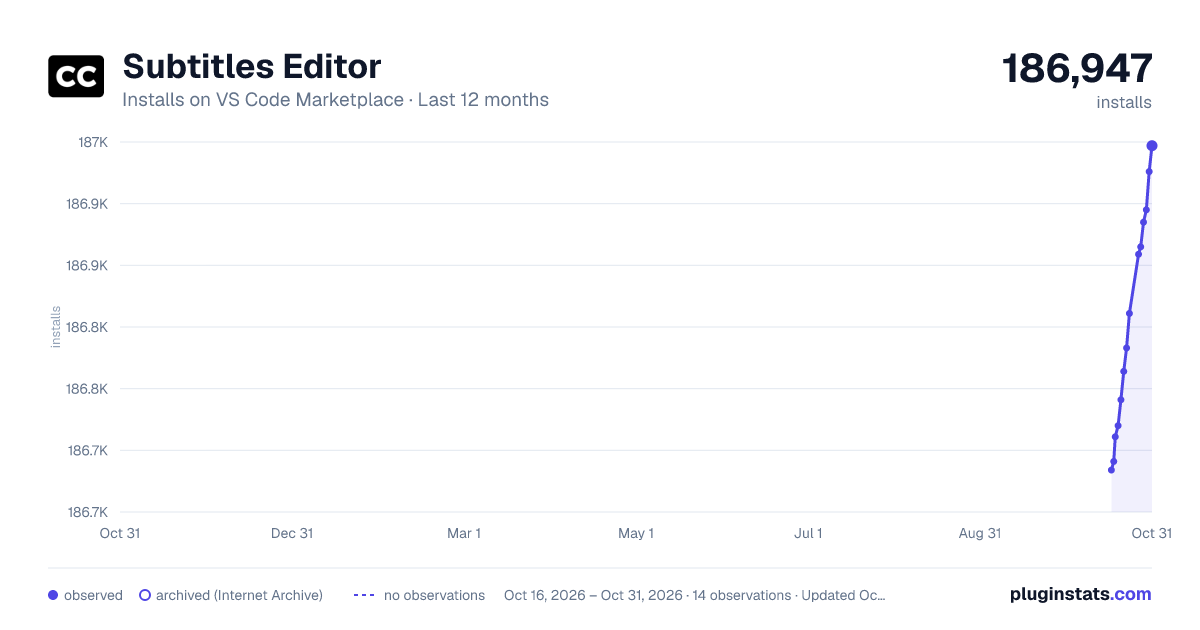
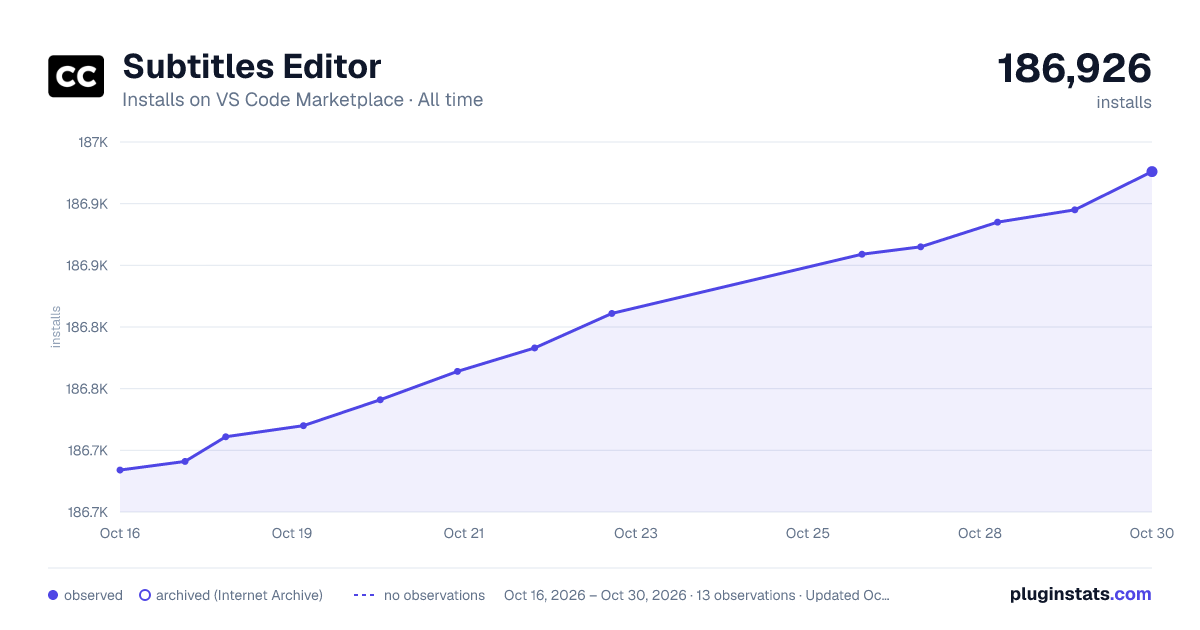

Adoption over time
7/30/90-day growth
Ranking history
Ratings over time
Listing placement
Listing placement
Filled points are observed values; hollow points come from Internet Archive snapshots of the listing page. Dashed segments span periods with no observations — values between points are not interpolated.
Each band is one page of 20. Installs on a linear scale. Placement is projected from installs, so it can differ from the marketplace's own sort order. Hover a dot to see the listing.
Recent observations
Full history (5)Similar VS Code Marketplace Other plugins
All 20 Subtitles Editor alternativesData source
Install counts, average rating, and rating counts come from the public Visual Studio Marketplace gallery API. Installs are cumulative and exclude updates.
Listing: https://marketplace.visualstudio.com/items?itemName=pepri.subtitles-editor. First seen Oct 16, 2026; last successful collection Oct 20, 2026. See the methodology.