 PluginStats
Emacs Friendly Keymap installs statistics
By Leaping Frog Studios · VS Code Marketplace · Keymaps
Emacs keybindings and selection, friendly interaction with the system clipboard.
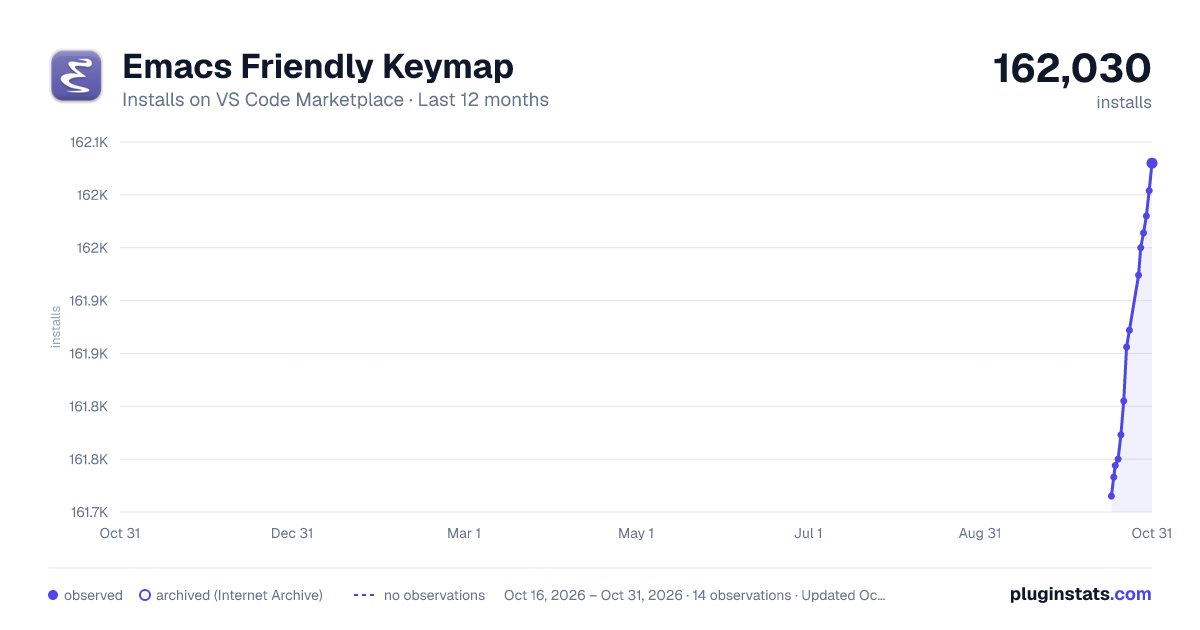
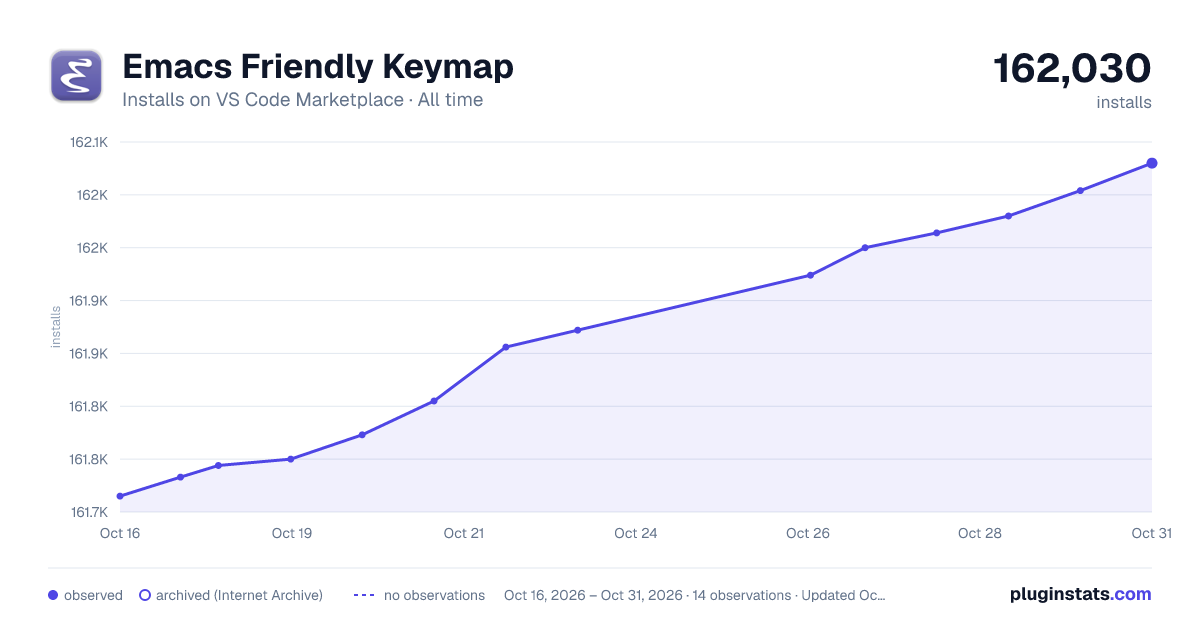
Emacs Friendly Keymap has 161,744 recorded installs on VS Code Marketplace.
It ranks #1773 of 2,500 tracked VS Code Marketplace listings by installs.
It is rated 4.7 out of 5 from 25 ratings.
PluginStats has 3 daily observations since Oct 16, 2026; the latest is from Oct 18, 2026.
Rating: 4.72 / 5 from 25 ratings
About Emacs Friendly Keymap
vscode-emacs-friendly
This plugin provides emacs keybindings and workflow for Visual Studio Code and is a fork of the great vscode extension by hiro-sun.
It merges some of the pull requests in the original and other external helpers that make the extension a little less an exact copy of emacs behavior, and a little more friendly in interacting with the system clipboard and normal vscode interactions.
The following are some of the changes and enhancements from the original:
• The clipboard handling is simplified by the removal of the emacs-only kill ring (which was also an unfinished implementation in the original). Copy, Cut, Yank and C-K work with the system clipboard now. • C+x k to close tab, C+x C-k all tabs • C+l centers screen on the cursor line • C+x C+f bound to quick open file • yank overwrites selection
Move commands
|Command | Desc |
| C-f | Move forward | | C-b | Move backward | | C-n | Move to the next line | | C-p | Move to the previous line | | C-a | Move to the beginning of line | | C-e | Move to the end of line | | M-f | Move forward by one word unit | | M-b | Move backward by one word unit | | M-> | Move to the end of buffer | | M- Use ctrl+alt+n instead; • ctrl+g: workbench.action.gotoLine => Use alt+g g instead; • ctrl+b: workbench.action.toggleSidebarVisibility => Use ctrl+alt+space instead; • ctrl+space: toggleSuggestionDetails, editor.action.triggerSuggest => Use ctrl+' instead; • ctrl+x: editor.action.clipboardCutAction => Use ctrl+w instead; • ctrl+v: editor.action.clipboardPasteAction => Use ctrl+y instead; • ctrl+k: editor.debug.action.showDebugHover, editor.action.trimTrailingWhitespace, editor.action.showHover, editor.action.removeCommentLine, editor.action.addCommentLine, editor.action.openDeclarationToTheSide; • ctrl+k z: workbench.action.toggleZenMode => Use ctrl+x z instead; • ctrl+y: redo; • ctrl+m: editor.action.toggleTabFocusMode; • ctrl+/: editor.action.commentLine => Use ctrl+; instead; • ctrl+p & ctrl+e: workbench.action.quickOpen => Use ctrl+x b instead; • ctrl+p: workbench.action.quickOpenNavigateNext => Use ctrl+n instead. • ctrl+o: workbench.action.files.openFile => Use ctrl+x ctrl+f instead. • ctrl+r: workbench.action.openRecent => Use ctrl+x r instead.
More information
The logo is from the great Pacifica Icon Set.
Description from the VS Code Marketplace listing.
- behavior
- emacs
- keybindings
- selection
- shortcuts
Where Emacs Friendly Keymap sits in the listing
Each band is one page of 20. Installs on a log scale. Placement is projected from installs, so it can differ from the marketplace's own sort order. Hover a dot to see the listing.


Charts
Images: 30d · 1y · all time · 1600×900 dark


Adoption over time


7/30/90-day growth


Ranking history


Filled points are observed values; hollow points come from Internet Archive snapshots of the listing page. Dashed segments span periods with no observations — values between points are not interpolated.
Recent observations
Full history (3)Similar VS Code Marketplace Keymaps plugins
Data source
Install counts, average rating, and rating counts come from the public Visual Studio Marketplace gallery API. Installs are cumulative and exclude updates.
Listing: https://marketplace.visualstudio.com/items?itemName=lfs.vscode-emacs-friendly. First seen Oct 16, 2026; last successful collection Oct 18, 2026. See the methodology.