 PluginStats
Workspaces installs statistics
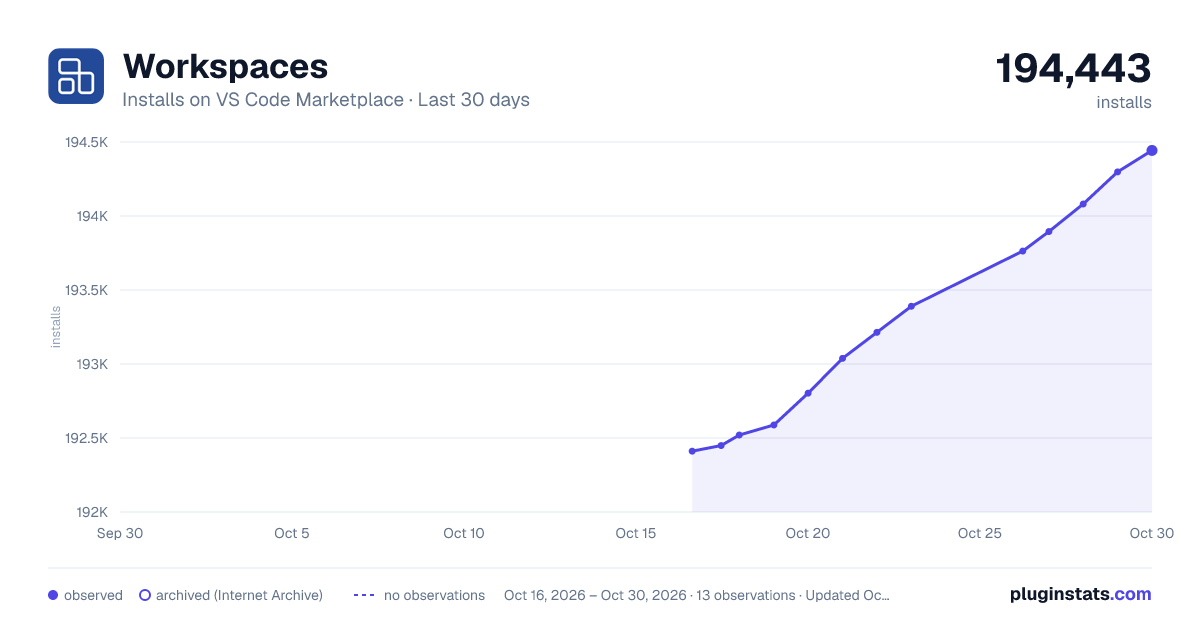
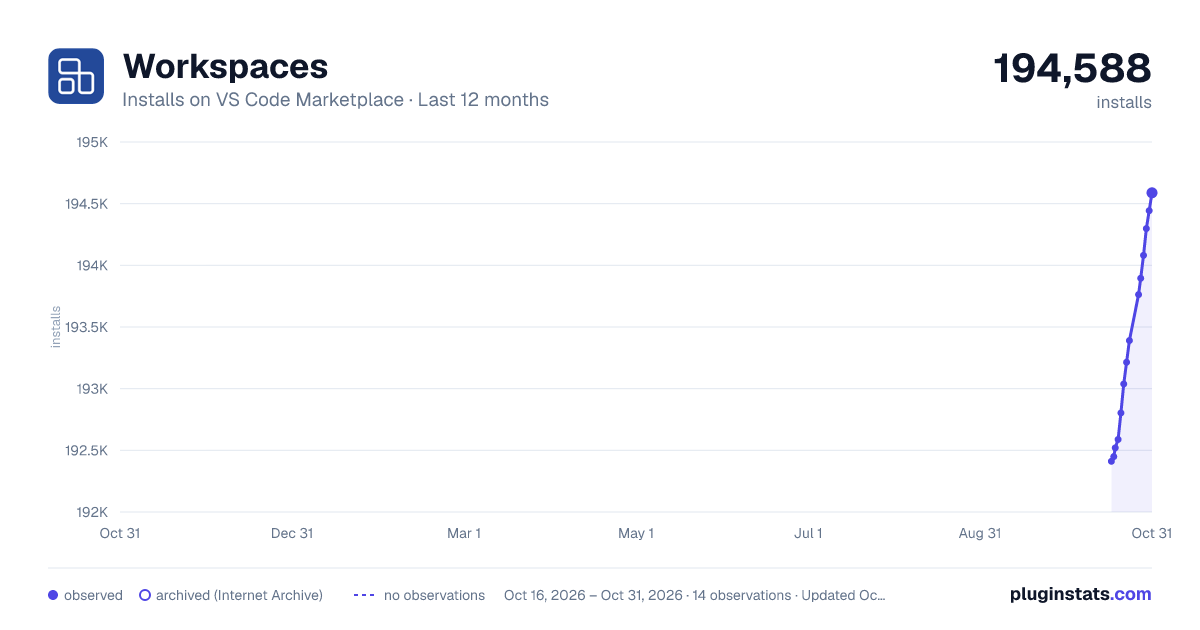
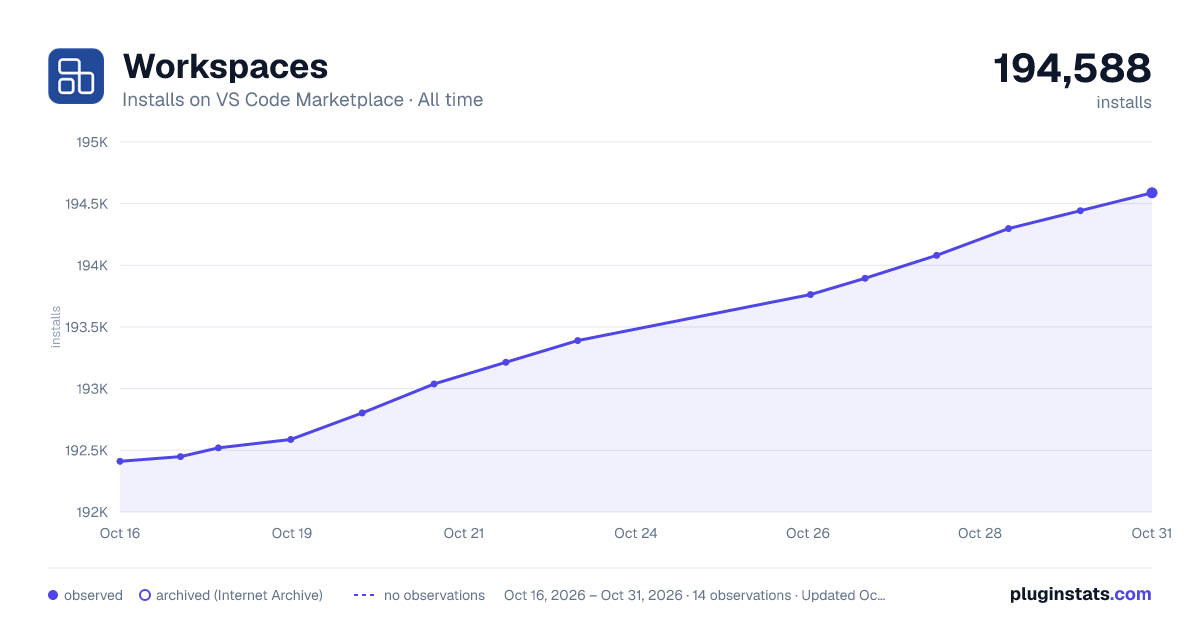
Workspaces has 192,803 recorded installs on VS Code Marketplace, ranking #1560 of 2,501 tracked listings.
Rating: 1.00 / 5 from 6 ratings
About Workspaces
Anyscale Workspaces VS Code Extension
The Anyscale VS Code extension lets you instantly open and connect to Anyscale Workspaces from the browser, giving you a fully-configured, remote development environment with zero manual setup.
How It Works
-
Start from the Anyscale Web UI
Click Open in VS Code desktop on any Anyscale Workspace page. -
VS Code Opens and Installs the Extension (if not already installed)
You'll be prompted to install the Anyscale VS Code extension if it's not already present. -
Automatic SSH Configuration
Once installed, the extension:- Generates or reuses SSH keys as needed.
- Adds the remote cluster to your
~/.ssh/configfile. - Ensures all required extensions (including itself) are available in the remote VS Code server.
-
Connected and Ready to Code
A new VS Code window launches, automatically connected to your Anyscale Workspace using the Remote - SSH extension.
Installation Behavior (Changed in v0.2.35)
Prior to v0.2.35: When you installed this extension locally, it automatically added itself to your VS Code remote.SSH.defaultExtensions setting to ensure automatic installation on remote workspaces.
Starting from v0.2.35: The extension no longer modifies remote.SSH.defaultExtensions. The extension is now installed directly on remote workspaces as needed through other mechanisms.
How to Uninstall the Extension Completely
To fully uninstall the Anyscale extension:
- For installations prior to v0.2.35: Open your VS Code settings (
Cmd/Ctrl + ,) and search forremote.SSH.defaultExtensions. Remove"anyscale.anyscale-workspace"from that list if present. - Uninstall the extension via the Extensions tab (
Cmd/Ctrl + Shift + X).
Note: Starting from v0.2.35, the extension no longer modifies remote.SSH.defaultExtensions, so step 1 is only needed for older installations.
Description from the VS Code Marketplace listing.
README badge
Show your rank in a README or on your website. The badge updates automatically.
Charts
Images: 30d · 1y · all time · 1600×900 dark

Adoption over time
7/30/90-day growth
Ranking history
Ratings over time
Listing placement
Listing placement
Filled points are observed values; hollow points come from Internet Archive snapshots of the listing page. Dashed segments span periods with no observations — values between points are not interpolated.
Each band is one page of 20. Installs on a linear scale. Placement is projected from installs, so it can differ from the marketplace's own sort order. Hover a dot to see the listing.
Recent observations
Full history (5)Similar VS Code Marketplace Other plugins
All 20 Workspaces alternativesData source
Install counts, average rating, and rating counts come from the public Visual Studio Marketplace gallery API. Installs are cumulative and exclude updates.
Listing: https://marketplace.visualstudio.com/items?itemName=anyscalecompute.anyscale-workspaces. First seen Oct 16, 2026; last successful collection Oct 20, 2026. See the methodology.