 PluginStats
GraphQL for VSCode installs statistics
By Kumar Harsh · VS Code Marketplace · Programming Languages
GraphQL syntax highlighting, linting, auto-complete, and more!
GraphQL for VSCode has 884,090 recorded installs on VS Code Marketplace.
It ranks #585 of 2,500 tracked VS Code Marketplace listings by installs.
It is rated 3.3 out of 5 from 18 ratings.
PluginStats has 3 daily observations since Oct 16, 2026; the latest is from Oct 18, 2026.
Rating: 3.33 / 5 from 18 ratings
About GraphQL for VSCode
Graphql For VSCode
VSCode extension for GraphQL schema authoring & consumption.
What's in the Box?
• Go to Definition: Just F12 or Ctrl+Click on any graphql type, and you'll jump right to it's definition. • Autocomplete: Uses the @playlyfe/gql library to read your whole graphql schema definitions and provide you with autocomplete support while writing & editing your .gql files. • Schema Validation: The extension also validates your schema, so that you catch errors early. • Linting: This extension uses a similar method as used by the Codemirror graphql project for linting. • Great Syntax Highlighting: Now, your graphql queries, mutations and gql files will look as beautiful as the rest of your code with an awesome syntax highlighter. It works not just with your .gql/.graphql schema files, but also within your code - supports syntax highlighting within: • Javascript • Typescript • Vue • Ruby • Cucumber • ReasonML/OCaml • Markdown fenced code-blocks • (Submit a PR to support your language!) • Snippets: Some commonly used snippets are provided which help while writing mutations and queries, such as defining types, interfaces and input types.
Setting it Up
1. Ensure that you have the @playlyfe/gql library (v2.x) installed and available to this extension. If you've installed the library in a folder other than the workspace root, then add the path to the node_modules directory as a setting:
2. Ensure you have watchman installed and available in your path. Watchman watches your gql files and provides up-to-date suggestions. For users on Windows, get the latest build mentioned in this issue and add the location of watchman.exe to your environment path.
3. Create a .gqlconfig file (required by the @playlyfe/gql package).
### A minimal example: The .gqlconfig is a JSON file with only one required key: schema.files which is the path to your *.gql files relative to your workspace root. You can use the string files: "**/*.gql" instead if you want to find any .gql file recursively in the workspace dir.
To see the full configuration, check out the GQL project's docs.
4. To enable autocomplete support within your code, add these lines to your .gqlconfig file. The query section of the config contains an array of file config with matchers. You can add more files by directing the EmbeddedQueryParser to run when your code within the startTag and endTag matches:
Again, refer to GQL docs for details about configuring your .gqlconfig file.
Using remote schemas
If you are using a schema that is not in your client's project, you'll need to download it so it's available for @playlyfe/gql. After downloading, you need to reference these schemas in your .gqlconfig.
_One way_ to do this is to use graphql-cli:
You will also need a .graphqlconfig.yml configuration file so that graphql-cli knows where to download the schema from (specified by the --project prod argument to the command):
Thereafter, you can fetch changes to the graphql schema by running the command:
Future Plans
• Tests: Figure out tests.
Contributing
• If you have a suggestion or a problem, please open an issue. • If you'd like to improve the extension: • If you've made any improvements to the extension, send a Pull Request! • The instructions to run and debug the extension are here
Hacking
If you're making changes to the extension, then run yarn dev inside this directory, then just press F5 to launch the *Extension Development Host* instance of vscode. Whenever you make a change, press *Reload* to reload the EDH instance.
Major Contributors
• Mayank Agarwal - added autocomplete, goto definition, schema validation support
Changelog
• Latest changes are available on the releases page. • Older changelogs can be found here.
*Happy Querying!*
Description from the VS Code Marketplace listing.
- autocomplete
- graphql
- ide
- json5
- language server
- linter
- linters
- multi-root ready
- snippet
Where GraphQL for VSCode sits in the listing
Each band is one page of 20. Installs on a log scale. Placement is projected from installs, so it can differ from the marketplace's own sort order. Hover a dot to see the listing.


Charts
Images: 30d · 1y · all time · 1600×900 dark
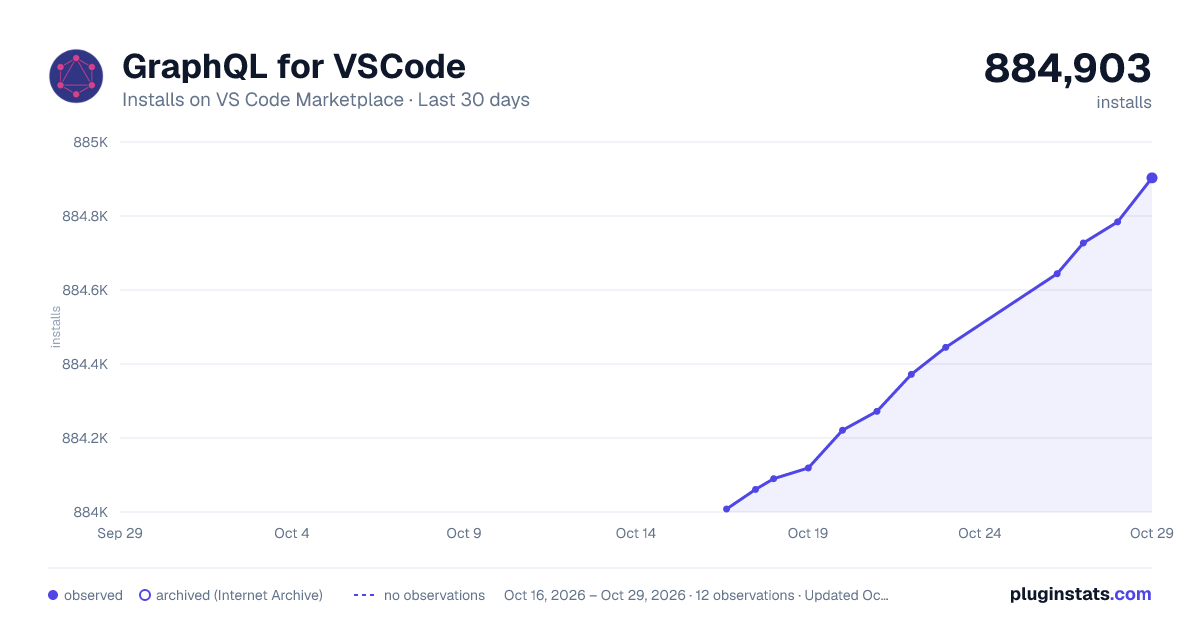
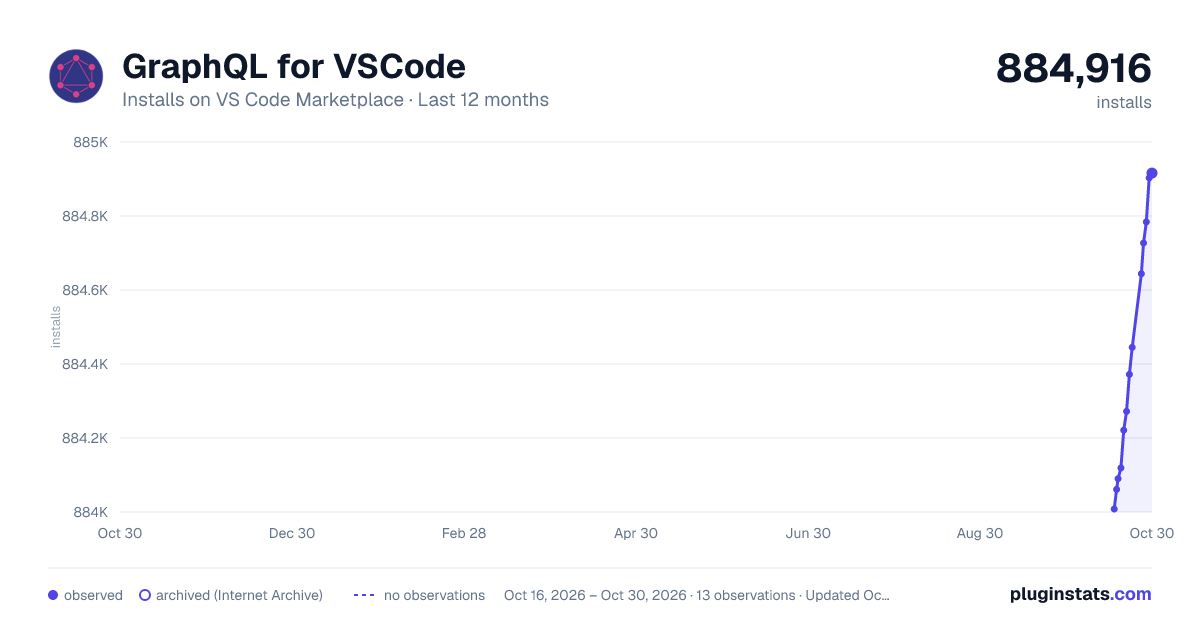
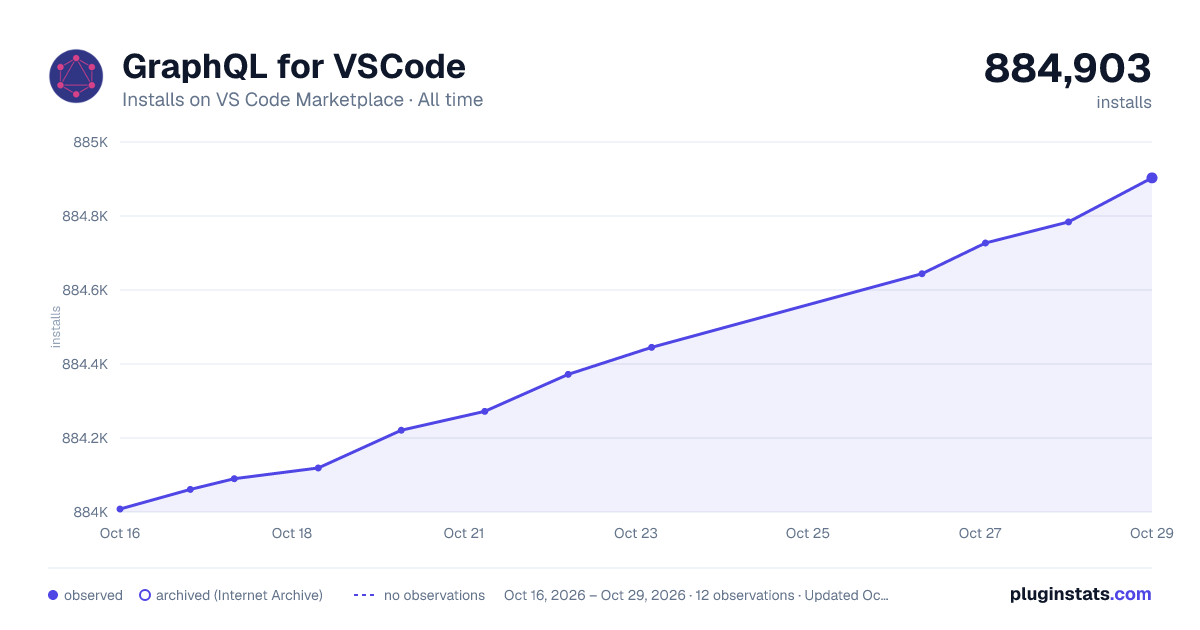

Adoption over time


7/30/90-day growth


Ranking history


Filled points are observed values; hollow points come from Internet Archive snapshots of the listing page. Dashed segments span periods with no observations — values between points are not interpolated.
Recent observations
Full history (3)Similar VS Code Marketplace Programming Languages plugins
Data source
Install counts, average rating, and rating counts come from the public Visual Studio Marketplace gallery API. Installs are cumulative and exclude updates.
Listing: https://marketplace.visualstudio.com/items?itemName=kumar-harsh.graphql-for-vscode. First seen Oct 16, 2026; last successful collection Oct 18, 2026. See the methodology.