 PluginStats
Night Owl installs statistics
By sarah.drasner (3 listings) · VS Code Marketplace · Themes
A VS Code theme for the night owls out there. Now introducing Light Owl theme for daytime usage. Decisions were based on meaningful contrast for reading comprehension and for optimal razzle dazzle. ✨
Night Owl has 3,598,349 recorded installs on VS Code Marketplace.
It ranks #223 of 2,500 tracked VS Code Marketplace listings by installs.
It is rated 4.8 out of 5 from 144 ratings.
PluginStats has 3 daily observations since Oct 16, 2026; the latest is from Oct 18, 2026.
Rating: 4.85 / 5 from 144 ratings
About Night Owl
Night Owl 🌌
A Visual Studio Code theme for the night owls out there. Fine-tuned for those of us who like to code late into the night. Color choices have taken into consideration what is accessible to people with colorblindness and in low-light circumstances. Decisions were also based on meaningful contrast for reading comprehension and for optimal razzle dazzle. ✨
As of 1.0.0, there's a Light Owl Theme too! Color balanced from the Dark version for easy viewing in daylight. 🌅
About this theme, and some of the considerations made while creating it (as well as _how_ to create it should you want to make your own): https://css-tricks.com/creating-a-vs-code-theme/
Night Owl
Light Owl
Installation
1. Install Visual Studio Code 2. Launch Visual Studio Code 3. Choose Extensions from menu 4. Search for night owl 5. Click Install to install it 6. Click Reload to reload the Code 7. From the menu bar click: Code > Preferences > Color Theme > Night Owl
Disable Italics
If you wish to disable italics, there is now a no-italic theme available. You will have access to both, select Night Owl No Italics as your color theme.
Other versions
The community is awesome and has ported this theme over to other environments.
Dark Theme
• Hyper: https://github.com/pbomb/hyper-night-owl • iTerm2 1. https://github.com/nickcernis/iterm2-night-owl 2. https://github.com/jsit/night-owl-iterm2-theme 3. https://github.com/florianeckerstorfer/night-owl-itermcolors 4. https://github.com/andrewfluck/night-owl-iterm2 • Xresources: https://github.com/alochaus/night-owl-xresources-theme • Atom: https://atom.io/themes/night-owl-vs-code-syntax • Jetbrains: https://github.com/xdrop/night-owl-jetbrains • Emacs: https://github.com/aaronjensen/night-owl-emacs • Vim 1. https://github.com/Khaledgarbaya/night-owl-vim-theme 2. https://github.com/haishanh/night-owl.vim • Pygments https://github.com/liamdawson/nightowl-pygments-style • Alfred: https://github.com/jbharat/night-owl-alfred-theme • Ulauncher: https://github.com/christoph-fricke/ulauncher-night-owl-theme • TextMate https://github.com/batpigandme/night-owlish • Ace Editor https://github.com/batpigandme/night-owlish • RStudio https://github.com/batpigandme/night-owlish • Insomnia https://github.com/yoannfleurydev/insomnia-plugin-night-owl-theme • Sublime Text 3 https://github.com/VonHeikemen/night-owl-sublime-scheme • Slack https://github.com/clouby/night-owl-slack • Xcode https://github.com/stealthanthrax/xcode-Night-Owl • Visual Studio 2019: https://github.com/kai-oswald/NightOwl-VS-Theme • Visual Studio 2022: https://github.com/SumitKar01/NightOwl-Theme-VS-2022 • Prism https://github.com/SaraVieira/prism-theme-night-owl • Windows Terminal https://github.com/edurojasr/Windows_Terminal_Theme_Night_Owl • Alacritty: https://github.com/alacritty/alacritty • Terminology: https://github.com/LividJava/night-owl-terminology • Gnome Terminal: https://github.com/edurojasr/night-owl-gnome-terminal • Kitty https://github.com/Glazy/night-owl-kitty-theme • Ghostty https://https://github.com/m1yon/ghostty-night-owl
Light Theme
• iTerm2: https://github.com/fcaldera/night-owl-light-iterm2 • Vim: https://github.com/macguirerintoul/night_owl_light.vim • Tilix: https://github.com/johanhammar/light-owl-tilix • Alacritty: https://github.com/nik27/night-owl-alacritty-theme • Ghostty: https://https://github.com/m1yon/ghostty-night-owl
Separate the Editor from the Sidebar
This theme uses contrast sparingly so that when it's applied, it's more meaningful. This can help reduce noise and improve your ability to scan. However, some of the decisions may not work for everyone. One such decision that some disagree on is whether or not to have a separation between the editor and sidebar, and the amount of contrast. If you wish for this to have more visual significance, please paste this into your user settings preferences. These are my recommendations for these settings but you can use whatever colors you wish. ☺️
Preferences shown in the preview
The font in the preview image is Dank Mono, available here. Editor settings to activate font ligatures:
Misc
This is my first foray into creating a theme, so if you see something amiss, please feel free to file an issue! I'm sure there are things I missed.
If you use the VS Code Babel extension, you may see some inconsistencies in color for JSX, that's not coming from this theme.
Any relevant changes for each version are documented in the changelog. Please update and check the changelog before filing any issues, as they may have already been taken care of.
This palette was inspired in part by Material Palenight Theme, and the accessibility idea was inspired in part by Solarized Themes
Description from the VS Code Marketplace listing.
- Accessible Theme
- color-theme
- Dark Theme
- Early Bird
- Light Owl
- Light Theme
- Night Owl
- Night Theme
- Snow Owl
- Theme
Where Night Owl sits in the listing
Each band is one page of 20. Installs on a log scale. Placement is projected from installs, so it can differ from the marketplace's own sort order. Hover a dot to see the listing.


Charts
Images: 30d · 1y · all time · 1600×900 dark
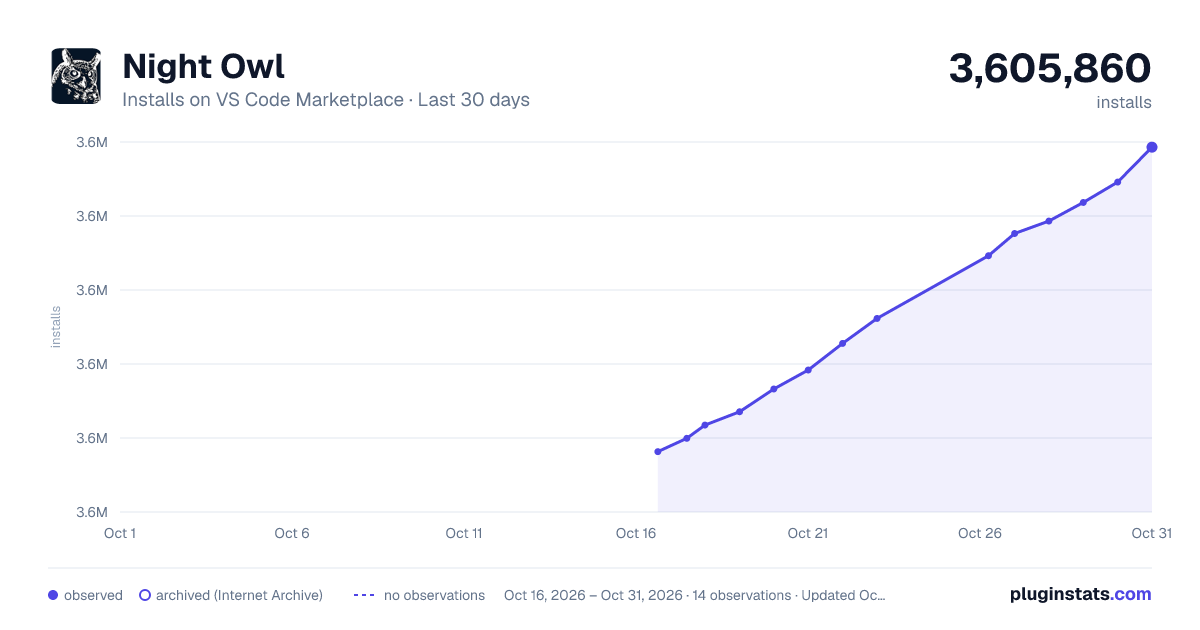
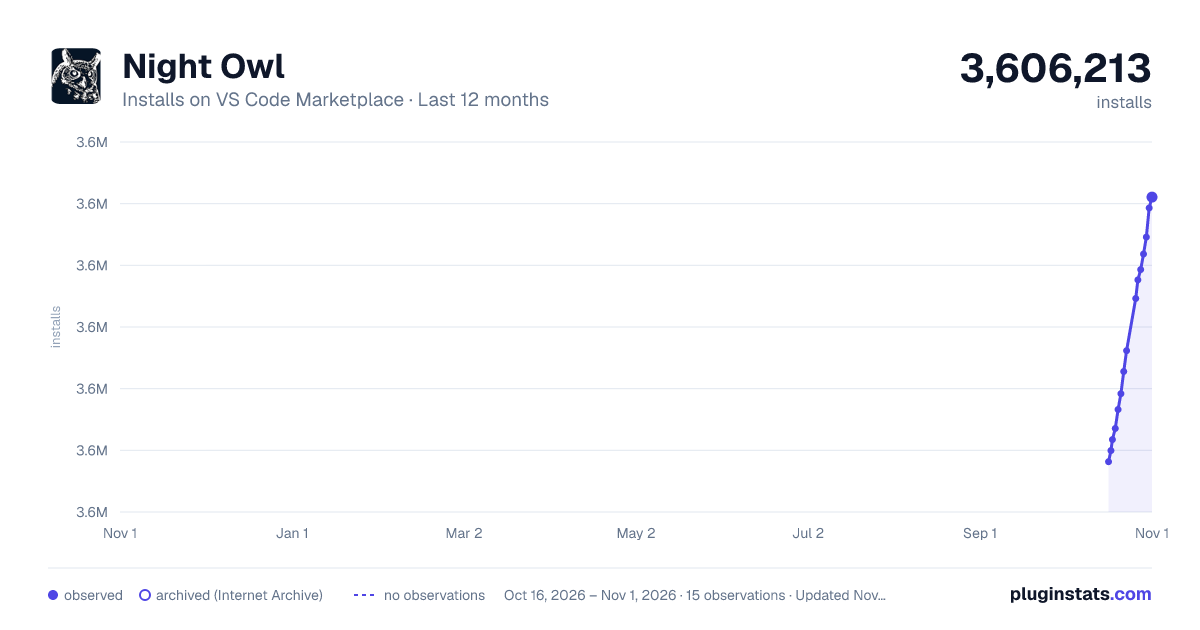
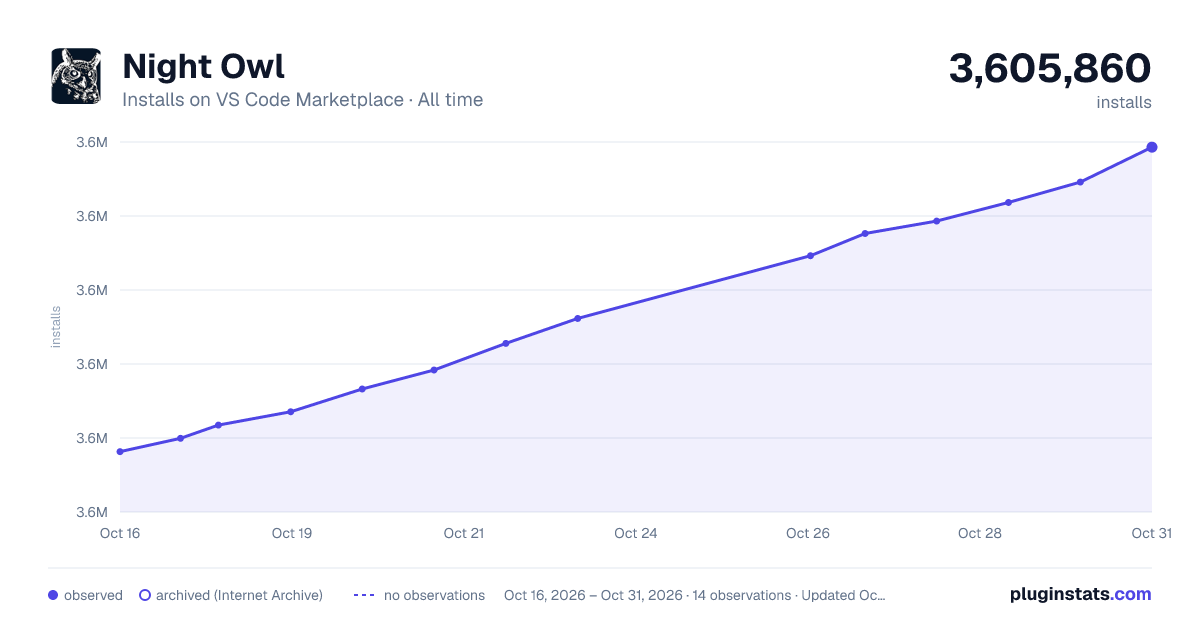

Adoption over time


7/30/90-day growth


Filled points are observed values; hollow points come from Internet Archive snapshots of the listing page. Dashed segments span periods with no observations — values between points are not interpolated.
Recent observations
Full history (3)Similar VS Code Marketplace Themes plugins
Data source
Install counts, average rating, and rating counts come from the public Visual Studio Marketplace gallery API. Installs are cumulative and exclude updates.
Listing: https://marketplace.visualstudio.com/items?itemName=sdras.night-owl. First seen Oct 16, 2026; last successful collection Oct 18, 2026. See the methodology.