 PluginStats
IntelliSense for CSS class names in HTML installs statistics
By Zignd · VS Code Marketplace · Programming Languages
CSS class name completion for the HTML class attribute based on the definitions found in your workspace.
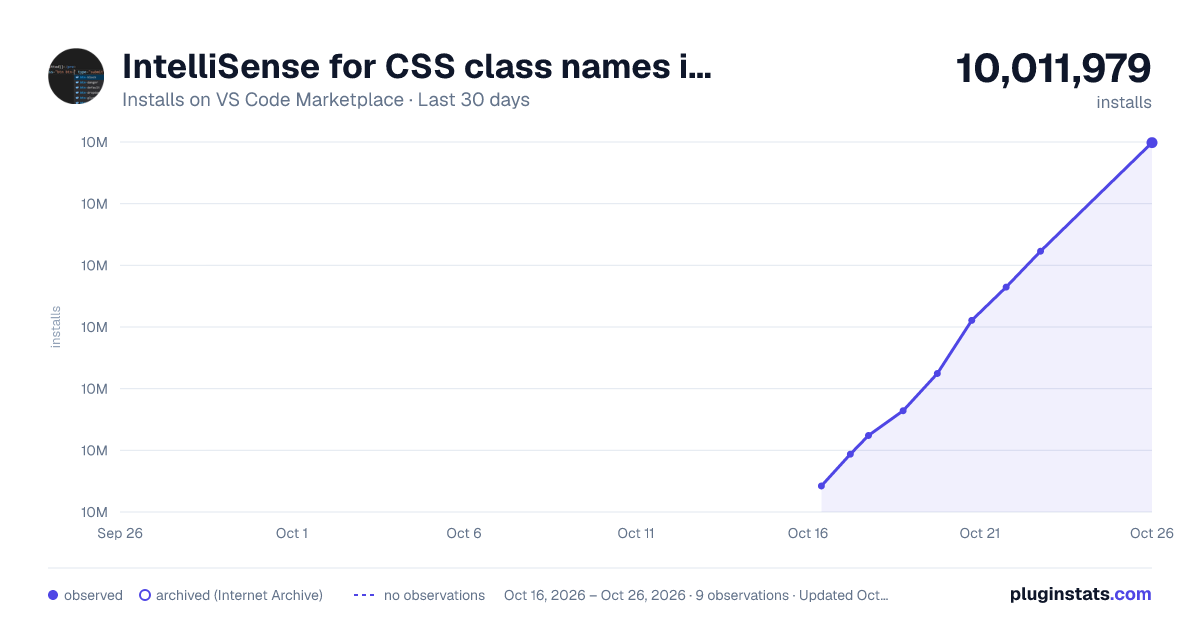
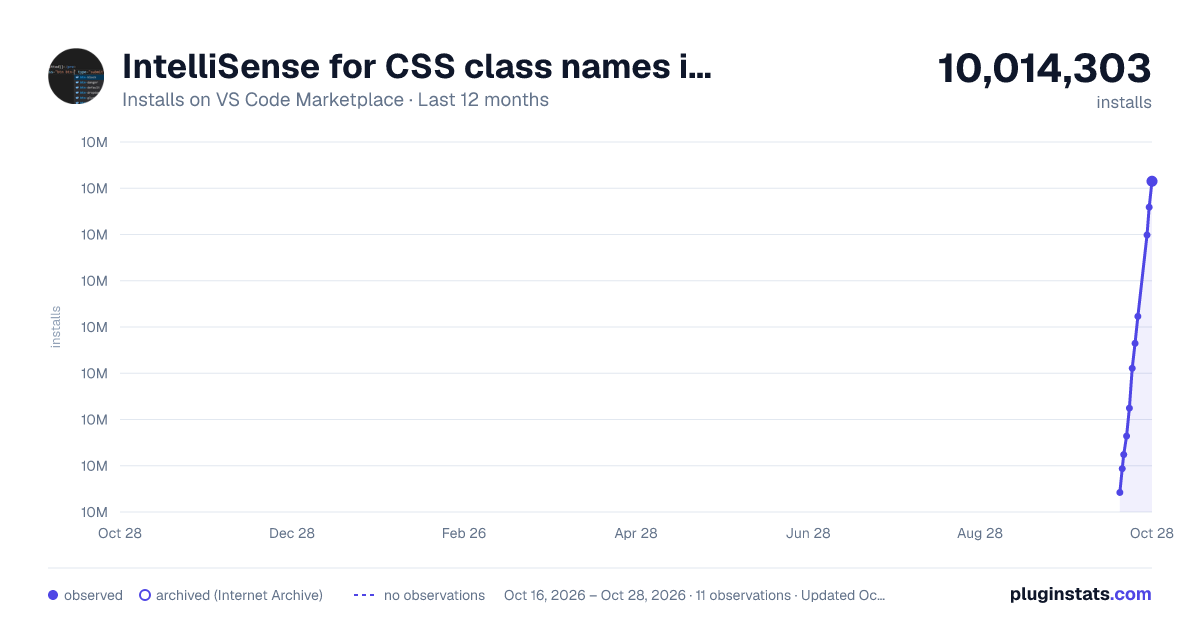
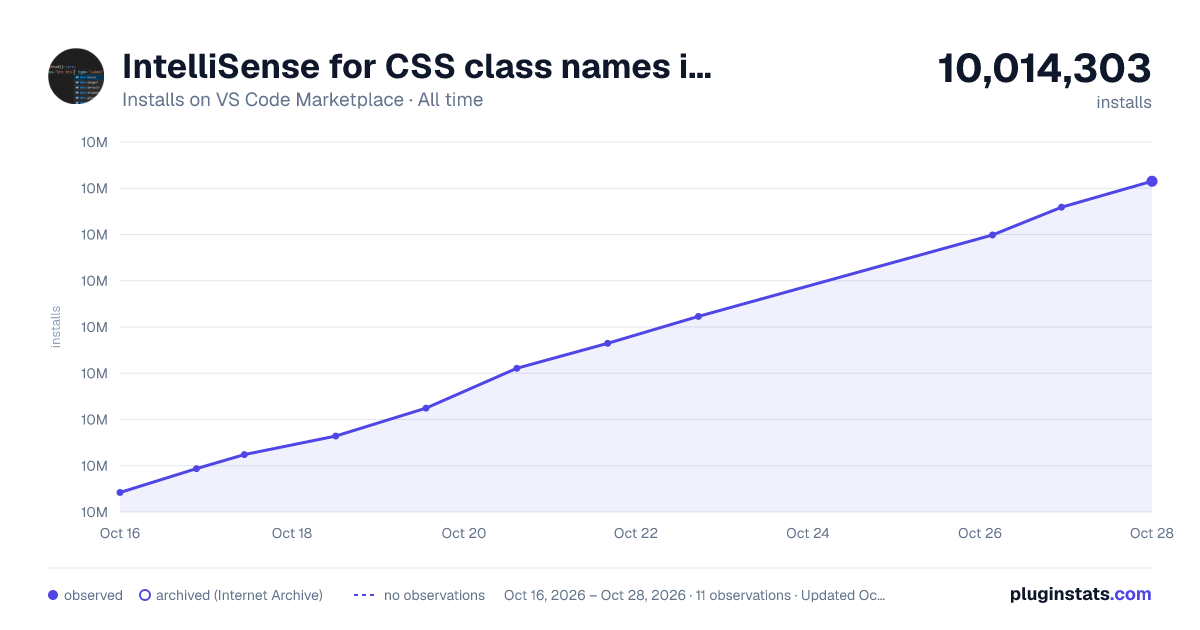
IntelliSense for CSS class names in HTML has 10,002,482 recorded installs on VS Code Marketplace.
It ranks #99 of 2,500 tracked VS Code Marketplace listings by installs.
It is rated 3.6 out of 5 from 182 ratings.
PluginStats has 3 daily observations since Oct 16, 2026; the latest is from Oct 18, 2026.
Rating: 3.62 / 5 from 182 ratings
About IntelliSense for CSS class names in HTML
IntelliSense for CSS class names in HTML
A Visual Studio Code extension that provides CSS class name completion for the HTML class attribute based on the definitions found in your workspace or external files referenced through the link element.
Features
• Gives you autocompletion for CSS class definitions that can be found in your workspace (defined in CSS files or the in the file types listed in the Supported Language Modes section); • Supports external stylesheets referenced through link elements in HTML files; • Command to manually re-cache the class definitions used in the autocompletion; • User Settings to override which folders and files should be considered or excluded from the caching process.
Supported Language Modes
• HTML • Razor • PHP • Laravel (Blade) • JavaScript • JavaScript React (.jsx) • TypeScript React (.tsx) • Vue (.vue) requires [octref.vetur] • Twig • Markdown (.md) • Embedded Ruby (.html.erb) requires [rebornix.Ruby] • Handlebars • EJS (.ejs) • Django template (django-html)
Extended Support for Other Language Modes
It's possible to specify which language modes will have autocompletion. There are three settings for this feature: • html-css-class-completion.HTMLLanguages is for language modes based on HTML, the ones you have the class attribute; • html-css-class-completion.CSSLanguages currently is for languages like CSS, Sass and Scss, this one is not very useful right now because it only supports the @apply function; • html-css-class-completion.JavaScriptLanguages is for JavaScript based languages supporting the class or className attribute.
The language modes listed in the previous section are already defined as default values in these settings, and you can add new ones or remove the already defined ones as necessary.
Specific Support
• "@apply" directive in CSS, SASS and SCSS Files for Tailwind CSS; • "className" and "class" in TypeScript React, JavaScript and JavaScript React language modes; • Emmet abbreviations support triggered by typing a "." (comes disabled by default, check the User Settings topic for more information).
Contributions
You can request new features and contribute to the extension development on its repository on GitHub. Look for an issue you're interested in working on, comment on it to let me know you're working on it and submit your pull request! :D
What's new in version 1.20 (Dec 19, 2020)
• Settings to allow users to specify which language modes will have autocompletion; • Fix interpretation of classes defined inside media queries.
Check out the changelog for the current and previous updates.
Usage
If there are HTML or JS files on your workspace, the extension automatically starts and looks for CSS class definitions. In case new CSS classes are defined, or new CSS files are added to the workspace, and you also want auto-completion for them, just hit the lightning icon on the status bar. Also, you can execute the command by pressing Ctrl+Shift+P(Cmd+Shift+P for Mac) and then typing "Cache CSS class definitions."
More User Settings
The extension supports a few user settings, changes to these settings will be automatically recognized and the caching process will be re-executed.
Folders and Files
You can change the folders and files the extension will consider or exclude during the caching process by setting the following user settings:
• "html-css-class-completion.includeGlobPattern" (default: "**/*.{css,html}") • "html-css-class-completion.excludeGlobPattern" (default: "")
Emmet
Emmet support comes disabled by default, the reason behind this choice is because it the current implementation simply triggers completion when you type a "." (period) and this behavior might be considered a little annoying, but it might change in the future.
Currently it supports the following languages (those are language identifier): "html", "razor", "php", "blade", "vue", "twig", "markdown", "erb", "handlebars", "ejs", "typescriptreact", "javascript", "javascriptreact".
• "html-css-class-completion.enableEmmetSupport" (default: false)
Description from the VS Code Marketplace listing.
- autocomplete
- class
- css
- html
- multi-root ready
Where IntelliSense for CSS class names in HTML sits in the listing
Each band is one page of 20. Installs on a log scale. Placement is projected from installs, so it can differ from the marketplace's own sort order. Hover a dot to see the listing.


Charts
Images: 30d · 1y · all time · 1600×900 dark

Adoption over time


7/30/90-day growth


Ranking history


Filled points are observed values; hollow points come from Internet Archive snapshots of the listing page. Dashed segments span periods with no observations — values between points are not interpolated.
Recent observations
Full history (3)Similar VS Code Marketplace Programming Languages plugins
Data source
Install counts, average rating, and rating counts come from the public Visual Studio Marketplace gallery API. Installs are cumulative and exclude updates.
Listing: https://marketplace.visualstudio.com/items?itemName=Zignd.html-css-class-completion. First seen Oct 16, 2026; last successful collection Oct 18, 2026. See the methodology.