 PluginStats
Angular Language Service installs statistics
By Angular (2 listings) · VS Code Marketplace · Programming Languages
Editor services for Angular templates
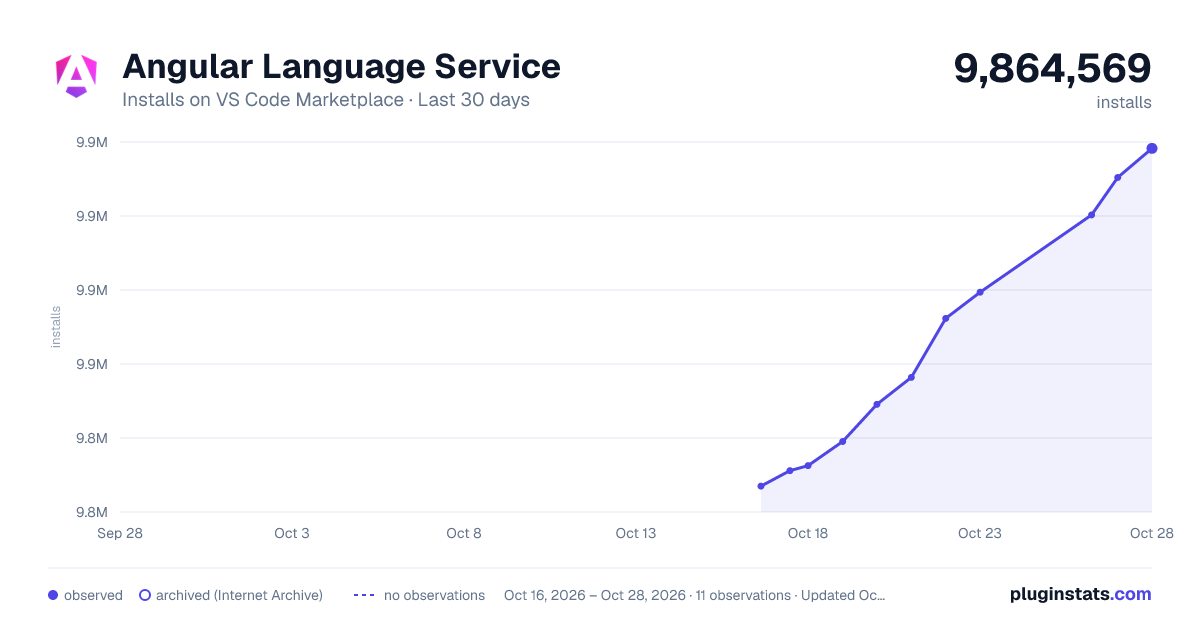
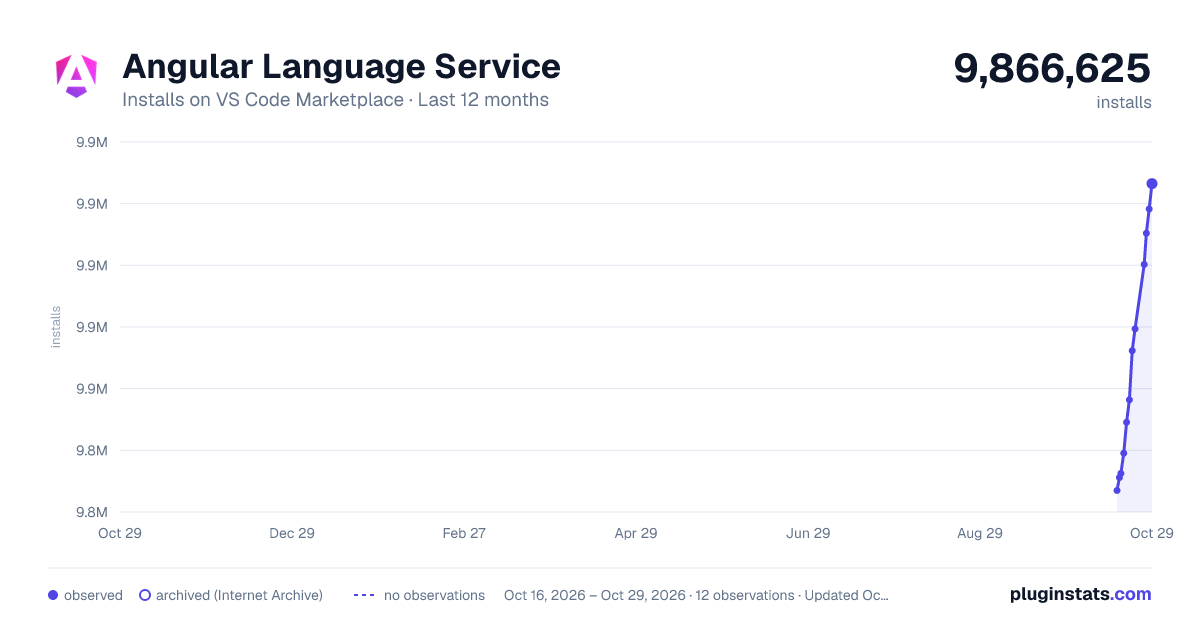
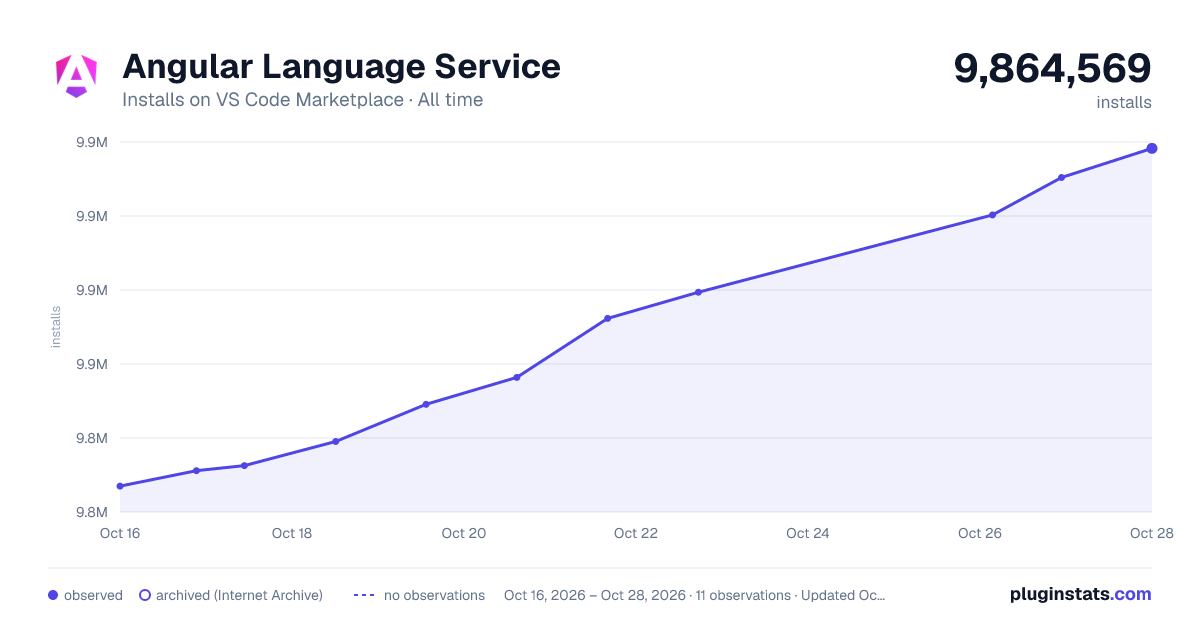
Angular Language Service has 9,843,133 recorded installs on VS Code Marketplace.
It ranks #101 of 2,500 tracked VS Code Marketplace listings by installs.
It is rated 3.2 out of 5 from 265 ratings.
PluginStats has 3 daily observations since Oct 16, 2026; the latest is from Oct 18, 2026.
Rating: 3.18 / 5 from 265 ratings
About Angular Language Service
Angular Language Service
Features
This extension provides a rich editing experience for Angular templates, both inline and external templates including:
• Completions lists • AOT Diagnostic messages • Quick info • Go to definition • Document Symbols for Outline panel, breadcrumbs, and "Go to Symbol"
Download
Download the extension from Visual Studio Marketplace.
Configuring compiler options for the Angular Language Service
The Angular Language Service uses the same set of options that are used to compile the application. To get the most complete information in the editor, set the strictTemplates option in tsconfig.json, as shown in the following example:
For more information, see the Angular compiler options guide.
Extension Settings
Document Symbols
Document Symbols enable the Outline panel, breadcrumbs navigation, and "Go to Symbol" (Cmd+Shift+O / Ctrl+Shift+O) to show Angular template elements like @if, @for, structural directives, and template references.
| Setting | Default | Description |
| angular.documentSymbols.enabled | true | Enable Angular-specific document symbols | | angular.documentSymbols.showImplicitForVariables | false | Show implicit @for loop variables ($index, $count, $first, $last, $even, $odd) |
For TypeScript files with inline templates, the Outline shows only the component class with template symbols nested inside:
Example configuration:
Versioning
The language service extension relies on the @angular/language-service and typescript packages for its backend. @angular/language-service is always bundled with the extension, and is always the latest version at the time of the release. typescript is loaded, in order of priority, from:
1. The path specified by typescript.tsdk or js/ts.tsdk.path in project or global settings. 2. _(Recommended)_ The version of typescript bundled with the Angular Language Service extension. 3. The version of typescript present in the current workspace's node_modules.
We suggest not specifying typescript.tsdk or js/ts.tsdk.path in your VSCode settings per method (1) above. If the typescript package is loaded by methods (1) or (3), there is a potential for a mismatch between the API expected by @angular/language-service and the API provided by typescript. This could lead to a failure of the language service extension.
For more information, please see #594.
Installing a particular release build
Download the .vsix file for the release that you want to install from the releases tab.
_Do not open the .vsix file directly_. Instead, in Visual Studio code, go to the extensions tab. Click on the "..." menu in the upper right corner of the extensions tab, select "Install from vsix..." and then select the .vsix file for the release you just downloaded.
The extension can also be installed with the following command:
Angular Language Service for Other Editors
• coc-angular for (Neo)vim • nvim-lspconfig for Neovim • Wild Web Developer for Eclipse • lsp-mode for Emacs
Inlay Hints
The Angular Language Service provides inlay hints for templates, showing inline type annotations directly in your code. This feature helps you understand types without hovering over variables.
Examples
Configuration
All inlay hints settings are under angular.inlayHints.*:
| Setting | Default | Description |
| eventParameterTypes | false | Show $event types for event bindings | | forLoopVariableTypes | false | Show types for @for loop variables | | ifAliasTypes | false | Show types for @if aliases. Set to 'complex' for complex expressions only | | letDeclarationTypes | false | Show types for @let declarations | | referenceVariableTypes | false | Show types for template reference variables | | suppressWhenTypeMatchesName | false | Suppress variable type hints when variable name matches type | | arrowFunctionParameterTypes | false | Show parameter types for arrow functions | | arrowFunctionReturnTypes | false | Show return types for arrow functions | | parameterNameHints | 'all' | Show parameter names: 'none', 'literals', or 'all' | | suppressWhenArgumentMatchesName | true | Suppress parameter hints when argument matches parameter name | | propertyBindingTypes | false | Show types for property/input bindings | | pipeOutputTypes | false | Show pipe output types | | twoWayBindingSignalTypes | false | Show signal types for two-way bindings | | requiredInputIndicator | 'none' | Required input indicator: 'none', 'asterisk', 'exclamation' | | interactiveInlayHints | false | Enable click-to-navigate type definitions | | hostListenerArgumentTypes | false | Show @HostListener argument types | | switchExpressionTypes | false | Show @switch expression types | | deferTriggerTypes | false | Show @defer trigger types |
To disable all Angular inlay hints, you can set editor.inlayHints.enabled to "off" in your VS Code settings.
Description from the VS Code Marketplace listing.
- Angular
- angular-tag-comment
- html
- javascript
- json
- multi-root ready
- typescript
Where Angular Language Service sits in the listing
Each band is one page of 20. Installs on a log scale. Placement is projected from installs, so it can differ from the marketplace's own sort order. Hover a dot to see the listing.


Charts
Images: 30d · 1y · all time · 1600×900 dark

Adoption over time


7/30/90-day growth


Ranking history


Filled points are observed values; hollow points come from Internet Archive snapshots of the listing page. Dashed segments span periods with no observations — values between points are not interpolated.
Recent observations
Full history (3)Similar VS Code Marketplace Programming Languages plugins
Data source
Install counts, average rating, and rating counts come from the public Visual Studio Marketplace gallery API. Installs are cumulative and exclude updates.
Listing: https://marketplace.visualstudio.com/items?itemName=Angular.ng-template. First seen Oct 16, 2026; last successful collection Oct 18, 2026. See the methodology.