 PluginStats
Data Table Renderers installs statistics
By Random Fractals Inc. (3 listings) · VS Code Marketplace · Formatters
Data Table 🈸, Flat Data Grid 中 & Data Summary 🈷️ Renderers for VSCode Notebook 📓 Cell ⌗ Data Outputs
Data Table Renderers has 207,849 recorded installs on VS Code Marketplace.
It ranks #1462 of 2,501 tracked VS Code Marketplace listings by installs.
It is rated 5.0 out of 5 from 2 ratings.
PluginStats has 4 daily observations since Oct 16, 2026; the latest is from Oct 19, 2026.
Rating: 5.00 / 5 from 2 ratings
About Data Table Renderers
vscode-data-table
Data Table Renderers for VSCode Notebooks 📚
See Data Preview 🈸 vscode extension for a generic Grid Data Viewer with many common data formats support, search, sort, filters, grouping, splits, pivot tables, aggregates and basic charts 📊.
Support
These Data Table Renderers were created to enhance raw data views in Jupyter and custom VSCode Notebooks 📚.
Please consider becoming a Fan and sponsoring our dev efforts on this and other Random Fractals, Inc. code and data viz extensions if you find them useful, educational, or enhancing your daily dataViz/dev code workflows and exploratory data analysis:
☕️ https://ko-fi.com/dataPixy 💖 https://github.com/sponsors/RandomFractals
Data Table 🈸 Renderers
Data Table Renderers is a collection of custom tabular data renderers for vscode notebooks.
🈸 Features
• View CSV, semi-flat XML, GeoJSON and JSON array data Notebook 📓 cell ⌗ output in HTML table with column sort, number and date formatting • Incremental Data Table 🈸 rows creation on table scroll for faster display of larger datasets • Data Summary 📊 Renderer View for a quick overview of loaded dataset • Flat Data 中 Grid Renderer with column summary headers, filtering, and CSV save options • Built-in REST Book 📓, Python 🐍, TypeScript Notebook 📓, .NET Interactive Notebook 📓, and Pyolite/Pyodide 🐍 Notebook Examples 📚 • Geo 🌐 Data Table 🈸 View • Experimental XML Data Table 🈸 View • Notebook 📓 cell ⌗ Text Output scrollable container with code pre-wrap for quick copy/paste to other places • Use Data Table, Flat Data Grid & Data Summary Notebook 📓 cell renderers with Pyolite/Pyodide 🐍 kernel in Jupyter Notebooks VSCode web editor on vscode.dev and github.dev:
Data Table 🈸 Renderer View
Data Table 🈸 Notebook 📓 cell ⌗ output renderer uses Observable Inputs Table component for fast incremental data display and scrolling of datasets loaded in VSCode Notebooks 📚
Observable Data Table 🈸 Viewer 📓
You can also use our generic Data Table Viewer 📓 notebook to preview public datasets in a browser:
Or use it in vscode with Observable JS Notebook 📓 Inspector 🕵️:
Or load Data Table 🈸 Viewer 📓 with Observable JS vscode extension:
Data Summary 📊 Renderer View
This general purpose Data Table 🈸 Renderer extension also includes Data Summary 📊 Renderer based on modifield Observable Summary Table component for a quick overview of datasets loaded in VSCode Notebooks 📚
Flat Data 中 Grid Renderer
Flat Data Grid renderer is the latest addition to this custom tabular data renderers collection vscode extension. It's based on the Flat UI React data grid component library created by the GitHub Next dev team & used in Flat Data viewer on flatgithub.com.
🈸 Examples
Data Table 🈸 for Notebooks 📚 extension v1.6.0 and up ships with built-in Notebook examples. You can access provided Notebook Examples listed below via Data Table: Notebook Examples command from View -> Command Palette... vscode menu:
Runme Notebook Example
1. Install Runme vscode extension
2. Load notebooks/world-lakes.md document
3. Click on ▶️ in the markdown text editor context menu to Open markdown as Runme 📓.
4. Run All ᐅ cells ⌗
5. Click on ... in the gutter of the curl command cell and Change Presentation to one of the Data Table 🈸 renderers or Leaflet 🍃 Map 🗺️ renderer:
REST Book Example
1. Install REST Book 📓 vscode extension
2. Load Chicago Traffic Tracker REST Book 📓
3. Run All ᐅ cells ⌗
4. Click on ... in the gutter of GET data output and change it to Data Table 🈸 renderer:
Python Notebook Example
1. Install vega_datasets and altair Python libraries via pip or conda:
or
2. Load Iris Vega Data Python 🐍 Notebook 📓
3. Run All ᐅ cells ⌗
4. Click on ... in the gutter of iris data output and change it to Data Table 🈸 renderer:
or switch it to Data Summary 🈷️ renderer:
TypeScript Notebook Example
1. Install TypeScript Notebooks 📚 vscode extension
2. Download USA Airports data files
3. Load USA Airports TypeScript Notebook 📓
4. Run All ᐅ cells ⌗ to view local CSV and JSON text data outputs with Data Table 🈸:
Also, try new USA State Capitals TypesScript Notebook 📓 with GeoJSON node-fetch and Flat Data Grid renderer from built-in Notebook Examples:
.NET Interactive Notebook Example
1. Install .NET Install Tool for Extension Authors vscode extension
2. Install .NET Interactive Notebooks 📚 vscode extension
3. Load Chicago Speed Cameras .NET Interactive Notebook 📓
4. Run All ᐅ cells ⌗:
Pyolite Notebook Example
1. Install Pyodide 🐍 vscode extension
2. Load Chicago Red Light Cameras Pyolite Notebook 📓
3. Run All ᐅ cells ⌗:
Geo 🌐 Data Table 🈸 View
1. Install REST Book 📓 vscode extension
2. Load World 🌐 Rivers REST Book 📓
3. Run All ᐅ cells ⌗
4. Click on ... in the gutter of GET data output and change it to Data Table 🈸 for geo table view:
XML Data Table 🈸 View
1. Load World 🌐 GDP REST Book 📓
2. Run All ᐅ cells ⌗
3. Click on ... in the gutter of GET data output and change it to Data Table 🈸 for XML data table view:
Text Oputput View
Data Table 🈸 renderer displays data that is not in CSV, GeoJSON or JSON array data format in a scrollable text container:
Data Table Renderers Extension Dependency
You can add our Data Table 🈸 Notebook 📓 Renderers dependency to your custom VSCode notebook kernels to enable users of your custom notebooks to view data with our Data Table renderers by declaring extension dependency in your VSCode extension package.json:
See VSCode Extension Manifest doc for more info.
Recommended Extensions
Recommended extensions for working with Interactive Notebooks 📚, data 🈸, charts 📈, and geo 🗺️ data formats in VSCode:
| Extension | Description |…
Description from the VS Code Marketplace listing.
- .NET Interactive
- cell
- CSV
- data
- data summary
- data viewer
- dataViz
- examples
- flat data grid
- geo data
- GeoJSON
- JSON
- Node.js
- notebook
- notebookRenderer
- output
- Pyodide
- Pyolite
- renderer
- REST Book
Where Data Table Renderers sits in the listing
Each band is one page of 20. Installs on a log scale. Placement is projected from installs, so it can differ from the marketplace's own sort order. Hover a dot to see the listing.


Charts
Images: 30d · 1y · all time · 1600×900 dark
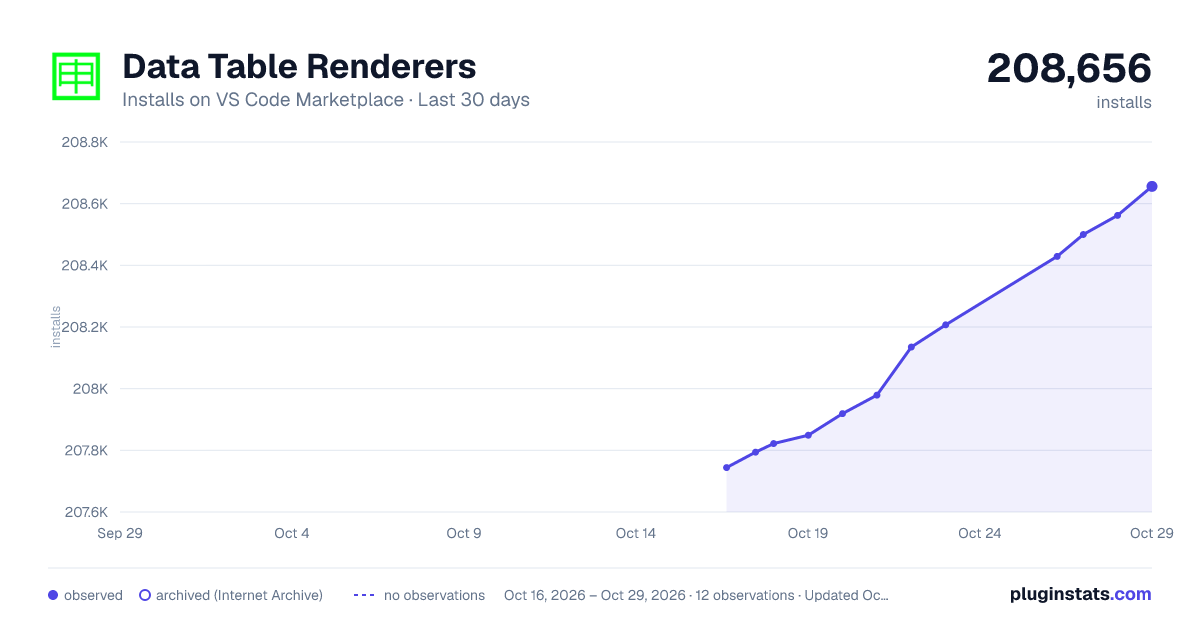
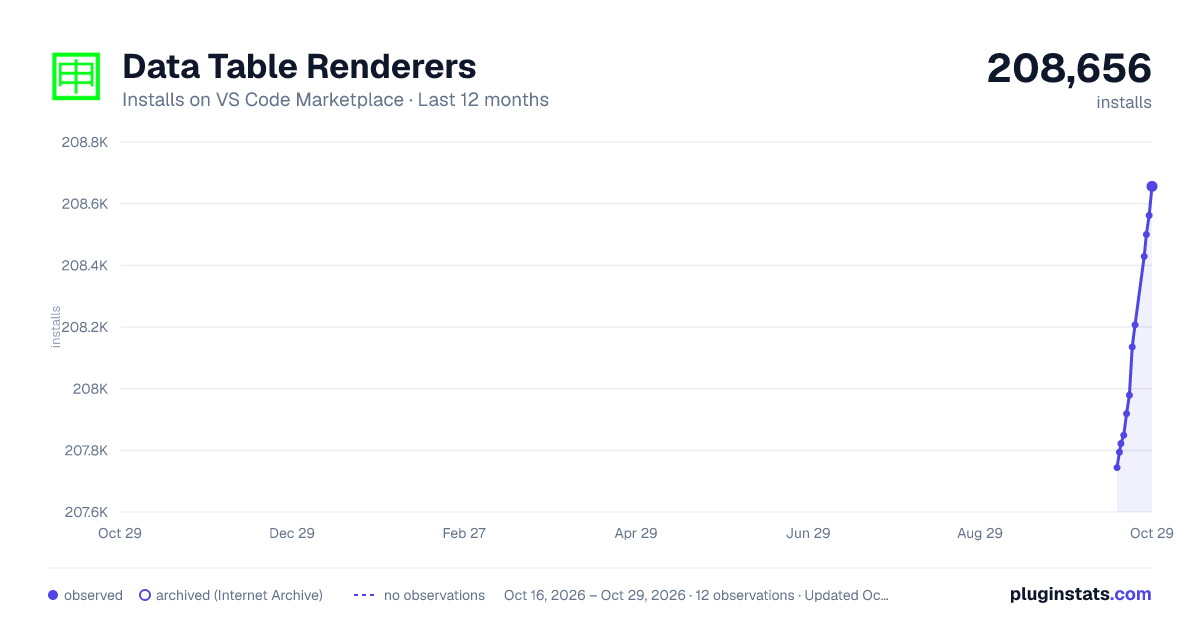
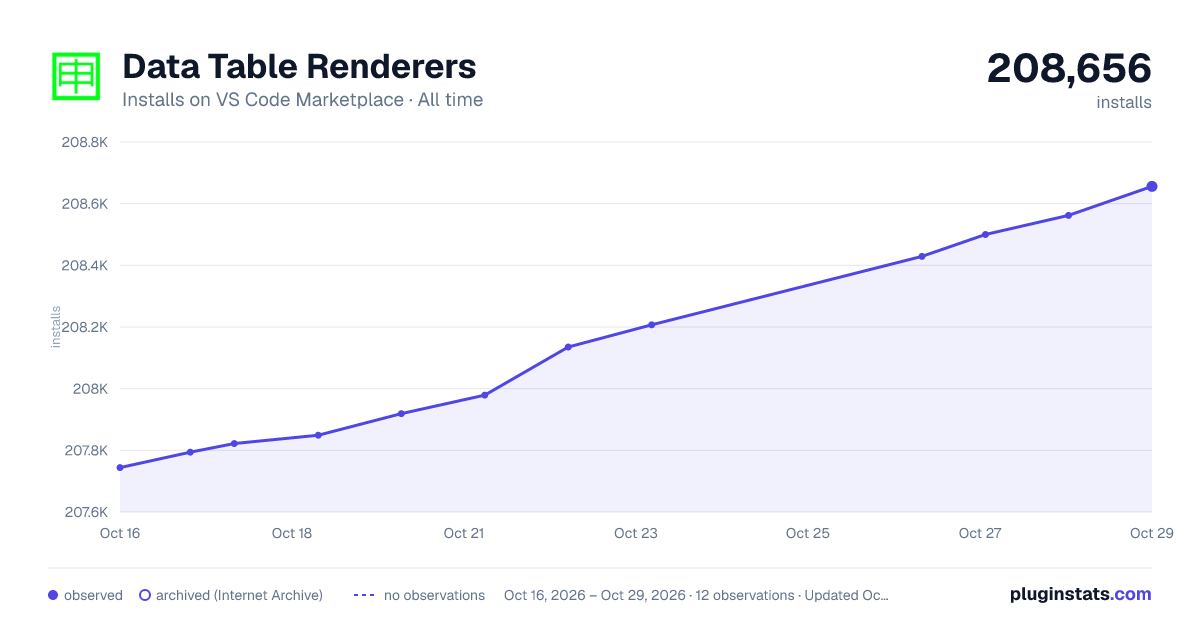

Adoption over time


7/30/90-day growth


Ranking history


Filled points are observed values; hollow points come from Internet Archive snapshots of the listing page. Dashed segments span periods with no observations — values between points are not interpolated.
Recent observations
Full history (4)Similar VS Code Marketplace Formatters plugins
Data source
Install counts, average rating, and rating counts come from the public Visual Studio Marketplace gallery API. Installs are cumulative and exclude updates.
Listing: https://marketplace.visualstudio.com/items?itemName=RandomFractalsInc.vscode-data-table. First seen Oct 16, 2026; last successful collection Oct 19, 2026. See the methodology.