 PluginStats
Esbonio installs statistics
By Swyddfa · VS Code Marketplace · Programming Languages
An extension for editing sphinx projects
Esbonio has 99,186 recorded installs on VS Code Marketplace.
It ranks #2370 of 2,501 tracked VS Code Marketplace listings by installs.
It is rated 5.0 out of 5 from 5 ratings.
PluginStats has 4 daily observations since Oct 16, 2026; the latest is from Oct 19, 2026.
Rating: 5.00 / 5 from 5 ratings
About Esbonio
Esbonio
[](https://open-vsx.org/extension/swyddfa/esbonio)
VSCode Marketplace
The Esbonio extension integrates the esbonio language server into VSCode.
The esbonio language server aims to make it easier to work with Sphinx documentation projects by proving IDE-like features to your reStructuredText and Markdown (MyST) files.
Features
Live Preview
The extension can show a live HTML preview of the documentation, so the preview contents change whenever the document is updated. Synchronised scrolling between the source and preview is also supported.
Completions
The language server can provide completion suggestions in various contexts
Goto Definition
Goto definition is implemented for objects linked to by :ref: and :doc: roles
Goto Implementation
Goto implementation is available for roles and directives
Diagnostics
Errors from a build are published to VSCode as diagnostics
Hover
Documentation is provided for certain roles and directives.
Document & Workspace Symbols
Section titles and directives within a document are recognised as symbols and displayed in the "Outline" view. You can also search for symbols within the workspace using the Ctrl+T shortcut.
Sphinx Process Management
The extension provides a UI to help visualise and manage the background Sphinx processes used by the server.
Setup
It's recommended to follow the Getting Started tutorial if you are using Esbonio for the first time however, to summarize.
The esbonio language server is bundled with this extension, so there is no need to install it separately. However, the server will need access the Python environment you use to build your documentation.
1. Open the folder containing your documentation project in VSCode, (using the extension without an active workspace is not supported).
1. Set the esbonio.sphinx.pythonCommand option to select the Python environment used to build your documentation. See this guide for more details on its use.
1. Open a reStructuredText or markdown file from your Sphinx project.
If necessary, Sphinx build output will be available in Esbonio's Output view in the VSCode panel. When troubleshooting, it's recommended to set the esbonio.logging.level option to debug
Dependent Extensions
Esbonio relies on the following extensions
• The offical Python Extension is used to locate a Python interpreter compatible with the `esbonio` language server. • The MyST Syntax Highlighting extension provides syntax highlighting rules for MyST flavoured markdown.
Supplementry Extensions
The the following extensions are not required in order to use Esbonio, but you might find them useful
• The reStructuredText integrates many other useful tools such as the traditional linters like doc8 and rstcheck. It also provides additional editor functionality for working with reStructuredText in general. • While VSCode has included a vendored copy of the reStructuredText Syntax highlighting extension since v1.66, installing the extension from the marketplace will provide you with the latest version of the syntax definition.
Description from the VS Code Marketplace listing.
- documentation
- esbonio-log-output
- keybindings
- ReST
- reStructuredText
- rst
- sphinx
Where Esbonio sits in the listing
Each band is one page of 20. Installs on a log scale. Placement is projected from installs, so it can differ from the marketplace's own sort order. Hover a dot to see the listing.


Charts
Images: 30d · 1y · all time · 1600×900 dark
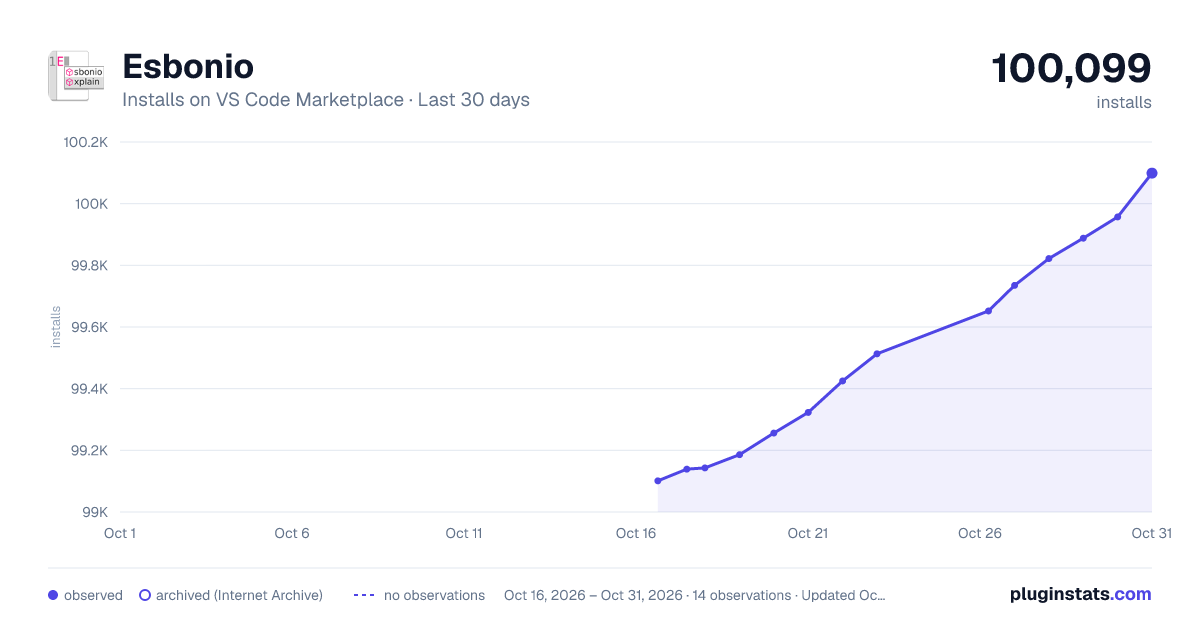
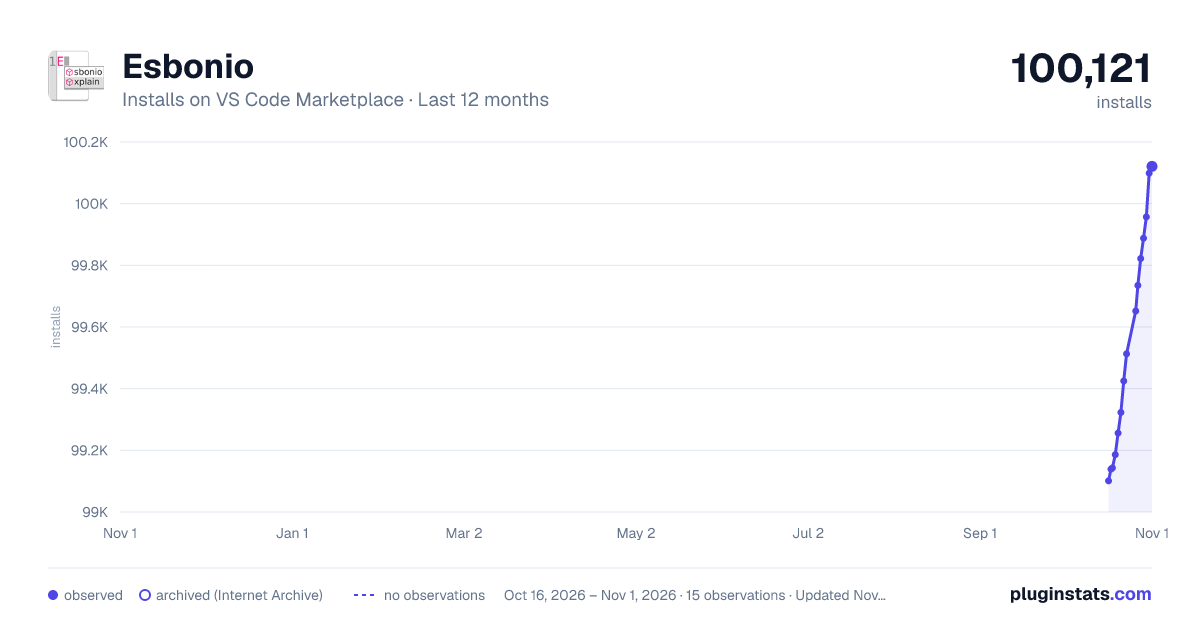
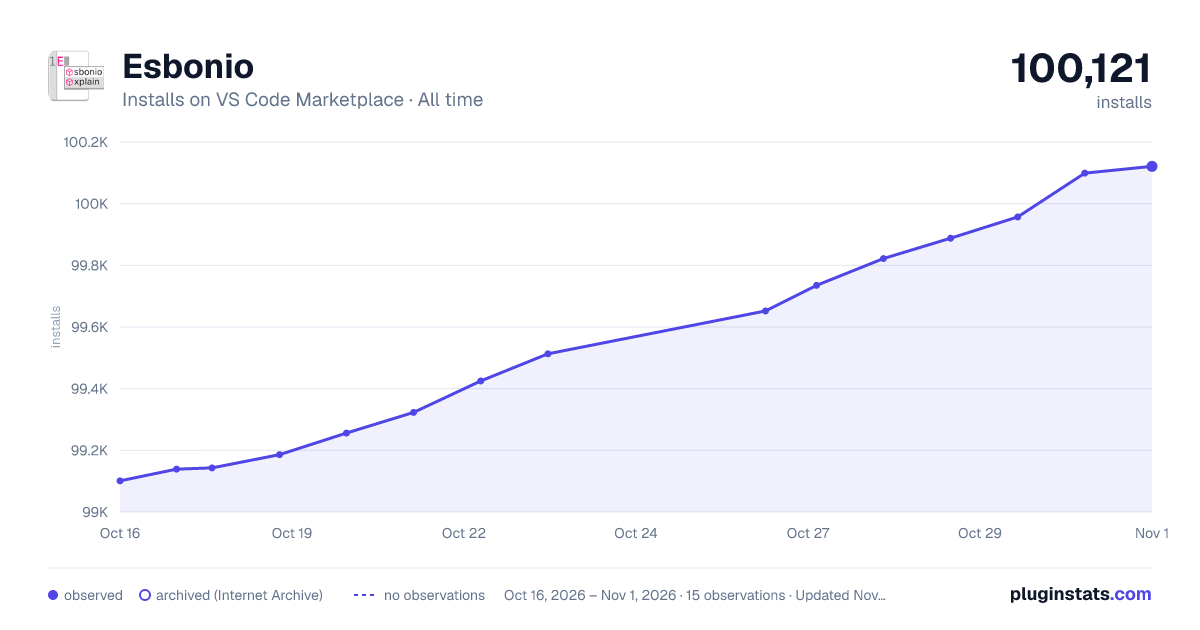

Adoption over time


7/30/90-day growth


Filled points are observed values; hollow points come from Internet Archive snapshots of the listing page. Dashed segments span periods with no observations — values between points are not interpolated.
Recent observations
Full history (4)Similar VS Code Marketplace Programming Languages plugins
Data source
Install counts, average rating, and rating counts come from the public Visual Studio Marketplace gallery API. Installs are cumulative and exclude updates.
Listing: https://marketplace.visualstudio.com/items?itemName=swyddfa.esbonio. First seen Oct 16, 2026; last successful collection Oct 19, 2026. See the methodology.