 PluginStats
Coder installs statistics
By Coder (5 listings) · VS Code Marketplace · Other
Open any workspace with a single click.
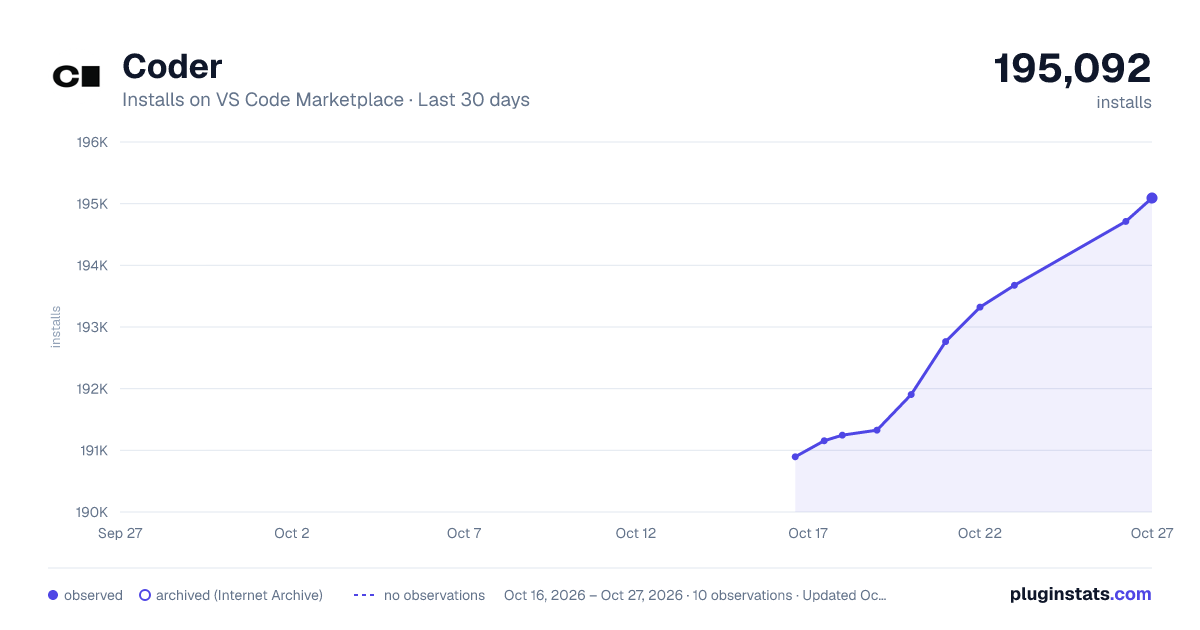
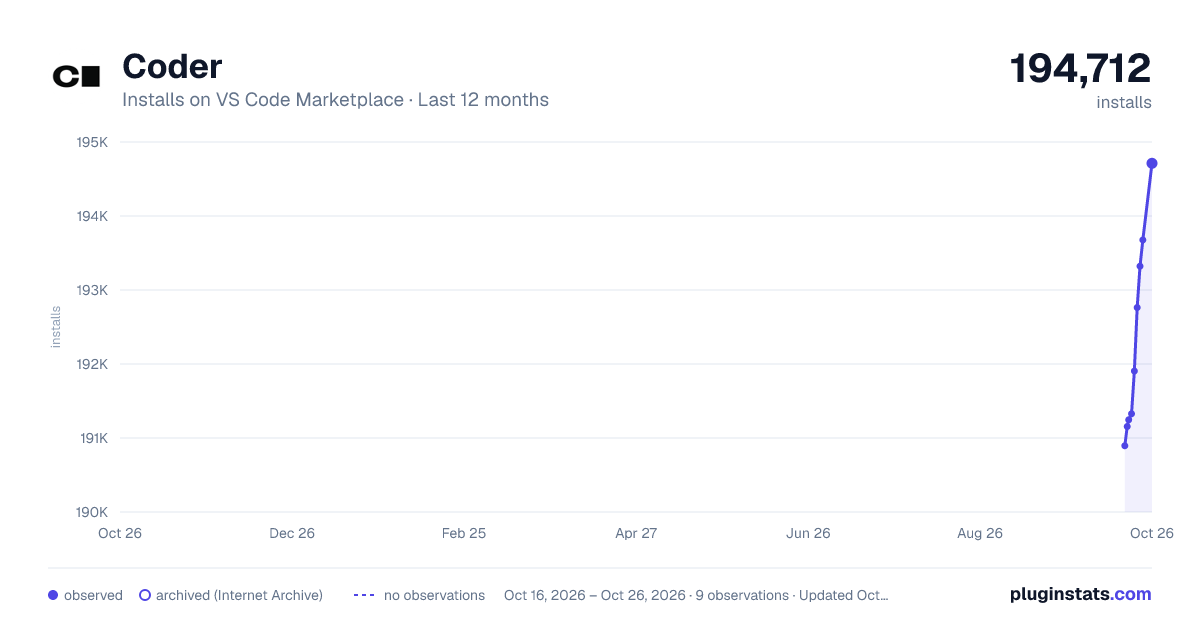
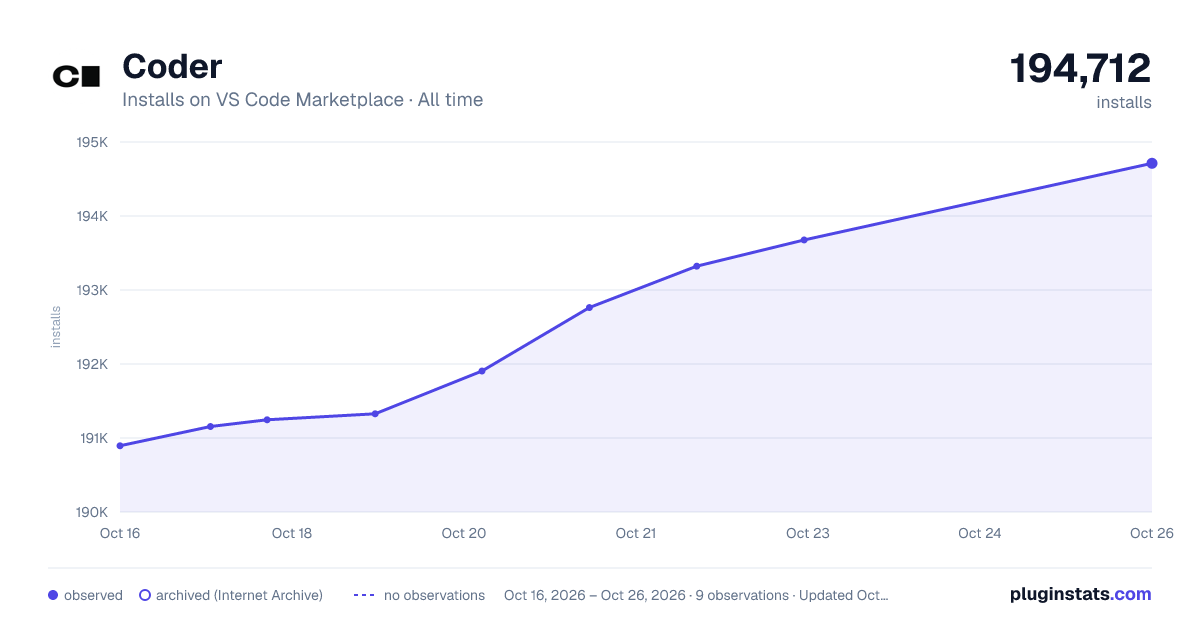
Coder has 191,246 recorded installs on VS Code Marketplace.
It ranks #1570 of 2,500 tracked VS Code Marketplace listings by installs.
It is rated 5.0 out of 5 from 15 ratings.
PluginStats has 3 daily observations since Oct 16, 2026; the latest is from Oct 18, 2026.
Rating: 5.00 / 5 from 15 ratings
About Coder
Coder Remote
The Coder Remote extension connects your editor to Coder workspaces with a single click.
Features
• One-click workspace access - open workspaces from the Coder dashboard or the editor sidebar. Workspaces start automatically when opened. • Multi-editor support - works with VS Code, Cursor, Devin Desktop (formerly Windsurf), and other VS Code forks. • Workspace sidebar - browse, search, and create workspaces. View agent metadata and app statuses at a glance. • Multi-deployment support - connect to multiple Coder deployments and switch between them without losing credentials. • Dev container support - open dev containers running inside workspaces. • Secure authentication - session tokens stored in the OS keyring (macOS/Windows), with optional OAuth 2.1 support. • Air-gapped / restricted networks - no external dependencies beyond your Coder deployment. • Automatic SSH tuning - applies recommended SSH settings for reliable long-lived connections and recovers from sleep/wake.
[!NOTE] The extension builds on VS Code-provided implementations of SSH. Make sure you have the correct SSH extension installed for your editor (ms-vscode-remote.remote-ssh, anysphere.remote-ssh for Cursor, or codeium.windsurf-remote-openssh for Devin Desktop).
Getting Started
Launch VS Code Quick Open (Ctrl+P), paste the following command, and press enter.
Alternatively, manually install the VSIX from the latest release.
All extension settings are under the coder.* namespace in the Settings UI. Paths in settings accept ~ and ${userHome} from VS Code's variables reference. Several coder.* settings (paths, commands, hostnames, and proxy bypass lists) are excluded from Settings Sync via ignoreSync, because their values can depend on the specific machine or network where they were set.
[!WARNING] Do not give any coder.* setting "scope": "machine". In a remote window VS Code filters machine-scoped keys out of the local User settings.json, so such a value only holds until the extension registers its schema on activation. After that, the next re-parse of settings.json (from an edit, a Settings Sync write, a profile switch, or a tasks.json load) drops the value back to its default, with no remote-side copy to fall back on. This intermittent revert is the cause of #1032. Use application scope instead: it is honored in remote windows regardless of timing. See #1034 for the mechanism and reproduction.
URI Handler
The extension registers a URI handler that can open workspaces from outside the editor, such as links on the Coder dashboard. The scheme matches the editor (vscode://, cursor://, devin://, etc.), followed by the extension ID and a path:
/open
Opens a workspace, starting it first if needed.
| Parameter | Required | Description |
| owner | Yes | Username of the workspace owner. | | workspace | Yes | Name of the workspace. | | agent | No | Agent _name_ (not ID). If omitted or unmatched in a multi-agent workspace, a picker is shown. | | folder | No | Absolute path inside the workspace to open. If omitted, a recently opened folder for this workspace is used (a picker is shown when there are several); with no recents, the window opens without a folder. | | openRecent | No | Open the most recently used folder for this workspace, skipping the picker. True when present without a value or set to true. Ignored when folder is set. | | url | No | Coder deployment URL. If omitted, the extension prompts for it (pre-filled with the current deployment). | | token | No | Session token for authentication. If omitted, the existing session is used or a login flow is started. |
/openDevContainer
Opens a dev container running inside a workspace.
| Parameter | Required | Description |
| owner | Yes | Username of the workspace owner. | | workspace | Yes | Name of the workspace. | | agent | Yes | Agent name the dev container runs on. | | devContainerName | Yes | Name of the dev container. | | devContainerFolder | Yes | Folder to open inside the dev container. | | localWorkspaceFolder | No | Local path of the dev container project. Required if localConfigFile is set. | | localConfigFile | No | Local path to the devcontainer.json file. | | url, token | No | Same as /open. |
Sharing Extensions with code-server
Extensions installed in a remote window live in ~/.vscode-server/extensions on the workspace. To reuse them in code-server, point it at that directory:
Description from the VS Code Marketplace listing.
- remote-menu
Where Coder sits in the listing
Each band is one page of 20. Installs on a log scale. Placement is projected from installs, so it can differ from the marketplace's own sort order. Hover a dot to see the listing.


Charts
Images: 30d · 1y · all time · 1600×900 dark

Adoption over time


7/30/90-day growth


Filled points are observed values; hollow points come from Internet Archive snapshots of the listing page. Dashed segments span periods with no observations — values between points are not interpolated.
Recent observations
Full history (3)Similar VS Code Marketplace Other plugins
Data source
Install counts, average rating, and rating counts come from the public Visual Studio Marketplace gallery API. Installs are cumulative and exclude updates.
Listing: https://marketplace.visualstudio.com/items?itemName=coder.coder-remote. First seen Oct 16, 2026; last successful collection Oct 18, 2026. See the methodology.