 PluginStats
AWS Toolkit installs statistics
By Amazon Web Services (19 listings) · VS Code Marketplace · Linters
Including CodeCatalyst, Infrastructure Composer, and support for Lambda, S3, CloudWatch Logs, CloudFormation, and many other services.
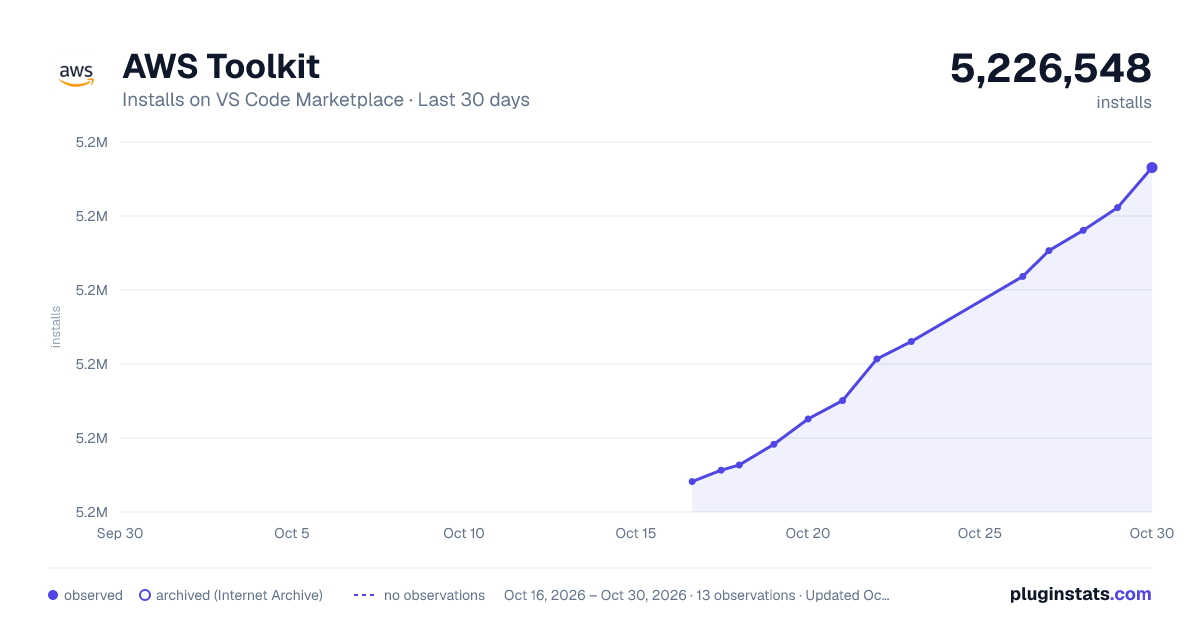
AWS Toolkit has 5,195,056 recorded installs on VS Code Marketplace, ranking #177 of 2,502 tracked listings.
Rating: 2.47 / 5 from 73 ratings
About AWS Toolkit



Amazon Q and CodeWhisperer
Amazon CodeWhisperer is now part of Amazon Q. Try the Amazon Q extension.
Getting Started
- Open the AWS Toolkit extension
- Sign in with your AWS credentials
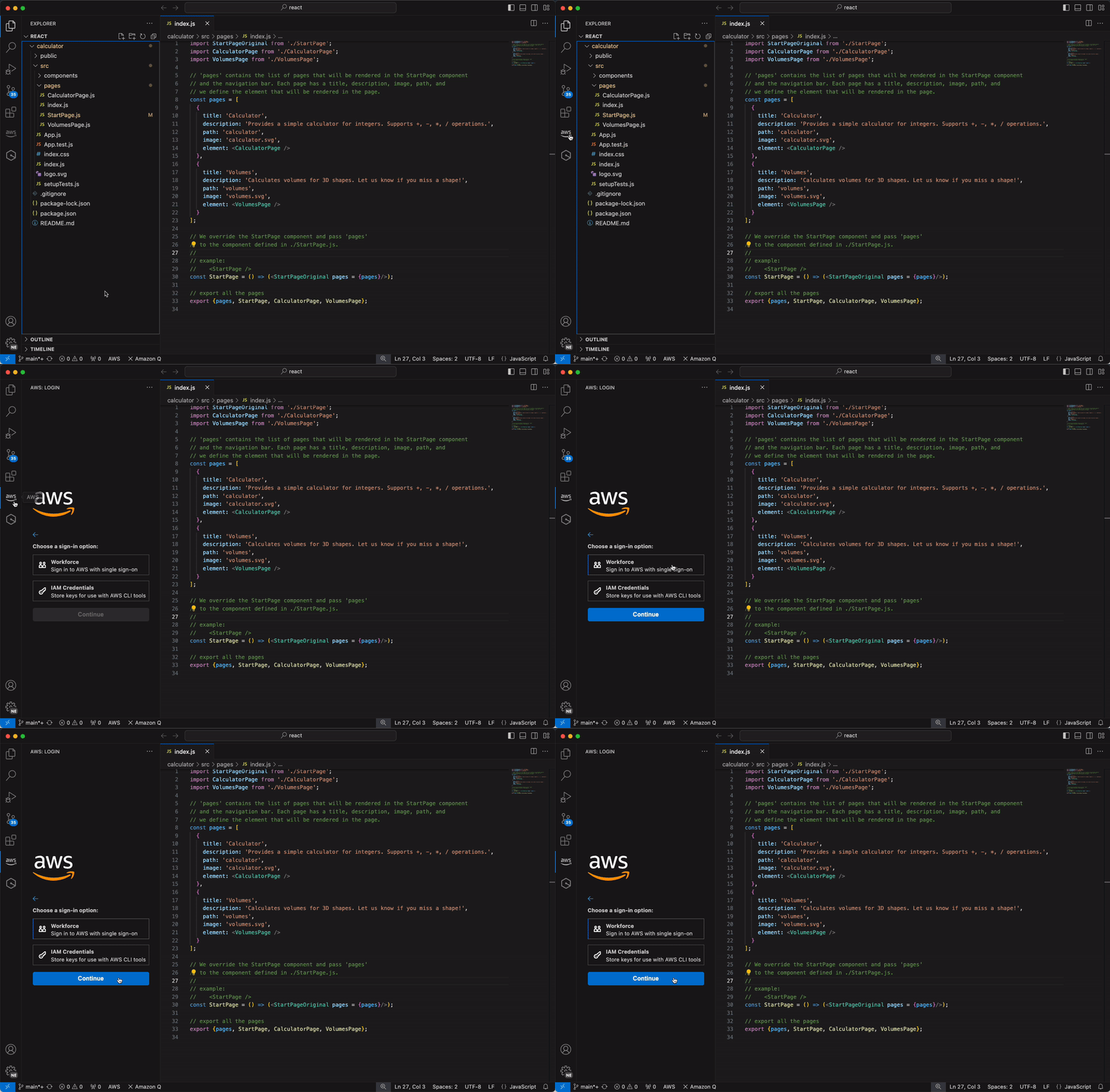
The AWS Toolkit lets you interact with AWS directly from VS Code. Ready to install? See Getting Started.
Features
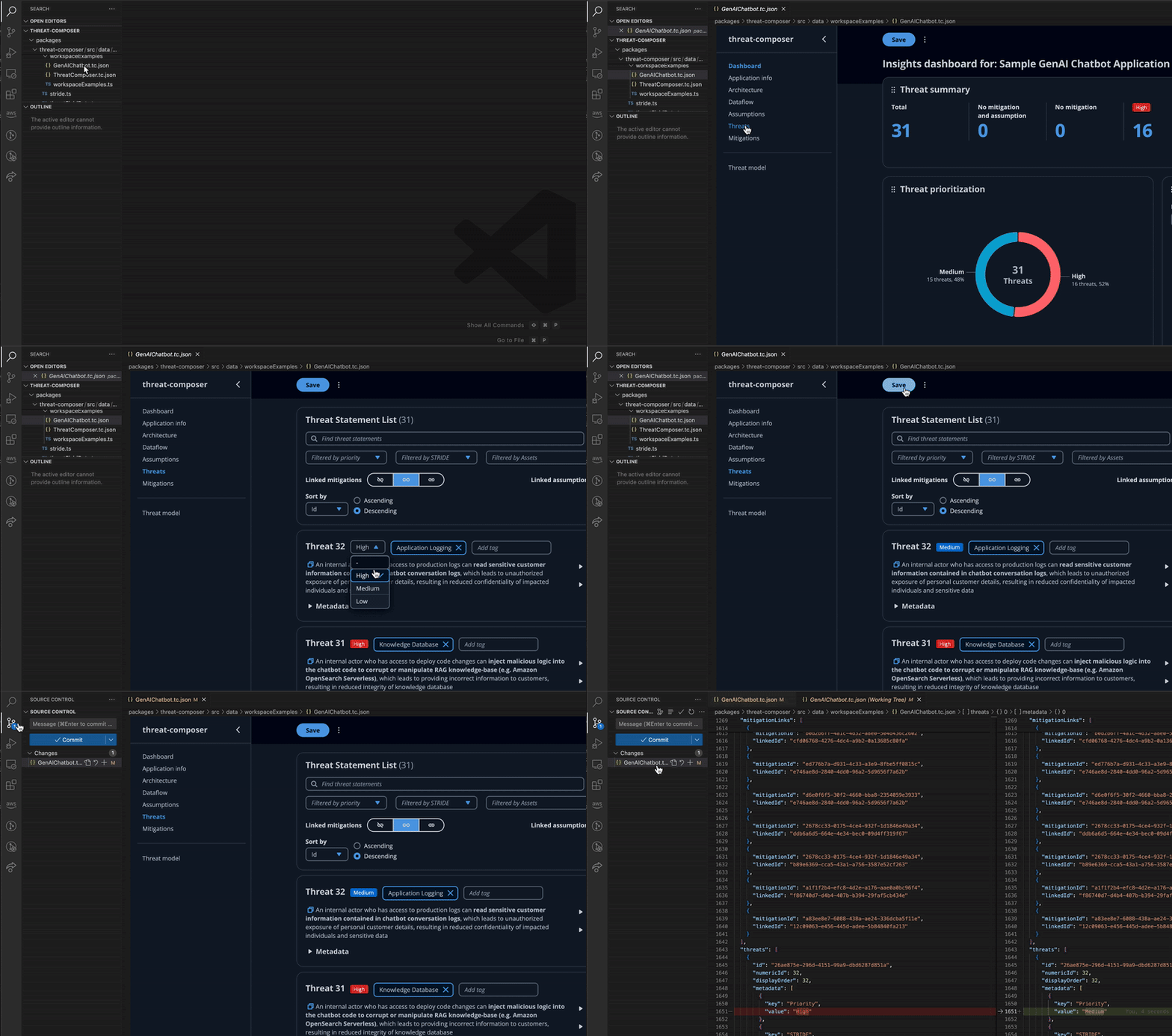
Threat Composer
Integrate threat modeling practices into your development workflow by creating and version controlling your threat models as code.
Threat Composer for the AWS Toolkit for Visual Studio Code allows you to create, view and edit Threat Composer threat models .tc.json directly within VSCode.
Infrastructure Composer

AWS Infrastructure Composer maintains a real-time visual representation of your application architecture in sync with your IaC. Changes to the architecture—such as adding new resources or changing service configuration—are reflected in the IaC artifacts, and vice versa.
- Visually compose modern applications from 1,000+ AWS CloudFormation resources with little guesswork.
- Use the right tool for the task, including visual, code, or generative AI powered code suggestions in your IDE.
- Integrate with Workflow Studio to visually orchestrate over 220 AWS services or public http endpoints with Step Functions workflows.
Amazon CodeCatalyst
Unified software development service to quickly build and deliver applications on AWS.
Step Functions
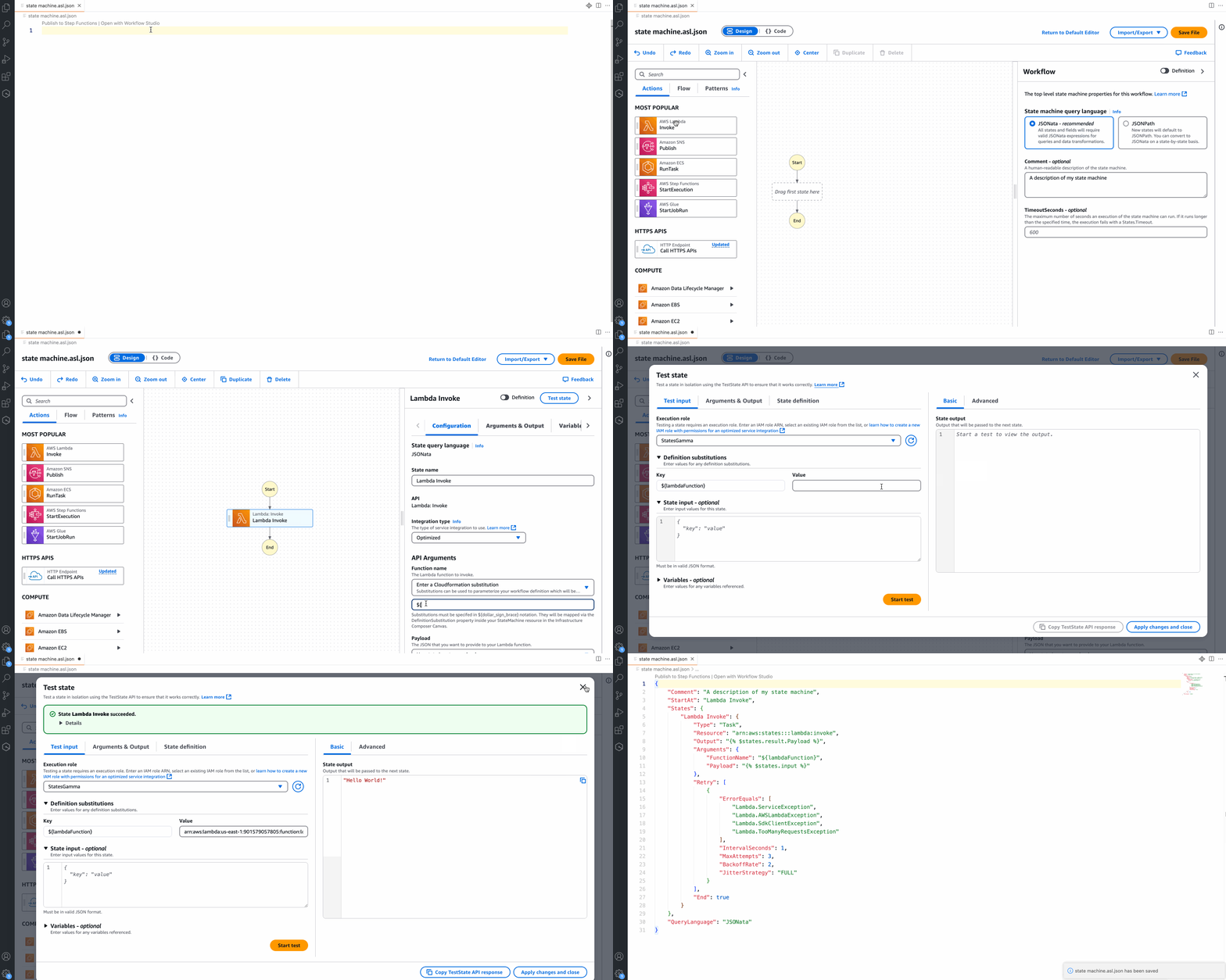
Step Functions Workflow Studio provides a dynamic, visual representation of your state machine definition. Any changes you make, such as adding new resources or adjusting service configurations, are automatically reflected in your state machine definition.
With Workflow Studio integrated with VS Code, you can do the following:
- Design state machines visually from within VS Code
- Seamlessly use both text and visual editing
- Test and debug your workflow states
Dev Environments - launch VS Code in a cloud development environment, available on-demand in the cloud and automatically created with branch code and consistent project settings, providing faster setup, development, and testing
View, modify, and deploy AWS resources
Multiple AWS accounts and regions - access AWS resources across your accounts and regions
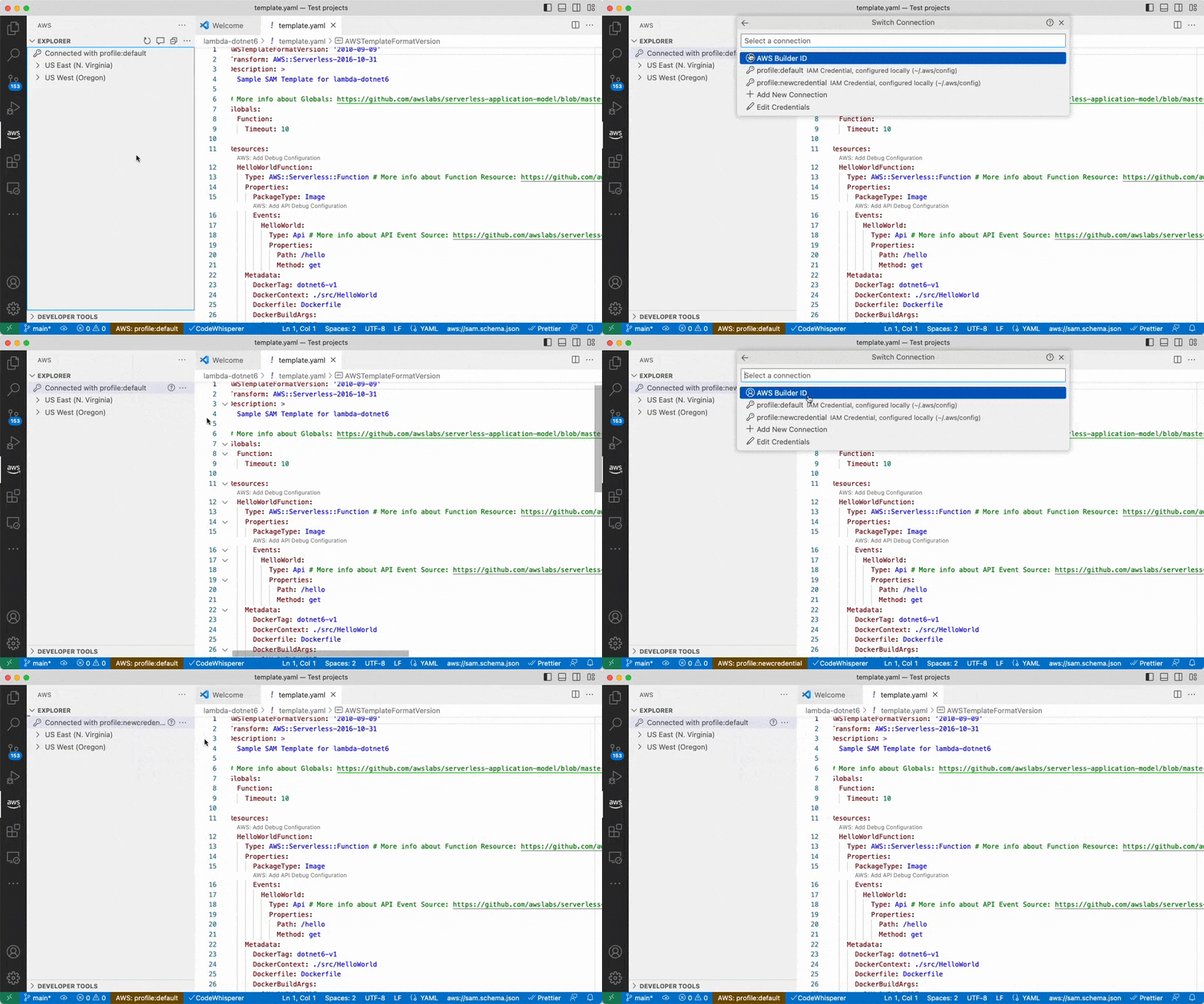
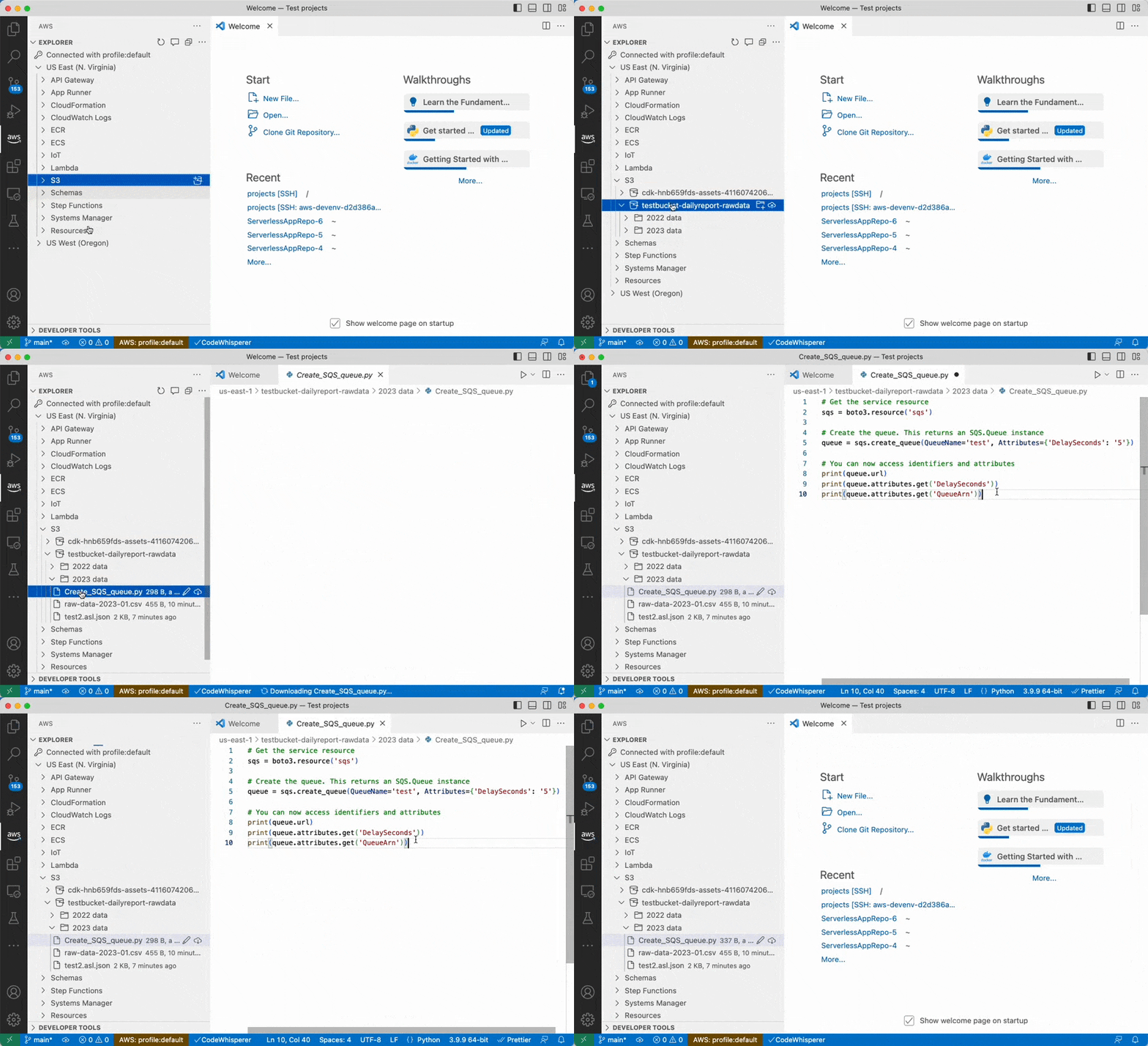
S3 support - view, create, and edit S3 buckets, folders, and files
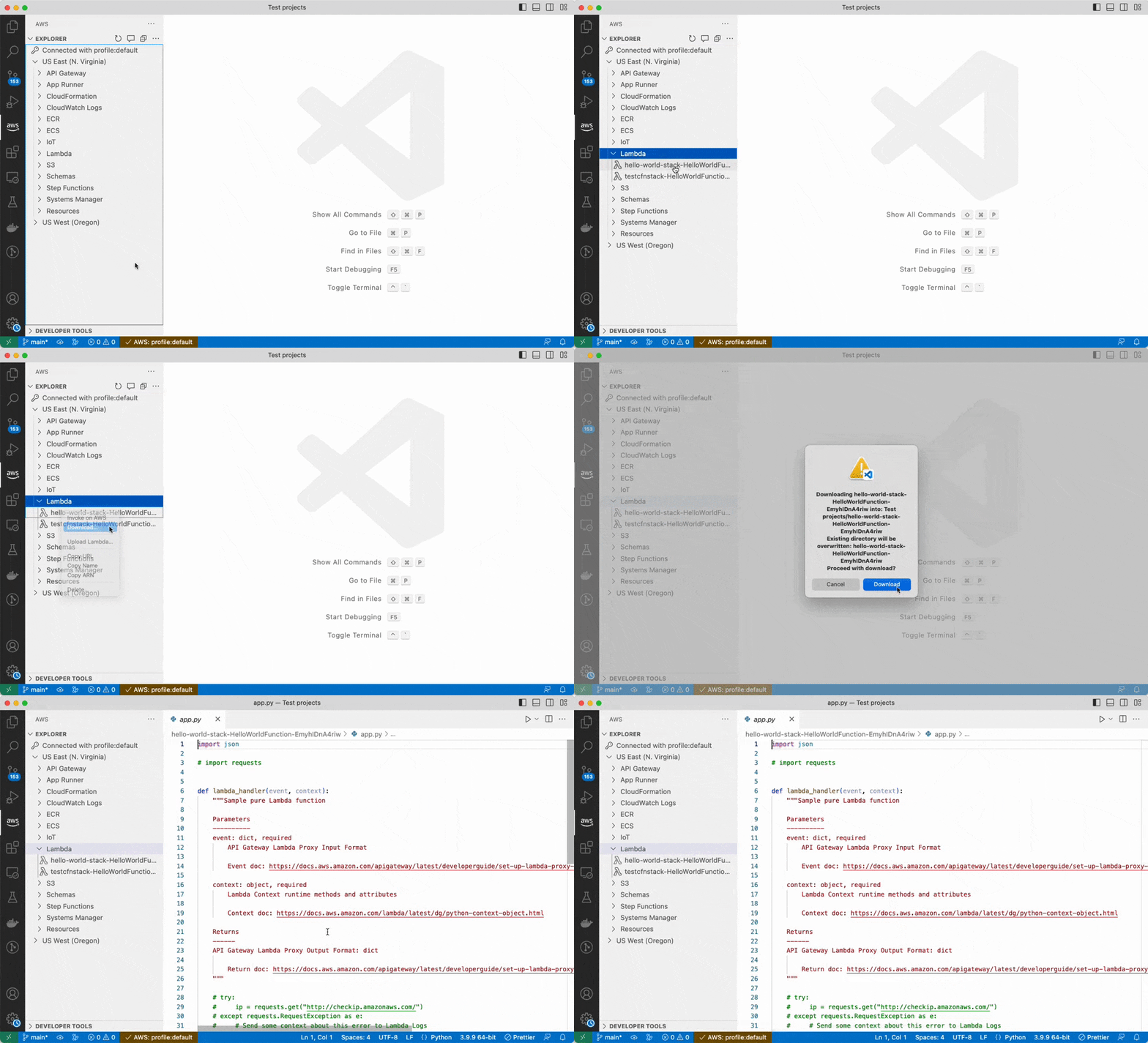
Lambda - download & upload Lambda functions
Troubleshoot AWS from the IDE
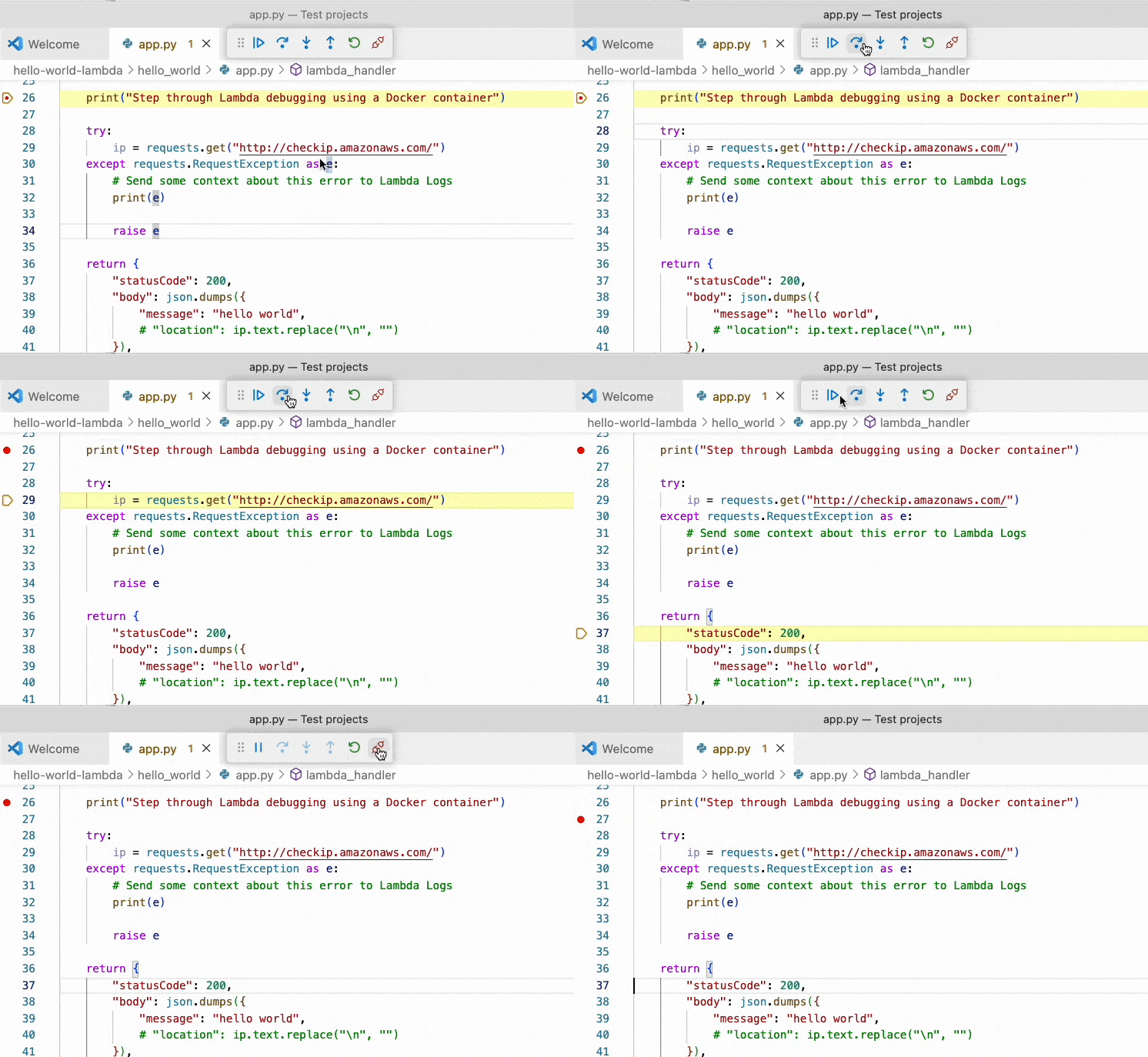
Lambda - step-through AWS Lambda functions using the VS Code debugger
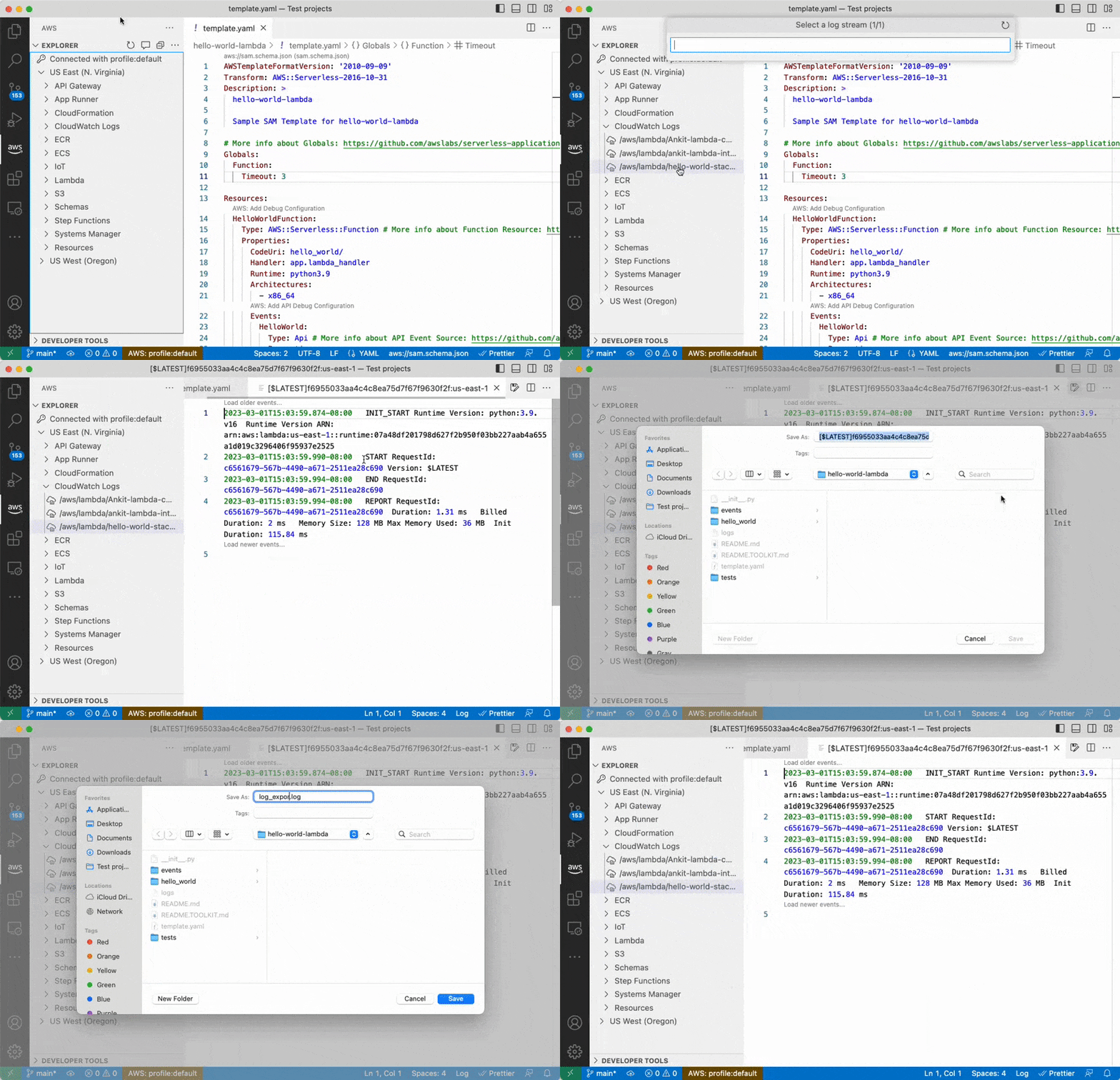
CloudWatch - find logs generated by your AWS resources
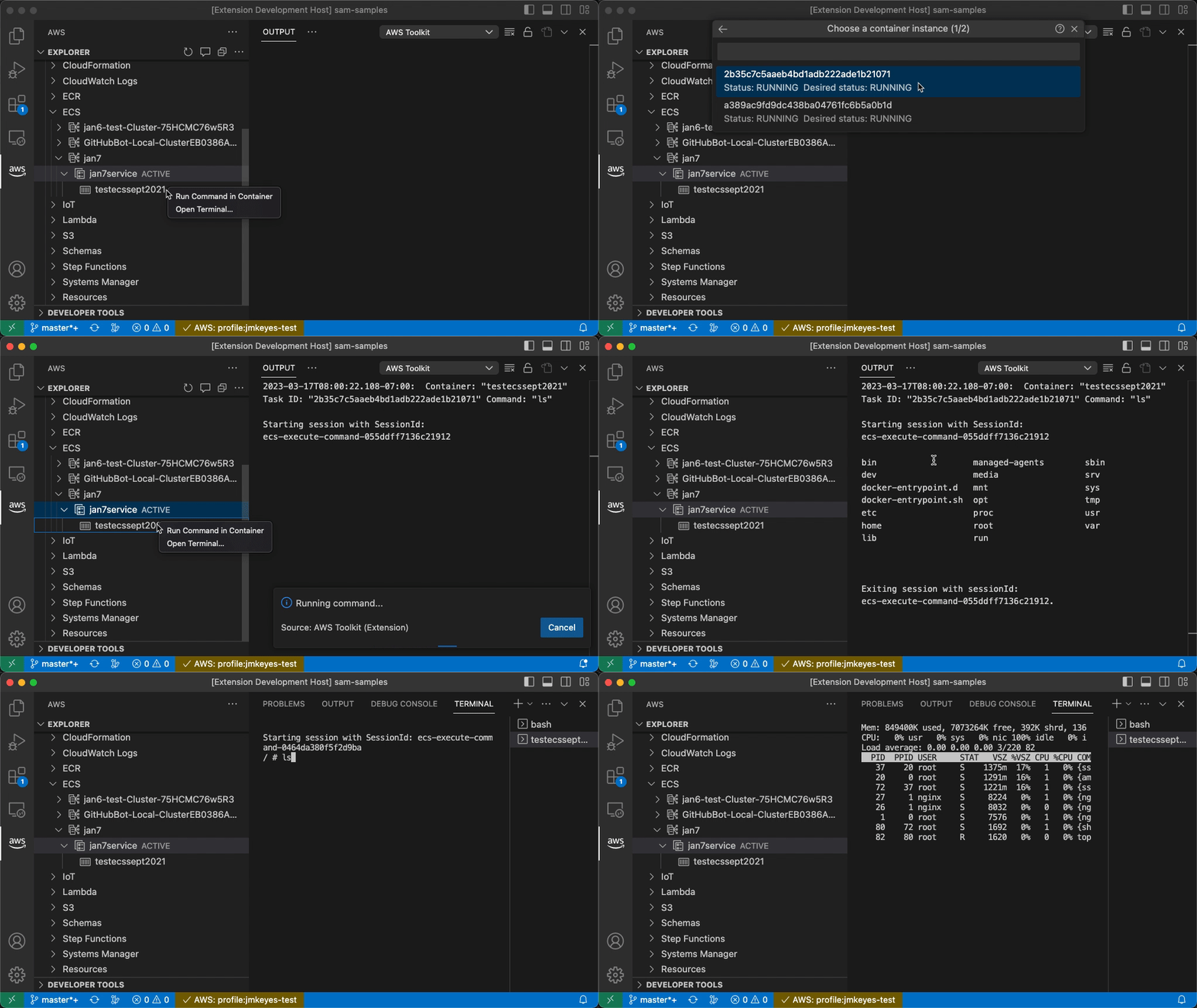
ECS - execute commands against running ECS containers (or open a terminal)
More features
- EC2 -
Connect VS CodeorOpen Terminalto EC2 instances - Redshift - view database objects and run SQL queries in a notebook interface
- CloudFormation - view CloudFormation stacks
- API Gateway - invoke an API gateway endpoint
- S3 - view and create S3 folders and buckets, download and upload files, and edit supported files
For a full list of features, visit our documentation.
Troubleshooting
Submit bug reports and feature requests on our Github repository.
Looking for Amazon Q or CodeWhisperer? Try the Amazon Q extension.
Description from the VS Code Marketplace listing.
- Amazon
- Amazon States Language
- Amazon States Language (YAML)
- asl
- asl-yaml
- AWS Systems Manager Document (JSON)
- AWS Systems Manager Document (YAML)
- cloudformation
- CodeCatalyst
- Composer
- csharp
- debuggers
- java
- javascript
- json
- keybindings
- Lambda
- python
- S3
- ssm-json
README badge
Show your rank in a README or on your website. The badge updates automatically.
Charts
Images: 30d · 1y · all time · 1600×900 dark


Adoption over time
7/30/90-day growth
Ranking history
Ratings over time
Listing placement
Listing placement
Listing placement
Listing placement
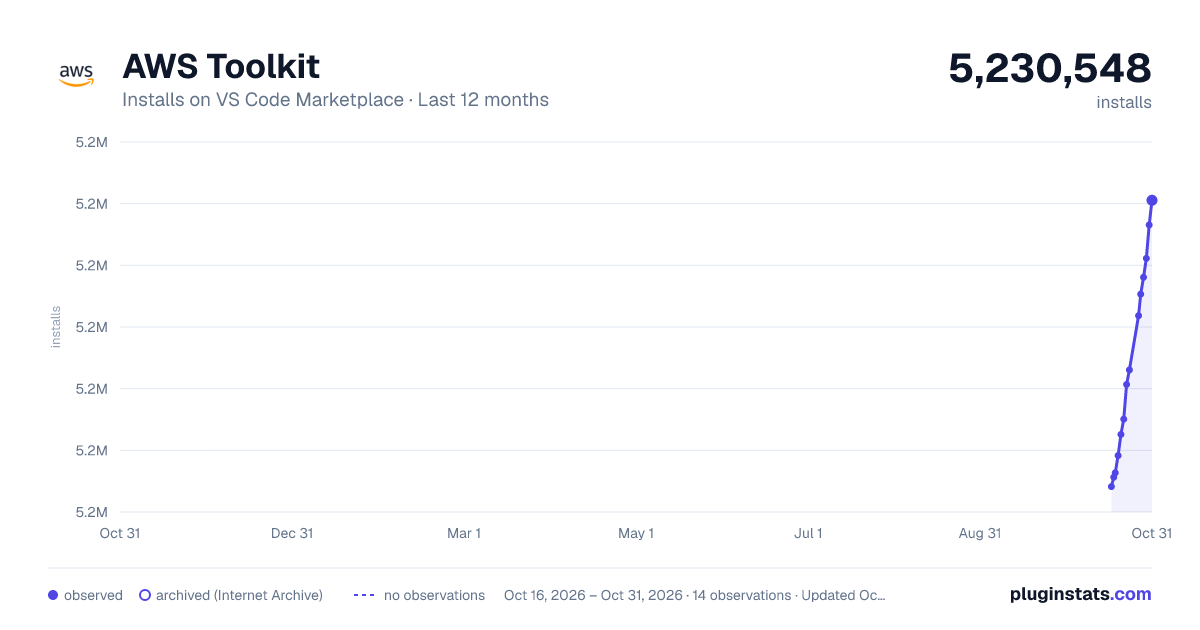
Filled points are observed values; hollow points come from Internet Archive snapshots of the listing page. Dashed segments span periods with no observations — values between points are not interpolated.
Each band is one page of 20. Installs on a linear scale. Placement is projected from installs, so it can differ from the marketplace's own sort order. Hover a dot to see the listing.
Recent observations
Full history (6)Similar VS Code Marketplace Linters plugins
All 20 AWS Toolkit alternativesAWS Toolkit on other marketplaces
Data source
Install counts, average rating, and rating counts come from the public Visual Studio Marketplace gallery API. Installs are cumulative and exclude updates.
Listing: https://marketplace.visualstudio.com/items?itemName=AmazonWebServices.aws-toolkit-vscode. First seen Oct 16, 2026; last successful collection Oct 21, 2026. See the methodology.