 PluginStats
markdown-formatter installs statistics
By mervin · VS Code Marketplace · Formatters
A Markdown Plugin for code artist
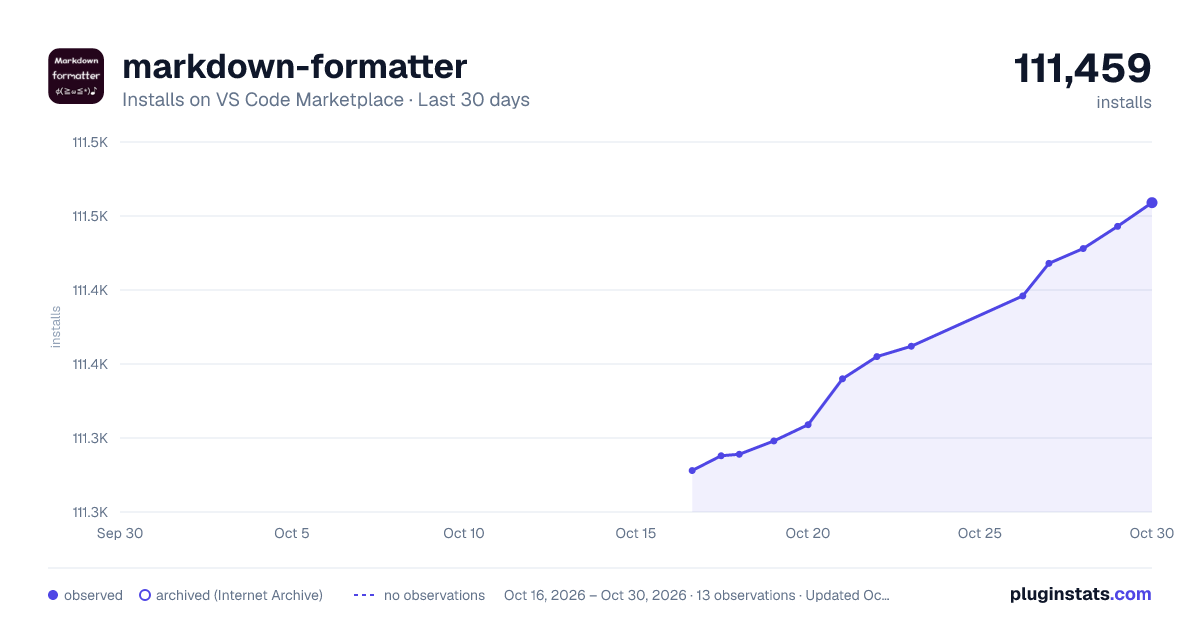
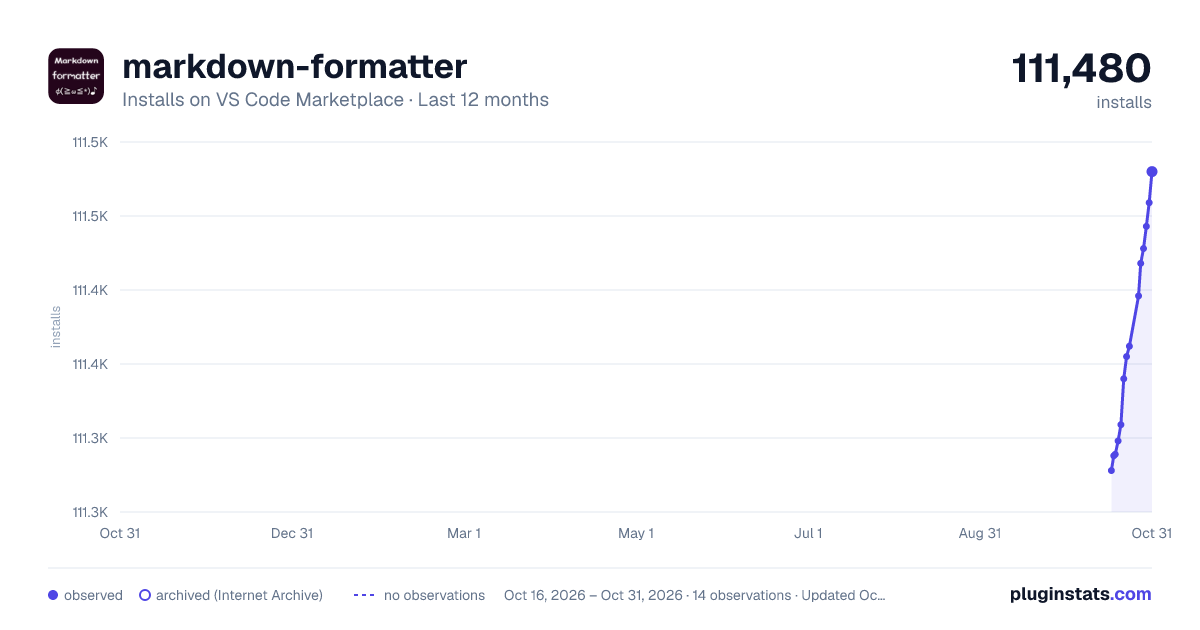
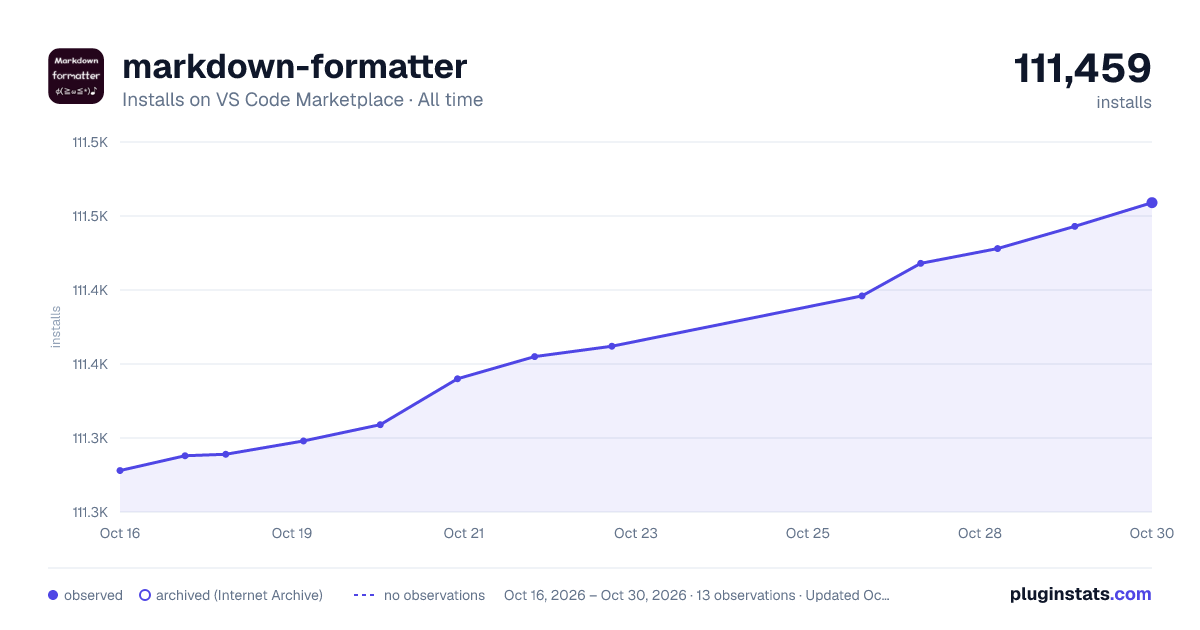
markdown-formatter has 111,298 recorded installs on VS Code Marketplace.
It ranks #2223 of 2,501 tracked VS Code Marketplace listings by installs.
It is rated 4.3 out of 5 from 7 ratings.
PluginStats has 4 daily observations since Oct 16, 2026; the latest is from Oct 19, 2026.
Rating: 4.29 / 5 from 7 ratings
About markdown-formatter
markdown-formatter
中文文档
Introduction
This is a tool to improve the writing efficiency of markdown, not only provides a relatively uniform format for the markdown user, but also provides some snippets.
Instructions
After the installation is complete, you may need to restart your vscode.
In any markdown standard file with a .md suffix, you can use shift+option+f(osx) or ctrl+shift+f(window) to quickly format the code.
PS: It does not fix your markdown syntax errors. for example, there is no space after # as a title, because in the code # is a usable character that is widely used as a comment or variable declaration.
Feature
Ignore file format
If you want to ignore the current file ( not to be formatted ), you can insert below the code before or after the article
Snippets part
First of all, You must config like this in settings.json
import image
Typing img
import table
Typing tab
import code
Typing js , html , css , python , go , java , or code
import list
Typing ul or ol
Formatter part
symbols
• For ,,。;;!、?: add a space after these symbols; • ,:;!“”‘’()?。 , unify it as a half-width character(Optional); • .!? add a space after these symbols, if before uppercases or chineses; • Supports converting Chinese symbols into full-width symbols according to context, or converting English into half-width symbols; • a space before and after the back-quote, which wrapped by back-quote will not be formatted;
line
• Empty a line for the title; • Empty a line for the code block; • The table is aligned automatically; • Empty a line for the link block; • erase dulicated line;
table
list
unordered list
code
Format the code, by js-beautify tool, currently only the javascript , html and css language;
code block
1. If lang is js or javascript or empty, it will be formatted according to js syntax. 2. If lang is html , it will be formatted according to html syntax. 3. If lang is css , it will be formatted according to css syntax. 4. If you don't use js usually, You can disable code block or code area autoformat code by setting the parameter formatOpt to false.
The js formatting rules can be configured in settings.json .
Code blocks can clearly mark the type of language, so it is recommended to use code blocks, you can configure codeAreaToBlock to set the conversion method.
code area
The default is not formatted. If codeAreaToBlock is any language name, such as js or go, it will be converted into a code block and then formatted.
Tips: Empty lines in the code area cannot exceed one line.
Config
How to config beautifyjs , you can clickhere
configuration example
You can refer to my configuration:
Software version and development environment
develop version
VSCode version 1.29.1 (macOS Mojave)
test version
VSCode version 1.33.1 (macOS Mojave)
Contact
If you have any ideas, please contact me.
If you know how to format other languages using front-end libraries, please let me know.
email: mydiamervin@gmail.com or here
Gratitude
Thank you for helping me improve this tool.
• whidy • Bug(https://github.com/sumnow/markdown-formatter/issues/41) • jackfirth • Bug(https://github.com/sumnow/markdown-formatter/issues/35) • fruh • Bug(https://github.com/sumnow/markdown-formatter/issues/36) • ddejohn • Bug(https://github.com/sumnow/markdown-formatter/issues/35) • Bug(https://github.com/sumnow/markdown-formatter/issues/31) • vio1etus • Bug(https://github.com/sumnow/markdown-formatter/issues/29) • zybieku • Bug(https://github.com/sumnow/markdown-formatter/issues/27) • rowild • Bug(https://github.com/sumnow/markdown-formatter/issues/24) • tifDev • Bug(https://github.com/sumnow/markdown-formatter/issues/28) • Bug(https://github.com/sumnow/markdown-formatter/issues/23) • Bug(https://github.com/sumnow/markdown-formatter/issues/22) • lartpang • Bug(https://github.com/sumnow/markdown-formatter/issues/18) • lancerXXXX • Bug(https://github.com/sumnow/markdown-formatter/issues/20) • Bug(https://github.com/sumnow/markdown-formatter/issues/16) • rgeorgiev583 • Bug(https://github.com/sumnow/markdown-formatter/issues/14) • Ardeshir81 • Bug(https://github.com/sumnow/markdown-formatter/issues/13) • busyrat • Feature(https://github.com/sumnow/markdown-formatter/issues/10) • lartpang • Bug(https://github.com/sumnow/markdown-formatter/issues/15) • Feature(https://github.com/sumnow/markdown-formatter/issues/11) • Bug(https://github.com/sumnow/markdown-formatter/issues/9) • Bug(https://github.com/sumnow/markdown-formatter/issues/8) • Bug(https://github.com/sumnow/markdown-formatter/issues/7) • Bug(https://github.com/sumnow/markdown-formatter/issues/6) • Bug(https://github.com/sumnow/markdown-formatter/issues/5) • iostalks • Feature(https://github.com/sumnow/markdown-formatter/issues/3) • zhuoyan • Bug(https://github.com/sumnow/markdown-formatter/issues/1)
Sorting only according to the time of the question
Description from the VS Code Marketplace listing.
- Formatters
- markdown
- snippet
Charts
Images: 30d · 1y · all time · 1600×900 dark

Adoption over time


7/30/90-day growth


Ranking history


Ratings over time


Listing placement


Filled points are observed values; hollow points come from Internet Archive snapshots of the listing page. Dashed segments span periods with no observations — values between points are not interpolated.
Each band is one page of 20. Installs on a log scale. Placement is projected from installs, so it can differ from the marketplace's own sort order. Hover a dot to see the listing.
Recent observations
Full history (4)Similar VS Code Marketplace Formatters plugins
All 20 markdown-formatter alternativesData source
Install counts, average rating, and rating counts come from the public Visual Studio Marketplace gallery API. Installs are cumulative and exclude updates.
Listing: https://marketplace.visualstudio.com/items?itemName=mervin.markdown-formatter. First seen Oct 16, 2026; last successful collection Oct 19, 2026. See the methodology.