 PluginStats
Luna Paint — Image Editor installs statistics
By Daniel Imms (6 listings) · VS Code Marketplace · Visualization
Edit images in VS Code! Supports png, jpg, webp, bmp, tga and ico formats.
Luna Paint — Image Editor has 343,901 recorded installs on VS Code Marketplace.
It ranks #1057 of 2,500 tracked VS Code Marketplace listings by installs.
It is rated 5.0 out of 5 from 27 ratings.
PluginStats has 3 daily observations since Oct 16, 2026; the latest is from Oct 18, 2026.
Rating: 5.00 / 5 from 27 ratings
About Luna Paint — Image Editor
_Luna Paint_ is a VS Code extension that lets you edit raster images from within the editor, just open an image from the explorer and start editing like any other file.
⚠ This is a preview release: - Some features you expect from an image editor may be missing or limited. - Hot exit state may break when the extension updates as the data format gets refined. - If you hit any problems or want to request a feature, please create an issue on the repo.
Features
• VS Code native: Luna Paint was built from the ground up for VS Code. • Performance: The editor is built on WebGL to achieve a smooth editing experience. • Layers and blend modes: Compose an image using multiple layers, combining them with blend modes. • Powerful tools: A growing range of tools are available to modify images. • Formats supported: .bmp, .ico, .jpg, .png, .tga, .webp. • Import from clipboard: Quickly edit the image in the clipboard via ctrl/cmd+'. • Hot exit: Support for hot exit is available for small images, just like in text files. • Remote support: Edit images remotely in a GitHub Codespace or via the Remote WSL, SSH and Containers extensions. • Web support: The extension works in vscode.dev and github. • Developer oriented: Includes features for inspecting image files and gives warnings for potentially broken files.
Getting started
Luna Paint features a walkthrough experience to learn how to use the extension. Access it via VS Code's Get Started page or the Luna > Help: Open Documentation command.
Tools
There are a growing range of tools available in Luna paint which can be accessed in the Tools window in the top left of the image editor.
Image and layer commands
Luna Paint contributes many commands that are accessible via the command palette or the Menu button in the top left corner of the editor. Try searching the command palette for luna image or luna layer.
This is also a great way to learn the default keybindings.
Resources
• Customization • Limitations
Open source licenses
The following third party open source libraries are shipped as part of Luna Paint:
| Project | License | Reason
| pako | MIT and Zlib | Used to decompress png datastreams | @lunapaint/png-codec | MIT | Used to decode/encode png and ico files | @lunapaint/tga-codec | MIT | Used to decode tga files
Description from the VS Code Marketplace listing.
- graphics
- icon
- image
- keybindings
- paint
- photo
- photoshop
- pixel
- raster
Where Luna Paint — Image Editor sits in the listing
Each band is one page of 20. Installs on a log scale. Placement is projected from installs, so it can differ from the marketplace's own sort order. Hover a dot to see the listing.


Charts
Images: 30d · 1y · all time · 1600×900 dark
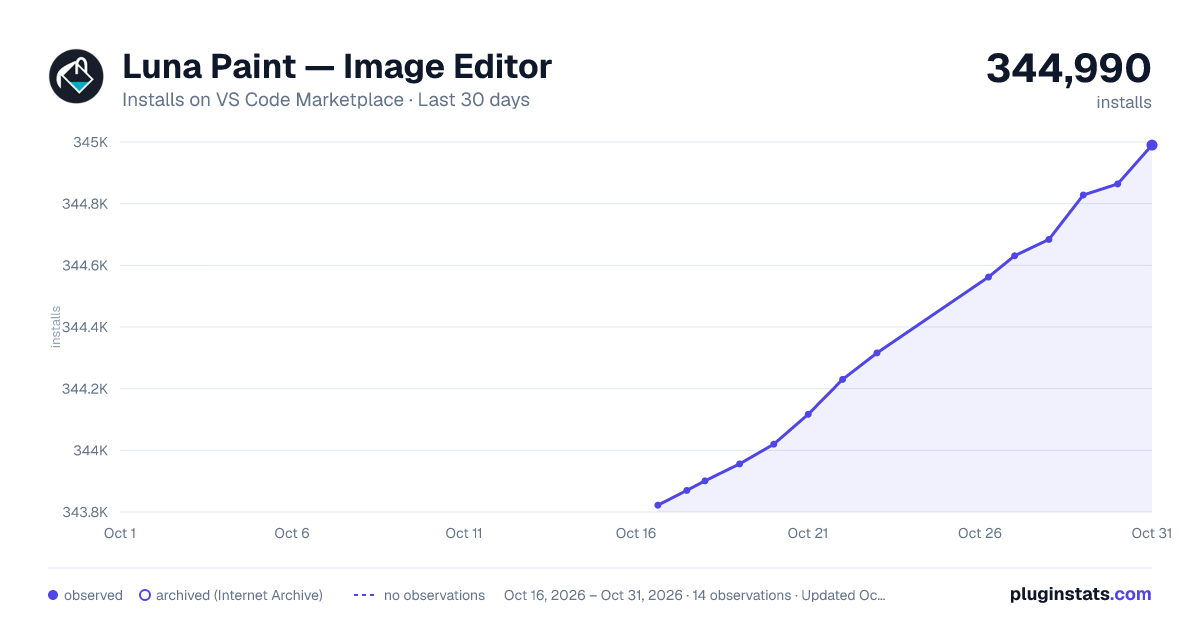
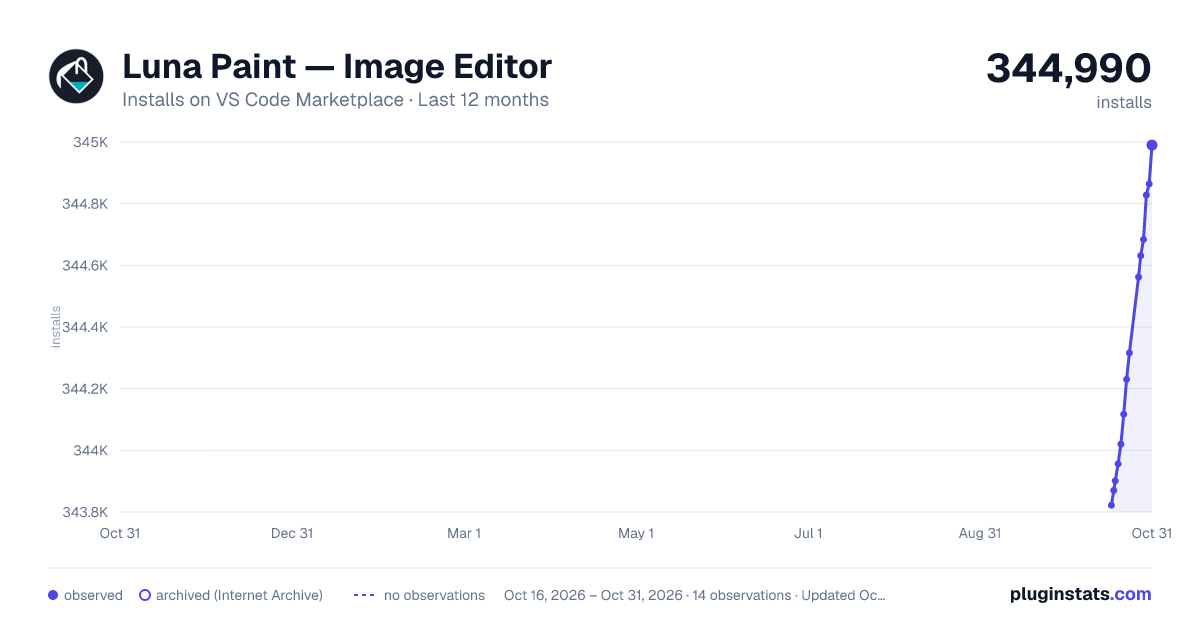
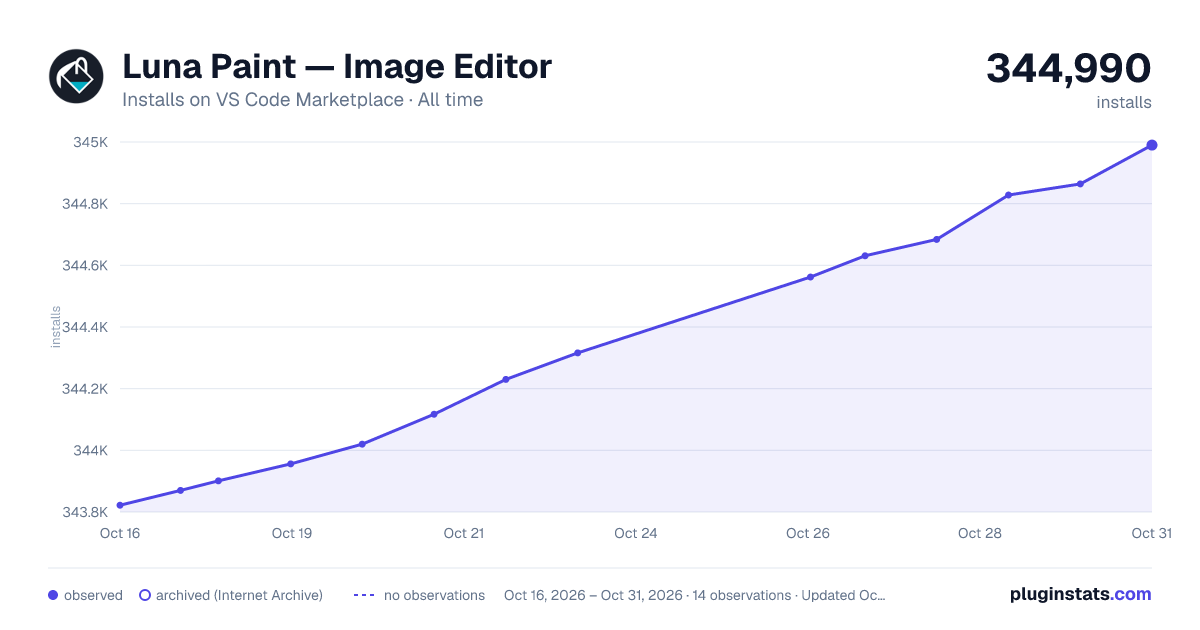

Adoption over time


7/30/90-day growth


Ranking history


Filled points are observed values; hollow points come from Internet Archive snapshots of the listing page. Dashed segments span periods with no observations — values between points are not interpolated.
Recent observations
Full history (3)Similar VS Code Marketplace Visualization plugins
Data source
Install counts, average rating, and rating counts come from the public Visual Studio Marketplace gallery API. Installs are cumulative and exclude updates.
Listing: https://marketplace.visualstudio.com/items?itemName=Tyriar.luna-paint. First seen Oct 16, 2026; last successful collection Oct 18, 2026. See the methodology.