 PluginStats
TypeScript Import Sorter installs statistics
By Michael · VS Code Marketplace · Formatters
Extension sorts TypeScript imports according to the configuration provided. The configuration defaults follow ESLint sort-imports rule
TypeScript Import Sorter has 256,474 recorded installs on VS Code Marketplace.
It ranks #1285 of 2,500 tracked VS Code Marketplace listings by installs.
It is rated 5.0 out of 5 from 32 ratings.
PluginStats has 3 daily observations since Oct 16, 2026; the latest is from Oct 18, 2026.
Rating: 4.97 / 5 from 32 ratings
About TypeScript Import Sorter
import-sorter
Extension which sorts TypeScript imports according to the configuration provided. The configuration defaults follow ESLint sort-imports rules. Configuration supports regex functions to set sorting priority and rules. The extension can work with prettier as long as the configuration settings of both are aligned.
Examples
Different sort types in file:
Deep directory sort:
Sort on before safe (off by default):
Prettier integration:
Features
For now sorting supports only typescript language.
Command
To run the sorter use Sort Imports command from the Command Palette (Ctrl+Shift+P).
Alternatively, you can set importSorter.generalConfiguration.sortOnBeforeSave to true, which would trigger sorting before each save operation.
Also you could use/redefine keybindings. The default one is ctrl + alt + o.
You can also do the sort in deep on the directory level. The feature is accessible from the resource explorer. To run right click and select: Sort imports (Directory deep). !!!Do make sure that the project is managed by some version control system before performing the global source code sort. The sorter will sort and rewrite the sources without any prompt for the action confirmation.
Extension Settings
an example of default configuration is provided bellow. For available options have a look at vs code settings(it should show available settings when you search for importSorter)
Some settings in more details:
• importSorter.generalConfiguration.configurationFilePath adds an option to read configuration from file. The setting represents a relative path to the root of the open vscode workspace. The default value is ./import-sorter.json. The path search is relative to the open workspace(usually where package.json is located). Bellow is a example of the configuration:
Alternatively you can set configuration as in visual studio code
Or
The priority of settings is given to the configuration file. If the setting does not exist in the configuration file then the value of the vscode setting will be taken. If file does not exist, then all settings will be taken from vscode.
• importSorter.generalConfiguration.exclude represents an array of regex expressions to match agaist full file paths. If matched, then the file will be excluded from sorting. The default value is []. Bellow is a example of the configuration:
In the example, any path which finishes with pollyfill.ts path will be excluded.
• importSorter.sortConfiguration.customOrderingRules.rules is a json array of regex expressions which sets the sort group order. As of now the default setting is
The type is an optional and defaults to path(another value is importMember). That setting says that we make any import which does not have from keyword (possibly an import with side effect) to have the highest order priority of 10. The highest priority given to the lowest number. We also say that we do not want to apply sorting rules to that group of disableSort: false. Then anything which does have . in the import path gets next priority of 40. Everything else which is not included by those rules get a default priority of 20 denoted by importSorter.sortConfiguration.customOrderingRules.defaultOrderLevel.
As a result we get 4 sort groups. Those groups are individually sorted by the rules applied in the settings unless disableSort: true which would preserve the order of imports.
• importSorter.importStringConfiguration.trailingComma is an enum which can be always, multiLine, or none. • always - will always append trailing comma. • multiLine - will append comma if import line is broken to multiple lines. • none - will not append comma(This one is a default setting) • importSorter.importStringConfiguration.maximumNumberOfImportExpressionsPerLine.type is an enum which can be words, maxLineLength, or newLineEachExpressionAfterCountLimit. The setting is set in pair with importSorter.importStringConfiguration.maximumNumberOfImportExpressionsPerLine.count, which determines the number after which the imports are going to be moved to the next line • words - count denotes maximum number of import expressions per line. • maxLineLength - count denotes maximum number of characters per line. • newLineEachExpressionAfterCountLimit - count denotes maximum number of characters which can be on the first line. If all imports do not fit one line, then each import will be placed on a new line. • newLineEachExpressionAfterCountLimitExceptIfOnlyOne - count. Same as the previous option, except if we only have one import expression then we do not move it to the next line even if the length is longer than the count. This option is also used to be able to integrate with behavior of prettier and addresses GitHub Prettier Issues #1954 • importSorter.importStringConfiguration.tabType is an enum which can be tab or space. • space - will add importSorter.importStringConfiguration.tabSize number of space characters for each new-lined import. • tab - will add a tab character for each new-lined import. The tab character would assume to take importSorter.importStringConfiguration.tabSize number of space characters
Example of default setup for Prettier:
At the time of writing this documentation, the following are the settings which needs to be set to make import sorter have the behavior aligned with the defaults of Prettier.
Alternatively you can set import-sorter.json configuration file with the following content
Future roadmap
• Handle external dependencies based on the most external dependencies being at the top and group based on those. Sorting will be done within those groups.
Release Notes
Refer to change log
Description from the VS Code Marketplace listing.
- imports
- javascript
- javascriptreact
- keybindings
- linters
- order
- sort
- sort imports
- Typescript
- typescriptreact
Where TypeScript Import Sorter sits in the listing
Each band is one page of 20. Installs on a log scale. Placement is projected from installs, so it can differ from the marketplace's own sort order. Hover a dot to see the listing.


Charts
Images: 30d · 1y · all time · 1600×900 dark
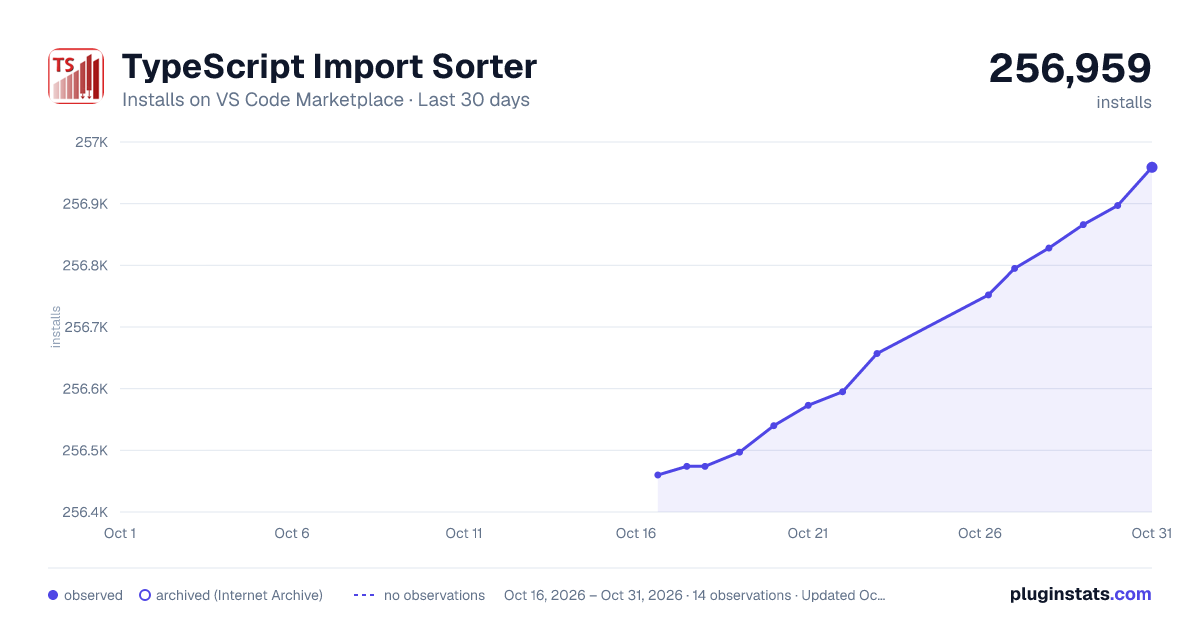
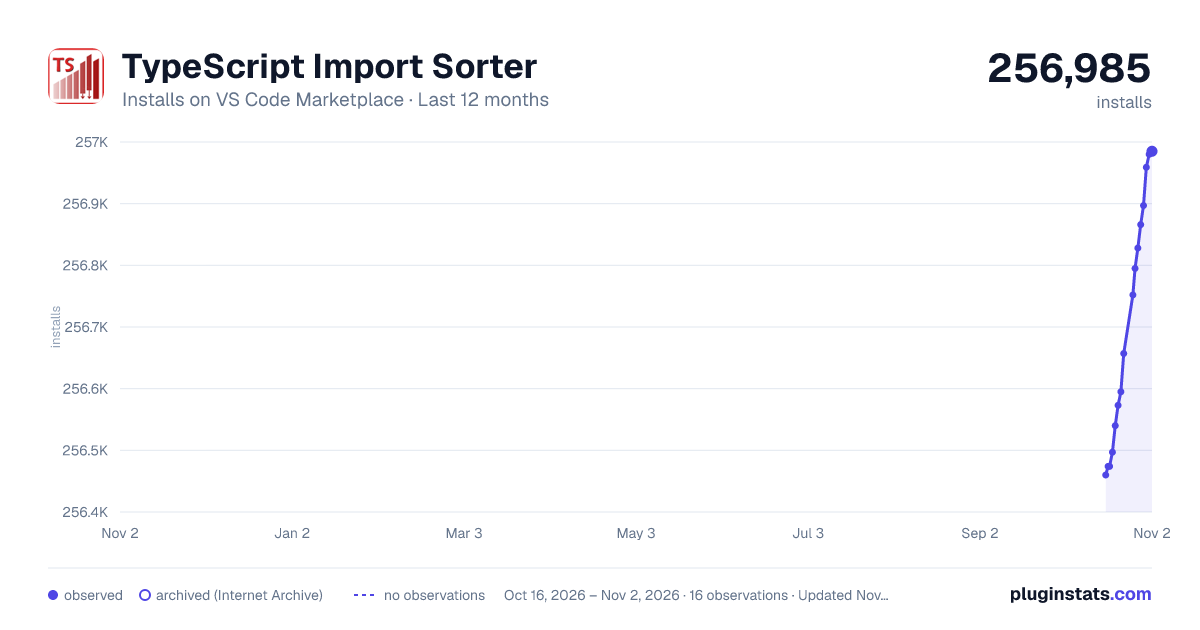
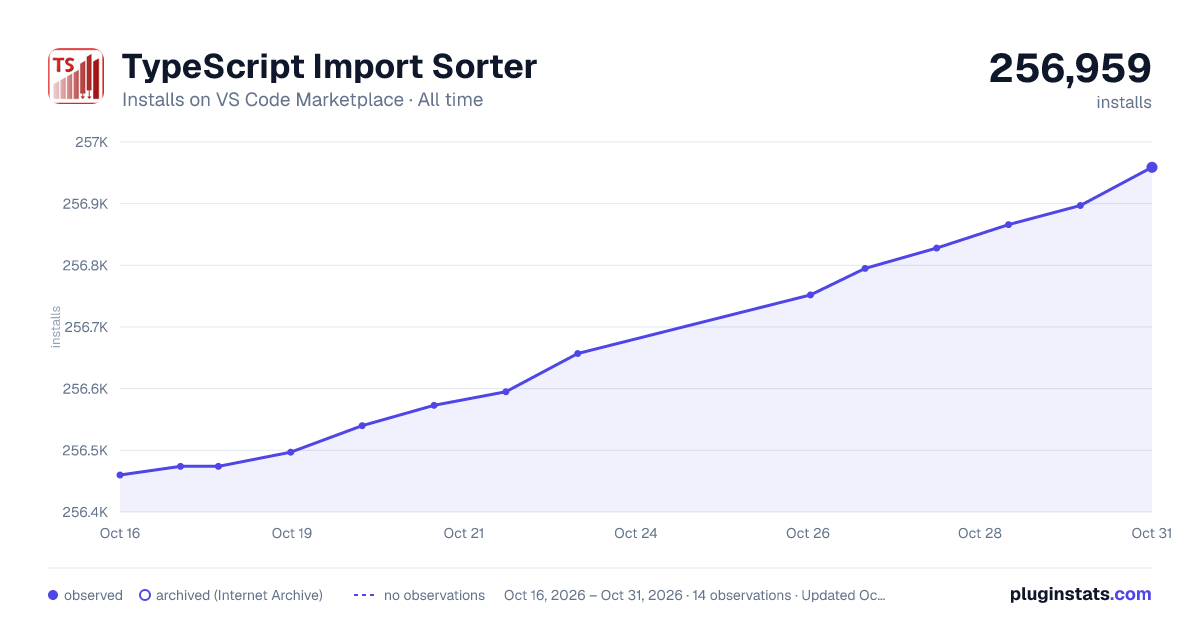

Adoption over time


7/30/90-day growth


Ranking history


Filled points are observed values; hollow points come from Internet Archive snapshots of the listing page. Dashed segments span periods with no observations — values between points are not interpolated.
Recent observations
Full history (3)Similar VS Code Marketplace Formatters plugins
Data source
Install counts, average rating, and rating counts come from the public Visual Studio Marketplace gallery API. Installs are cumulative and exclude updates.
Listing: https://marketplace.visualstudio.com/items?itemName=mike-co.import-sorter. First seen Oct 16, 2026; last successful collection Oct 18, 2026. See the methodology.