 PluginStats
InterSystems ObjectScript installs statistics
By InterSystems Developer Community · VS Code Marketplace · Programming Languages
InterSystems ObjectScript language support for Visual Studio Code
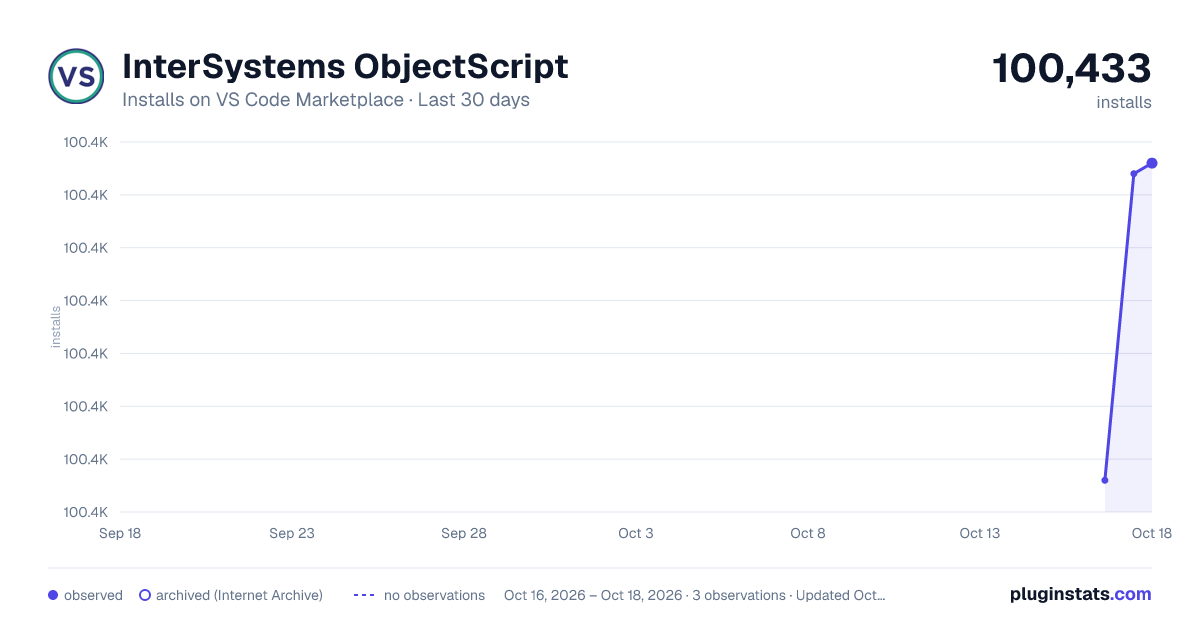
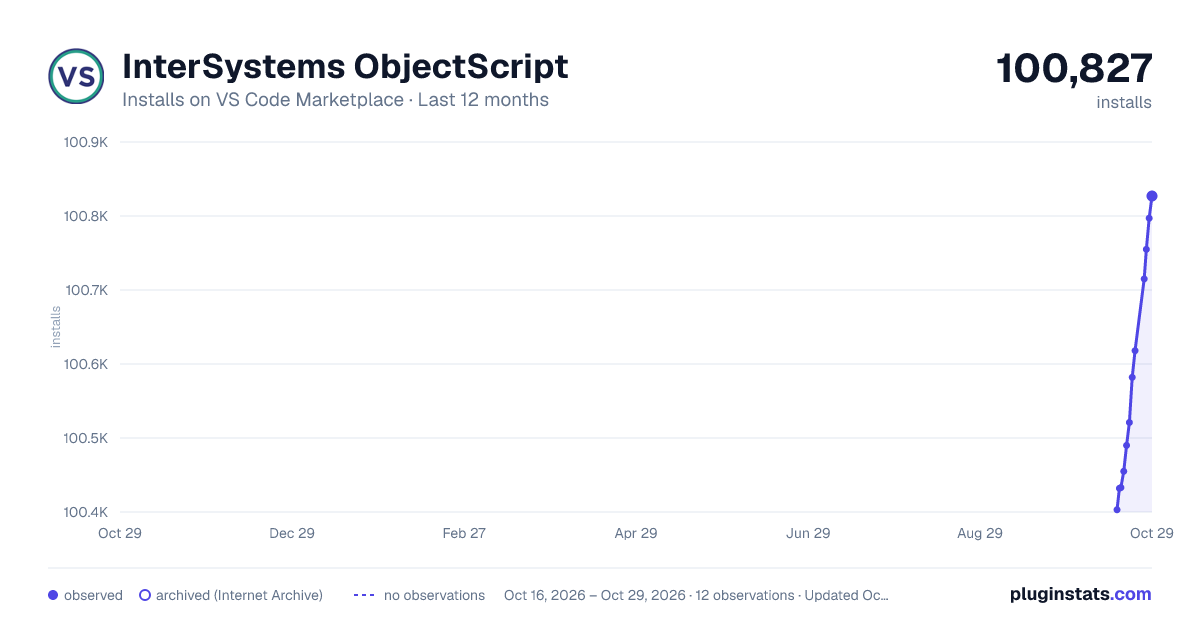
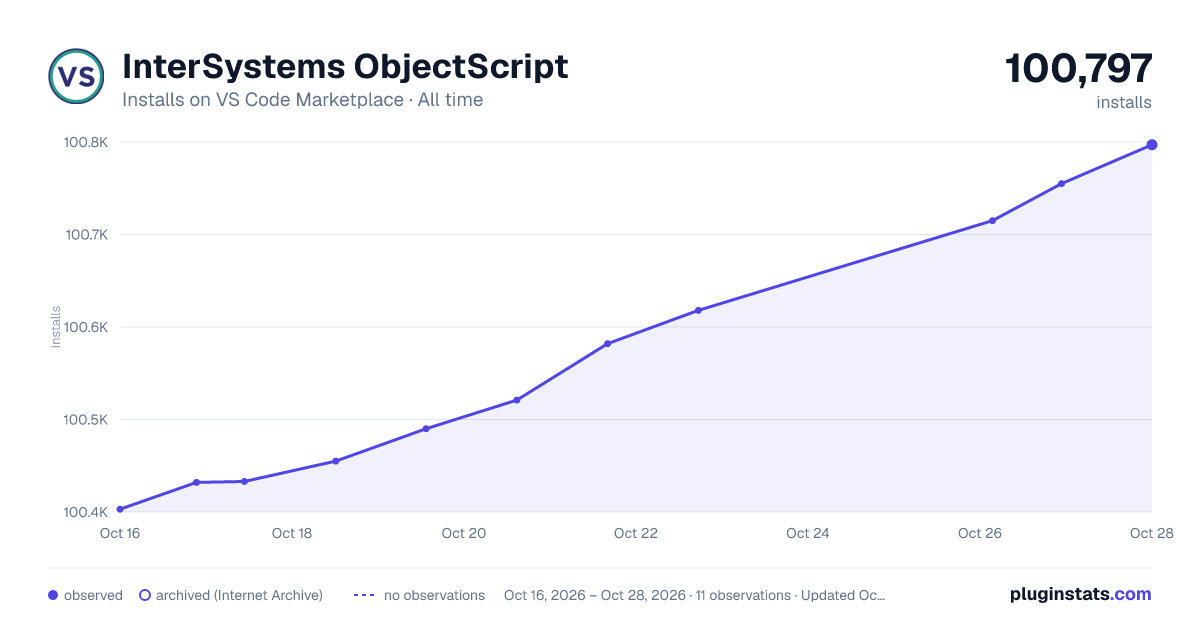
InterSystems ObjectScript has 100,433 recorded installs on VS Code Marketplace.
It ranks #2357 of 2,500 tracked VS Code Marketplace listings by installs.
It is rated 4.7 out of 5 from 9 ratings.
PluginStats has 3 daily observations since Oct 16, 2026; the latest is from Oct 18, 2026.
Rating: 4.67 / 5 from 9 ratings
About InterSystems ObjectScript
InterSystems ObjectScript extension for VS Code
Note: The best way to install and use this extension is by installing the InterSystems ObjectScript Extension Pack and following the documentation here.
InterSystems® ObjectScript language support for Visual Studio Code, from the InterSystems Developer Community.
• Documentation on the InterSystems Documentation site. • Guidance on reporting issues.
Features
• InterSystems ObjectScript code highlighting support. • Debugging ObjectScript code. • Intellisense support for commands, system functions, and class members. • Export of existing server sources into a working folder: • open Command Palette (F1 or ⌘/Ctrl+Shift+P) • start typing 'ObjectScript' • choose ObjectScript: Export Code from Server • press Enter • Save and compile a class: • press ⌘/Ctrl+F7 • or, select ObjectScript: Import and Compile Current File from Command Palette • Direct access to edit or view server code in the VS Code Explorer via isfs and isfs-readonly FileSystemProviders (e.g. using a multi-root workspace). Server-side source control is respected. • Server Explorer view (InterSystems: Explorer) with ability to export items to your working folder. • Integration with with InterSystems Server Manager for secure storage of connection passwords.
Installation
Install Visual Studio Code first.
Then to get a set of extensions that collaborate to bring you a great ObjectScript development experience, install the InterSystems ObjectScript Extension Pack.
When you install an extension pack VS Code installs any of its members that you don't already have. Then if you ever need to switch off all of those extensions (for example, in a VS Code workspace on a non-ObjectScript project) simply disable the extension pack at the desired level. Member extensions can still be managed individually.
Open VS Code. Go to Extensions view (⌘/Ctrl+Shift+X), use the search string @id:intersystems-community.objectscript-pack and install it.
Enable Proposed APIs
This extension is able to to take advantage of some VS Code APIs that have not yet been finalized.
The additional features (and the APIs used) are: • Server-side searching across files being accessed using isfs (_TextSearchProvider_) • Quick Open of isfs files (_FileSearchProvider_).
To unlock these features (optional):
1. Download and install a beta version from GitHub. This is necessary because Marketplace does not allow publication of extensions that use proposed APIs. • Go to https://github.com/intersystems-community/vscode-objectscript/releases • Locate the beta immediately above the release you installed from Marketplace. For instance, if you installed 3.8.6, look for 3.8.7-beta.1. This will be functionally identical to the Marketplace version apart from being able to use proposed APIs. • Download the VSIX file (for example vscode-objectscript-3.8.7-beta.1.vsix) and install it. One way to install a VSIX is to drag it from your download folder and drop it onto the list of extensions in the Extensions view of VS Code.
2. From Command Palette choose Preferences: Configure Runtime Arguments. 3. In the argv.json file that opens, add this line (required for both Stable and Insiders versions of VS Code):
4. Exit VS Code and relaunch it. 5. Verify that the ObjectScript channel of the Output panel reports this:
After a subsequent update of the extension from Marketplace you will only have to download and install the new vscode-objectscript-X.Y.Z-beta.1 VSIX. None of the other steps above are needed again.
Notes
• Connection-related output appears in the 'Output' view while switched to the 'ObjectScript' channel using the drop-down menu on the view titlebar. • The /api/atelier/ web application used by this extension usually requires the authenticated user to have Use permission on the %Development resource (read more). One way is to assign the %Developer role to the user. • If you are getting ERROR # 5540: SQLCODE: -99 Message: User xxx is not privileged for the operation when you try to get or refresh lists of classes, routines or includes, then grant user xxx (or a SQL role they hold) Execute permission for the following SQL Procedure in the target namespace.
Description from the VS Code Marketplace listing.
- debug
- debuggers
- intersystems
- keybindings
- objectscript
- ObjectScriptClass
- objectscript-class
- objectscript-class-injection
- ObjectScriptCSP
- objectscript-csp
- ObjectScriptInclude
- objectscript-injection
- ObjectScriptINT
- objectscript-int
- objectscript-macros
- snippet
- vscode-objectscript-output
- xml
Where InterSystems ObjectScript sits in the listing
Each band is one page of 20. Installs on a log scale. Placement is projected from installs, so it can differ from the marketplace's own sort order. Hover a dot to see the listing.


Charts
Images: 30d · 1y · all time · 1600×900 dark

Adoption over time


7/30/90-day growth


Ranking history


Filled points are observed values; hollow points come from Internet Archive snapshots of the listing page. Dashed segments span periods with no observations — values between points are not interpolated.
Recent observations
Full history (3)Similar VS Code Marketplace Programming Languages plugins
Data source
Install counts, average rating, and rating counts come from the public Visual Studio Marketplace gallery API. Installs are cumulative and exclude updates.
Listing: https://marketplace.visualstudio.com/items?itemName=intersystems-community.vscode-objectscript. First seen Oct 16, 2026; last successful collection Oct 18, 2026. See the methodology.