 PluginStats
Dark SynthWave '84 installs statistics
By Aaron Young · VS Code Marketplace · Themes
An amalgamation between Lukin & Synthwave '84 color themes to satisfy your neon dreams
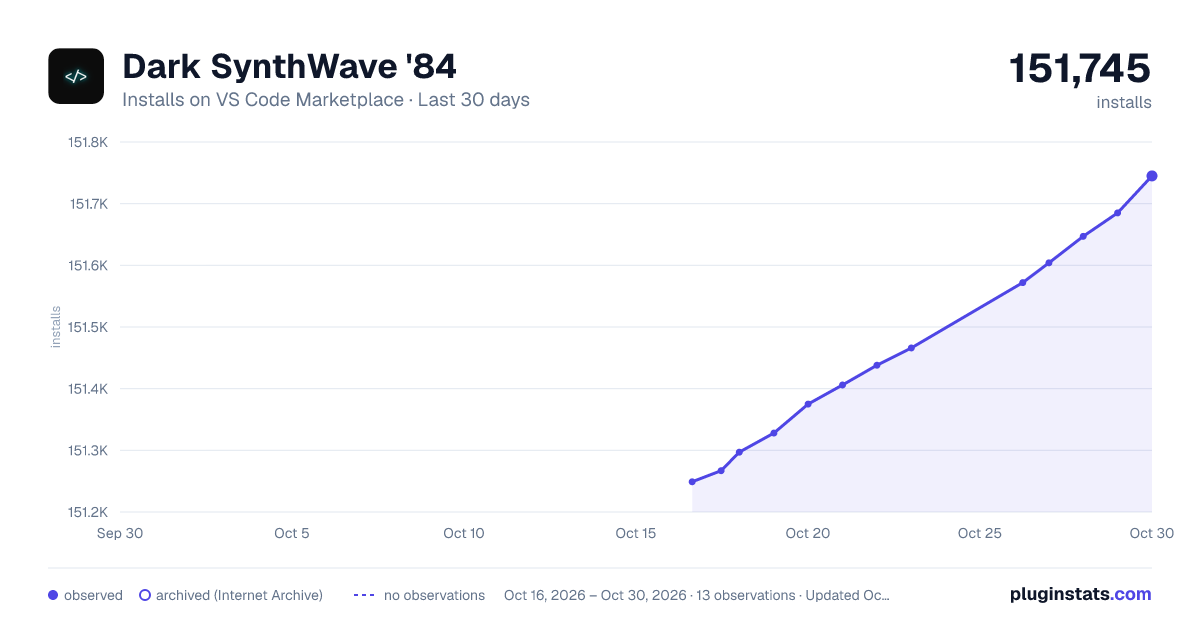
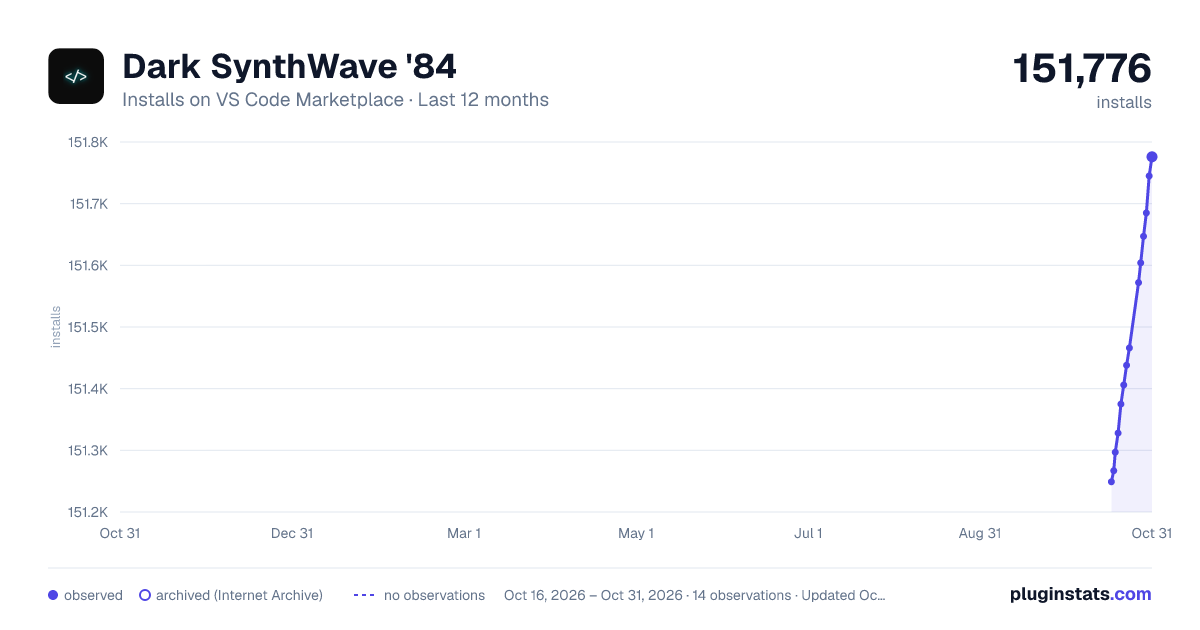
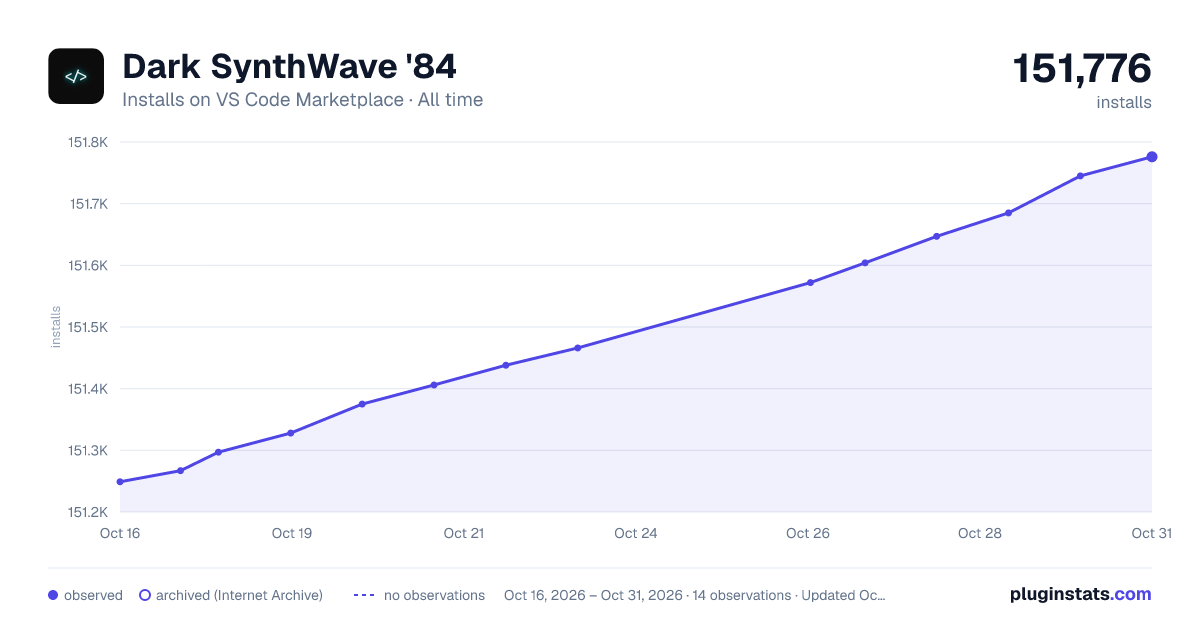
Dark SynthWave '84 has 151,328 recorded installs on VS Code Marketplace.
It ranks #1839 of 2,501 tracked VS Code Marketplace listings by installs.
It is rated 4.4 out of 5 from 9 ratings.
PluginStats has 4 daily observations since Oct 16, 2026; the latest is from Oct 19, 2026.
Rating: 4.44 / 5 from 9 ratings
About Dark SynthWave '84
Dark SynthWave '84 - VS Code theme
This is an amalgamation between two themes, Lukin Theme & Synthwave '84 plus a few tweaks of my own.
Do you like the theme Synthwave '84? Do you wish there was a dark version of it?
I present Dark SynthWave '84, which has two variations, with and without the glow effect with the latter being the default.
Glow enabled
Glow disabled
But...why?
I wanted something easier on my eyes than the original Synthwave '84.
I love your font!
Actually its two fonts! they are JetBrains Mono & Victor Mono see my blog post on how I used two fonts simultaneously
Installation
To begin with, install the base theme from the VS Marketplace. This is the way Dark SynthWave '84 is intended to be used day-to-day. If you want to enable the gratuitous 80s glow, it needs a little extra work to get it going.
Disclaimer
VS code doesn't natively support text effects and as a result, the glow is experimental. It's likely to be buggy and, whilst it looks rad, it isn't intended for extended use. To enable the glow, the extension has to modify the internal files of VS Code, so use with caution. Should something go wrong, you can disable the glow by following the instructions below. If for any reason you can't open VS Code, you can fix the issue with a fresh install of VS Code.
If you do decide to use the glow effect, you do so at your own risk.
To enable the glow
Firstly, if you are a Windows user, you may need to run VS Code with administrator privileges. For Linux and Mac users, Code must not be installed in a read-only location and you must have write permissions.
To activate the glow, Set your active colour theme to Dark SynthWave '84 - as now the glow is only active when the base theme is selected. Open your command palette with Ctrl + Shift + P or Shift + ⌘ + P and choose "**Dark Synthwave '84: Enable Neon Dreams**". It will prompt you to restart, and when you do the lights should be on 😲
To customize the glow brightness
Go to Settings>extensions>Dark Synthwave84: Brightness and set the value.
The value should be a _float value_ from 0 to 1, where 0.0 is fully transparent. The default brightness is 0.45. To avoid eye strain, avoid using higher brightness values for extended periods of time.
To see the changes, you need to rerun the activation function. Open your command palette with Ctrl + Shift + P or Shift + ⌘ + P and choose "**Dark Synthwave '84: Enable Neon Dreams**".
Note: Changing the brightness currently only affects the opacity of the glow, the text will remain white (that may change in future updates). If you want to disable the glow effect but retain the chrome updates, see below.
To enable editor chrome updates, but disable glow
Go to Settings>extensions>Dark Synthwave84: Disable Glow and check off the option to disable the glow effect.
To see the changes, you need to rerun the activation function. Open your command palette with Ctrl + Shift + P or Shift + ⌘ + P and choose "**Enable Neon Dreams**".
To remove corruption warning and [unsupported] from title-bar
Because enabling the glow modifies core files, VS code will interpret this as the core being 'corrupted' and you may see an error message on restarting your editor. You can safely dismiss this message, or remove it entirely with the Fix VSCode Checksums extension.
Upon installation of 'Fix VSCode Checksums', open the command palette and execute Fix Checksums: Apply. You will need to completely restart VSCode after execution, reopening without fully exiting might not be enough.
Updates
Every time you update VS code, you will need to repeat this step to re-enable the glow.
Disabling the glow and uninstalling
The glow effect started as a joke and was never intended for long-term coding sessions. If you want to turn it off, you can disable it at any time by opening your command palette with Ctrl + Shift + P or Shift + ⌘ + P and choose "Disable Neon Dreams".
Compatibility
This theme is still very much a work in progress. I primarily develop in HTML & CSS, JS, React so, whilst those language sets should look pretty good, there will likely be issues for other languages. I'll work on adding more support as I go. If you find anything glaringly wrong, raise an issue and I'll try to fix it as soon as I can.
Known Issues
• Some computers, with the glow enabled, have sluggishness when scrolling. This depends on the capability of the machine, newer machines can render faster than older ones.
Contributing
I'm really happy to consider any contributions to this theme. Before you make any changes, please read the contribution guide.
Thanks
Lastly, I couldn't have made this if it weren't for the fantastic work ofRobb Owen for their theme Synthwave '84 theme & Lukin Co for their Lukin Theme. 🙏
Description from the VS Code Marketplace listing.
- color-theme
- Dark
- Glow
- Glowing
- Theme
- Vibrant
Where Dark SynthWave '84 sits in the listing
Each band is one page of 20. Installs on a log scale. Placement is projected from installs, so it can differ from the marketplace's own sort order. Hover a dot to see the listing.


Charts
Images: 30d · 1y · all time · 1600×900 dark

Adoption over time


7/30/90-day growth


Ranking history


Filled points are observed values; hollow points come from Internet Archive snapshots of the listing page. Dashed segments span periods with no observations — values between points are not interpolated.
Recent observations
Full history (4)Similar VS Code Marketplace Themes plugins
Data source
Install counts, average rating, and rating counts come from the public Visual Studio Marketplace gallery API. Installs are cumulative and exclude updates.
Listing: https://marketplace.visualstudio.com/items?itemName=aaronYoung.dark-synthwave-vscode. First seen Oct 16, 2026; last successful collection Oct 19, 2026. See the methodology.