 PluginStats
Hg installs statistics
By mrcrowl (2 listings) · VS Code Marketplace · SCM Providers
Integrated Mercurial source control
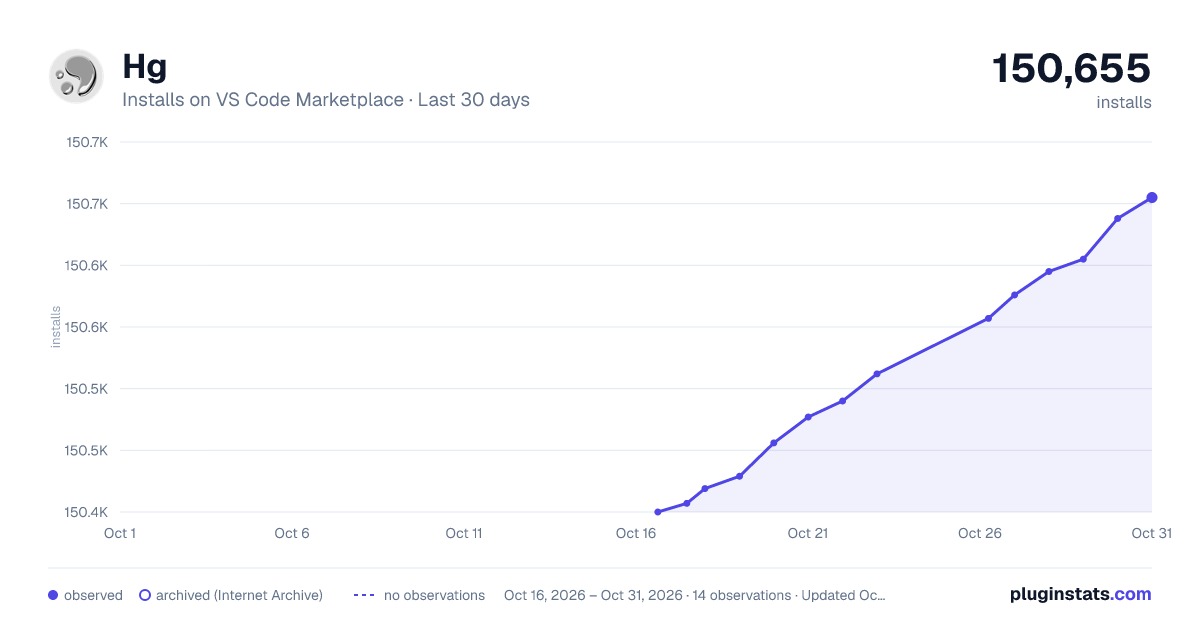
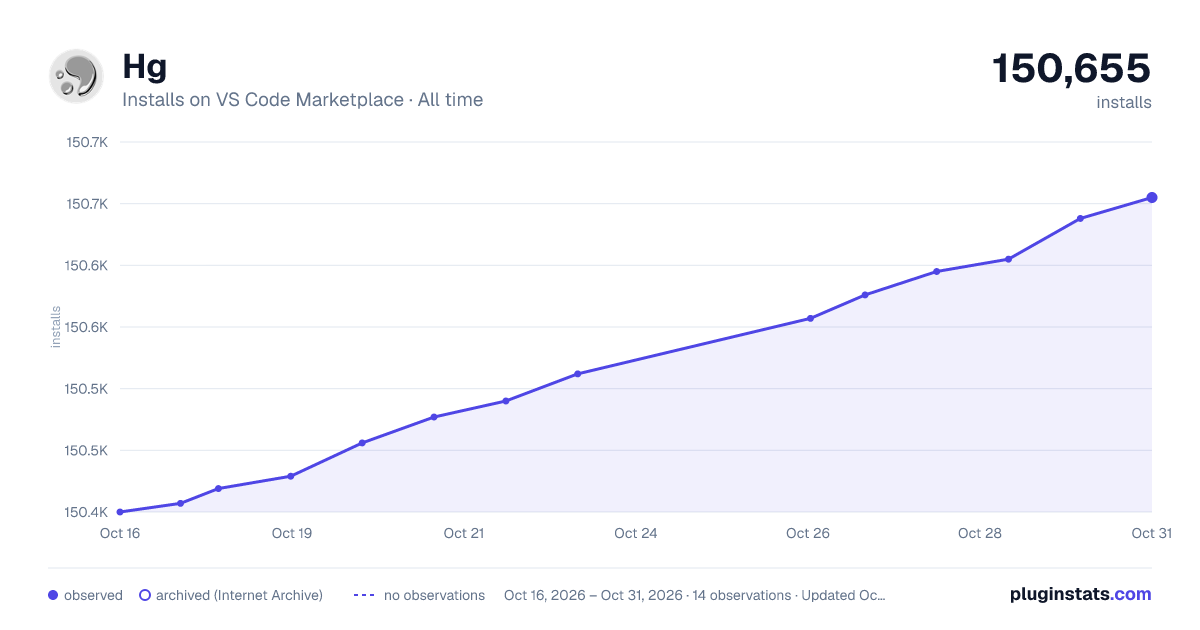
Hg has 150,419 recorded installs on VS Code Marketplace.
It ranks #1850 of 2,500 tracked VS Code Marketplace listings by installs.
It is rated 4.7 out of 5 from 21 ratings.
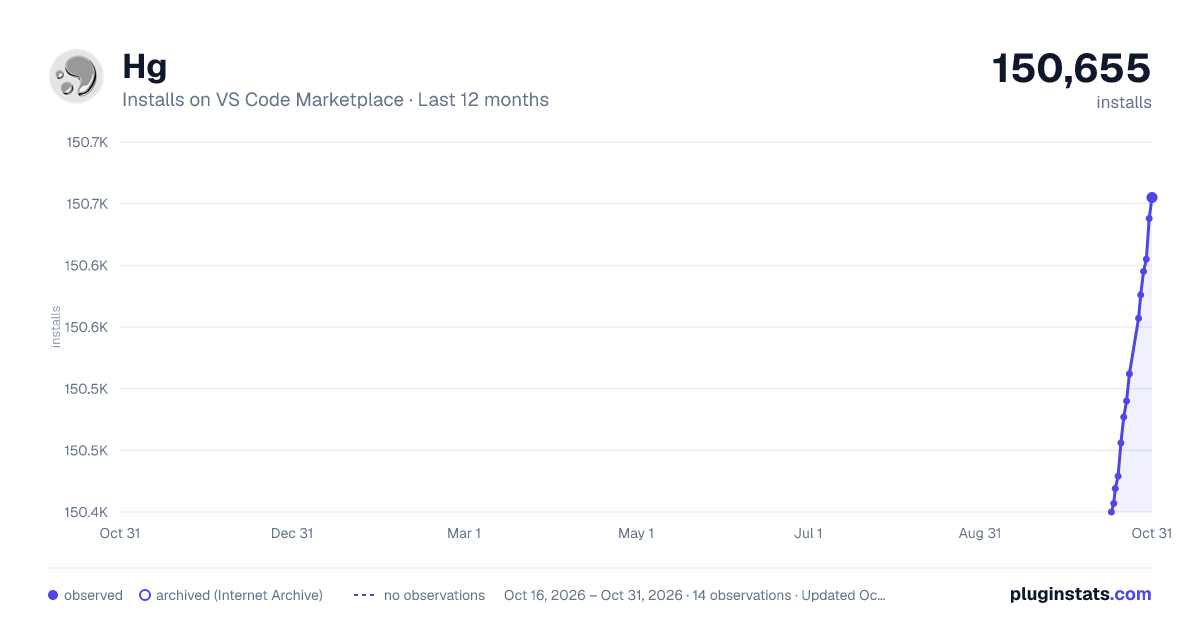
PluginStats has 3 daily observations since Oct 16, 2026; the latest is from Oct 18, 2026.
Rating: 4.71 / 5 from 21 ratings
About Hg
Overview
Integrated Mercurial source control
Prerequisites
Note: This extension leverages your machine's Mercurial (hg) installation, so you need to install Mercurial first.
Features
• Add files and commit from the source control side-bar (i.e. where git normally appears). • All the basics: commit, add, forget, update, push and pull. • See changes inline within text editor. • Interactive log for basic file history and diff. • Branch, merge heads, merge with branch, resolve + unresolve files. • Quickly switch branches, push and pull via status bar. • Supports named-branches or bookmark workflows. • Automatic incoming/outgoing counters. • Undo/rollback. • Shelve/Unshelve support. • Purge support. • Rebase support. • Show annotation for current line or for whole file.
Feedback & Contributing
• Please report any bugs, suggestions or documentation requests via the Github issues (_yes_, I see the irony). • Feel free to submit pull requests.
Initialize a new repo
• Just click the Mercurial icon from the source control title area:
Update to a branch/tag/bookmark
• The current branch name is shown in the bottom-left corner. • Click it to see a list of branches and tags that you can update to. • When hg.useBookmarks is enabled, this changes to bookmarks.
Settings
hg.enabled { boolean }
• Enables Hg as a source control manager in VS Code.
hg.useBookmarks { boolean }
• Choose between bookmarks vs. named-branches: "false" — named-branches mode (default) "true" — bookmarks mode
hg.pushPullScope { all | current | default }
• Specifies what to include in Push/Pull operations. • Depends on the choice of hg.useBookmarks. • For named-branches mode: (i.e. hg.useBookmarks = false) "all" — all branches / unrestricted (this is the default) "current" — only includes changesets for the current branch "default" — only includes changesets for the _default_ branch • For bookmarks mode: (i.e. hg.useBookmarks = true) "all" — all bookmarks / unrestricted (this is the default) "current" — only includes changesets for the active bookmark "default" — only includes changesets for bookmarks on the _default_ branch
hg.pushPullBranch _DEPRECATED_ { all | current | default }
• Use hg.pushPullScope instead. • Specifies which branch(es) should be included in Push/Pull operations. • Included only for backwards compatibility.
hg.autoUpdate { boolean }
• Enables automatic update of working directory to branch/bookmark head after pulling (equivalent to hg pull --update) "true" — enabled "false" — disabled, manual update/merge required
hg.autoInOut { boolean }
• Enables automatic counting of incoming/outgoing changes. • When enabled, these show in the status bar. • Updated every 3 minutes, or whenever a commit/push/pull is done. • Note: when hg.pushPullBranch is set to "current" or "default" then only the respective branch will be included in the counts.
hg.autoRefresh { boolean }
• Enables automatic refreshing of Source Control tab and badge counter when files within the project change: "true" — enabled "false" — disabled, manual refresh still available.
hg.countBadge { tracked | all | off }
• Controls the badge counter for Source Control in the activity bar: "tracked" — only count changes to tracked files (default). "all" — include untracked files in count. "off" — no badge counter.
hg.allowPushNewBranches { boolean }
• Overrides the warning that normally occurs when a new branch is pushed: "true" — new branches are pushed without warning (default). "false" — shows a prompt when new branches are being pushed (e.g hg push --new-branch)
hg.path { string | null }
• Specifies an explicit hg file path to use. • This should only be used if hg cannot be found automatically. • The default behaviour is to search for hg in commonly-known install locations and on the PATH.
hg.commandMode
• Controls the method used to communicate with hg. • There is a slight start-up performance cost with repeatedly running hg commands. • Running a command server process in the background allows frequently-used commands to run ~10× faster (e.g. cat, status, summary, branch etc.) • The server feature is still expiremental, and is therefore not the default. "cli" — spawn a new hg process per command (default). "server" — run a command server process _i.e. hg serve --cmdserve_
hg.lineAnnotationEnabled
• Enables hg annotate decorations at end of the currently selected lines.
Acknowledgements
Core Maintainers
• incidentist • hdpolivieira
Other Contributions
ajansveld, hoffmael, nioh-wiki, joaomoreno, nsgundy, KristjanTammekivi, Marcelotsvaz, gd4Ark
Description from the VS Code Marketplace listing.
- hg
- mercurial
- multi-root ready
- scm
- source
- tortoise
Where Hg sits in the listing
Each band is one page of 20. Installs on a log scale. Placement is projected from installs, so it can differ from the marketplace's own sort order. Hover a dot to see the listing.


Charts
Images: 30d · 1y · all time · 1600×900 dark

Adoption over time


7/30/90-day growth


Filled points are observed values; hollow points come from Internet Archive snapshots of the listing page. Dashed segments span periods with no observations — values between points are not interpolated.
Recent observations
Full history (3)Similar VS Code Marketplace SCM Providers plugins
Data source
Install counts, average rating, and rating counts come from the public Visual Studio Marketplace gallery API. Installs are cumulative and exclude updates.
Listing: https://marketplace.visualstudio.com/items?itemName=mrcrowl.hg. First seen Oct 16, 2026; last successful collection Oct 18, 2026. See the methodology.