 PluginStats
Extension Pack for Java Auto Config installs statistics
By Pleiades · VS Code Marketplace · Programming Languages
JDK Auto-Configuration + Extension Pack for Java + Spring Boot Extension Pack
Extension Pack for Java Auto Config has 777,667 recorded installs on VS Code Marketplace.
It ranks #636 of 2,501 tracked VS Code Marketplace listings by installs.
It is rated 4.5 out of 5 from 22 ratings.
PluginStats has 4 daily observations since Oct 16, 2026; the latest is from Oct 19, 2026.
Rating: 4.45 / 5 from 22 ratings
About Extension Pack for Java Auto Config
Extension Pack for Java Auto Config
Overview
Just install this extension and start Java development right out of the box with zero configuration. • No need to install JDKs, Gradle, or Maven, and no need to set JAVA_HOME or PATH environment variables. • Automatically configures, updates, and fixes multiple Java versions (at least 3 LTS versions and the latest). • Includes extensions for de facto standard Java development from Microsoft, Red Hat, and others.
GitHub Issues • Microsoft: Extension Pack for Java | Maven | Gradle | Debug | Test | Project Manager • Red Hat: Language Support for Java | XML • Broadcom: Spring Boot Extension Pack | Initializr | Dashboard
Open Terminals by Java Version
This extension adds the Java versions available in your current environment to the VS Code terminal profiles dropdown. Select the Java version you want to use, open a new terminal, and you can check the version with the following commands. Although the latest versions of Gradle and Maven are bundled, it is generally recommended to use project-specific wrappers (gradlew, mvnw).
Set Default Java Version
The built-in Select Default Profile in VS Code only changes the default terminal profile. However, this extension applies the selected profile's Java version to all Java-related settings (⭐) within the user (global) settings.json.
To specify a different Java version for individual settings, edit the following files:
• General (vscode-java) (*1) User settings.json (Java runtimes common settings)
• Gradle (vscode-gradle) (*1) User settings.json (Gradle execution runtime)
(*2) Project build.gradle (options.release)
The Gradle Toolchain allows you to specify the exact JDK version to use for building projects.
• Maven (vscode-maven) (*1) User settings.json (Maven execution runtime)
(*2) Project pom.xml (maven.compiler.release)
The Maven Toolchain allows you to specify the exact JDK version to use for building projects.
(*1) The settings.json can be overridden by the project (workspace). (*2) The java.configuration.runtimes that best matches this version will be used. Setting the release ensures the specified version syntax and API are used, regardless of which compiler version actually performs the compilation. • JEP 182: Retiring javac -source and -target / JEP 247: Compile for Older Platform Versions • Since Spring Boot 3.1, Maven's value is set to . • Enabling Java Preview Features
Features
JDKs, build tools, terminal settings, and other configurations are automatically set up and updated at startup based on the current environment, as shown below. However, java.import.gradle.java.home and maven.executable.path are always prepended to the PATH in the terminal.
Extension Settings
|Setting|Default|Description|
|javaAutoConfig.enabled|true|Enable/disable all auto-configuration features. If you don't want this extension to modify your settings.json automatically, set to false.|
JDK Auto-Configuration
Automatically configure multiple versions of the JDK and build tools. If there are multiple JDKs of the same version, the latest minor version will be used. If you installed the JDK manually or encountered a configuration error, restart VS Code or execute >Java: Clean Java Language Server Workspace ≫ Reload and delete from the Command Palette. These settings are applied to the user settings.json (VS Code global), but can be manually edited for customization. If you want to further customize your setup, consider using workspace settings or profiles.
Auto-Scan and Configuration Order
1. Auto-fix invalid JDK configuration (e.g. /foo/jdk-21.0.8/bin -> /foo/jdk-21.0.8) 1. Auto-remove configuration entries when JDK uninstalled or version path changed 1. Auto-scan from OS specific locations, Package Managers and Toolchains (See next section) 1. Auto-detect environment variables JAVA_HOME, JDK_HOME and PATH 1. Auto-download Adoptium LTS JDKs, Gradle, Maven if not detected 1. Auto-update auto-downloaded JDKs, Gradle, Maven to the latest version
Supported Auto-Scan Locations • OS specific locations: Adoptium, BellSoft, Corretto, Microsoft, Oracle, Red Hat, Semeru, Zulu etc... • Package Managers: asdf, Chocolatey, jabba, jEnv, Homebrew, IntelliJ, mise, Scoop, SDKMAN, vfox etc... • Toolchains: Gradle jdks directory, Maven toolchains.xml • Own Support: Windows C:\Java\*, D:\Java\* (e.g. C:\Java\jdk-21.0.8)
The feature automatically fixes errors such as
• Java Language Server requires a JDK xx+ to launch itself. • This setting is deprecated, please use 'java.jdt.ls.java.home' instead. • Invalid runtime for JavaSE-xx: The path points to a missing or inaccessible folder • The java.jdt.ls.java.home variable defined in Visual Studio Code settings points to a missing or inaccessible folder
For Included Extensions
|Configuration Name|Configured Value [Precedence]|
|*Language support for Java*| |java.configuration.runtimes (Issues) ⭐ default|Set all detected and downloaded JDKs (default: Latest) [This setting > JAVA_HOME]| |java.jdt.ls.java.home (Issues) 🛠️|Fix if invalid [This setting > Embedded JRE > JDK_HOME > JAVA_HOME > PATH]| |~~java.home~~|Remove as it has been replaced by java.jdt.ls.java.home| |*Spring Boot Tools*| |spring-boot.ls.java.home (Issues) 🛠️|Fix if invalid [This setting > Embedded JRE > JAVA_HOME > PATH]| |*Gradle for Java*| |java.import.gradle.java.home (Issues) ⭐|Set latest LTS JDK if unset [This setting > Embedded JRE > java.jdt.ls.java.home > JAVA_HOME > PATH > jdk-utils > java.configuration.runtimes default]| |java.import.gradle.home (Issues)|Set auto-downloaded gradle if unset [gradlew > This setting > PATH > GRADLE_HOME]| |*Maven for Java*| |maven.terminal.customEnv (Issues) ⭐|Set latest LTS JDK if unset [This setting > JAVA_HOME]| |maven.executable.path (Issues) 📝|Set auto-downloaded maven if unset (If you want to use mvnw, set "" manually) [This setting > mvnw > PATH]|
For Optional Extensions (If installed)
|Configuration Name|Configured Value [Precedence]|…
Description from the VS Code Marketplace listing.
- asdf
- auto
- bash
- boot
- chinese
- chocolatey
- cmd
- command
- config
- configuration
- debug
- eclipse
- encoding
- gradle
- highlight
- homebrew
- ide
- intellij
- jabba
- jakarta
Where Extension Pack for Java Auto Config sits in the listing
Each band is one page of 20. Installs on a log scale. Placement is projected from installs, so it can differ from the marketplace's own sort order. Hover a dot to see the listing.


Charts
Images: 30d · 1y · all time · 1600×900 dark
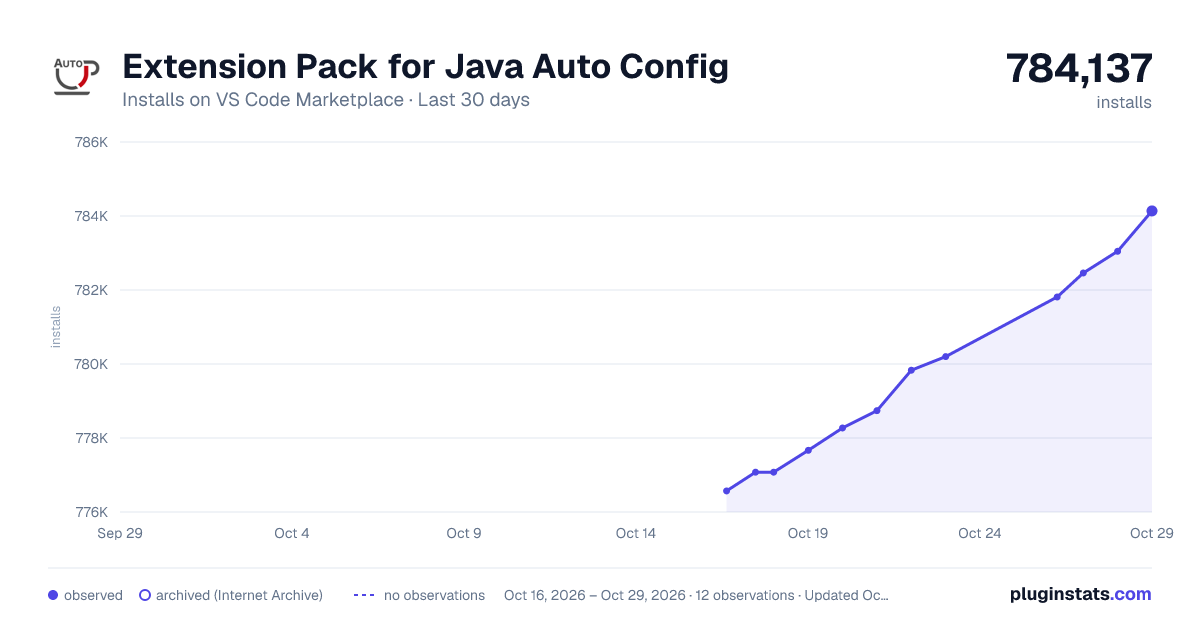
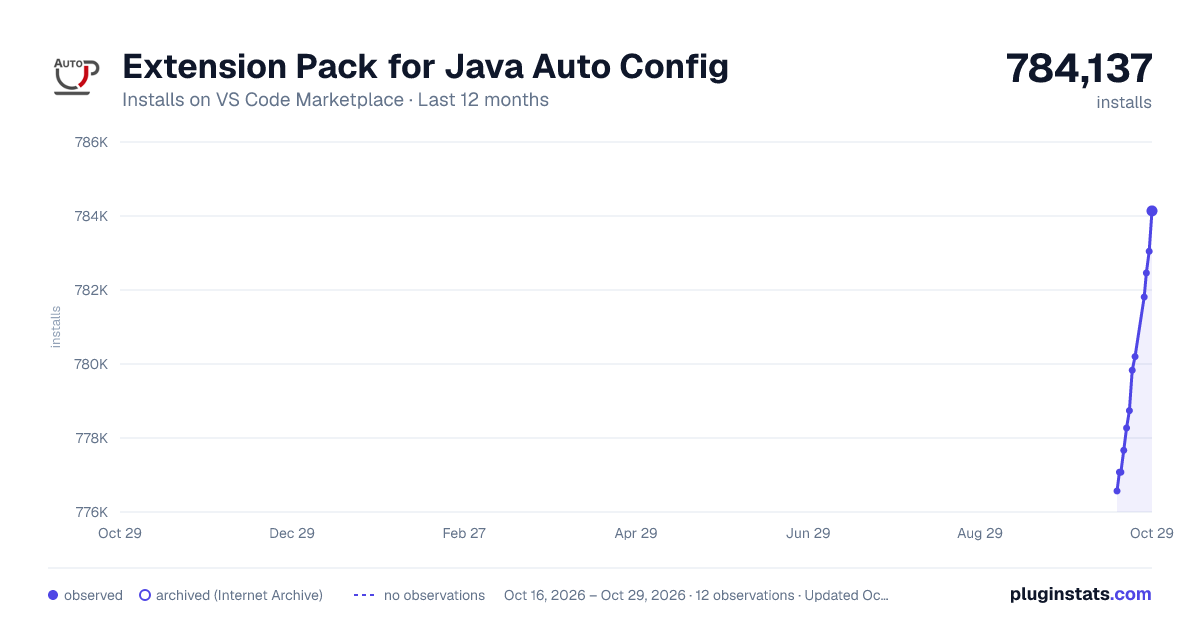
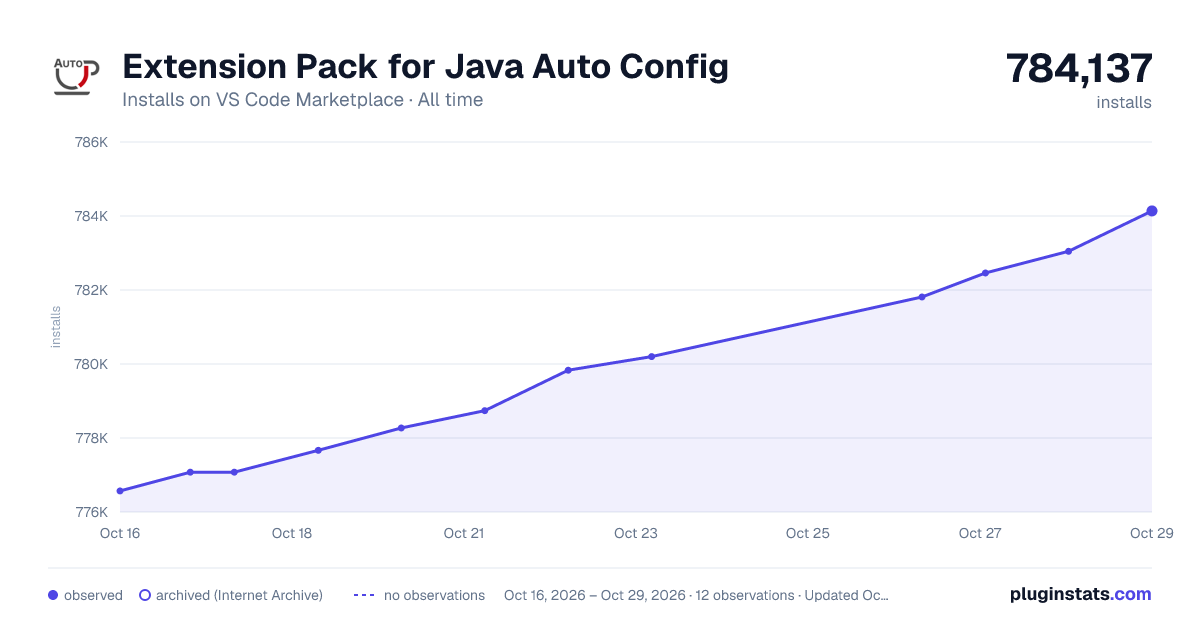

Adoption over time


7/30/90-day growth


Ranking history


Filled points are observed values; hollow points come from Internet Archive snapshots of the listing page. Dashed segments span periods with no observations — values between points are not interpolated.
Recent observations
Full history (4)Similar VS Code Marketplace Programming Languages plugins
Data source
Install counts, average rating, and rating counts come from the public Visual Studio Marketplace gallery API. Installs are cumulative and exclude updates.
Listing: https://marketplace.visualstudio.com/items?itemName=Pleiades.java-extension-pack-jdk. First seen Oct 16, 2026; last successful collection Oct 19, 2026. See the methodology.