 PluginStats
Todo+ installs statistics
By Fabio Spampinato (5 listings) · VS Code Marketplace · Other
Manage todo lists with ease. Powerful, easy to use and customizable.
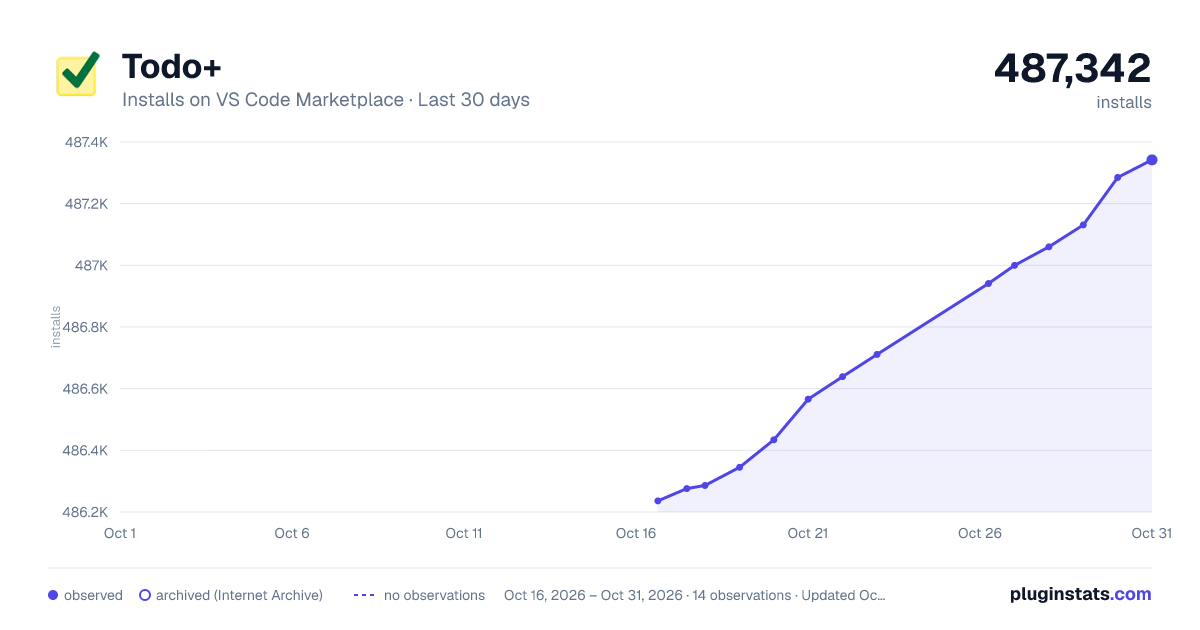
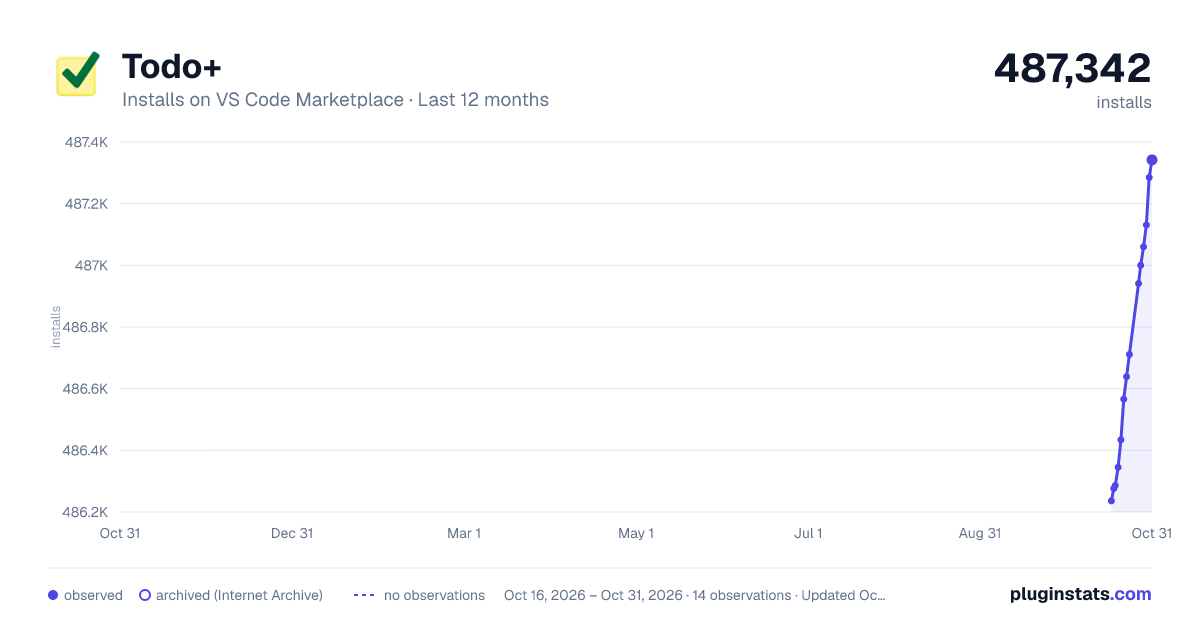
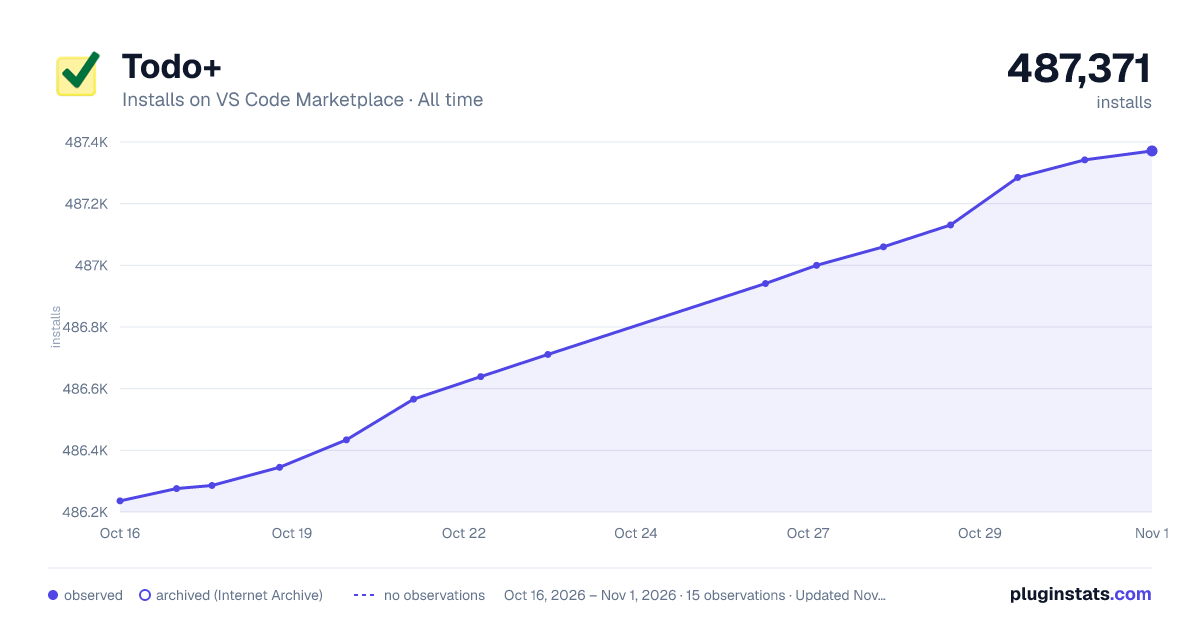
Todo+ has 486,639 recorded installs on VS Code Marketplace, ranking #861 of 2,502 tracked listings.
Rating: 4.53 / 5 from 83 ratings
About Todo+
Todo+
<p align="center"> <img src="https://raw.githubusercontent.com/fabiospampinato/vscode-todo-plus/master/resources/logo/logo.png" width="128" alt="Logo"> </p>Manage todo lists with ease. Powerful, easy to use and customizable. View the demo.
Features
- Easy to use: you're just a few shortcuts away from becoming a master
- Portable: being a plain text format you can read and edit it using any editor
- Custom symbols: you can replace the default symbols with any of the supported ones
- Box:
-❍❑■⬜□☐▪▫–—≡→›[][ ] - Done:
✔✓☑+[x][X][+] - Cancelled:
✘xX[-]
- Box:
- Custom colors: all colors can be customized
- Custom special tags: special tags' names and their colors can be customized
- Archive: you can move finished todos to a special "Archive" section with a shortcut
- Formatting: you can format text in a markdown-like fashion, we support: bold, italic,
strikethroughandcode - Go To Symbol: you can easily move between projects by using the
Go to Symbol in File...command - TaskPaper compatible: just set
todo.symbols.box,todo.symbols.doneandtodo.symbols.cancelledto- - Timekeeping: you can mark todos as started and track elapsed time until completion
- Timer: a timer can be displayed in the statusbar for started todos
- Time estimates: you can estimate the time it will take to complete a todo by adding a tag to it that looks like this:
@est(3 hours),@est(2h30m)or@2h30m. Then you can use the[est],[est-total],[est-finished]and[est-finished-percentage]tokens in statistics - Statistics: statistics about your entire file and/or project-level statistics about your individual projects
- Embedded todos: it's common to have
//TODOor//FIXMEcomments in our code, this extension can find those as well - Activity bar views: you can view your todo file and your embedded todos from a custom activity bar section
Install
Follow the instructions in the Marketplace, or run the following in the command palette:
ext install fabiospampinato.vscode-todo-plus
Usage
It adds 11 commands to the command palette:
'Todo: Open' // Open or create your project's todo file
'Todo: Open Embedded' // Open embedded todos
'Todo: Toggle Box' // Toggle todo's box symbol
'Todo: Toggle Done' // Toggle todo's done symbol
'Todo: Toggle Cancelled' // Toggle todo's cancelled symbol
'Todo: Toggle Start' // Toggle a todo as started
'Todo: Toggle Timer' // Toggle the timer
'Todo: Archive' // Archive finished todos
'Todo: Embedded View - Filter' // Filter the embedded todos view
'Todo: Embedded View - Clear Filter' // Clear the filter in the embedded todos view
'Todo: Embedded View - Toggle View All Files' // Toggle between viewing all files or only the current one
It adds 6 shortcuts when editing a Todo file:
'Cmd/Ctrl+Enter' // Triggers `Todo: Toggle Box`
'Alt+Enter' // Triggers `Todo: Toggle Box`
'Alt+D' // Triggers `Todo: Toggle Done`
'Alt+C' // Triggers `Todo: Toggle Cancelled`
'Alt+S' // Triggers `Todo: Toggle Start`
'Cmd/Ctrl+Shift+A' // Triggers  `Todo: Archive`
Settings
{
  "todo.file.name": "TODO", // Todo file name. Other supported names are: `*.todo`, `*.todos`, `*.task`, `*.tasks`, `*.taskpaper` and `todolist.txt`
  "todo.file.defaultContent": "\nTodo:\n  ☐ Item\n", // New todo files default content
  "todo.file.include": ["**/TODO", ...], // Globs to use for including files
  "todo.file.exclude": ["**/.!(todo|todos|task|tasks)/**", ...], // Globs to use for excluding files
  "todo.file.view.expanded": true, // Start the tree in an expanded state
  "todo.indentation": "  ", // String used for indentation
  "todo.symbols.box": "☐", // Box symbol
  "todo.symbols.done": "✔", // Done symbol
  "todo.symbols.cancelled": "✘", // Cancelled symbol
  "todo.colors.done": "#a6e22e", // Done todo color
  "todo.colors.cancelled": "#f92672", // Cancelled todo color
  "todo.colors.code": "#fd971f", // Code color
  "todo.colors.comment": "#75715e", // Comment color
  "todo.colors.project": "#66d9ef", // Project color
  "todo.colors.projectStatistics": "#4694a3", // Project statistics color
  "todo.colors.tag": "#e6db74", // Tag color
  "todo.colors.tags.background": ["#e54545", "#e59f45", "#e5d145", "#ae81ff"], // Special tags' background colors
  "todo.colors.tags.foreground": ["#000000", "#000000", "#000000", "#000000"], // Special tags' foreground colors
  "todo.colors.types": { "TODO": "#ffcc00", "FIXME": "#cc0000" ... }, // Object mapping todo types to their color
  "todo.colors.dark": { /* "done": "white", ... */ }, // Colors for dark themes
  "todo.colors.light": { /* "done": "black", ... */ }, // Colors for light themes
  "todo.tags.names": ["critical", "high", "low", "today"], // Special tags' names
  "todo.tags.namesInference": true, // Infer commonly used tags' names
  "todo.archive.name": "Archive", // Name of the special "Archive" section
  "todo.archive.remove.emptyProjects": true, // Remove projects without todos
  "todo.archive.remove.emptyLines": 1, // Remove extra empty lines, keeping no more than `emptyLinesThreshold` consecutive empty lines
  "todo.archive.project.enabled": true, // Enable the @project tag
  "todo.archive.project.separator": ".", // String used for joining multiple projects
  "todo.archive.sortByDate": false, // Sort lines by finished date
  "todo.formatting.enabled": true, // Enable markdown-like formatting
  "todo.timekeeping.created.enabled": false, // Enable the @created tag
  "todo.timekeeping.created.time": true, // Insert the time inside the @created tag
  "todo.timekeeping.created.format": "YY-MM-DD HH:mm", // Format used for displaying time inside @created
  "todo.timekeeping.started.time": true, //…
Description from the VS Code Marketplace listing.
- extension
- keybindings
- Task
- taskpaper
- tasks
- todo
- todos
- vscode
README badge
Show your rank in a README or on your website. The badge updates automatically.
Charts
Images: 30d · 1y · all time · 1600×900 dark

Adoption over time
7/30/90-day growth
Ranking history
Ratings over time
Listing placement
Listing placement
Filled points are observed values; hollow points come from Internet Archive snapshots of the listing page. Dashed segments span periods with no observations — values between points are not interpolated.
Each band is one page of 20. Installs on a linear scale. Placement is projected from installs, so it can differ from the marketplace's own sort order. Hover a dot to see the listing.
Recent observations
Full history (7)Similar VS Code Marketplace Other plugins
All 20 Todo+ alternativesData source
Install counts, average rating, and rating counts come from the public Visual Studio Marketplace gallery API. Installs are cumulative and exclude updates.
Listing: https://marketplace.visualstudio.com/items?itemName=fabiospampinato.vscode-todo-plus. First seen Oct 16, 2026; last successful collection Oct 22, 2026. See the methodology.