 PluginStats
Command Variable installs statistics
By rioj7 · VS Code Marketplace · Other
Calculate command variables for launch.json and tasks.json
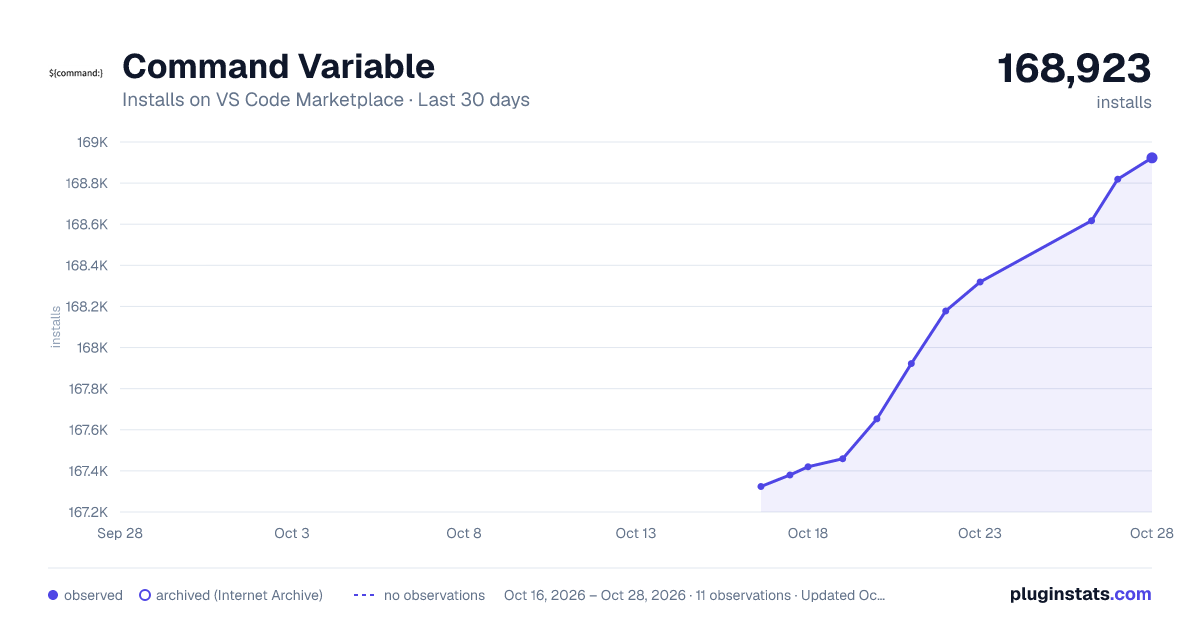
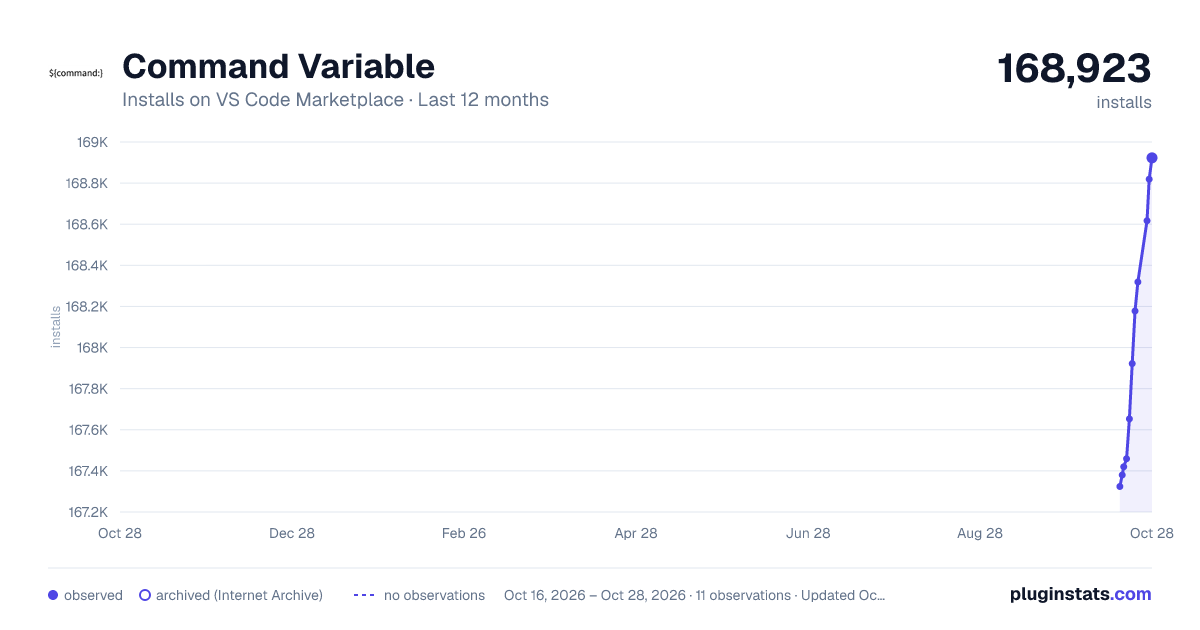
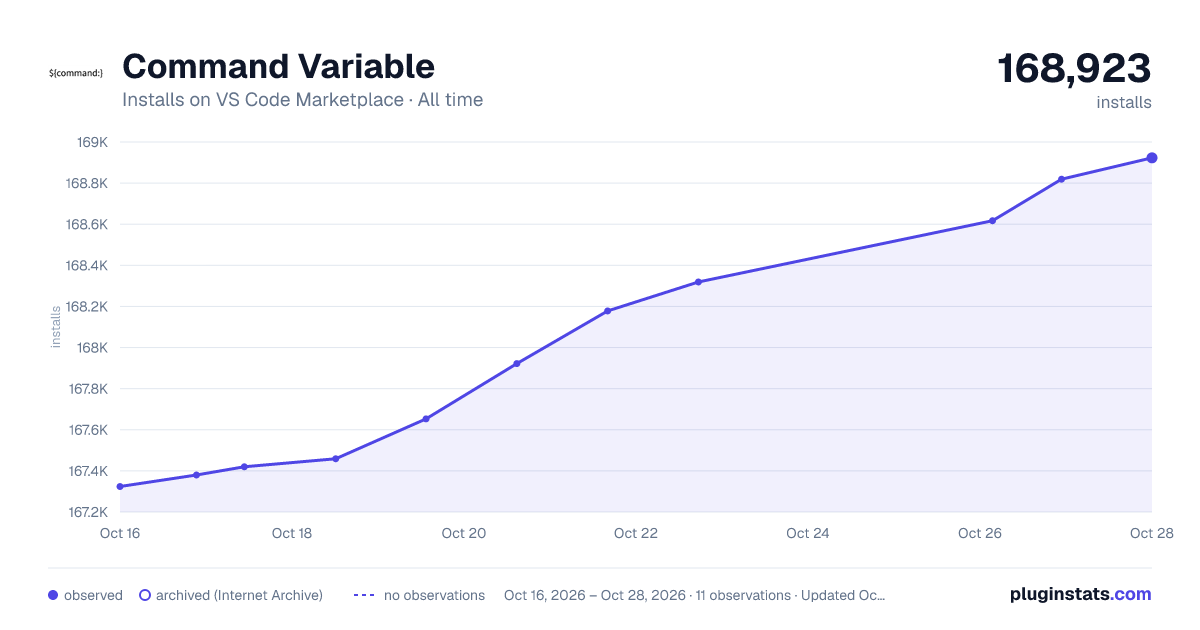
Command Variable has 167,420 recorded installs on VS Code Marketplace.
It ranks #1730 of 2,500 tracked VS Code Marketplace listings by installs.
It is rated 4.8 out of 5 from 18 ratings.
PluginStats has 3 daily observations since Oct 16, 2026; the latest is from Oct 18, 2026.
Rating: 4.78 / 5 from 18 ratings
About Command Variable
Command Variable
Visual Studio Code provides variable substitution to be used in launch.json and tasks.json.
One of the variables allows the result of a command to be used with the following syntax: ${command:commandID}
If a command or variable is almost what you need you can use the transform command to perform a regular expression find-replace of the result.
Not all commands are supported yet in the web extension version. Supported commands are marked with : (Web)
Some commands can store/remember the result to be retrieved later in the session. If you want persistent storage have a look at the commandvariable.remember.persistent.file setting.
Table of contents
• Commands • Usage • Configuration / Settings • FileAsKey • File Content • File Content Key Value pairs • File Content JSON Property • File Content YAML Property • File Content Multiple Key-Values/Properties • File Content in Editor • Config Expression • JavaScript Expression • Pick File • Open Dialog • Save Dialog • number • remember • pickStringRemember • promptStringRemember • Multicursor and text • inTerminal • getClipboard • setClipboard • Transform • Transform::saveToFile • Variables • Variable Filters • Variables in Javascript expression • ${workspaceFolder} • ${workspaceFolderBasename} • ${selectedText} • ${pickStringRemember} • ${promptStringRemember} • ${pickFile} • ${openDialog} • ${saveDialog} • ${command} • ${transform} • ${remember} • checkEscapedUI • Workspace name in argument • UUID • dateTime • Credits
Commands
This extension provides a number of commands that give a result based on the current file or the workspace path or that produce a result based on arguments
• extension.commandvariable.file.relativeDirDots : The directory of the current file relative to the workspace root directory with dots as separator. Can be used to specify a Python module. • extension.commandvariable.file.relativeFileDots : The same result as ${relativeFile} but with dots as separator. • extension.commandvariable.file.relativeFileDotsNoExtension : The same result as ${relativeFile} but with dots as separator and no file extension. Can be used to specify a Python module. • extension.commandvariable.file.filePosix : The same result as ${file} but in Posix form. Directory separator '/', and drive designation as '/z/project/' • extension.commandvariable.file.fileDirnamePosix : The same result as ${fileDirname} but in Posix form. • extension.commandvariable.file.fileDirname1Up : The directory path 1 Up of ${fileDirname} • extension.commandvariable.file.fileDirname2Up : The directory path 2 Up of ${fileDirname} • extension.commandvariable.file.fileDirname3Up : The directory path 3 Up of ${fileDirname} • extension.commandvariable.file.fileDirname4Up : The directory path 4 Up of ${fileDirname} • extension.commandvariable.file.fileDirname5Up : The directory path 5 Up of ${fileDirname} • extension.commandvariable.file.fileDirname1UpPosix : The same result as ${extension.commandvariable.file.fileDirname1Up} but in Posix form. • extension.commandvariable.file.fileDirname2UpPosix : The same result as ${extension.commandvariable.file.fileDirname2Up} but in Posix form. • extension.commandvariable.file.fileDirname3UpPosix : The same result as ${extension.commandvariable.file.fileDirname3Up} but in Posix form. • extension.commandvariable.file.fileDirname4UpPosix : The same result as ${extension.commandvariable.file.fileDirname4Up} but in Posix form. • extension.commandvariable.file.fileDirname5UpPosix : The same result as ${extension.commandvariable.file.fileDirname5Up} but in Posix form. • extension.commandvariable.file.relativeFileDirname1Up : The directory path 1 Up of ${relativeFileDirname} • extension.commandvariable.file.relativeFileDirname2Up : The directory path 2 Up of ${relativeFileDirname} • extension.commandvariable.file.relativeFileDirname3Up : The directory path 3 Up of ${relativeFileDirname} • extension.commandvariable.file.relativeFileDirname4Up : The directory path 4 Up of ${relativeFileDirname} • extension.commandvariable.file.relativeFileDirname5Up : The directory path 5 Up of ${relativeFileDirname} • extension.commandvariable.file.relativeFileDirnamePosix : The same result as ${relativeFileDirname} but in Posix form. • extension.commandvariable.file.relativeFileDirname1UpPosix : The same result as ${extension.commandvariable.file.relativeFileDirname1Up} but in Posix form. • extension.commandvariable.file.relativeFileDirname2UpPosix : The same result as ${extension.commandvariable.file.relativeFileDirname2Up} but in Posix form. • extension.commandvariable.file.relativeFileDirname3UpPosix : The same result as ${extension.commandvariable.file.relativeFileDirname3Up} but in Posix form. • extension.commandvariable.file.relativeFileDirname4UpPosix : The same result as ${extension.commandvariable.file.relativeFileDirname4Up} but in Posix form. • extension.commandvariable.file.relativeFileDirname5UpPosix : The same result as ${extension.commandvariable.file.relativeFileDirname5Up} but in Posix form. • extension.commandvariable.file.relativeFilePosix : The same result as ${relativeFile} but in Posix form. • extension.commandvariable.file.fileAsKey : Use part of the file path as a key in a map lookup. Can be used in lauch.json to select arguments based on filename, see example. • extension.commandvariable.file.fileDirBasename : (Web) The basename of the ${fileDirname} • extension.commandvariable.file.fileDirBasename1Up : (Web) The directory name 1 Up of ${fileDirname} • extension.commandvariable.file.fileDirBasename2Up : (Web) The directory name 2 Up of ${fileDirname} • extension.commandvariable.file.fileDirBasename3Up : (Web) The directory name 3 Up of ${fileDirname} • extension.commandvariable.file.fileDirBasename4Up : (Web) The directory name 4 Up of ${fileDirname} • extension.commandvariable.file.fileDirBasename5Up : (Web) The directory name 5 Up of ${fileDirname} • extension.commandvariable.file.content : The content of the…
Description from the VS Code Marketplace listing.
- clipboard
- command
- date
- file
- key
- launch
- multi-root ready
- number
- pick
- remember
- tasks
- uuid
- value
- variable
Where Command Variable sits in the listing
Each band is one page of 20. Installs on a log scale. Placement is projected from installs, so it can differ from the marketplace's own sort order. Hover a dot to see the listing.


Charts
Images: 30d · 1y · all time · 1600×900 dark

Adoption over time


7/30/90-day growth


Ranking history


Filled points are observed values; hollow points come from Internet Archive snapshots of the listing page. Dashed segments span periods with no observations — values between points are not interpolated.
Recent observations
Full history (3)Similar VS Code Marketplace Other plugins
Data source
Install counts, average rating, and rating counts come from the public Visual Studio Marketplace gallery API. Installs are cumulative and exclude updates.
Listing: https://marketplace.visualstudio.com/items?itemName=rioj7.command-variable. First seen Oct 16, 2026; last successful collection Oct 18, 2026. See the methodology.