 PluginStats
TypeScript Importer installs statistics
By pmneo · VS Code Marketplace · Other
Automatically searches for TypeScript definitions in workspace files and provides all known symbols as completion item to allow code completion.
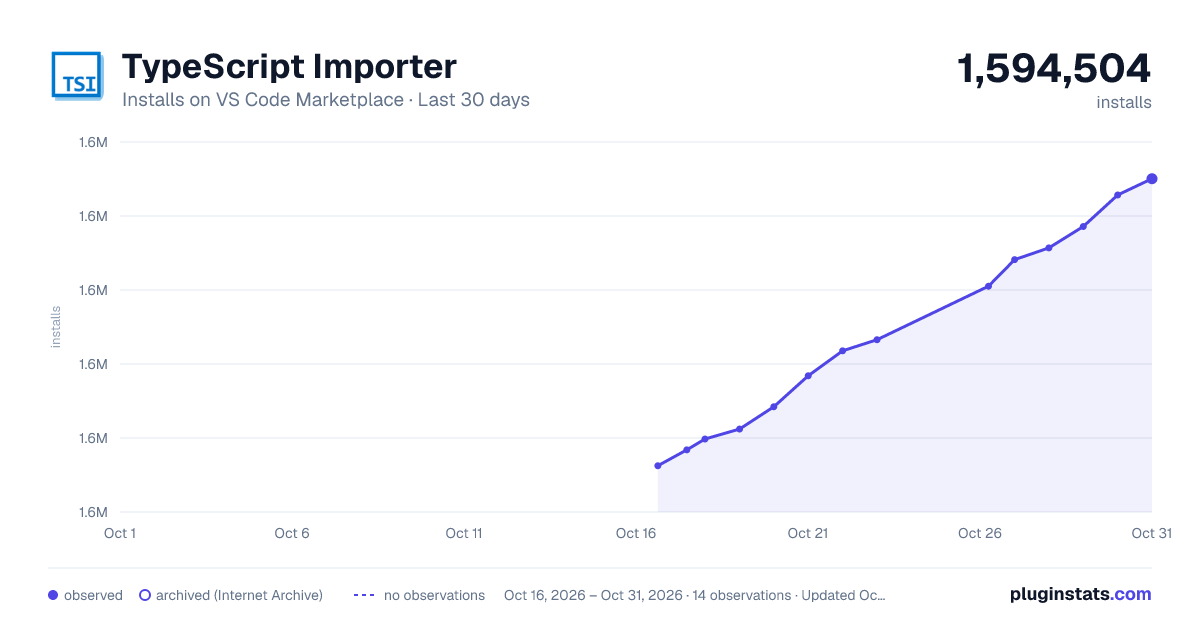
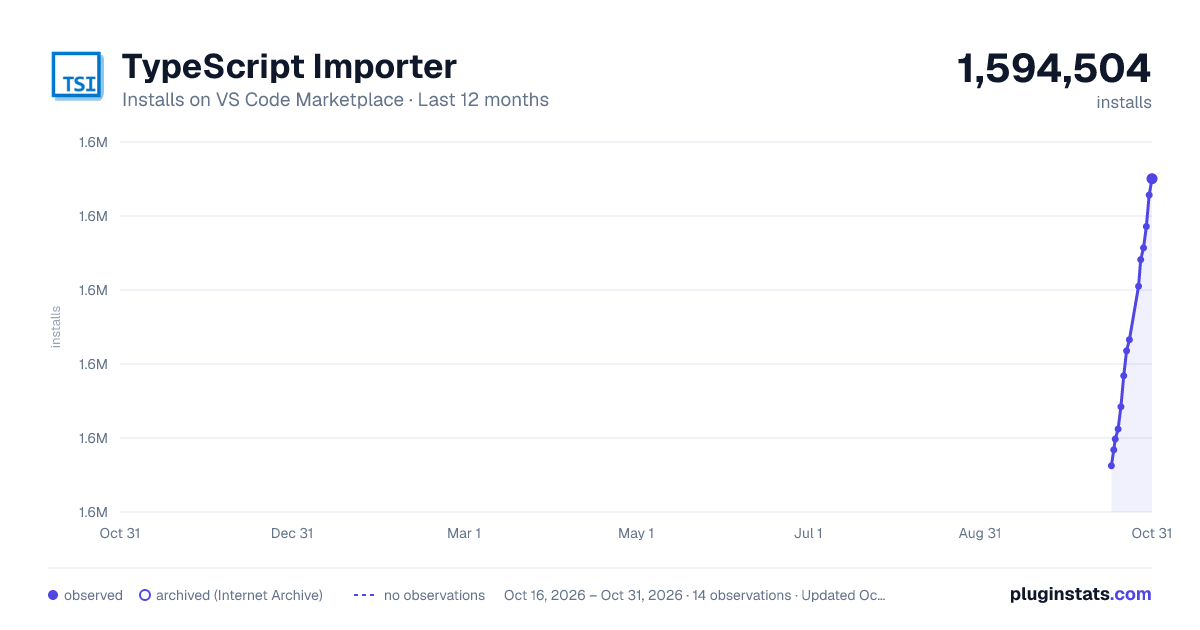
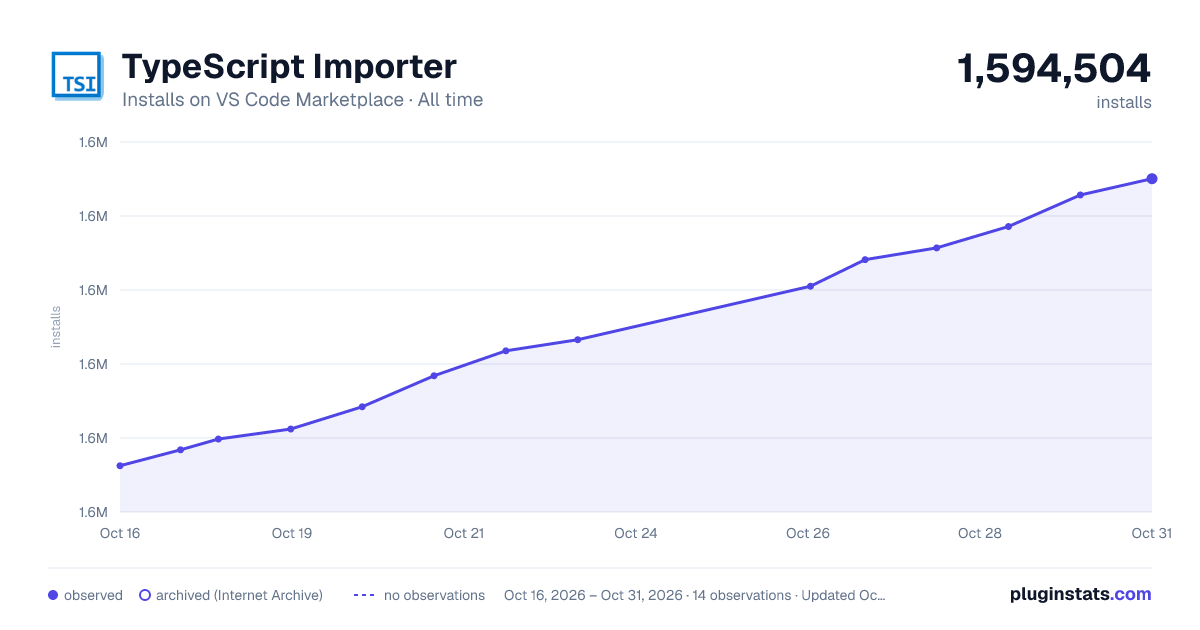
TypeScript Importer has 1,591,422 recorded installs on VS Code Marketplace, ranking #399 of 2,501 tracked listings.
Rating: 4.61 / 5 from 38 ratings
About TypeScript Importer
TS Importer
Automatically searches for TypeScript definitions in workspace files and provides all known symbols as completion item to allow code completion.
If a TypeScripts ^1.9.0 paths.* mapping is set in the tsconfig.json, the imports are tried to be resolved absolutly.
Otherwise the imports are resolved relative to the current file.
The current supported symbols are:
  export class [name] { ... }
  export abstract class [name] { ... }
  export interface [name] { ... }
  export type [name] =  { ... },
  export const [name] = ...
  export var [name] = ...
  export let [name] = ...
  export function [name] = ...
  export function* [name] = ...
  export enum [name] = ...
  export default ...
<img src="https://raw.githubusercontent.com/pmneo/ts-importer/master/demo.gif">
Configuration
This can be configured in .vscode/settings.json.
Settings will only be applied on startup or executing the reindex command.
tsimporter.filesToScan - Glob for which files in your workspace to scan, defaults to
['**/*.ts','**/*.tsx']
tsimporter.filesToExclude - Glob for files to exclude from watch and scan, e.g
./out/**. Defaults to nothing
tsimporter.showNotifications - Show status notifications, default is false
tsimporter.doubleQuotes - Use double quotes rather than single
tsimporter.spaceBetweenBraces - Insert spaces between the import braces. (
import {test} from 'test' vs. import { test } from 'test')
tsimporter.disabled - Disables the extension
tsimporter.removeFileExtensions - File Extensions to remove. default is
'.d.ts,.ts,.tsx'
tsimporter.lowImportance - If true, the code completion items will be sorted back to the build in completion items. default is false
tsimporter.emitSemicolon - If false, no semicolon will be written. default is true
tsimporter.tsconfigName - An alternative tsconfig.json filename. default is 'tsconfig.json'
tsimporter.noStatusBar - True to hide the status bar
tsimporter.preferRelative - When true shorter relative imports will be be prefered instead of absolute imports
Changelog
2.0.0
- Upgraded to VSCode 1.18.0 and TypeScript 3.3.400
1.2.14
- Added
noStatusBaroption - Added
preferRelativeoption
1.2.13
- Added
openSymbolcommand to open a symbols document. The command filters the search by the word under the cursor or the current selection.
1.2.12
- Added
addImportcommand to add a import manually. The command filters the search by the word under the cursor or the current selection.
1.2.11
- Support of
export function* foo() {...};generator syntax
1.2.10
- Support of
export default X;syntax
1.2.9
- BUGFIX with multiline string parsing
1.2.8
- BUGFIX NPE with import statements like
import "reflect-metadata"; - Resolving all known symbols instead for better code completion
- No code completion in comments and strings
1.2.7
- New Param
tsimporter.tsconfigName - Dump index command creates an empty JSON document with index content
1.2.6
- BUGFIX with parent folder resolution was
./../moduleinstead of../module
1.2.5
- New Param
emitSemicolon
1.2.4
- New Param
lowImportance
1.2.3
- BUGFIX: Support of filenames including dots
1.2.2
- Add support of tsx files
1.2.1
- Updated to vscode 1.5.3
1.2.0
- Add support of
* as Symbolsyntax - Add support of
export defaultsyntax
1.1.0
- BUGFIX: support of vscode 1.5.2
- Changed filesToScan to an array and added filesToExclude glob patterns
- Automatically add the import for the selected code completion item
- Filtering known symbols from code completion items
1.0.1
- BUGFIX: respecting the tsimporter.doubleQuotes setting
- Processing of
export functionandexport enum
1.0.0
- First Version
ToDo
- Follow up
///<reference path="..." />declarations - Process
node_modules/**/*.d.ts - Process
typings/**/*.d.ts
Description from the VS Code Marketplace listing.
- auto
- import
- require
- tsi
- typescript
- typescriptreact
- vue
README badge
Show your rank in a README or on your website. The badge updates automatically.
Charts
Images: 30d · 1y · all time · 1600×900 dark
Adoption over time
7/30/90-day growth
Ranking history
Ratings over time
Listing placement
Listing placement
Filled points are observed values; hollow points come from Internet Archive snapshots of the listing page. Dashed segments span periods with no observations — values between points are not interpolated.
Each band is one page of 20. Installs on a linear scale. Placement is projected from installs, so it can differ from the marketplace's own sort order. Hover a dot to see the listing.
Recent observations
Full history (5)Similar VS Code Marketplace Other plugins
All 20 TypeScript Importer alternatives


Data source
Install counts, average rating, and rating counts come from the public Visual Studio Marketplace gallery API. Installs are cumulative and exclude updates.
Listing: https://marketplace.visualstudio.com/items?itemName=pmneo.tsimporter. First seen Oct 16, 2026; last successful collection Oct 20, 2026. See the methodology.