 PluginStats
yarn has 528,589 recorded installs on VS Code Marketplace.
It ranks #823 of 2,501 tracked VS Code Marketplace listings by installs.
It is rated 4.7 out of 5 from 9 ratings.
PluginStats has 4 daily observations since Oct 16, 2026; the latest is from Oct 19, 2026.
Rating: 4.67 / 5 from 9 ratings
About yarn
VSCode-Yarn: VSCode extensions to manage yarn commands.
Getting started
You can install this awesome extension through the VSCode-Yarn.
Installation
Launch *Quick Open* • Linux Ctrl+P • macOS ⌘P • Windows Ctrl+P
Paste the following command and press Enter:
Packaged VSIX Extension ↑
Download the latest .vsix release file from the GitHub repository and install it from the command line
or from within VS Code by launching *Quick Open* and running the *Install from VSIX...* command.
GitHub Repository Clone ↑
Change to your .vscode/extensions VS Code extensions directory. Depending on your platform it is located in the following folders:
• Linux ~/.vscode/extensions • macOs ~/.vscode/extensions • Windows %USERPROFILE%\.vscode\extensions
Clone the VSCode Yarn repository as gamunu.vscode-yarn:
Features
Commands
• yarn init - Initialize a new yarn package • yarn install - Install all dependencies for a project • yarn add - Add a package to use in your current package • yarn add --dev - Add a package to the "devDependencies" • yarn remove - Remove a package • yarn start - Run the "start" script defined in package.json • yarn test - Run the "test" script defined in package.json • yarn build - Run the "build" script defined in package.json • yarn publish [tag] - Publish a package to npm registry with optional tag • yarn run - Run a defined package script • Search Packages - Search npm registry for packages with interactive installation • Manage Registries - Add/remove custom npm registries for package search
Not happy with the available commands? No problem, raw command is also available. Enter any yarn command you want.
Explorer context menu
Yarn commands are available in the package.json file's explorer context menu for quick access.
Yarn Sidebar
The extension provides a dedicated sidebar in VS Code's activity bar for comprehensive yarn management:
Search Packages View
The Search Packages view allows you to:
• Search for npm packages: Enter a search term to find packages in the npm registry • View search results directly: See package names, descriptions, and versions • Install with one click: Install as regular or dev dependency with convenient buttons • Rate limit protection: Built-in cooldown system to avoid npm registry rate limits
To search for packages: 1. Click the Search icon in the sidebar title 2. Enter your search term 3. Press Enter to see results 4. Use the inline buttons to install packages
Dependencies View
The Dependencies view provides:
• Visual organization: Dependencies and DevDependencies in separate collapsible sections • Version information: See installed versions at a glance • Quick uninstall: Remove packages with one click • Auto-refresh: Automatically updates when dependencies change
This view makes it easy to: • Monitor what packages are installed in your project • Quickly remove unnecessary dependencies • Distinguish between regular and development dependencies
TouchBar support
Support for Macbook Pro Touch Bar. Following yarn commands are available:
• yarn install • yarn start • yarn test • yarn build
Run last executed script
You can also run the last executed script by typing yarn run last....
Terminate a script
You can terminate a script with the terminate command. It uses the tree-kill module that you can find on yarn. It has different behaviors on Unix or Windows.
Multi-workspace support
The extension fully supports multi-root workspaces:
• Choose which package.json to work with when multiple are available • Remember your selection for subsequent operations • Switch between different package.json files easily
Order of execution of yarn commands
01. If a package.json is opened as an active editor/focused tab yarn will be invoked on it. 02. If the package.json is explicitly defined in the configuration yarn will invoke on it. 03. If above scenarios fail to satisfy. The extension will fallback to package.json in project root folder.
Package search and custom registries
The extension offers an enhanced package search experience:
Searching for packages
There are multiple ways to search for packages:
1. Via Command Palette: • Open the command palette (Ctrl+Shift+P or Cmd+Shift+P on macOS) • Type "Yarn: Search Packages" • Enter your search term • Select a package to install
2. Via Yarn Sidebar: • Click the Yarn icon in the activity bar • Click the search icon in the sidebar title bar • Enter your search term • Use the inline buttons to install packages
3. With Quick Pick: • When searching, you can choose to install as regular or dev dependency • The quick pick shows package descriptions and versions
Settings
• yarn.runInTerminal Defines whether the command is run in a terminal window or whether the output form the command is shown in the Output window. The default is to show the output in the output window. • yarn.dontHideOutputOnSuccess Keep the output panel visible when yarn execution is successful. No effect with runInTerminal. The default is to keep output window open. • yarn.bin Custom yarn bin name, the default is yarn. • yarn.packageJson Default package json path. relative to current project root. • yarn.enableTouchbar Enable TouchBar support in MacOSX. TouchBar support includes: • yarn install • yarn run build • yarn run test • yarn run start
Example
Keyboard Shortcuts
The extension defines a chording keyboard shortcut for the R key. As a consequence an existing keybinding for R is not executed immediately. If this is not desired, then please bind another key for these commands, see the customization documentation.
| Shortcut (Windows/Linux) | Shortcut (macOS) | Command |
| Ctrl+R Shift+R | Cmd+R Shift+R | Run Script | | Ctrl+R R | Cmd+R R | Run Last Script | | Ctrl+R Shift+X | Cmd+R Shift+X | Terminate Script | | Ctrl+R T | Cmd+R T | Run Test |
Contribute
Report a bug or a suggestion by posting an issue on the GitHub repository.
vscode-yarn incorporates code modified from fknop vscode-npm.
Description from the VS Code Marketplace listing.
- keybindings
- multi-root ready
Where yarn sits in the listing
Each band is one page of 20. Installs on a log scale. Placement is projected from installs, so it can differ from the marketplace's own sort order. Hover a dot to see the listing.


Charts
Images: 30d · 1y · all time · 1600×900 dark
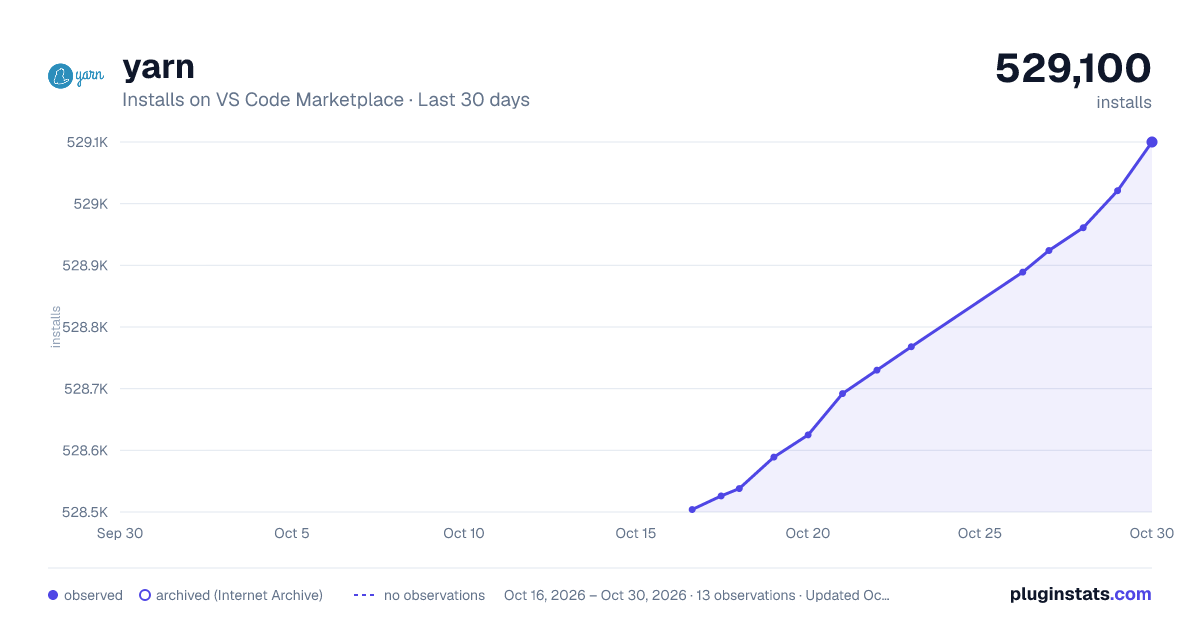
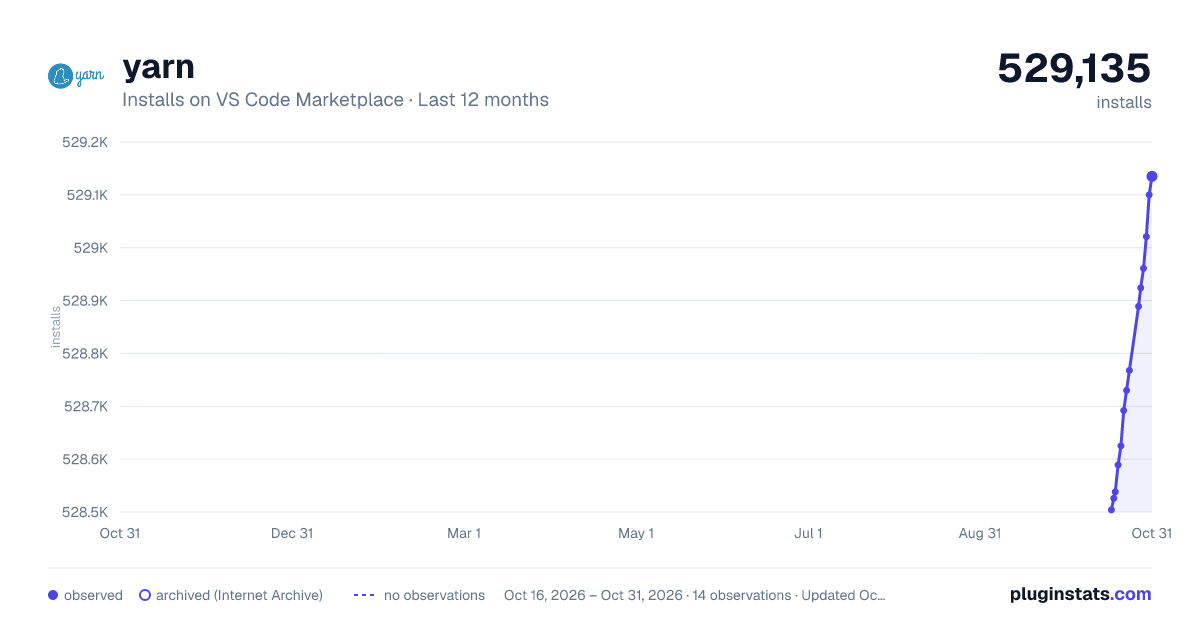
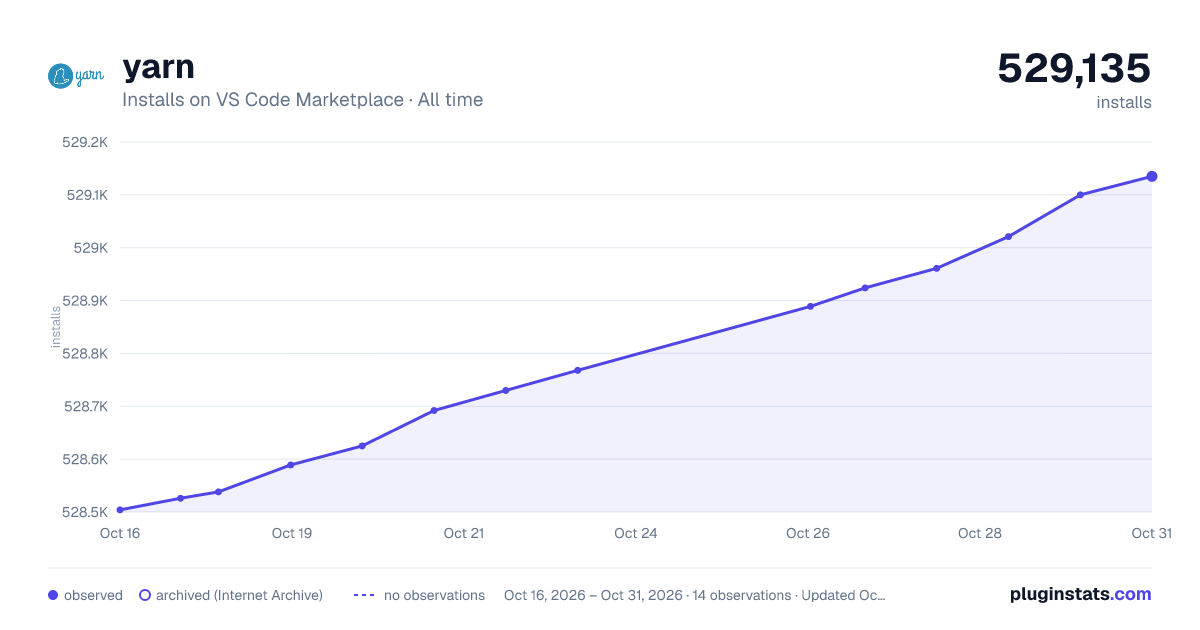

Adoption over time


7/30/90-day growth


Filled points are observed values; hollow points come from Internet Archive snapshots of the listing page. Dashed segments span periods with no observations — values between points are not interpolated.
Recent observations
Full history (4)Similar VS Code Marketplace Other plugins
Data source
Install counts, average rating, and rating counts come from the public Visual Studio Marketplace gallery API. Installs are cumulative and exclude updates.
Listing: https://marketplace.visualstudio.com/items?itemName=gamunu.vscode-yarn. First seen Oct 16, 2026; last successful collection Oct 19, 2026. See the methodology.