 PluginStats
Outline Map installs statistics
By Gerrnperl · VS Code Marketplace · Other
A visual, interactive outline map that combinesAlternative Minimap. the clarity of the outline with the intuitive overview of the minimap. Enhanced version of vscode built-in outline.
Outline Map has 123,144 recorded installs on VS Code Marketplace.
It ranks #2099 of 2,500 tracked VS Code Marketplace listings by installs.
It is rated 4.5 out of 5 from 24 ratings.
PluginStats has 3 daily observations since Oct 16, 2026; the latest is from Oct 18, 2026.
Rating: 4.54 / 5 from 24 ratings
About Outline Map
Outline Map
EN | 中文
A visual, interactive outline map that combines the clarity of the outline with the intuitive overview of the minimap. Enhanced version of vscode built-in outline.
Features
Follow
Automatically scroll, expand and collapse the outline tree when the cursor moves or the viewport scrolls.
Navigation
You can navigate to the symbol by clicking on the outline node like the built-in outline.
Keyboard navigation is also supported.
Diagnostics
Show diagnostics of the current file.
Search
default keybinding:
Search for symbols in the current file. You can use the following syntax to achieve different search effects:
• /: Normal search • =: Regex • ?: Fuzzy search
You can append @ to filter by symbol kind before the search expression.
Region and tag
Supports region and tag syntax
You can define regions to group code symbols anywhere in the code (usually comments), or tags to mark locations.
Grammar
Features
• Allows customizing identifiers for regions and labels. • Tag syntax highlighting (semantic highlighting needs to be enabled) • Region folding
Workspace symbols
You can display symbols of multiple files in the workspace, such as regions, tags, functions, etc., and quickly jump to the corresponding location.
After enabling this feature, the symbols of newly opened files will be automatically added to the list. You can manage the symbols in the list in the following ways:
• Set an interval to automatically remove inactive files from the list • Manually close the symbols of files that are not needed, exclude a specific symbol, or exclude symbols that match a pattern • Sort the list by last access time to find the symbols of the recently used files
By default, region and tag symbols will be added. You can customize the symbols to be added by modifying the outline-map.IncludeSymbols setting.
Configuration
Customization
• outline-map.customFont: Custom font for the outline. Syntax: [ | ]# • outline-map.customCSS: Custom css for the outline. The css will be injected into the outline's webview. • You can customize the color of the outline by workbench.colorCustomizations. Outline Map uses the symbol color settings built into vscode, i.e. symbolsIcon.*Foreground, and you can also set the color for the two symbols added by the extension and some UI elements: • symbolIcon.om_TagForeground - The color of the tag symbol • symbolIcon.om_RegionForeground - The color of the region symbol • outline-map.visibleRangeBackground - The background color of the visible area in the outline view • outline-map.focusingItemBackground - The background color of the focusing item in the outline view • outline-map.focusingItemForeground - The foreground color of the focusing item in the outline view
Behavior
• outline-map.follow: Scroll the outline when the cursor moves or the viewport scrolls • outline-map.expand: Set the automatic expansion mode of the outline view. Select cursor to expand only to the node where the cursor is located, and viewport to expand all nodes in the viewport. • outline-map.hiddenItem: Choose items you do not want to see in the outline. • outline-map.defaultMaxDepth: Set the default maximum depth of the outline tree. Set this to non-zero to enable the depth button > & • outline-map.toggleSearch: Toggle the visibility of the search and navigation area.
View Actions
• Depth limit: Increase / decrease the outline by one level. Available when outline-map.defaultMaxDepth is a positive value. • Increase depth > • Decrease depth < • Temporarily fix • Fixed: The outline node will not be automatically expanded; • Frozen: The outline node will not be automatically expanded, and the outline view will not automatically scroll; • Sort • Sort by position: Sort the outline nodes by position; • Sort by name: Sort the outline nodes by name; • Sort by kind: Sort the outline nodes by kind;
Suggestion: move view to secondary side panel (vscode ^1.64)
Outline Map does not perform language-specific symbol parsing, symbol information is provided by vscode or other extensions.
Refer to the following links for more information: vscode-code-outline/ language-support
Enjoy! ❤️
Description from the VS Code Marketplace listing.
- keybindings
- map
- minimap
- outline
- Thumbnail
Where Outline Map sits in the listing
Each band is one page of 20. Installs on a log scale. Placement is projected from installs, so it can differ from the marketplace's own sort order. Hover a dot to see the listing.


Charts
Images: 30d · 1y · all time · 1600×900 dark
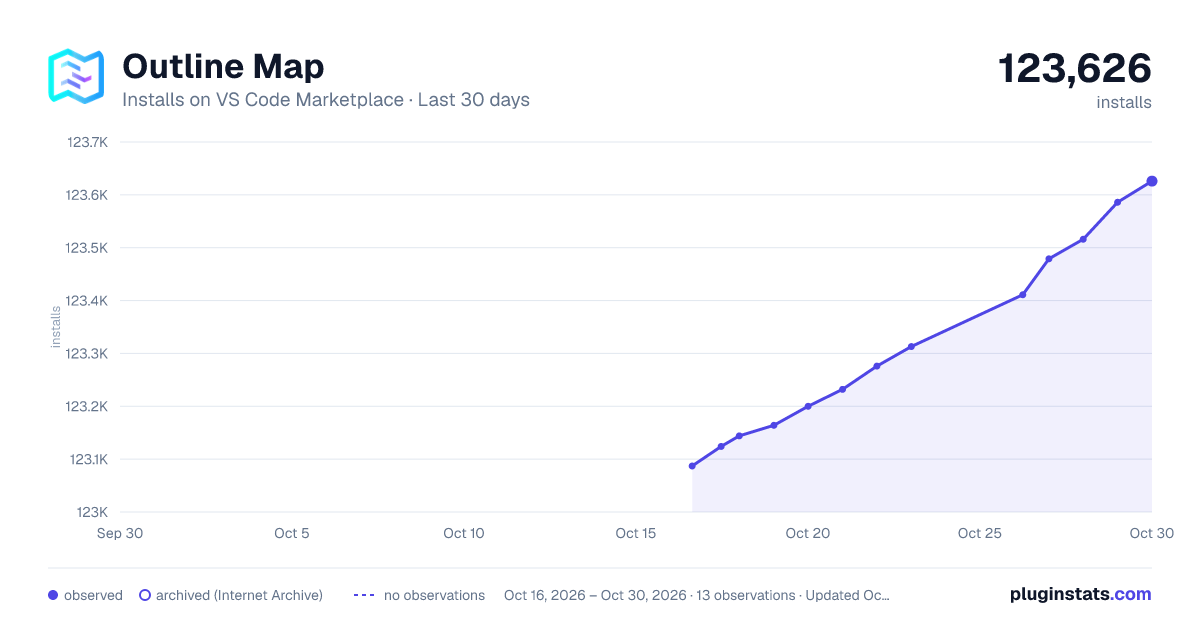
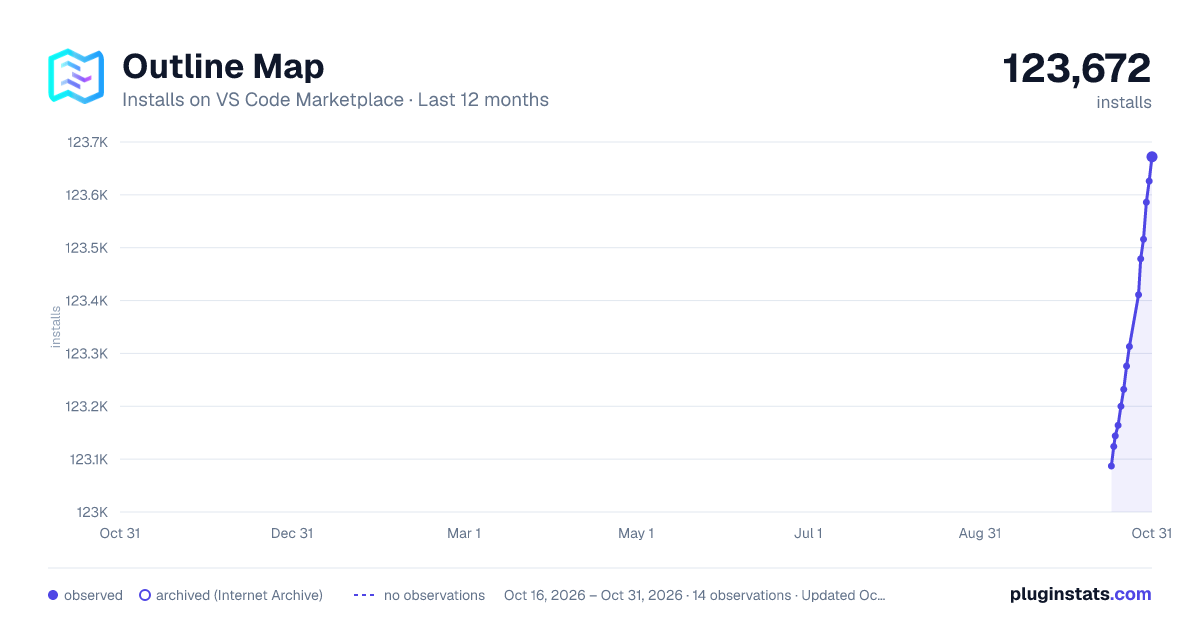
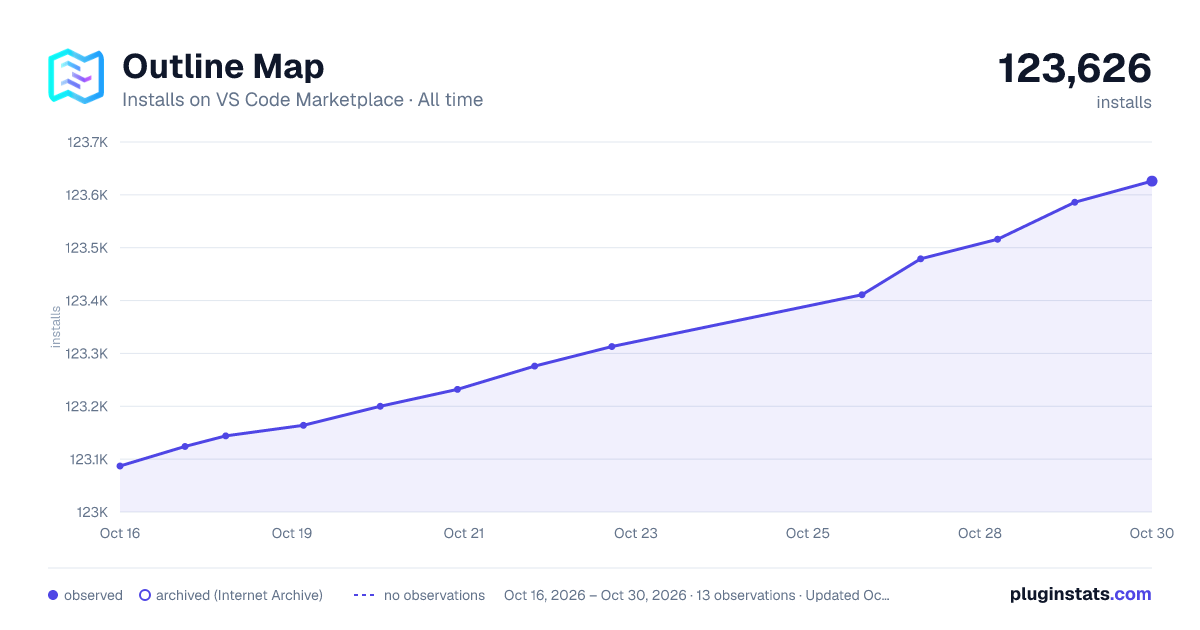

Adoption over time


7/30/90-day growth


Ranking history


Filled points are observed values; hollow points come from Internet Archive snapshots of the listing page. Dashed segments span periods with no observations — values between points are not interpolated.
Recent observations
Full history (3)Similar VS Code Marketplace Other plugins
Data source
Install counts, average rating, and rating counts come from the public Visual Studio Marketplace gallery API. Installs are cumulative and exclude updates.
Listing: https://marketplace.visualstudio.com/items?itemName=Gerrnperl.outline-map. First seen Oct 16, 2026; last successful collection Oct 18, 2026. See the methodology.