 PluginStats
Surround installs statistics
By Mehmet Yatkı · VS Code Marketplace · Snippets
A simple yet powerful extension to add wrapper templates around your code blocks.
Surround has 688,131 recorded installs on VS Code Marketplace, ranking #693 of 2,501 tracked listings.
Rating: 4.81 / 5 from 36 ratings
About Surround
Surround




Features
- Supports language identifiers 🚀New!
- Supports multi selections
- Fully customizable
- Custom wrapper snippets
- You can assign shortcuts for each wrapper snippets separately
- Nicely formatted (Preserves indentations 🚀New!)
- Sorts recently used snippets on top 🚀New!
Demo 1: Choosing a wrapper snippet from quick pick menu
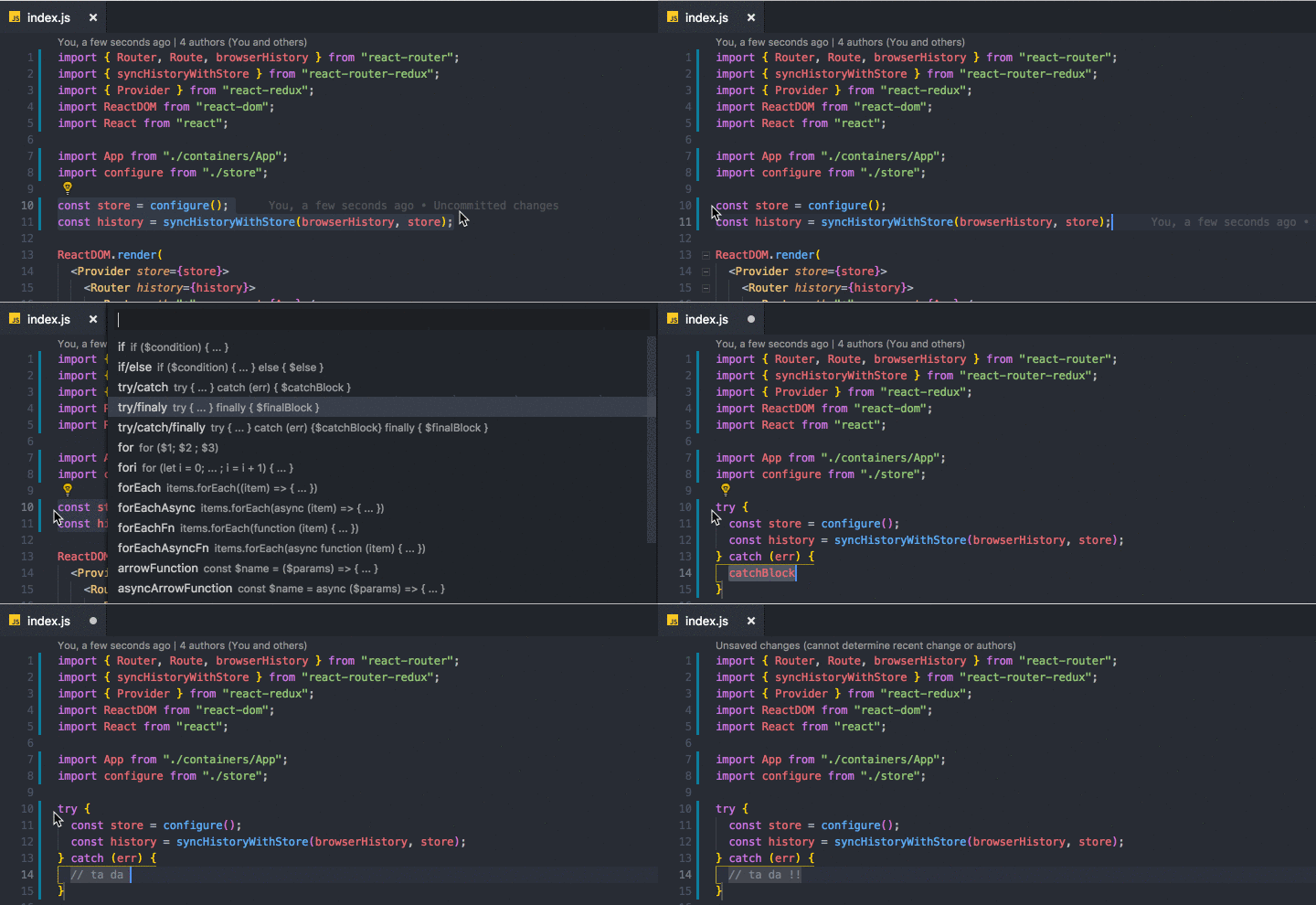
Demo 2: Wrapping multi selections

How To Use
After selecting the code block, you can
- right click on selected code
- OR press (ctrl+shift+T) or (cmd+shift+T)
to get list of commands and pick one of them.
Hint
Each wrapper has a separate command so you can define keybindings for your favorite wrappers by searching
surround.with.commandNamein the 'Keyboard Shortcuts' section.
List of commands
| Command | Snippet |
|---|---|
surround.with (ctrl+shift+T) | List of all the enabled commands below |
surround.with.if | if ($condition) { ... } |
surround.with.ifElse | if ($condition) { ... } else { $else } |
surround.with.tryCatch | try { ... } catch (err) { $catchBlock } |
surround.with.tryFinally | try { ... } finally { $finalBlock } |
surround.with.tryCatchFinally | try { ... } catch (err) {$catchBlock} finally { $finalBlock } |
surround.with.for | for ($1) { ... } |
surround.with.fori | for (let i = 0; ... ; i = i + 1) { ... } |
surround.with.forEach | items.forEach((item) => { ... }) |
surround.with.forEachAsync | items.forEach(async (item) => { ... }) |
surround.with.forEachFn | items.forEach(function (item) { ... }) |
surround.with.forEachAsyncFn | items.forEach(async function (item) { ... }) |
surround.with.arrowFunction | const $name = ($params) => { ... } |
surround.with.asyncArrowFunction | const $name = async ($params) => { ... } |
surround.with.functionDeclaration | function $name ($params) { ... } |
surround.with.asyncFunctionDeclaration | async function $name ($params) { ... } |
surround.with.functionExpression | const $name = function ($params) { ... } |
surround.with.asyncFunctionExpression | const $name = async function ($params) { ... } |
surround.with.element | <element>...</element> |
surround.with.comment | /** ... */ |
surround.with.region | #region $regionName ... #endregion |
surround.with.templateLiteral 🚀New! | ... (Also replaces single and double quotes with backtick) |
surround.with.templateLiteralVariable 🚀New! | ${...} (Also replaces single and double quotes with backtick) |
surround.with.iife 🚀New! | (function $name($params){ ... })($arguments); |
Options
showOnlyUserDefinedSnippets(boolean): Disables default snippets that comes with the extension and shows only used defined snippets.showRecentlyUsedFirst(boolean): Recently used snippets will be displayed on top.showUpdateNotifications(boolean): Shows notification when there is a new version of the extension.
Configuration
Each wrapper snippet config object is defined as ISurroundItem like below:
interface ISurroundItem {
  label: string; // must be unique
  description?: string;
  detail?: string;
  snippet: string; // must be valid SnippetString
  disabled?: boolean; // default: false
  languageIds?: string[];
}
Editing/Disabling existing wrapper functions
Go to "Settings" and search for "surround.with.commandName".
Example surround.with.if:…
Description from the VS Code Marketplace listing.
- code blocks
- format
- keybindings
- selection
- snippet
- surround
- wrap
README badge
Show your rank in a README or on your website. The badge updates automatically.
Charts
Images: 30d · 1y · all time · 1600×900 dark
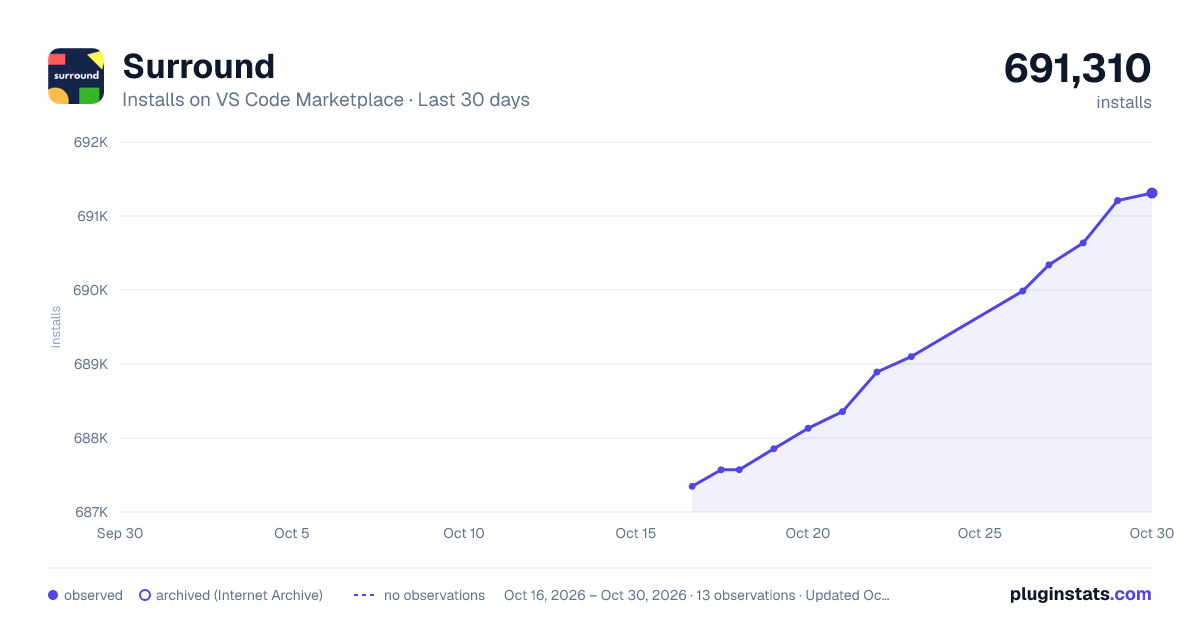
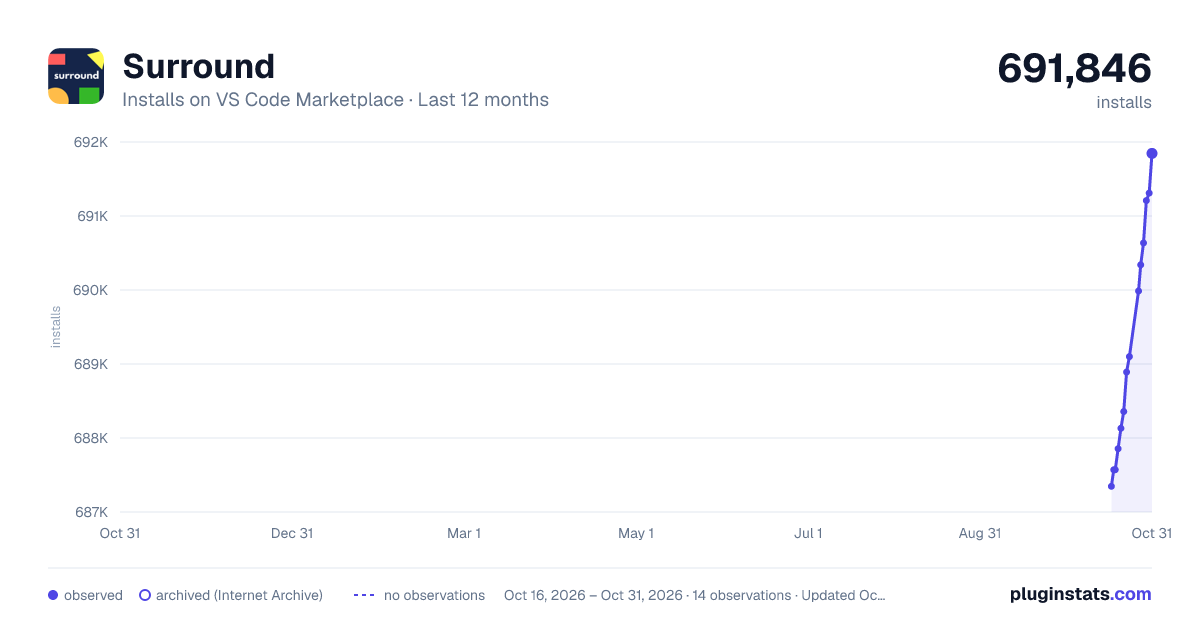
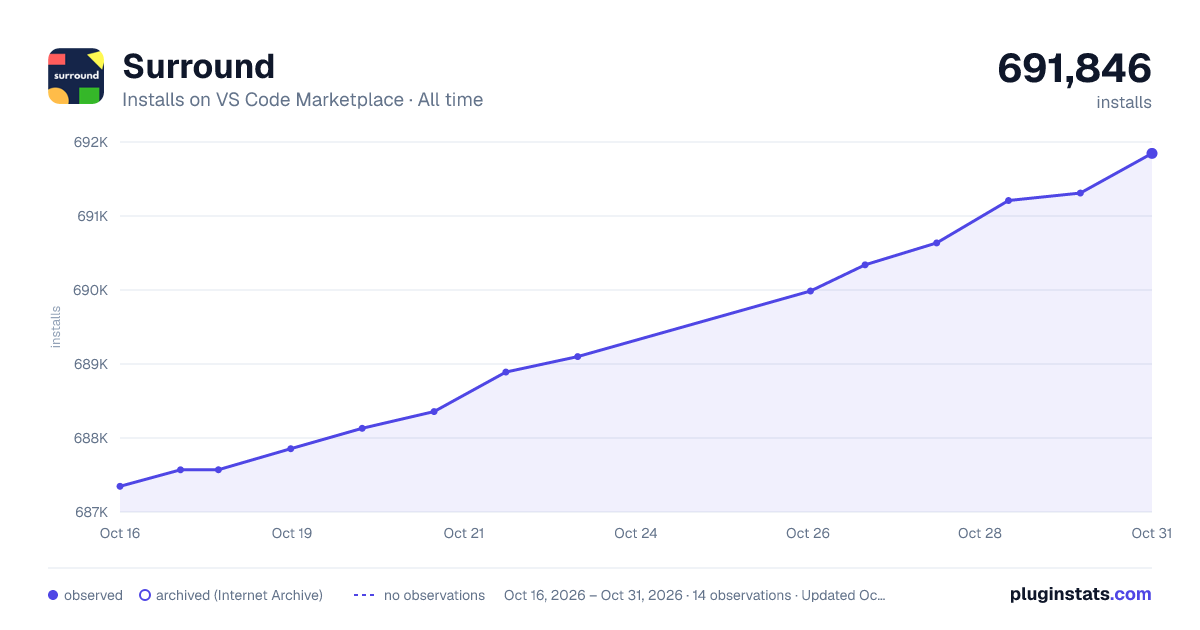

Adoption over time
7/30/90-day growth
Ranking history
Ratings over time
Listing placement
Listing placement
Listing placement
Filled points are observed values; hollow points come from Internet Archive snapshots of the listing page. Dashed segments span periods with no observations — values between points are not interpolated.
Each band is one page of 20. Installs on a linear scale. Placement is projected from installs, so it can differ from the marketplace's own sort order. Hover a dot to see the listing.
Recent observations
Full history (5)Similar VS Code Marketplace Snippets plugins
All 20 Surround alternativesData source
Install counts, average rating, and rating counts come from the public Visual Studio Marketplace gallery API. Installs are cumulative and exclude updates.
Listing: https://marketplace.visualstudio.com/items?itemName=yatki.vscode-surround. First seen Oct 16, 2026; last successful collection Oct 20, 2026. See the methodology.