 PluginStats
jQuery Code Snippets installs statistics
By Don Jayamanne (7 listings) · VS Code Marketplace · Snippets
Over 130 jQuery Code Snippets
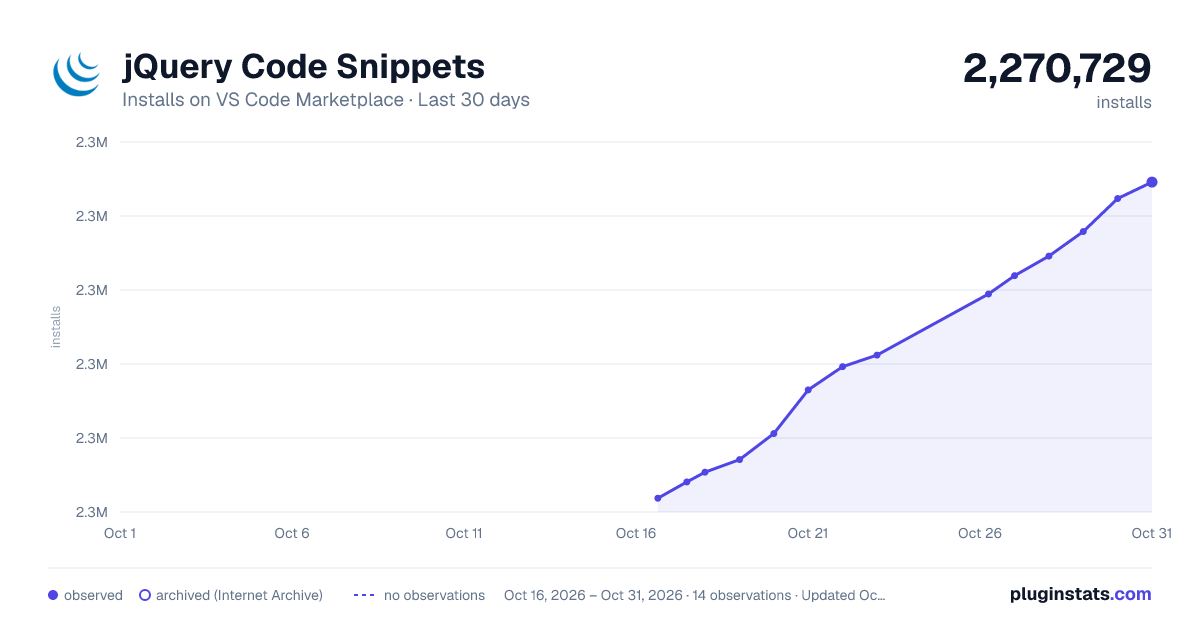
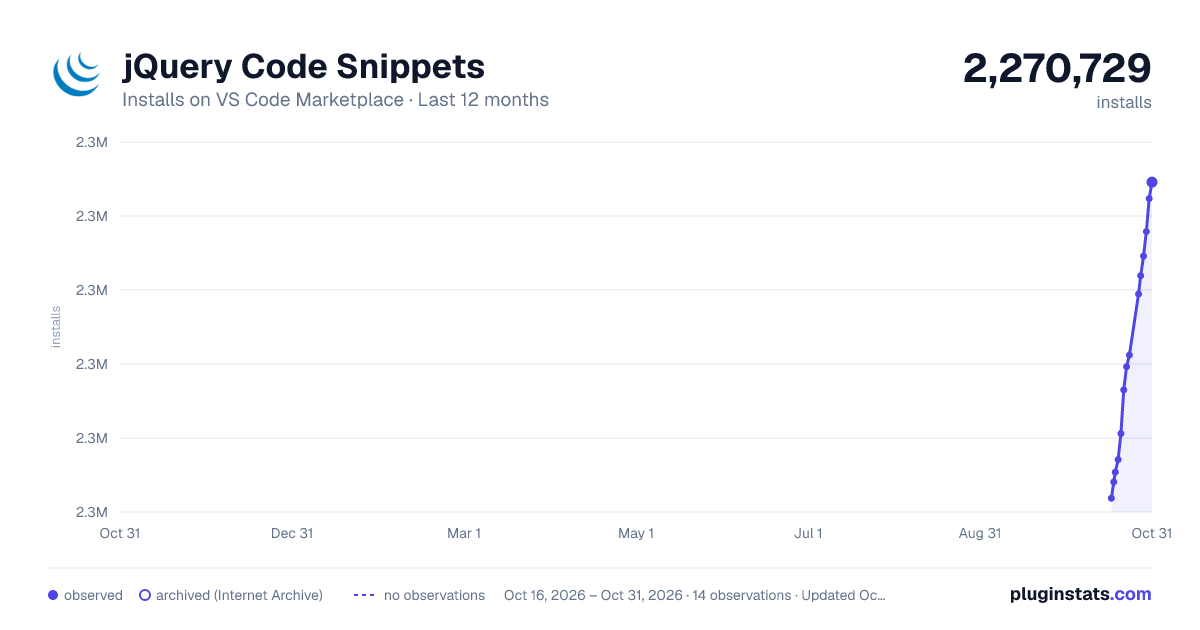
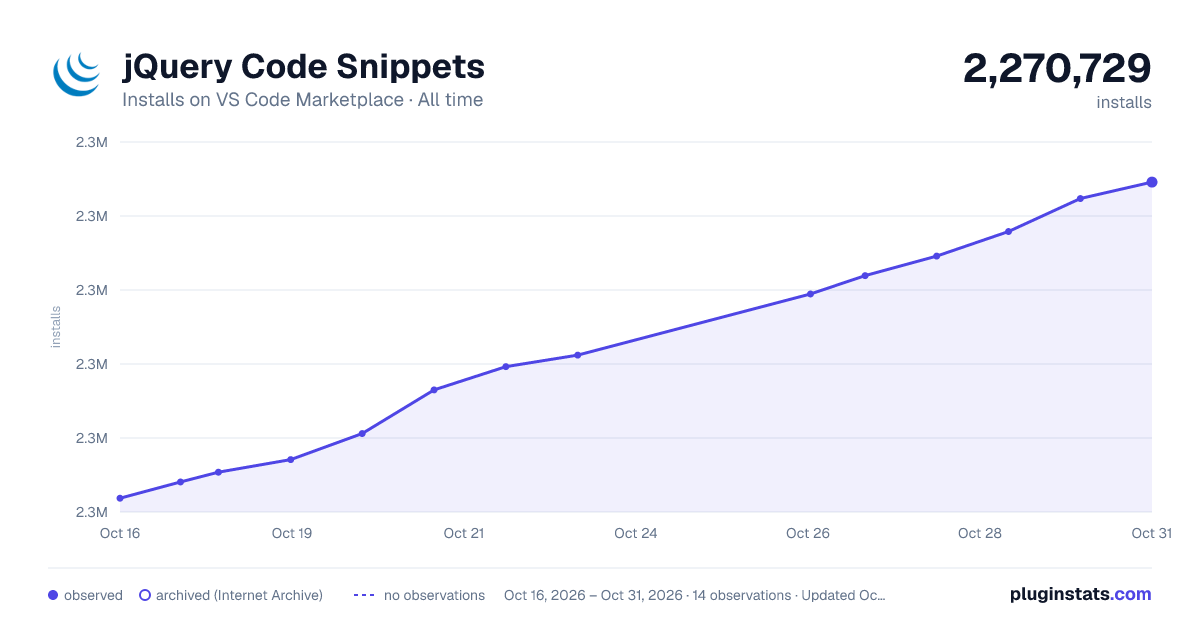
jQuery Code Snippets has 2,268,769 recorded installs on VS Code Marketplace.
It ranks #317 of 2,500 tracked VS Code Marketplace listings by installs.
It is rated 4.3 out of 5 from 26 ratings.
PluginStats has 3 daily observations since Oct 16, 2026; the latest is from Oct 18, 2026.
Rating: 4.35 / 5 from 26 ratings
About jQuery Code Snippets
jQuery Code Snippets
Over 130 jQuery Code Snippets for JavaScript code.
Just type the letters 'jq' to get a list of all available jQuery Code Snippets.
Snippets
Trigger | Description
func | An anonymous function. jqAfter | Insert content, specified by the parameter, after each element in the set of matched elements. jqAjax | Perform an asynchronous HTTP (Ajax) request. jqAjaxAspNetWebService | Perform an asynchronous HTTP (Ajax) request to a ASP.NET web service. jqAppend | Insert content, specified by the parameter, to the end of each element in the set of matched elements. jqAppendTo | Insert every element in the set of matched elements to the end of the target. jqAttrGet | Get the value of an attribute for the first element in the set of matched elements. jqAttrRemove | Remove an attribute from each element in the set of matched elements. jqAttrSet | Set one or more attributes for the set of matched elements. jqAttrSetFn | Set one or more attributes for the set of matched elements. jqAttrSetObj | Set one or more attributes for the set of matched elements. jqBefore | Insert content, specified by the parameter, before each element in the set of matched elements. jqBind | Attach a handler to an event for the elements. jqBindWithData | Attach a handler to an event for the elements. jqBlur | Bind an event handler to the "blur" JavaScript event, or trigger that event on an element. jqChange | Bind an event handler to the "change" JavaScript event, or trigger that event on an element. jqClassAdd | Adds the specified class(es) to each of the set of matched elements. jqClassRemove | Remove a single class, multiple classes, or all classes from each element in the set of matched elements. jqClassToggle | Add or remove one or more classes from each element in the set of matched elements, depending on either the class's presence. jqClassToggleSwitch | Add or remove one or more classes from each element in the set of matched elements, depending on either the class's presence or the value of the switch argument. jqClick | Bind an event handler to the "click" JavaScript event, or trigger that event on an element. jqClone | Create a deep copy of the set of matched elements. jqCloneWithEvents | Create a deep copy of the set of matched elements. jqCssGet | Get the computed style properties for the first element in the set of matched elements. jqCssSet | Set one or more CSS properties for the set of matched elements. jqCssSetObj | Set one or more CSS properties for the set of matched elements. jqDataGet | Return the value at the named data store for the first element in the jQuery collection, as set by data(name, value) or by an HTML5 data-* attribute. jqDataRemove | Remove a previously-stored piece of data. jqDataSet | Store arbitrary data associated with the matched elements. jqDataSetObj | Store arbitrary data associated with the matched elements. jqDie | Remove event handlers previously attached using .live() from the elements. jqDieAll | Remove event handlers previously attached using .live() from the elements. jqDieFn | Remove event handlers previously attached using .live() from the elements. jqDocReady | Function to execute when the DOM is fully loaded. jqDocReadyShort | Function to execute when the DOM is fully loaded. jqEach | A generic iterator function, which can be used to seamlessly iterate over both objects and arrays. Arrays and array-like objects with a length property (such as a function's arguments object) are iterated by numeric index, from 0 to length-1. Other objects are iterated via their named properties. jqEachElement | Iterate over a jQuery object, executing a function for each matched element. jqEmpty | Remove all child nodes of the set of matched elements from the DOM. jqFadeIn | Display the matched elements by fading them to opaque. jqFadeInFull | Display the matched elements by fading them to opaque. jqFadeOut | Hide the matched elements by fading them to transparent. jqFadeOutFull | Hide the matched elements by fading them to transparent. jqFadeTo | Adjust the opacity of the matched elements. jqFadeToFull | Adjust the opacity of the matched elements. jqFind | Get the descendants of each element in the current set of matched elements, filtered by a selector, jQuery object, or element. jqFocus | Bind an event handler to the "focus" JavaScript event, or trigger that event on an element. jqGet | Load data from the server using a HTTP GET request. jqGetJson | Load JSON-encoded data from the server using a GET HTTP request. jqGetScript | Load a JavaScript file from the server using a GET HTTP request, then execute it. jqHasClass | Determine whether any of the matched elements are assigned the given class. jqHeightGet | Get the current computed height for the first element in the set of matched elements. jqHeightSet | Set the CSS height of every matched element. jqHide | Hide the matched elements. jqHideFull | Hide the matched elements. jqHover | Bind two handlers to the matched elements, to be executed when the mouse pointer enters and leaves the elements. jqHtmlGet | Get the HTML contents of the first element in the set of matched elements. jqHtmlSet | Set the HTML contents of each element in the set of matched elements. jqInnerHeight | Get the current computed height for the first element in the set of matched elements, including padding but not border. jqInnerWidth | Get the current computed inner width for the first element in the set of matched elements, including padding but not border. jqInsertAfter | Insert every element in the set of matched elements after the target. jqInsertBefore | Insert every element in the set of matched elements before the target. jqKeyDown | Bind an event handler to the "keydown" JavaScript event, or trigger that event on an element. jqKeyPress | Bind an event handler to the "keypress" JavaScript event, or trigger that event on an element. jqKeyUp | Bind an event handler to the "keyup" JavaScript event, or trigger that event on an element.…
Description from the VS Code Marketplace listing.
- javascript
Where jQuery Code Snippets sits in the listing
Each band is one page of 20. Installs on a log scale. Placement is projected from installs, so it can differ from the marketplace's own sort order. Hover a dot to see the listing.


Charts
Images: 30d · 1y · all time · 1600×900 dark

Adoption over time


7/30/90-day growth


Ranking history


Filled points are observed values; hollow points come from Internet Archive snapshots of the listing page. Dashed segments span periods with no observations — values between points are not interpolated.
Recent observations
Full history (3)Similar VS Code Marketplace Snippets plugins
Data source
Install counts, average rating, and rating counts come from the public Visual Studio Marketplace gallery API. Installs are cumulative and exclude updates.
Listing: https://marketplace.visualstudio.com/items?itemName=donjayamanne.jquerysnippets. First seen Oct 16, 2026; last successful collection Oct 18, 2026. See the methodology.