 PluginStats
Shell installs statistics
By Baptist BENOIST (5 listings) · VS Code Marketplace · Other
Execute shell commands from VS Code
Shell has 382,905 recorded installs on VS Code Marketplace.
It ranks #986 of 2,500 tracked VS Code Marketplace listings by installs.
It is rated 3.0 out of 5 from 2 ratings.
PluginStats has 3 daily observations since Oct 16, 2026; the latest is from Oct 18, 2026.
Rating: 3.00 / 5 from 2 ratings
About Shell
Shell for VS Code
[][marketplace] [][gh-repo] [][issues] [][gitter]
Description
Shell is a [VS Code][vscode] extension which lets you execute shell commands directly from the editor.
It helps you getting more productive by not having to leave the editor for running shell commands.
Usage
Run Command
Press F1 and select the command with title: Shell: Run Command.
This will open a new input box where you will just have to type youd shell command and press Enter.
Run Command at the Location of the Active File
Press F1 and select the command with title: Shell: Run Command at Active File Location.
This will open a new input box where you will just have to type youd shell command and press Enter.
Show Command History
Press F1 and select the command with title: Shell: Show Command History.
This will open a list of previous commands which can be re-executed when pressing Enter.
Terminate Running Command
Press F1 and select the command with title: Shell: Terminate Running command.
The extension will then try to properly kill the running command with a SIGTERM.
Show Command Log
If you want to see the output of the command, press F1 and select the command with title: Shell: Show Command Log.
This will open the regular output panel on the correct stream.
Installation
Hit Ctrl+P and enter the ext install shell command. Warning: be sure to select the extension authored from bbenoist.
Issues / Feature requests
You can submit your issues and feature requests on the GitHub [issues page][issues].
Contributing
See [CONTRIBUTING.md][contributing-md] for guidelines.
[][license] [][npm-dependencies] [][npm-devdependencies]
More information
• [Shell on the Visual Studio Marketplace][marketplace] • [GitHub repository][gh-repo] • [Gitter chatroom][gitter]
Other extensions you might like
• [Vagrant][vagrant] • [Toggle Header / Source][togglehs] • [QuickTips][quicktips] • [Doxygen Language Support][doxygen] • [QML Language Support][qml] • [Nix Language Support][nix]
Credits
Icon made by Freepik from www.flaticon.com.
Description from the VS Code Marketplace listing.
Where Shell sits in the listing
Each band is one page of 20. Installs on a log scale. Placement is projected from installs, so it can differ from the marketplace's own sort order. Hover a dot to see the listing.


Charts
Images: 30d · 1y · all time · 1600×900 dark
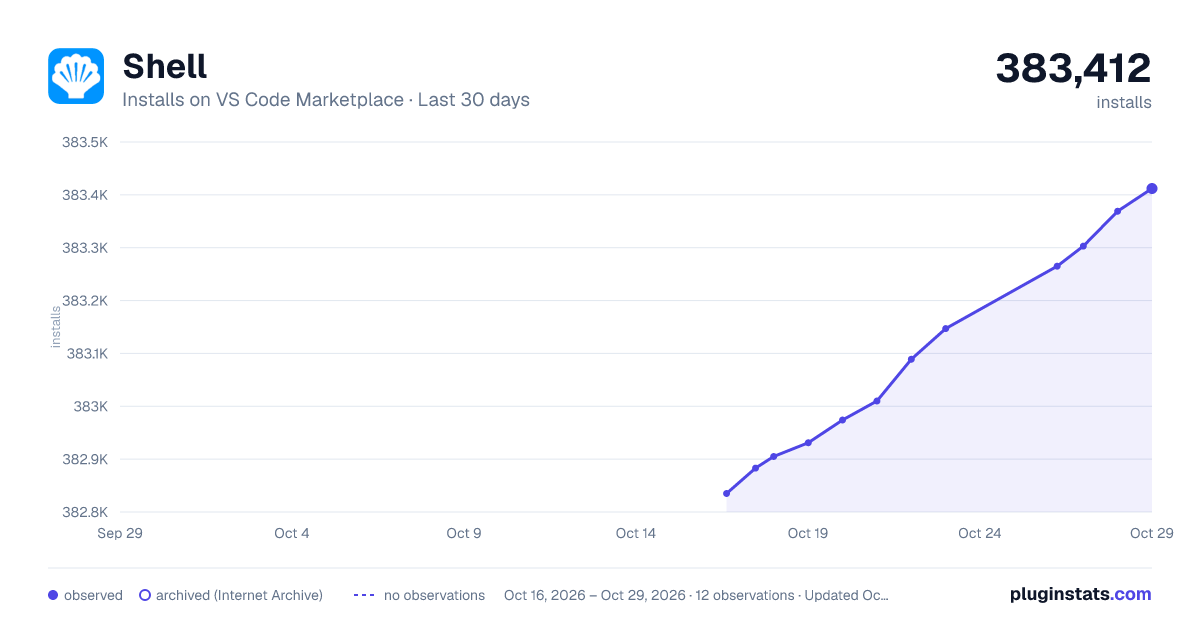
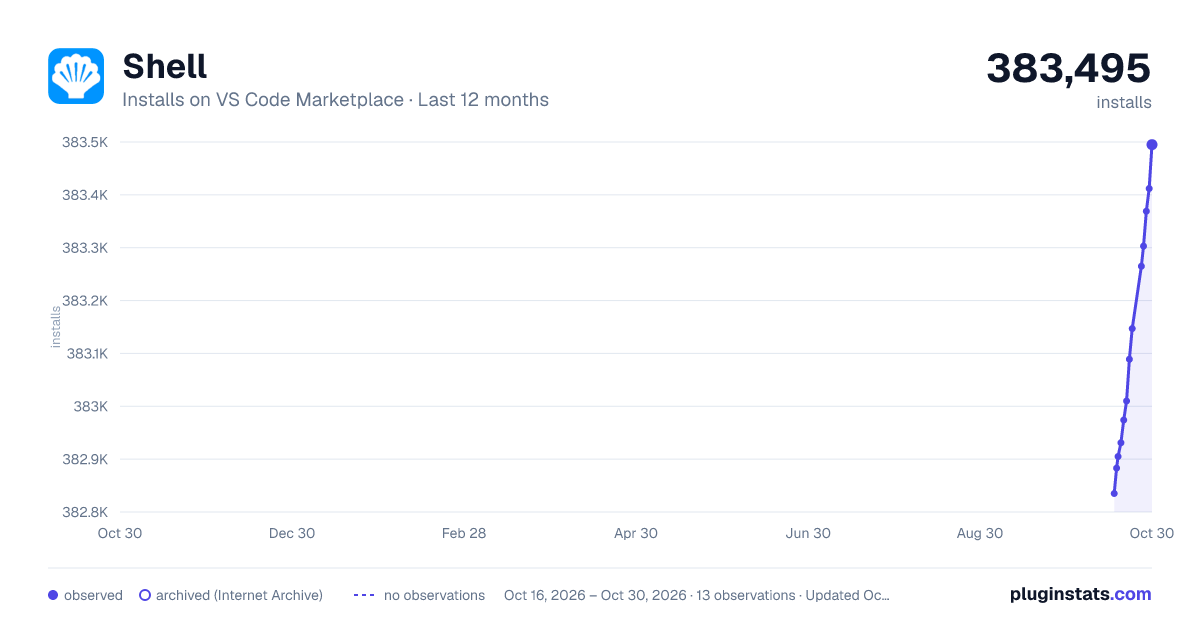
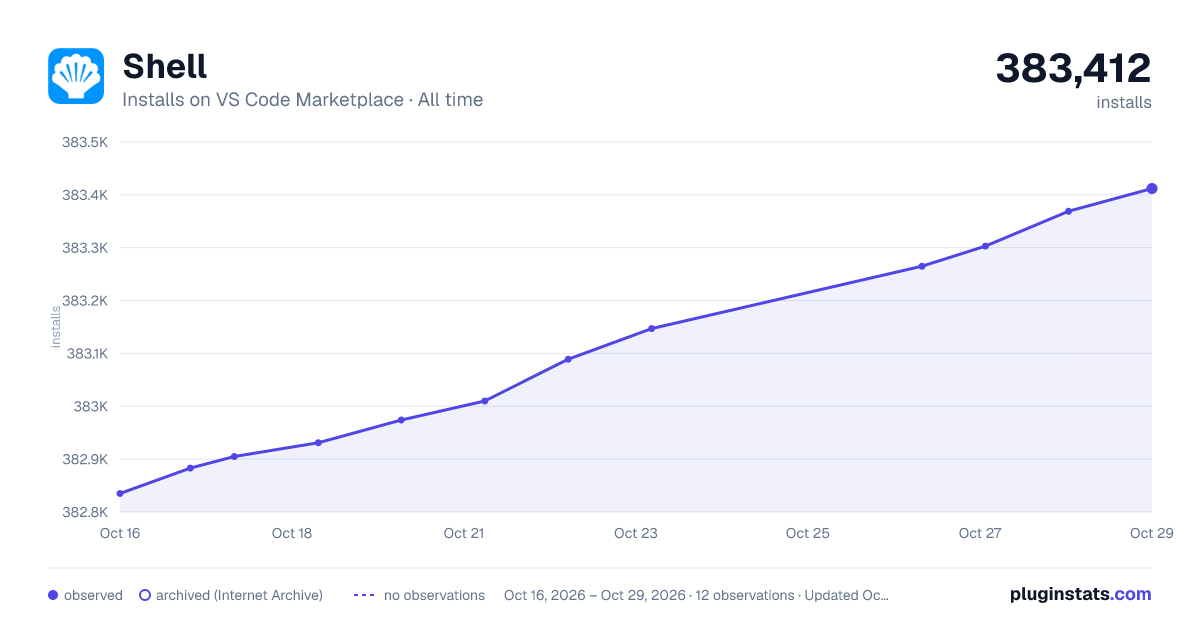

Adoption over time


7/30/90-day growth


Filled points are observed values; hollow points come from Internet Archive snapshots of the listing page. Dashed segments span periods with no observations — values between points are not interpolated.
Recent observations
Full history (3)Similar VS Code Marketplace Other plugins
Data source
Install counts, average rating, and rating counts come from the public Visual Studio Marketplace gallery API. Installs are cumulative and exclude updates.
Listing: https://marketplace.visualstudio.com/items?itemName=bbenoist.shell. First seen Oct 16, 2026; last successful collection Oct 18, 2026. See the methodology.