 PluginStats
LaTeX installs statistics
By Mathematic Inc (2 listings) · VS Code Marketplace · Programming Languages
LaTeX language support for Visual Studio Code.
LaTeX has 1,328,564 recorded installs on VS Code Marketplace.
It ranks #455 of 2,501 tracked VS Code Marketplace listings by installs.
It is rated 4.0 out of 5 from 6 ratings.
PluginStats has 4 daily observations since Oct 16, 2026; the latest is from Oct 19, 2026.
Rating: 4.00 / 5 from 6 ratings
About LaTeX
Visual Studio Code LaTeX
LaTeX language support for Visual Studio Code. Source available at github.com/mathematic-inc/vscode-latex.
Installation
Search for LaTeX (publisher: mathematic) in the VS Code Extensions view, or install via the command line:
Features
• (La)TeX syntax highlighting. • Formatting with column wrapping. • Linting. • LaTeX snippets.
Both linting and formatting work with remote and unsaved files. They can also be customized with their native configuration files. See Configuration Files and Extension Settings.
Purpose
This extension is intended for users accustomed to the typical developer workflow and desire nothing more than a source code editor for (La)TeX. In particular, this extension does not seek to provide full-fledged IDE capabilities such as compilation and viewing. Users looking for these capabilities should use a proper TeX IDE or use LaTeX Workshop.
Requirements
• One of the supported formatters: • latexindent.pl: A perl script for formatting LaTeX. Install cpanm and the extension will offer to install its Perl dependencies on the first format. • tex-fmt: A fast LaTeX formatter written in Rust. • ChkTeX: A LaTeX semantic checker; i.e. linter.
The extension offers to install missing tools through TeX Live or MiKTeX. The relevant package names are latexindent, latex-formatter, and chktex.
Extension Settings
Linter
• latex.linter.enabled: Enables the linter. • Default is true. • latex.linter.delay: Duration (in ms) to delay linting during contiguous typing. • Default is 1000. • latex.linter.timeout: Amount of time (in ms) to wait for the linter to finish. • Default is 10000. • latex.linter.config: Absolute (or relative; see Resolution Algorithm) path to the configuration file for the linter. • Default behavior is to search the directory (or parents) of the file (or the workspace) till a configuration is found. See Resolution Algorithm. • latex.linter.path: Absolute/relative path to the linter executable. • Default behavior is to find the system's executable if it exists.
Formatter
• latex.formatter.program: Selects latexindent or tex-fmt. • Default is latexindent. • latex.formatter.columnLimit: Sets the column limit for a given line. A column limit of 0 means that there is no column limit. • Default is 80. • This is ignored if a configuration file is found in some parent of the file. • latex.formatter.timeout: Amount of time (in ms) to wait for the formatter to finish. • Default is 10000. • latex.formatter.config: Absolute (or relative; see Resolution Algorithm) path to the selected formatter's YAML or TOML configuration file. • Default behavior is to search the directory (or parents) of the file (or the workspace) till a configuration is found. See Resolution Algorithm. • latex.formatter.path: Absolute/relative path to the formatter executable. • Default behavior is to find the system's executable if it exists.
Configuration Files
Warning. Since we don't parse configuration files, we don't know what options exist ahead of time so we ignore all options if a configuration is found for a particular function. In particular, if a formatter configuration is found, the formatter.columnLimit option and VS Code's indentation settings are ignored.
Configuration files are resolved through this extension rather than through the formatter/linter. The resolution algorithm is a superset of theirs.
Configuration File Names
Formatter
For latexindent, configuration file names have the following priority:
1. localSettings.yaml 2. latexindent.yaml 3. .localSettings.yaml 4. .latexindent.yaml
For tex-fmt, the configuration file name is tex-fmt.toml.
Linter
In accordance with the resolution algorithm of the linter, the configuration file names have the following priority:
1. .chktexrc 2. chktexrc
Configuration Format
Formatter
latexindent configuration files are written in YAML. See the latexindent documentation for options.
tex-fmt configuration files are written in TOML. See the tex-fmt documentation for options. Its platform-specific user configuration remains available when no project configuration is found.
Linter
The linter configuration file is written in their proprietary format. See this example for inspiration.
Warning. If -v is specified in the CmdLine option of the linter configuration, the linter will break since -v overrides the extension's custom -f formatting for lint messages.
Resolution Algorithm
If a configuration file is not found within the directory of the current file, the resolution algorithm is as follows (in order):
• Search the parent of the file. • Search each successive parent directory until reaching the root.
Note the workspace is also searched at some point with the above resolution.
If a relative configuration file is provided through latex.*.config, the resolution algorithm is as follows (in order):
• Resolve the relative path against the workspace directory. • Resolve the relative path against the directory of the current file. • This happens if the file does not belong to any workspace.
For example, if latex.*.config is test/someconfig.yaml, then if a file F is opened from some workspace W, then the extension will use $(dirname W)/test/someconfig.yaml as the configuration file. If a file is opened outside of the workspace, then the extension will use $(dirname F)/test/someconfig.yaml.
Known Limitations
• Formatting/linting large files (> your RAM) is not possible because VS Code doesn't have a streaming API. (But why would your TeX file be that large?) • If -v is specified in the CmdLine option of the linter configuration, the linter will break since -v overrides the extension's custom -f formatting for lint messages.
Contributing…
Description from the VS Code Marketplace listing.
- biblatex
- bibtex
- BibTeXstyle
- bibtex-style
- CembeddedinLaTeX
- CombinedMarkdownLaTeX
- context
- cpp_embedded_latex
- doctex
- DocTeXinstaller
- doctex-installer
- formatter
- jlweave
- latex
- latex_workshop_log
- LaTeXclass
- latex-class
- LaTeXexpl3
- latex-expl3
- LaTeXpackage
Where LaTeX sits in the listing
Each band is one page of 20. Installs on a log scale. Placement is projected from installs, so it can differ from the marketplace's own sort order. Hover a dot to see the listing.


Charts
Images: 30d · 1y · all time · 1600×900 dark
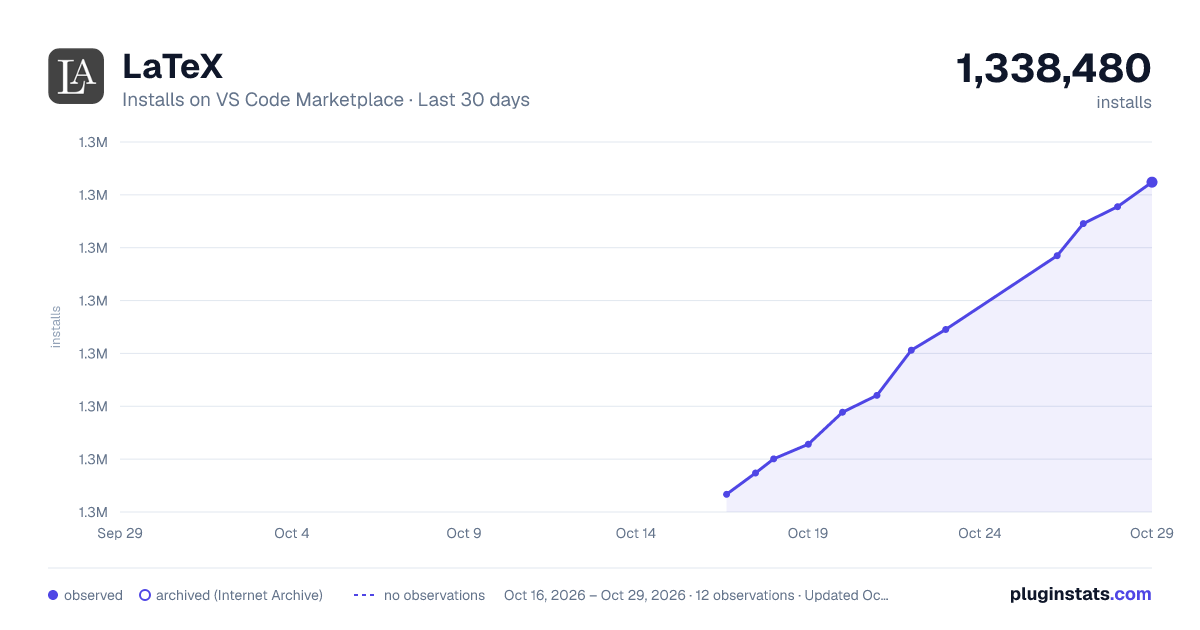

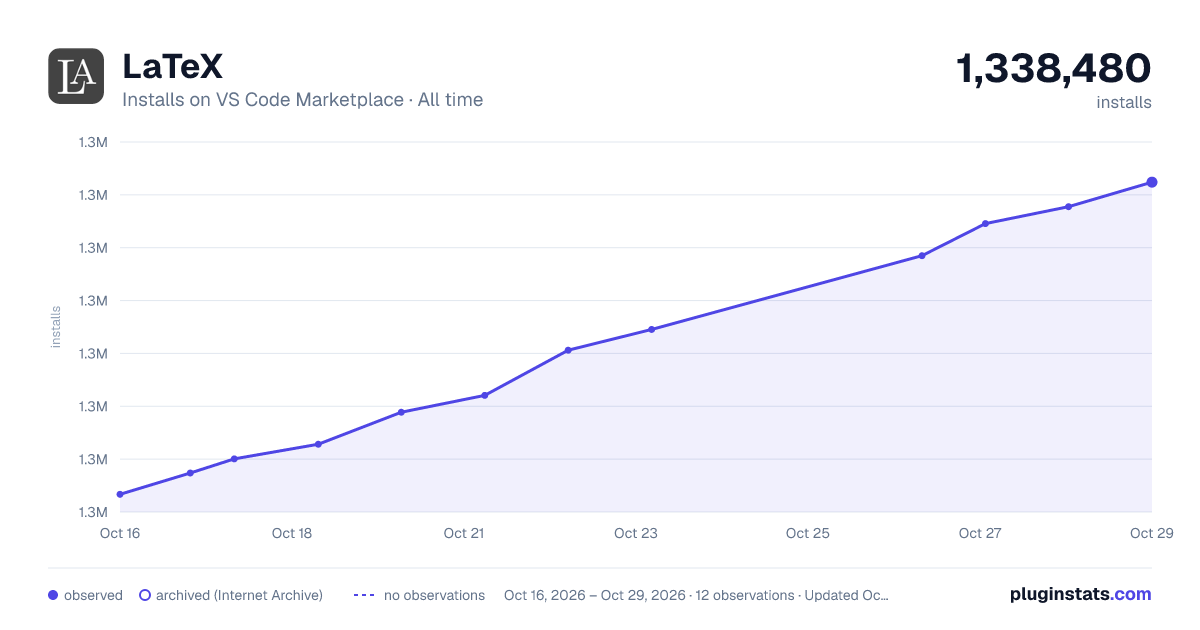

Adoption over time


7/30/90-day growth


Filled points are observed values; hollow points come from Internet Archive snapshots of the listing page. Dashed segments span periods with no observations — values between points are not interpolated.
Recent observations
Full history (4)Similar VS Code Marketplace Programming Languages plugins
Data source
Install counts, average rating, and rating counts come from the public Visual Studio Marketplace gallery API. Installs are cumulative and exclude updates.
Listing: https://marketplace.visualstudio.com/items?itemName=mathematic.vscode-latex. First seen Oct 16, 2026; last successful collection Oct 19, 2026. See the methodology.