 PluginStats
PHP DocBlocker installs statistics
By Neil Brayfield · VS Code Marketplace · Programming Languages
A simple, dependency free PHP specific DocBlocking package
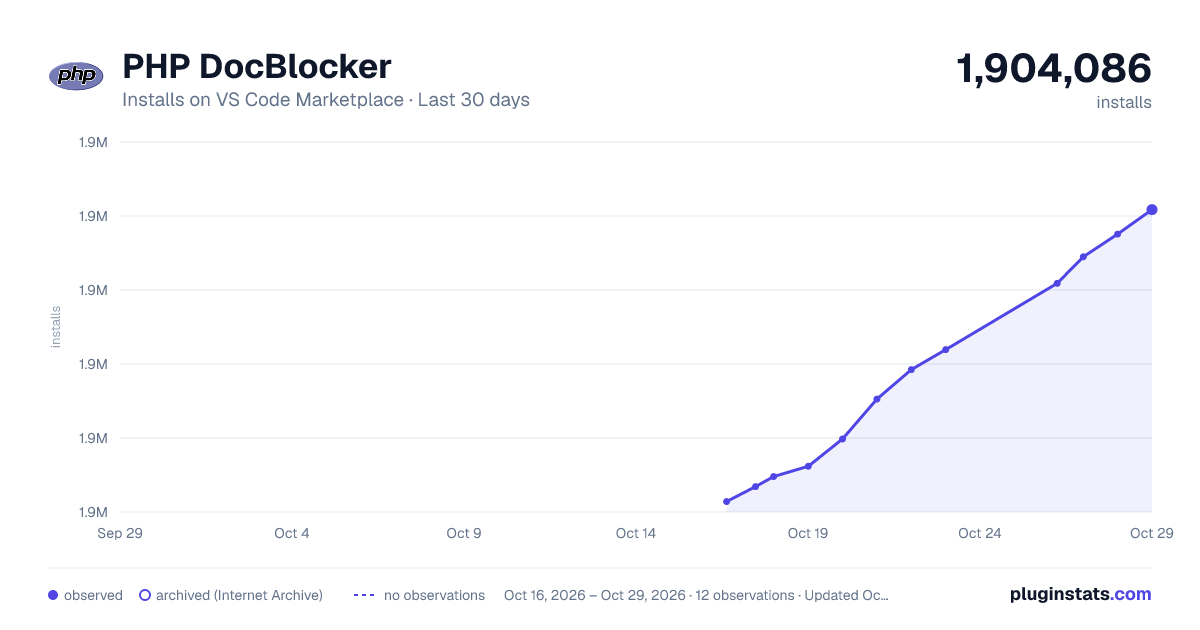
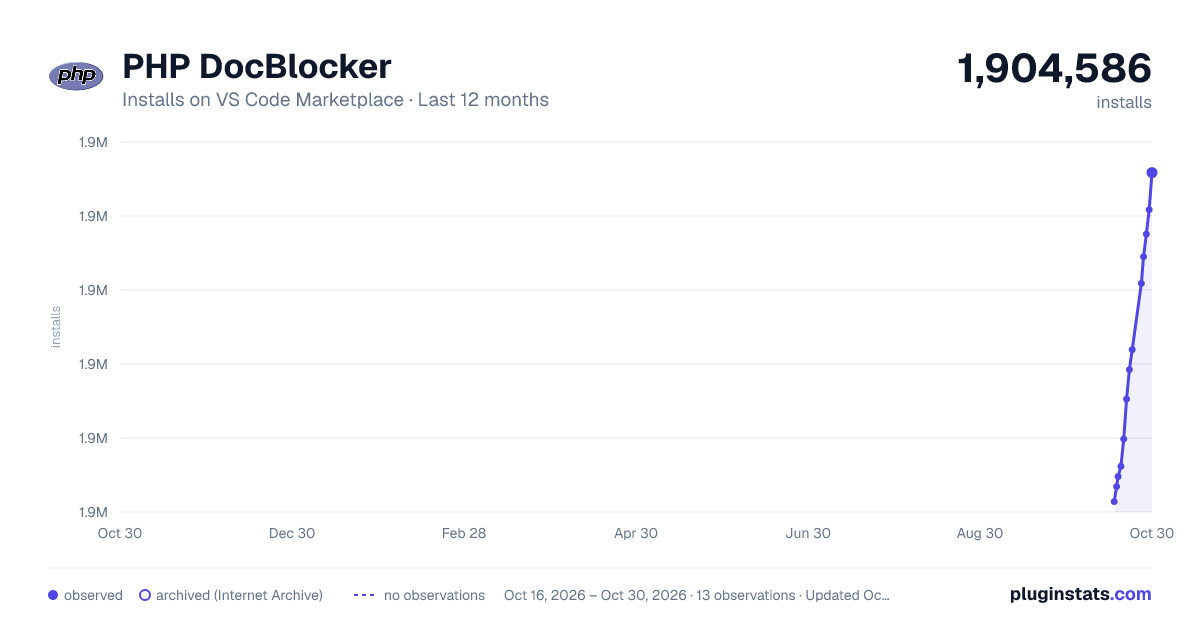
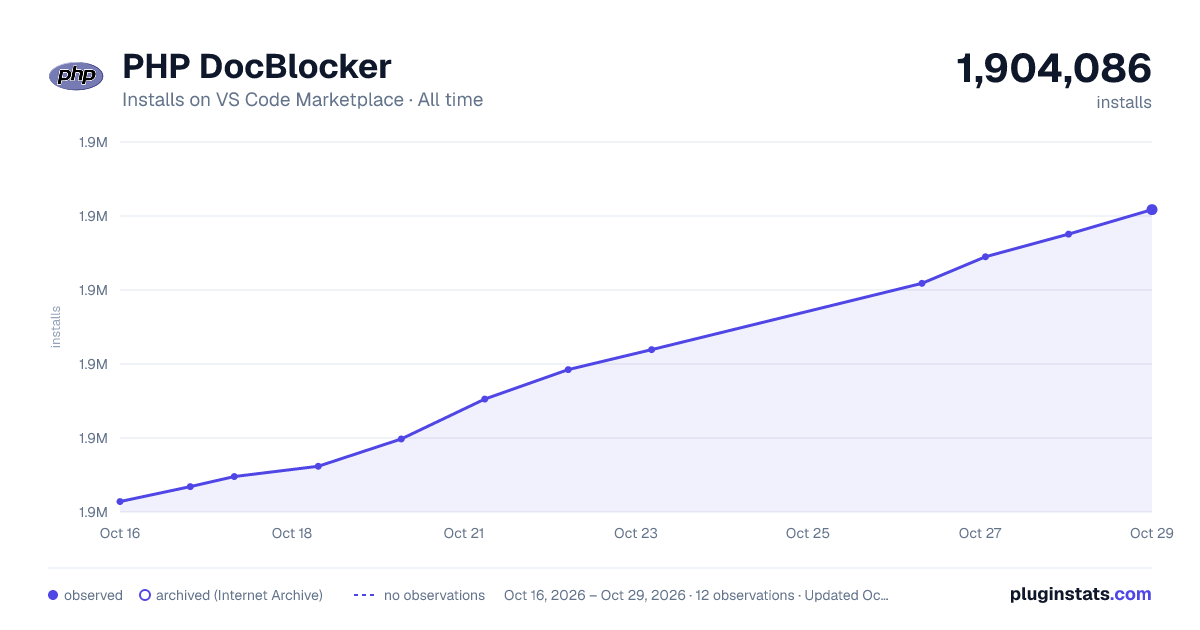
PHP DocBlocker has 1,900,618 recorded installs on VS Code Marketplace.
It ranks #357 of 2,501 tracked VS Code Marketplace listings by installs.
It is rated 4.9 out of 5 from 35 ratings.
PluginStats has 4 daily observations since Oct 16, 2026; the latest is from Oct 19, 2026.
Rating: 4.89 / 5 from 35 ratings
About PHP DocBlocker
PHP DocBlocker
Basic PHP DocBlocking extension.
We now have a set of unit tests and some full coverage on the parsing of signatures as well as continuous integration. This should ensure the extension remains stable as development progresses.
Features
• Completion snippet after /** above a class, function, class property • Completion of DocBlock tags such as @param, @return, @throws • Inferring of param and return types from signatures • Configuration of template for each type of docblock completion
Requirements
This extension has no dependencies.
Extension Settings
This extension contributes the following settings:
• php-docblocker.gap: set to false to disable the gap between the description and tags • php-docblocker.returnGap: set to true to add a gap between the param and return tags • php-docblocker.returnVoid: set to false to turn off the automatic void return type when it can't be determined • php-docblocker.defaultType: default type to use if a type wasn't able to to be determined • php-docblocker.extra: an array of extra tags to add to each DocBlock (These can include tabstops and snippet variables) • php-docblocker.useShortNames: Whether we should use short type names. e.g. bool or boolean • php-docblocker.qualifyClassNames: When adding type hints for class names search namespace use statements and qualify the class • php-docblocker.alignParams: set to true to align params vertically and add appropriate spaces after param names • php-docblocker.alignReturn: set to true to align return vertically with above params statements, this setting requires align params to also be active • php-docblocker.varDescription: set to true to include a description placeholder for @var completions. If you specify a string this will be the default placeholder text • php-docblocker.paramDescription: set to true to include a description placeholder for @param completions. If you specify a string this will be the default placeholder text • php-docblocker.returnDescription: set to true to include a description placeholder for @return completions. If you specify a string this will be the default placeholder text • php-docblocker.author: An object containing your default author tag settings • php-docblocker.functionTemplate: See below for how to set up docblock templates • php-docblocker.propertyTemplate: See below for how to set up docblock templates • php-docblocker.classTemplate: See below for how to set up docblock templates
Templating
If you want more control over the order or gap settings on your docblocks or you want different things for properties vs class templates you can start customising the template configuration objects. These are the config options functionTemplate, propertyTemplate and classTemplate.
Default set up for function
The below is the default set up for a function. The order of the keys represents the output order. There are no specific options in each config option per key to add additional control.
Supported template keys
| Key | Aplies to type | Description |
| message | All | Space for entering a description of your block | | extra | All | Adds in your custom tags from the extra config | | param | Function | Function @param items | | return | Function | Function @return item | | var | Property | Property @var item | | * | All | This is for any key that is unmatched you can use the content option to add a tag |
Supported template config options
| Option | Aplies to key(s) | Description |
| gapBefore | All | Adds a gap before the tag section starts | | gapAfter | All | Adds a gap after the tag section ends | | content | * | Adds a gap after the tag section ends |
Configured function template example
In the example below we have added some gap configuration and removed the return tag for our template as well as changing the default order. This means we'll never have a @return tag and extra comes before the params. It's also worth pointing out that the gapAfter in the message is the same as setting the gap config option in the main config to true.
Configured function with extra content and placeholders
The example below won't have a return tag and will add in an author tag with correct placeholders depending on how many options you have. You can put in placeholders by using ### in place of the tab stop number and it will be calculated at generation time.
Supported DocBlock tags
Please see below for a list of supported tags and their snippets. These tags are available within a DocBlock and can be triggered by typing @ then another characted (Provided your vscode settings allow).
| Tag | Snippet |…
Description from the VS Code Marketplace listing.
- autocomplete
- docblock
- hack
- php
Where PHP DocBlocker sits in the listing
Each band is one page of 20. Installs on a log scale. Placement is projected from installs, so it can differ from the marketplace's own sort order. Hover a dot to see the listing.


Charts
Images: 30d · 1y · all time · 1600×900 dark

Adoption over time


7/30/90-day growth


Ranking history


Filled points are observed values; hollow points come from Internet Archive snapshots of the listing page. Dashed segments span periods with no observations — values between points are not interpolated.
Recent observations
Full history (4)Similar VS Code Marketplace Programming Languages plugins
Data source
Install counts, average rating, and rating counts come from the public Visual Studio Marketplace gallery API. Installs are cumulative and exclude updates.
Listing: https://marketplace.visualstudio.com/items?itemName=neilbrayfield.php-docblocker. First seen Oct 16, 2026; last successful collection Oct 19, 2026. See the methodology.