 PluginStats
Test Explorer UI installs statistics
By Holger Benl (4 listings) · VS Code Marketplace · Other
Run your tests in the Sidebar of Visual Studio Code
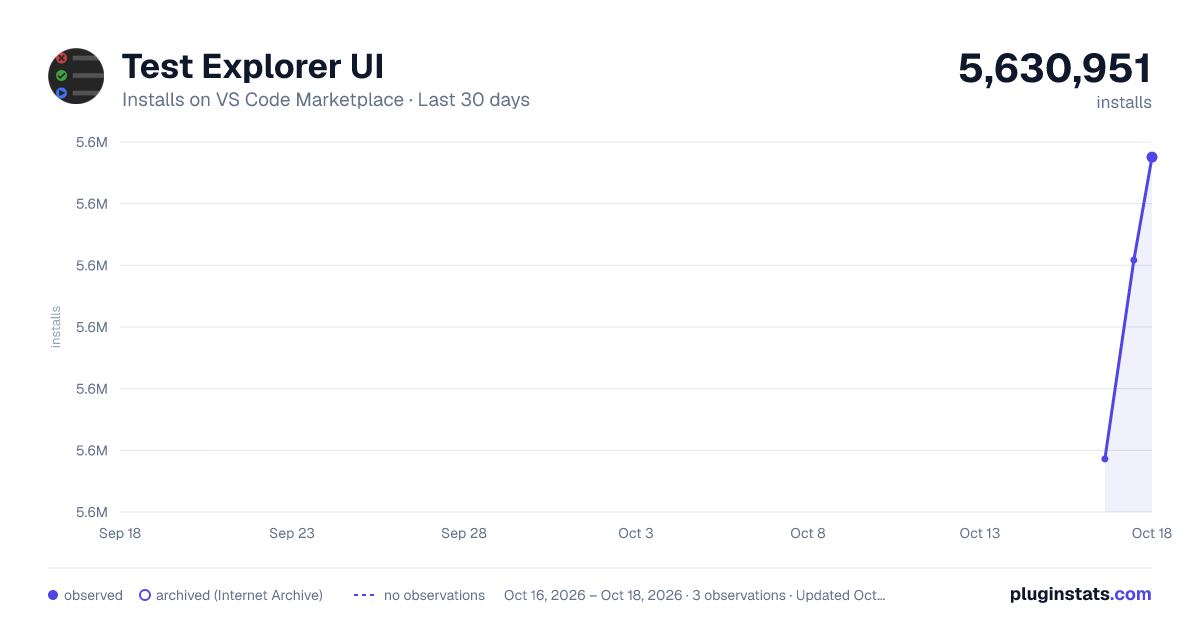
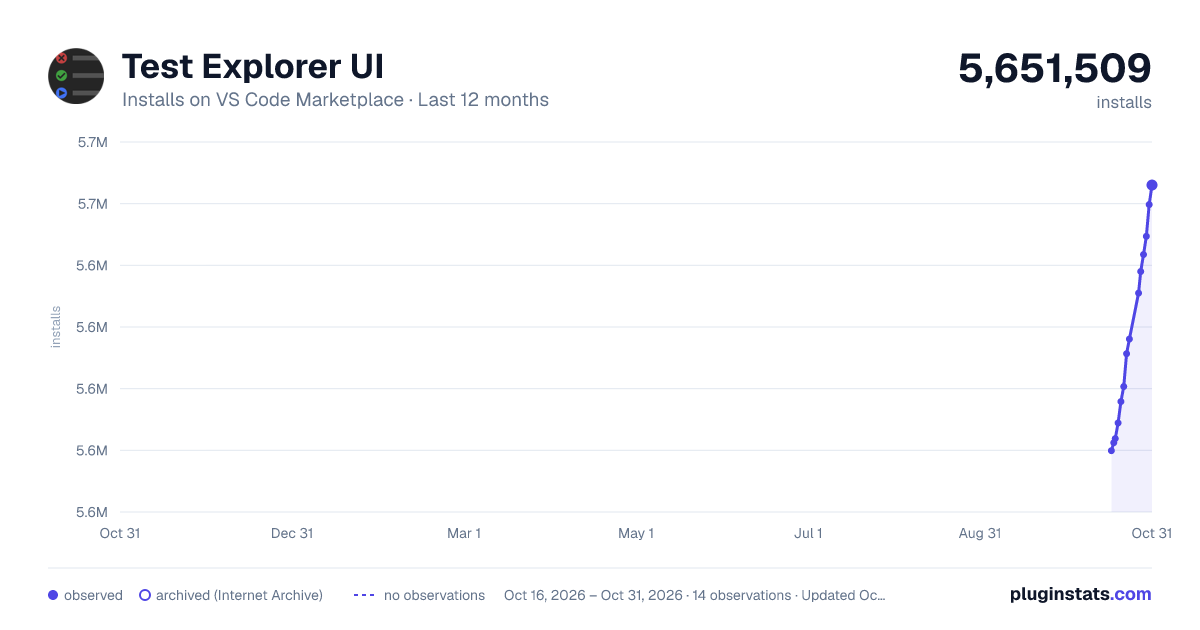
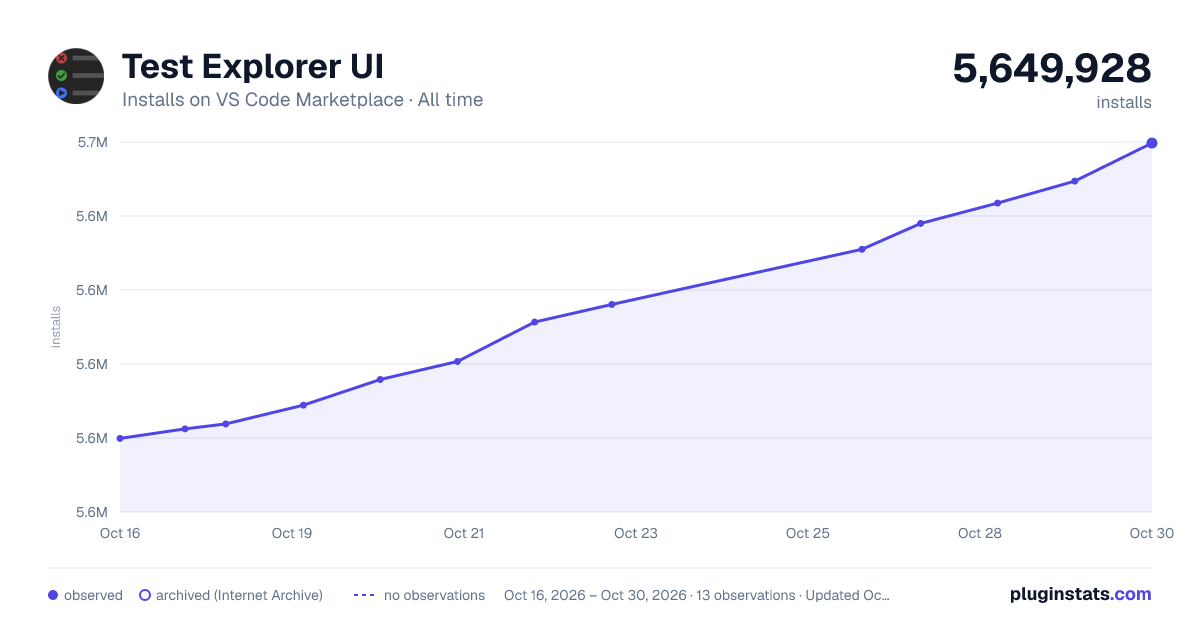
Test Explorer UI has 5,630,951 recorded installs on VS Code Marketplace.
It ranks #165 of 2,500 tracked VS Code Marketplace listings by installs.
It is rated 4.4 out of 5 from 29 ratings.
PluginStats has 3 daily observations since Oct 16, 2026; the latest is from Oct 18, 2026.
Rating: 4.41 / 5 from 29 ratings
About Test Explorer UI
Test Explorer for Visual Studio Code
This extension provides an extensible user interface for running your tests in VS Code. It can be used with any testing framework if there is a corresponding Test Adapter extension.
Other extensions can get full access to the Test Adapters by acting as Test Controllers.
The Test Explorer can also be used in VS Live Share sessions by installing the Test Explorer Live Share extension.
This extension will be automatically installed when you install one of the Test Adapters, so there is usually no need to install this extension manually.
Migrating to native testing
In version 1.59, VS Code added an official API and UI for running tests, which provides all the functionality of this extension and more. Therefore this extension is now deprecated. I will keep maintaining it so it will remain usable but I don't plan to add any major new features to it.
Changes for users
Since version 2.22.0, this extension defaults to using VS Code's official testing UI. You can get the old Test Explorer UI back by setting testExplorer.useNativeTesting to false in your VS Code settings.
Changes for extension authors
If you plan to write a new testing extension for VS Code, I recommend you use the native testing API as it's more flexible and has more features than this extension's Test Adapter API. Here's the official guide for the native testing API.
If you're maintaining an extension that uses the Test Adapter API, here is a short guide how to migrate your Test Adapter to the native API. The migration isn't strictly necessary because this extension will remain usable and your users can switch to the native testing UI using the testExplorer.useNativeTesting setting anyway, but you might find the additional flexibility of the native testing API useful in the future.
Test Adapters
Currently the following Test Adapters are available:
Javascript
• Mocha Test Explorer • Jasmine Test Explorer • Angular/Karma Test Explorer • Jest Test Explorer • AVA Test Explorer • TestyTs Test Explorer • React-scripts Test Adapter
ABAP
• ABAP remote filesystem
C
• Ceedling Test Explorer • CppUTest Test Explorer • Unity Framework for C Test Explorer • Acutest Test Explorer
C++
• CMake Test Explorer • CppUnitTestFramework Explorer • Bandit Test Explorer • CppUTest Test Explorer • Boost.Test Explorer • Acutest Test Explorer • CppUnit Test Explorer
Elixir
• Elixir Test Explorer
Elm
• Elm
Go
• Go Test Explorer
Haxe
• Haxe Test Explorer
Lua
• LuaUnit Test Explorer
Python
• Python Test Explorer
REST/GraphQL
• Ply
Ruby
• Ruby Test Explorer
Rust
• Rust Test Explorer
Swift
• Swift Test Explorer
.NET Framework
• .Net Core Test Explorer
VHDL/SystemVerilog
• VUnit Test Explorer
Live Share
• The Test Explorer Live Share extension creates Test Adapters in Live Share guests that act as proxies for the Test Adapters in the Live Share host.
If there is no Test Adapter for your favorite testing framework yet, you can easily create your own.
Test Controllers
Currently the following Test Controllers are available:
• The Test Explorer UI (which is the main part of this extension) is itself implemented as a Test Controller • The Test Explorer Diagnostics Controller adds test results to the Problems panel in VS Code. • The Test Explorer Status Bar extension provides information about the current test suite in the Status Bar. • The Test Explorer Live Share extension creates Test Controllers in the Live Share host that act as proxies for the Test Explorers in the Live Share guests.
Do you have a new idea for interacting with the Test Adapters? You can easily get full access to all Test Adapters in your own extension by implementing your own controller.
Configuration
The following configuration properties are available:
Property | Description
testExplorer.onStart | Retire or reset all test states whenever a test run is started testExplorer.onReload | Retire or reset all test states whenever the test tree is reloaded testExplorer.codeLens | Show a CodeLens above each test or suite for running or debugging the tests testExplorer.gutterDecoration | Show the state of each test in the editor using Gutter Decorations testExplorer.errorDecoration | Show error messages from test failures as decorations in the editor testExplorer.errorDecorationHover | Provide hover messages for the error decorations in the editor testExplorer.sort | Sort the tests and suites by label or location. If this is not set (or set to null), they will be shown in the order that they were received from the adapter testExplorer.showCollapseButton | Show a button for collapsing the nodes of the test tree testExplorer.showExpandButton | Show a button for expanding the top nodes of the test tree, recursively for the given number of levels testExplorer.showOnRun | Switch to the Test Explorer view whenever a test run is started testExplorer.addToEditorContextMenu | Add menu items for running and debugging the tests in the current file to the editor context menu testExplorer.mergeSuites | Merge suites with the same label and parent testExplorer.hideEmptyLog | Hide the output channel used to show a test's log when the user clicks on a test whose log is empty testExplorer.hideWhen | Hide the Test Explorer when no test adapters have been registered or when no tests have been found by the registered adapters. The default is to never hide the Test Explorer (some test adapters only work with this default setting). testExplorer.useNativeTesting | Disable the Test Explorer UI and use VSCode's native Testing UI instead
Further configuration options are provided by the Test Adapters.
Commands
The following commands are available in VS Code's command palette, use the ID to add them to your keyboard shortcuts:
ID | Command…
Description from the VS Code Marketplace listing.
- test
- testing
Where Test Explorer UI sits in the listing
Each band is one page of 20. Installs on a log scale. Placement is projected from installs, so it can differ from the marketplace's own sort order. Hover a dot to see the listing.


Charts
Images: 30d · 1y · all time · 1600×900 dark

Adoption over time


7/30/90-day growth


Ranking history


Filled points are observed values; hollow points come from Internet Archive snapshots of the listing page. Dashed segments span periods with no observations — values between points are not interpolated.
Recent observations
Full history (3)Similar VS Code Marketplace Other plugins
Data source
Install counts, average rating, and rating counts come from the public Visual Studio Marketplace gallery API. Installs are cumulative and exclude updates.
Listing: https://marketplace.visualstudio.com/items?itemName=hbenl.vscode-test-explorer. First seen Oct 16, 2026; last successful collection Oct 18, 2026. See the methodology.