 PluginStats
Cortex-Debug installs statistics
By marus25 · VS Code Marketplace · Debuggers
ARM Cortex-M GDB Debugger support for VSCode
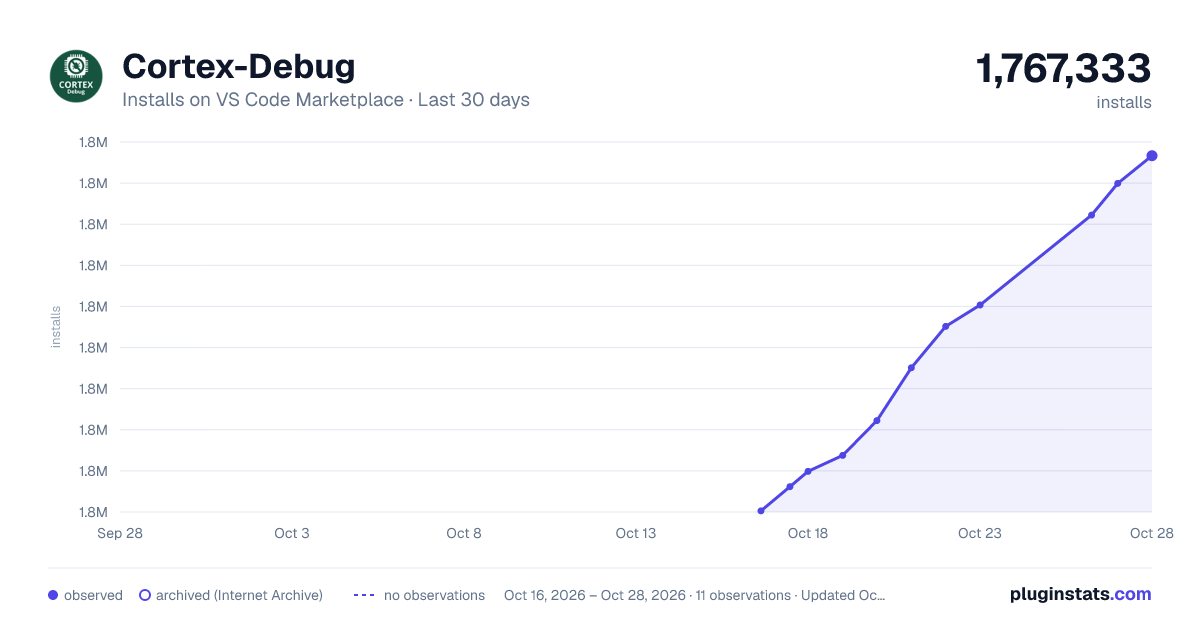
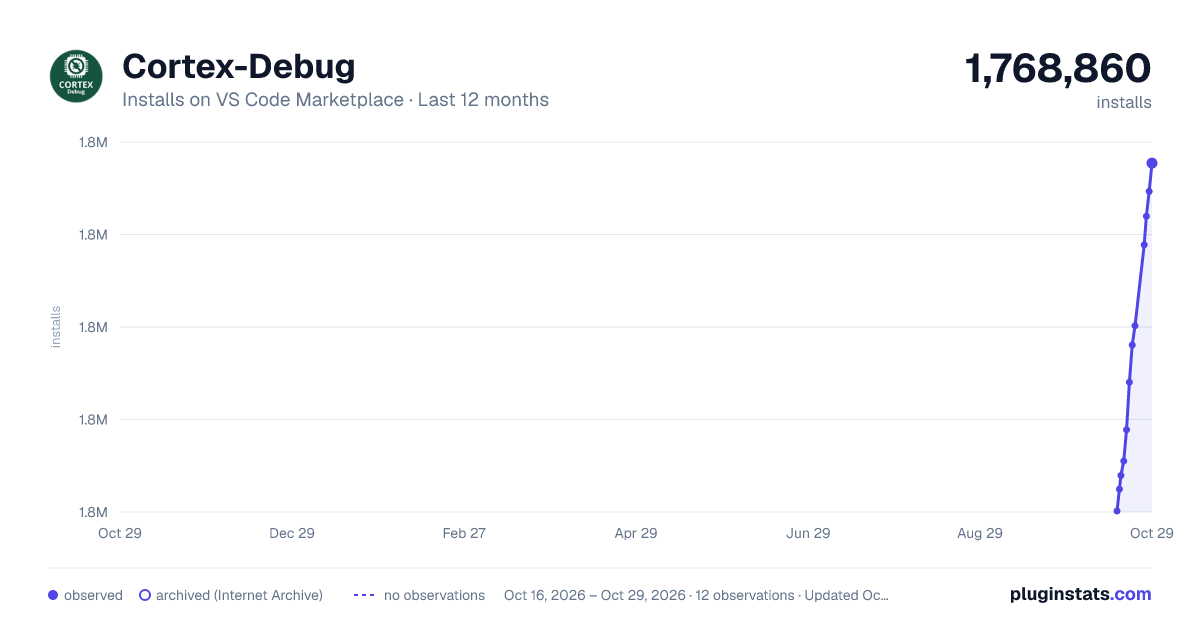
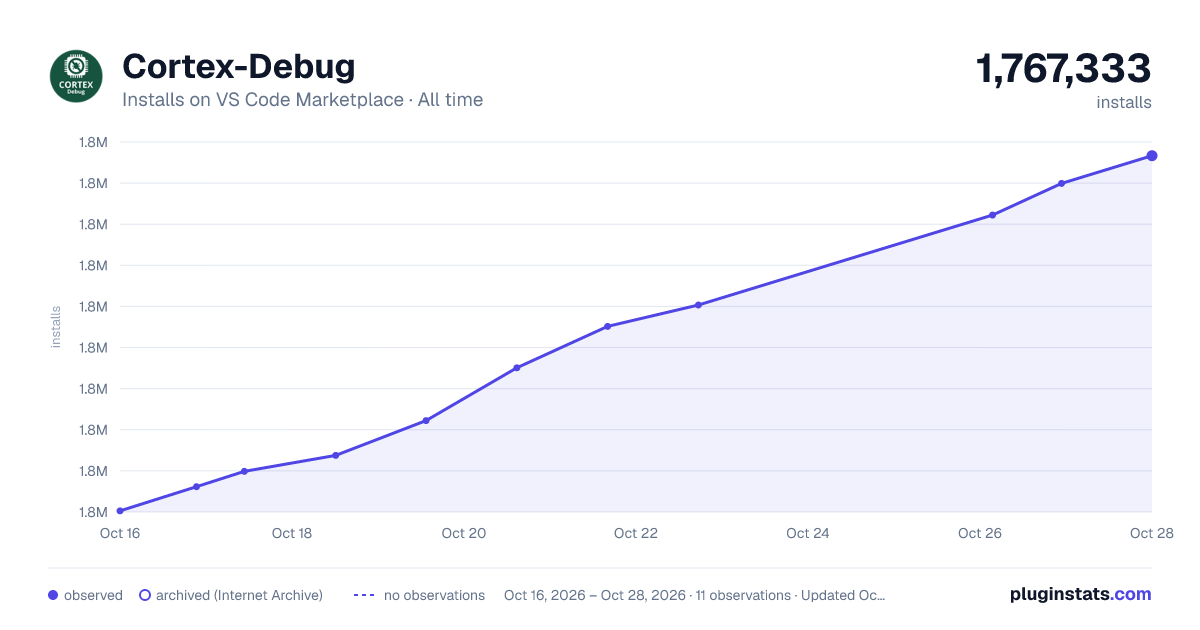
Cortex-Debug has 1,751,977 recorded installs on VS Code Marketplace.
It ranks #377 of 2,500 tracked VS Code Marketplace listings by installs.
It is rated 4.9 out of 5 from 41 ratings.
PluginStats has 3 daily observations since Oct 16, 2026; the latest is from Oct 18, 2026.
Rating: 4.88 / 5 from 41 ratings
About Cortex-Debug
Cortex Debug
Debugging support for ARM Cortex-M Microcontrollers with the following features:
• Highly configurable. See https://github.com/Marus/cortex-debug/blob/master/debug_attributes.md • Support J-Link, OpenOCD GDB Server, STMicroelectronic's ST-LINK GDB server (no SWO support yet), pyOCD • Initial support for the Black Magic Probe (This has not been as heavily tested; SWO can only be captured via a serial port) • Partial support textane/stlink (st-util) GDB Servers (SWO can only be captured via a serial port) • Multi-core and multi-session debugging. See https://github.com/Marus/cortex-debug/wiki/Multi-core-debugging • Disassembly of source code available along with instruction level breakpoints and stepping. The actual disassembly window is provided and managed by VSCode. See https://github.com/Marus/cortex-debug/wiki/Disassembly-Debugging • Cortex Core Register Viewer (integrated into Variables window since V1.2) • In some cases the st-util GDB server can report incomplete/incorrect registers, so there may be some issues here. • SWO Decoding - "console" text output and binary data (signed and unsigned 32-bit integers, Q16.16 fixed point integers, single precision floating point values) • The registers that are part of the DWT, TPIU, and ITM debug components will automatically be configured and do not need to be set in firmware. • Firmware may still need to enable the SWO output pin - as this part of the setup is microcontroller dependant. • Decoding ETM data over the SWO pin is not currently supported. • Live graphing of decoded ITM data. • Support for Custom ITM Data Decoders: • Ability to define JavaScript modules to decode complex data formats streamed over one or more ITM ports. Data can be printed to a output window, or sent to the graphing system. If you are using TCP/IP instead, you can use a variety of tools to connect to the that port. • Semi-hosting Support. In the TERMINAL tab, there will be a sub-window called gdb-server. That terminal is bidirectional and is intended for semi-hosting. This applies to those gdb-servers that do their semi-hosting on their stdio. • Support for SEGGER Real Time Trace (RTT) using OpenOCD and J-Link gdb-servers. All the features supported for SWO (text, binary, graphing) are also supported with RTT. See image above for console style output. SWO output also creates another section. • Globals and Static scopes in the variables view • Initial support for Rust code (most functionality is working; report any issues • RTOS Thread Support in CALL STACK window (J-Link, OpenOCD, pyOCD - RTOS supported depend on GDB server) • As a general rule do not try to use stepping instructions before the scheduler of your RTOS has started - in many cases this tends to crash the GDB servers or leave it in an inconsistent state. • Live Watch with supported GDB servers (tested with OpenOCD, J-Link, STLink so far - since V1.6) • We have a set of extensions that this extension relies on for various frontend services (since V1.6) • These services are under the mcu-debug organization and lot of that content was re-factored from this extension to make them work with other debuggers and with browsers • Visit https://marketplace.visualstudio.com/search?term=mcu-debug&target=VSCode&category=All%20categories&sortBy=Relevance\ • Highlights are a Memory Viewer, RTOS viewer, Peripheral (SVD) Viewer • These extensions are considered as dependency of this extension and VSCode should help you install all of them. We will consider make an Extension Pack in the future
Release Versioning
Cortex-Debug uses a versioning system specified by Microsoft that allows distribution of pre-releases via the marketplace. You can enable (or disable) pre-releases within VSCode for this extension and you will automatically get new pre-releases. By default, pre-releases are disabled. We use pre-releases as allow testing of bug fixes and new features. They allow you participate during the formation of a feature of how an issue gets addressed. More info about pre-releases. To summarize, extensions use semantic versioning (SemVer) system which in simple terms is major.minor.patch. With MS convention, if the minor version is odd, then it is a pre-release.
Planned Features
• Additional Graphing Options • Our TODO file
Installation
Requirements:
• ARM GCC Toolchain (https://developer.arm.com/open-source/gnu-toolchain/gnu-rm/downloads) - provides arm-none-eabi-gdb and related tools • At least one of: • J-Link Software Tools - provides the J-Link GDB Server for J-Link based debuggers (https://www.segger.com/downloads/jlink) • OpenOCD - provides a GDB Server that can be used with a number of debuggers (http://openocd.org) • NOTE: If a chip vendor ships it's own OpenOCD version, for sure use NOTHING but that • NOTE: On macOS do not use the default version of OpenOCD provided by homebrew, this is not compatible with releases V0.2.4 and newer. • You can either install from source using homebrew (brew install open-ocd --HEAD) or the packages from https://github.com/xpack-dev-tools/openocd-xpack/releases/ will also work. • NOTE: Some linux versions and Windows may also need a more up-to-date version of OpenOCD from the xPack releases. • Texane's st-util GDB server - Only supports ST-Link Debug Probes (https://github.com/texane/stlink) • ST-LINK GDB server - This server is packaged with the STM32CubeIDE which must be installed. The location of the STM32CubeIDE and related tools is automatically resolved but also can be overridden using configuration settings (armToolchainPath, stm32cubeprogrammer and serverpath). • pyOCD GDB Server - GDB server that supports the CMSIS-DAP debugger on a number of mbed boards (https://github.com/mbedmicro/pyOCD) • Black Magic Probe
Usage…
Description from the VS Code Marketplace listing.
- Cortex-Debug Memory View
- cortex-debug.memoryview
- cortex-m
- debug
- debuggers
- embedded
- gdb
- keybindings
Where Cortex-Debug sits in the listing
Each band is one page of 20. Installs on a log scale. Placement is projected from installs, so it can differ from the marketplace's own sort order. Hover a dot to see the listing.


Charts
Images: 30d · 1y · all time · 1600×900 dark

Adoption over time


7/30/90-day growth


Ranking history


Filled points are observed values; hollow points come from Internet Archive snapshots of the listing page. Dashed segments span periods with no observations — values between points are not interpolated.
Recent observations
Full history (3)Similar VS Code Marketplace Debuggers plugins
Data source
Install counts, average rating, and rating counts come from the public Visual Studio Marketplace gallery API. Installs are cumulative and exclude updates.
Listing: https://marketplace.visualstudio.com/items?itemName=marus25.cortex-debug. First seen Oct 16, 2026; last successful collection Oct 18, 2026. See the methodology.