 PluginStats
ChatGPT - Unfold AI installs statistics
By Unfold AI · VS Code Marketplace · Programming Languages
Catch agent failures early, recover safely, and review what Cursor, Copilot, Claude Code, and Codex changed before you commit.
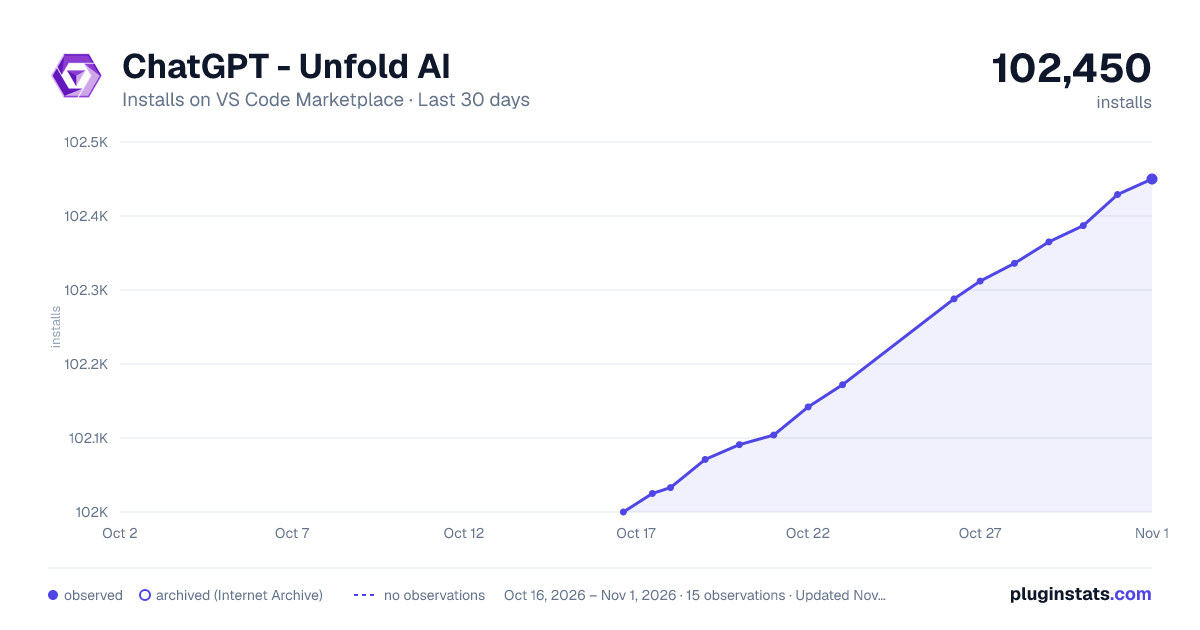
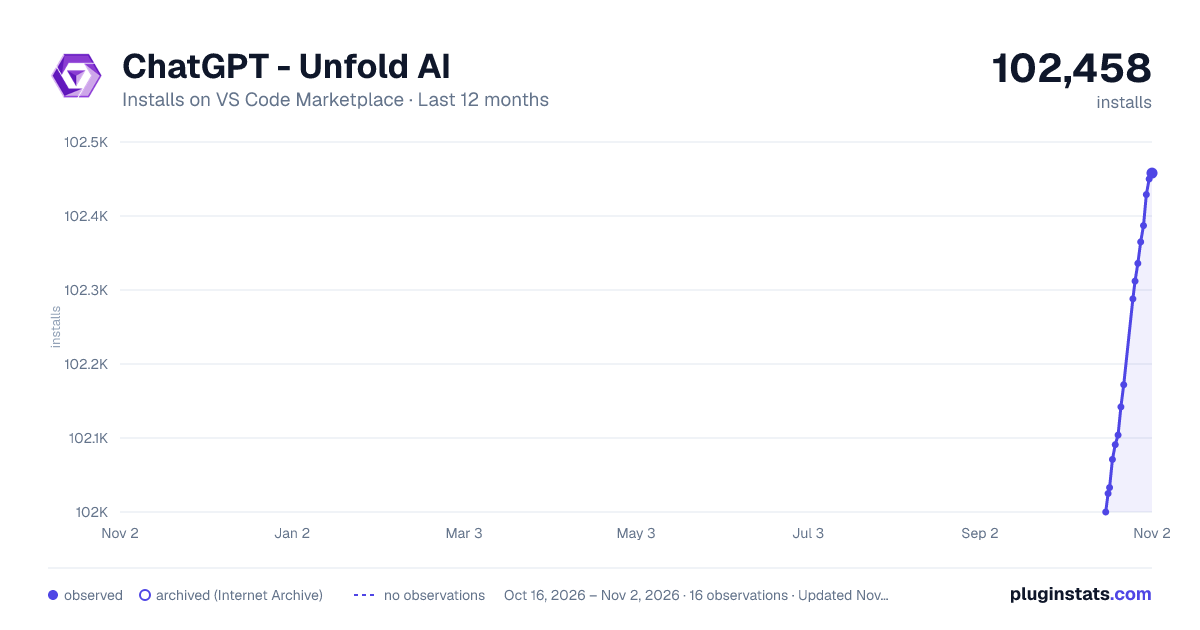
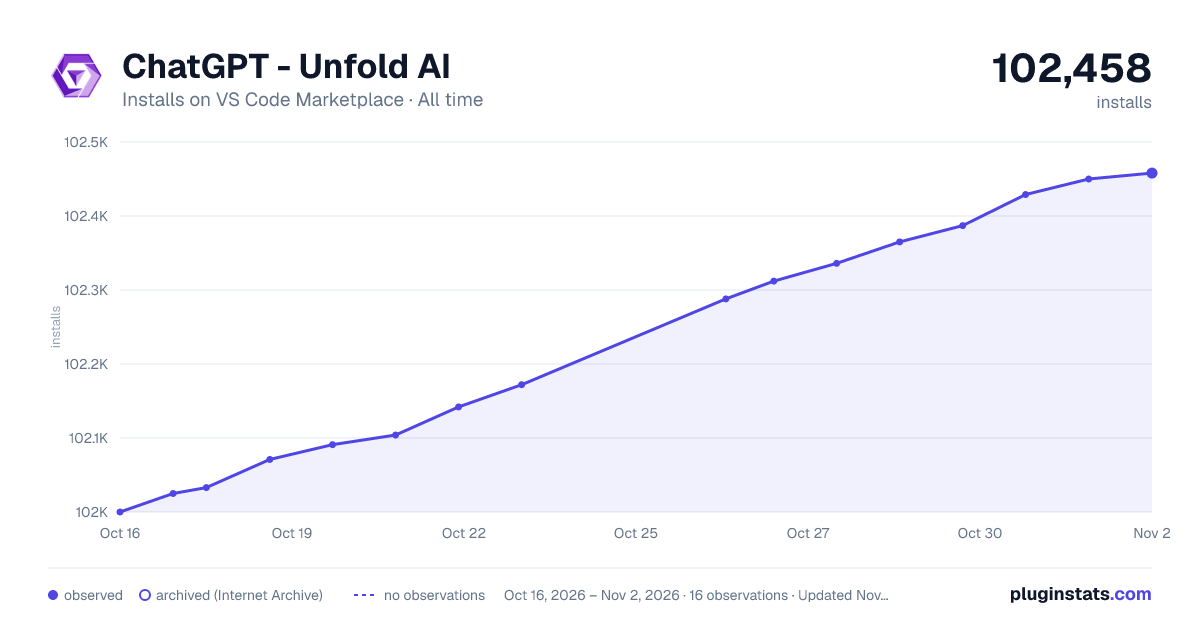
ChatGPT - Unfold AI has 102,288 recorded installs on VS Code Marketplace, a change of +0.2% over the past 7 days, ranking #2338 of 2,504 tracked listings.
Rating: 4.11 / 5 from 9 ratings
About ChatGPT - Unfold AI
UnfoldAI
<p align="center"><strong>Your AI agents break things. You find out too late.</strong></p> <p align="center"> UnfoldAI watches every agent action inside VS Code — commands, file changes, diagnostics, dependencies — and turns failures into issue cards with full context, AI fix plans, and recovery points. Before a bad agent run becomes a lost afternoon. </p> <p align="center"> <a href="https://unfoldai.io">Website</a> | <a href="https://docs.unfoldai.io">Docs</a> | <a href="https://discord.gg/NMyBPAXGWE">Discord</a> | <a href="https://unfoldai.io/#pricing">Pricing</a> </p> <p align="center"> <img src="https://i.imgur.com/sFrEij9.png" alt="UnfoldAI — AI agent supervision inside VS Code" width="100%"> </p>If you use AI agents seriously, you already know the pattern:
- They touch five files before you look up.
- They rerun the same broken command three times and leave the repo worse.
- They change dependencies, overwrite your manual fix, or break types somewhere unrelated.
- By the time you notice, the terminal is noisy, the Problems panel is crowded, and there is no clean commit to go back to.
UnfoldAI stays in the editor, watches the session as it unfolds, and gives you ways to recover before it gets worse.
Works with Cursor, Claude Code, GitHub Copilot, Codex, Continue, Codeium, and any agent you add.
What makes this different
UnfoldAI is not another AI coding tool. It is supervision infrastructure for the ones you already use.
- Multi-agent — tracks Cursor, Copilot, Claude Code, Codex, and others simultaneously in one session.
- Attribution — knows which agent changed which file, ran which command, and introduced which error.
- Active, not passive — creates silent checkpoints before risky operations, detects drift patterns, and alerts when an agent overwrites your work.
- Session-wide context — every AI action (fix plans, failure reviews, chat) draws from the full session history, not a blank prompt.
- MCP-connected — ships an MCP server so your agents can query UnfoldAI before they act.
Live dashboard for agent sessions
UnfoldAI does not open into a passive metrics page. It opens into the session.
- Issue cards surface failures the moment they happen — not after you notice.
- Agent Activity tracks per-agent file changes, command counts, and error rates with colored progress bars.
- Timeline keeps a running log of commands, edits, diagnostics, and recoveries.
- Queued issues stack behind the current failure so earlier problems are not lost.
- Running command indicator shows what's executing right now and how long it's been going — amber after 30 seconds, red after 2 minutes.
Failures become actionable in seconds
When something breaks, UnfoldAI turns it into an issue card with the full story — what failed, which agent caused it, what files changed, and what to do about it. Expand the card to see error output, stack traces, file diffs, and related problems.
- Fix plan proposes the smallest safe fix, shows exact patches, and can auto-apply them on Pro.
- Failure review explains what happened, the likely root cause, key evidence, and what to check next.
- Ask opens episode-scoped chat with the right context already attached.
- Resolve marks it done and optionally saves the fix as a playbook for next time.
AI that starts from the failure, not a blank prompt
When you click Ask on any issue, UnfoldAI opens a chat that already has the full episode context loaded — command output, diagnostics, file changes, agent attribution. No copy-pasting terminal output. No re-explaining what happened.
Suggested questions adapt to your current session: "Why did this fail?", "What changed before this broke?", "How do I fix this?" Click one and the investigation starts immediately.
Failure review generates a structured post-incident analysis: what happened, likely cause, evidence, prevention steps, and the safest next action.
<p align="center"> <img src="https://i.imgur.com/vBRQh8i.png" alt="UnfoldAI Chat — episode-scoped investigation with session context" width="400"> </p>Catches agent mistakes before you do
UnfoldAI is useful even when you never click an AI action. The safety net runs in the background.
Drift detection catches agents stuck in loops. If Cursor runs npm install three times in a row with the same failure, UnfoldAI flags it as a drift pattern and lets you intervene before the fourth attempt makes things worse.
Dependency mutation alerts show exactly which packages were added, removed, or changed — not just "lockfile modified." You see +lodash@4.17.23 and -moment@2.29.4 so you know what the agent actually did to your dependencies.
Human overwrite alerts fire when an agent modifies a file you recently edited manually. Your work won't be silently overwritten without you knowing about it.
Silent checkpoints snapshot your dependency state before risky operations. If something breaks, restore with one click — no manual git stashing.
<p align="center"> <img src="https://i.imgur.com/mVS9B83.png" alt="UnfoldAI — drift detection and dependency alerts on the dashboard" width="400"> </p> <p align="center"> <img src="https://i.imgur.com/PFggEcr.png" alt="UnfoldAI — human overwrite and dependency mutation alerts" width="400"> </p>Knows what happened while you were away
Leave your desk for lunch. Come back to find your agent ran 14 commands, modified 8 files, and introduced 2 errors.…
Description from the VS Code Marketplace listing.
- Agent
- agent-debugging
- agent-fixing
- agent-monitoring
- agent-planning
- agent-reviewing
- agent-supervision
- AI
- AI Pair Programmer
- AI Tools
- Analysis
- autocomplete
- bash
- c
- c#
- c++
- ChatGPT
- Claude
- claude-code
- Code generator
README badge
Show your rank in a README or on your website. The badge updates automatically.
Charts
Images: 30d · 1y · all time · 1600×900 dark

Adoption over time
7/30/90-day growth
Ranking history
Ratings over time
Listing placement
Listing placement
Listing placement
Listing placement
Filled points are observed values; hollow points come from Internet Archive snapshots of the listing page. Dashed segments span periods with no observations — values between points are not interpolated.
Each band is one page of 20. Installs on a linear scale. Placement is projected from installs, so it can differ from the marketplace's own sort order. Hover a dot to see the listing.
Recent observations
Full history (9)Similar VS Code Marketplace Programming Languages plugins
All 20 ChatGPT - Unfold AI alternativesData source
Install counts, average rating, and rating counts come from the public Visual Studio Marketplace gallery API. Installs are cumulative and exclude updates.
Listing: https://marketplace.visualstudio.com/items?itemName=TalDennis-UnfoldAI-ChatGPT-Copilot.unfoldai. First seen Oct 16, 2026; last successful collection Oct 26, 2026. See the methodology.