 PluginStats
VS Code SFTP installs statistics
By suntobright · VS Code Marketplace · Other
Edit remote Linux files directly in VS Code.
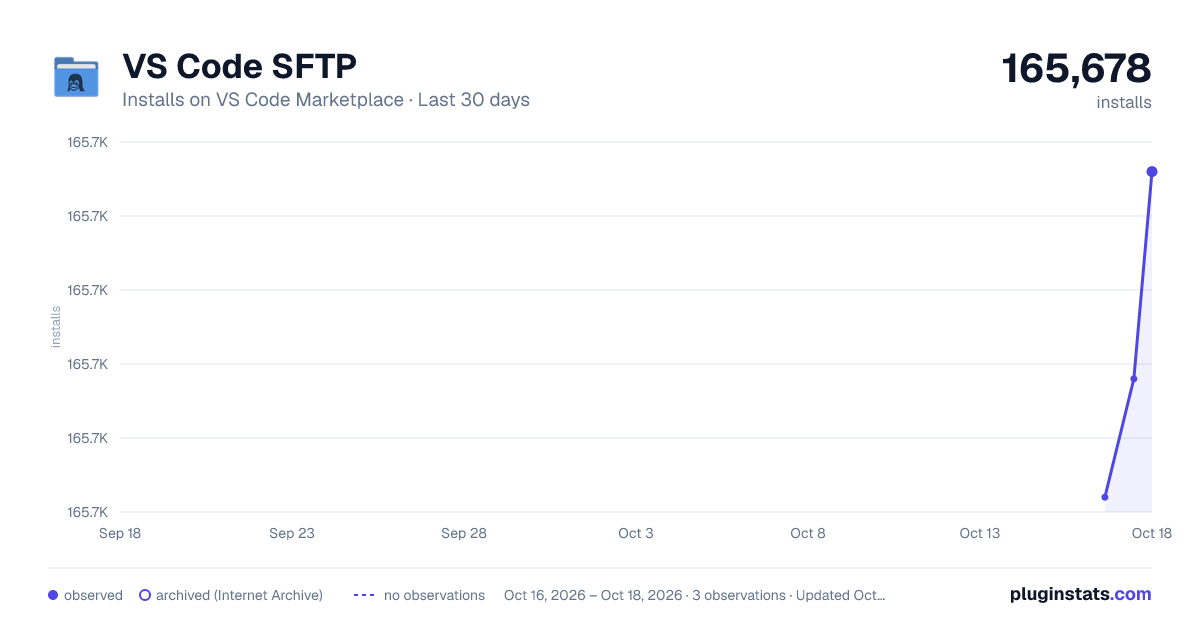
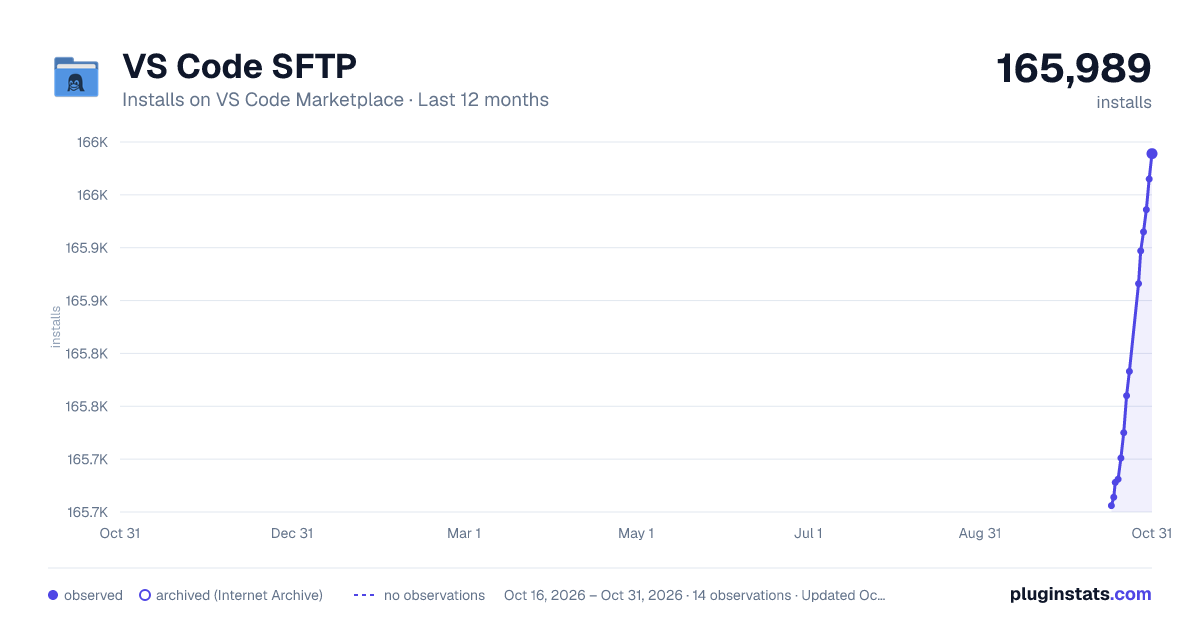
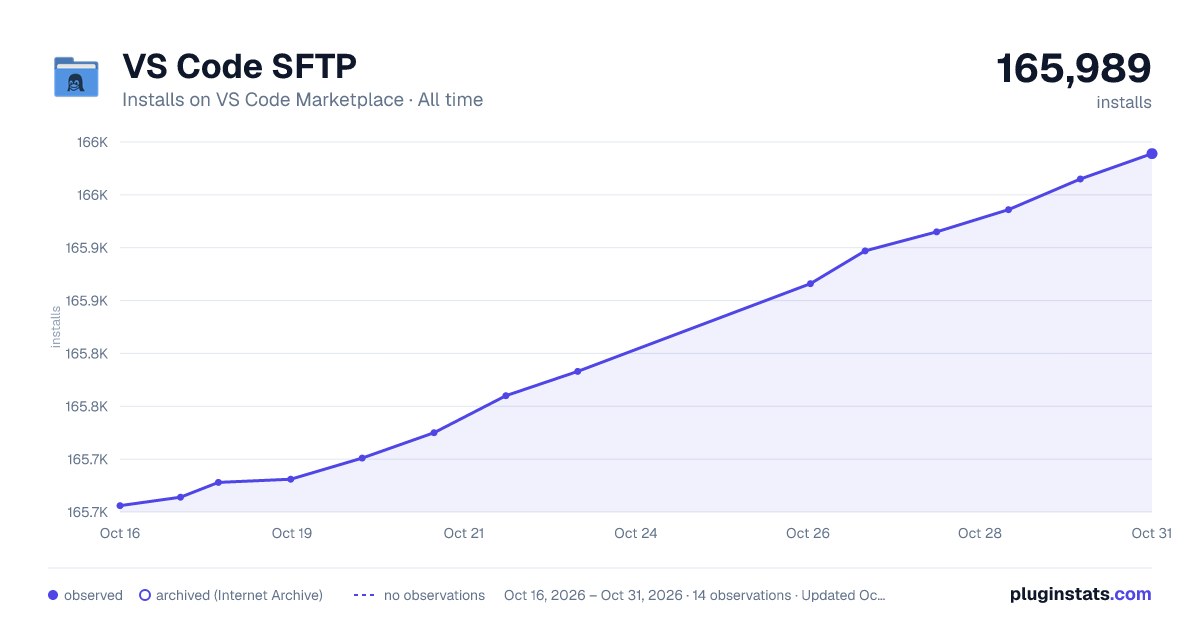
VS Code SFTP has 165,678 recorded installs on VS Code Marketplace.
It ranks #1745 of 2,500 tracked VS Code Marketplace listings by installs.
It is rated 3.3 out of 5 from 16 ratings.
PluginStats has 3 daily observations since Oct 16, 2026; the latest is from Oct 18, 2026.
Rating: 3.25 / 5 from 16 ratings
About VS Code SFTP
vscode-sftp
Edit remote Linux files in VS Code directly.
Note
Only support remote Linux machine. Some functionality (like file watching) may not work well on other operating system (like FreeBSD).
Features
• Edit remote Linux files in VS Code directly without temporary file involed. • Extremely fast & low-cost file watching to detect remote file system changes. • Convenient uploading/downloading with progress reporting & cancellation.
Commands
All commands are grouped in SFTP category.
• SFTP: Open Folder to open remote folder • SFTP: Add Folder to add remote folder into workspace • SFTP: Open File to open remote file • SFTP: Download to download remote file/folder • For non-Windows users, SFTP: Upload to upload file/folder to remote • For Windows users, SFTP: Upload Folder to upload folder to remote • For Windows users, SFTP: Upload File to upload file to remote • SFTP: Remove Configuration to remove SSH credential information stored in VS Code • SFTP: Help to show this help document
SSH credential configuration
SSH credential configuration could be required during processing, with the following json format:
• "port": use 22 as default • "privateKeyFile": please use absolute path • "port", "username" and one of ["password", "privateKeyFile"] are necessary. • "passphrase" is also necessary if your "privateKeyFile" needs it.
Note
The credential configurations are stored without encryption in VS Code, including "host", "port", "username", "password", "passphrase" and privateKey from "privateKeyFile". You can use SFTP: Remove Configuration to remove configurations.
Quick Start
1. Trigger command
Trigger related command by Command Palette, Explore Context Menu or Editor Context Menu.
2. Input SSH Credential
After choosing the Add New SFTP Configuration option, the credential information is required by asking user to edit a temporary json file.
3. Select Remote File/Folder
Remote resource is selected by showing user a popup quick-pick widget. Only file, folder and symbolic link to a file/folder are showed in the widget.
• Pick . (Confirm Current Folder) option to confirm selecting current folder. • Pick Create New Folder to create a new folder. • Pick folder name to browse into the folder. • Pick file name to select the file.
4. Open Folder Example
![Open Folder][1]
Known Issues
1. Failed to create symbolic link on Windows
Symbolic links are ignored on Windows when in a downloading folder, since Windows need Admin permisstion to create them.
See https://github.com/nodejs/node-v0.x-archive/issues/2274.
2. Failed to handle remote files when file name contains \
Linux file name could contain \, but it would be treated as path seperator in VS Code.
Thanks
Sincerenly thanks to these people who have contributed to this extension.
• gsun4
Enjoy!
Description from the VS Code Marketplace listing.
- json
Where VS Code SFTP sits in the listing
Each band is one page of 20. Installs on a log scale. Placement is projected from installs, so it can differ from the marketplace's own sort order. Hover a dot to see the listing.


Charts
Images: 30d · 1y · all time · 1600×900 dark

Adoption over time


7/30/90-day growth


Ranking history


Filled points are observed values; hollow points come from Internet Archive snapshots of the listing page. Dashed segments span periods with no observations — values between points are not interpolated.
Recent observations
Full history (3)Similar VS Code Marketplace Other plugins
Data source
Install counts, average rating, and rating counts come from the public Visual Studio Marketplace gallery API. Installs are cumulative and exclude updates.
Listing: https://marketplace.visualstudio.com/items?itemName=suntobright.vscode-sftp. First seen Oct 16, 2026; last successful collection Oct 18, 2026. See the methodology.