 PluginStats
Material-UI Snippets installs statistics
By vscodeshift · VS Code Marketplace · Snippets
Code snippets for Material-UI
Material-UI Snippets has 147,674 recorded installs on VS Code Marketplace.
It ranks #1877 of 2,500 tracked VS Code Marketplace listings by installs.
It is rated 5.0 out of 5 from 4 ratings.
PluginStats has 3 daily observations since Oct 16, 2026; the latest is from Oct 18, 2026.
Rating: 5.00 / 5 from 4 ratings
About Material-UI Snippets
Snippets for Material-UI
Note: There are two ways to insert these:
• Trigger Suggest (⌃Space on macOS) and then type in the name; or you can enable the Editor: Tab Completion setting, then type the name of the snippet and press Tab. • Execute the corresponding editor commands like Material-UI: insert (or even better, make keybindings for them!).
Performance Warning: Currently, the suggestions can cause performance issues due to VSCode API limitations. After the API is improved in an upcoming release I can fix these performance issues. Until then, the workaround is to either disable adding automatic imports for snippets (Settings > Extensions > Material-UI Snippets > Add Completion Imports) or use the commands to insert snippets instead of suggestions.
Using MUI v5?
For MUI v5 you'll need mui-snippets instead. This extension is for Material-UI v4.
Features
• Works in JS/X and TSX • Automatically adds missing imports when a snippet is inserted (as long as it succeeds in parsing the entire file) • You can configure whether to use controlled or uncontrolled form controls in the extension settings.
Settings
Form Control Mode
• controlled - inserts value and onChange properties • uncontrolled - inserts defaultValue property
Import Paths
• auto - uses top level if other top level imports are found, second level otherwise • top level - import { Button } from '@material-ui/core' • second level - import Button from '@material-ui/core/Button'
Snippets
• muiAppBar: <AppBar> • muiAppBarMenu: <AppBar> with menu icon • muiBottomNavigation: <BottomNavigation> • muiBottomNavigationAction: <BottomNavigationAction> • muiButton: <Button> • muiButtonGroup: <ButtonGroup> • muiButtonGroupSize: <ButtonGroup> with size • muiButtonGroupVertical: vertical <ButtonGroup> • muiButtonSize: <Button> with size • muiButtonText: text <Button> • muiButtonWithIcon: <Button> with icon and label • muiCardHeader: <CardHeader> • muiCardMedia: <CardMedia> • muiCheckboxLabel: <Checkbox> with <FormControlLabel> • muiCheckboxLabelPlacement: <Checkbox> with <FormControlLabel> • muiContainer: <Container> • muiDialog: <Dialog> • muiDialogSimple: <Dialog> • muiDrawerPermanent: permanent <Drawer> • muiDrawerPersistent: persistent <Drawer> • muiDrawerTemporary: temporary <Drawer> • muiEndAdornment: end <InputAdornment> • muiExpansionPanel: <ExpansionPanel> • muiExpansionPanelControlled: controlled <ExpansionPanel> • muiFab: <Fab> • muiFabExtended: <Fab variant="extended"> • muiFormControl: <FormControl> • muiFormControlGroup: <FormControl> with <FormGroup> • muiGridContainer: <Grid container> • muiGridContainerCenter: <Grid container> with centering • muiGridContainerFull: <Grid container> with all props • muiGridListSubheader: <GridList> subheader • muiGridListTilebar: <GridListTileBar> • muiIconButton: <IconButton> • muiMenu: <Menu> • muiMenuItem: <MenuItem> • muiMenuPopupState: <Menu> for material-ui-popup-state • muiRadioGroup: <FormControl> with <RadioGroup> • muiRadioLabel: <Radio> with <FormControlLabel> • muiRadioLabelPlacement: <Radio> with <FormControlLabel> with labelPlacement • muiSelectItem: <MenuItem> inside <Select> • muiSliderContinuous: <Slider> with continuous values • muiSliderDiscrete: <Slider> with discrete values • muiSnackbar: <Snackbar> • muiSnackbarContent: <SnackbarContent> • muiStartAdornment: start <InputAdornment> • muiStep: <Step> • muiStepContent: <Step> with <StepContent> • muiStepOptional: optional <Step> • muiStepper: <Stepper> • muiSwipeableViews: <SwipeableViews> • muiSwitch: <Switch> • muiSwitchLabel: <Switch> with <FormControlLabel> • muiSwitchLabelPlacement: <Switch> with <FormControlLabel> with labelPlacement • muiTabPanel: <TabPanel> • muiTabs: <Tabs> • muiTabsScrollable: scrollable <Tabs> • muiTextField: <TextField> • muiTextFieldMore: <TextField> with more props • muiTextFieldSelect: <TextField select> • muiTextFieldVariant: <TextField> with variant • muiTooltip: <Tooltip> • muiTypography: <Typography>
muiAppBar: <AppBar>
muiAppBarMenu: <AppBar> with menu icon
muiBottomNavigation: <BottomNavigation>
muiBottomNavigationAction: <BottomNavigationAction>
muiButton: <Button>
muiButtonGroup: <ButtonGroup>
muiButtonGroupSize: <ButtonGroup> with size
muiButtonGroupVertical: vertical <ButtonGroup>
muiButtonSize: <Button> with size
muiButtonText: text <Button>
muiButtonWithIcon: <Button> with icon and label
muiCardHeader: <CardHeader>
muiCardMedia: <CardMedia>
muiCheckboxLabel: <Checkbox> with <FormControlLabel>
Controlled
Uncontrolled
muiCheckboxLabelPlacement: <Checkbox> with <FormControlLabel>
Controlled
Uncontrolled
muiContainer: <Container>
muiDialog: <Dialog>
muiDialogSimple: <Dialog>
muiDrawerPermanent: permanent <Drawer>
muiDrawerPersistent: persistent <Drawer>
muiDrawerTemporary: temporary <Drawer>
muiEndAdornment: end <InputAdornment>
muiExpansionPanel: <ExpansionPanel>
muiExpansionPanelControlled: controlled <ExpansionPanel>
muiFab: <Fab>
muiFabExtended: <Fab variant="extended">
muiFormControl: <FormControl>
muiFormControlGroup: <FormControl> with <FormGroup>
muiGridContainer: <Grid container>
muiGridContainerCenter: <Grid container> with centering
muiGridContainerFull: <Grid container> with all props
muiGridListSubheader: <GridList> subheader
muiGridListTilebar: <GridListTileBar>
muiIconButton: <IconButton>
muiMenu: <Menu>
muiMenuItem: <MenuItem>
muiMenuPopupState: <Menu> for material-ui-popup-state
muiRadioGroup: <FormControl> with <RadioGroup>
muiRadioLabel: <Radio> with <FormControlLabel>
muiRadioLabelPlacement: <Radio> with <FormControlLabel> with labelPlacement
muiSelectItem: <MenuItem> inside <Select>
muiSliderContinuous: <Slider> with continuous values
Controlled
Uncontrolled
muiSliderDiscrete: <Slider> with discrete values
Controlled
Uncontrolled
muiSnackbar: <Snackbar>
muiSnackbarContent: <SnackbarContent>
muiStartAdornment: start <InputAdornment>
muiStep: <Step>
muiStepContent: <Step> with <StepContent>…
Description from the VS Code Marketplace listing.
- javascript
- javascriptreact
- material-ui
- snippets
- typescriptreact
- vscode
Where Material-UI Snippets sits in the listing
Each band is one page of 20. Installs on a log scale. Placement is projected from installs, so it can differ from the marketplace's own sort order. Hover a dot to see the listing.


Charts
Images: 30d · 1y · all time · 1600×900 dark


Adoption over time


7/30/90-day growth


Ranking history


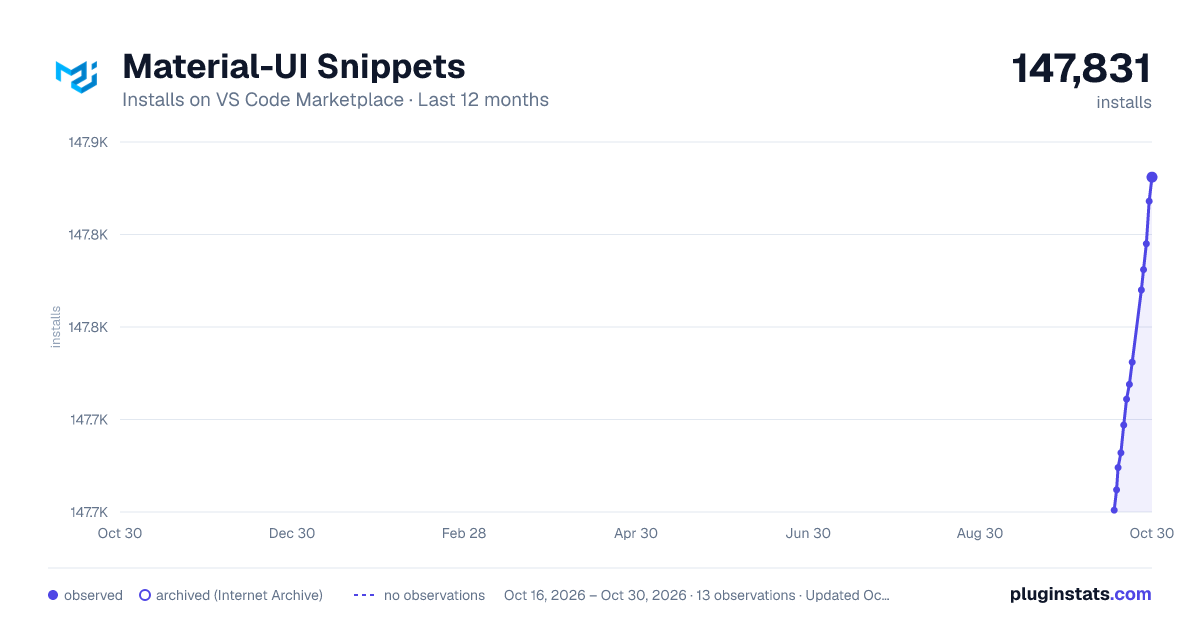
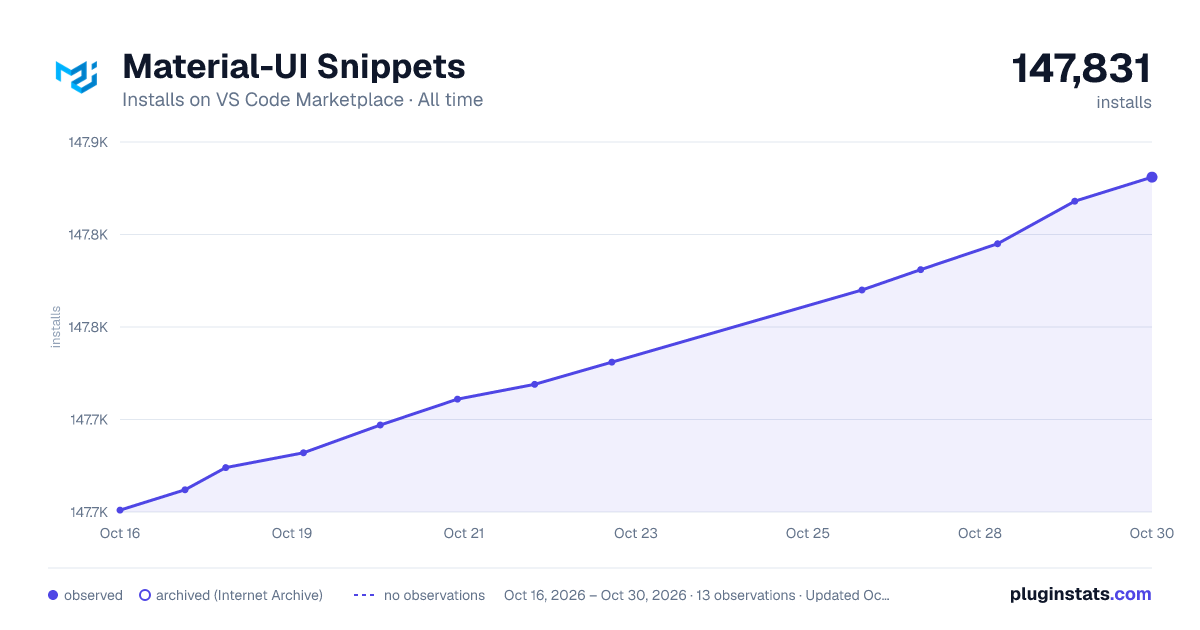
Filled points are observed values; hollow points come from Internet Archive snapshots of the listing page. Dashed segments span periods with no observations — values between points are not interpolated.
Recent observations
Full history (3)Similar VS Code Marketplace Snippets plugins
Data source
Install counts, average rating, and rating counts come from the public Visual Studio Marketplace gallery API. Installs are cumulative and exclude updates.
Listing: https://marketplace.visualstudio.com/items?itemName=vscodeshift.material-ui-snippets. First seen Oct 16, 2026; last successful collection Oct 18, 2026. See the methodology.