 PluginStats
SQLTools installs statistics
By Matheus Teixeira (5 listings) · VS Code Marketplace · Programming Languages
Connecting users to many of the most commonly used databases. Welcome to database management done right.
SQLTools has 7,122,003 recorded installs on VS Code Marketplace.
It ranks #133 of 2,501 tracked VS Code Marketplace listings by installs.
It is rated 3.5 out of 5 from 146 ratings.
PluginStats has 4 daily observations since Oct 16, 2026; the latest is from Oct 19, 2026.
Rating: 3.45 / 5 from 146 ratings
About SQLTools
SQLTools database management
Welcome to Database Management done right. SQLTools provides connections to many of the most commonly used databases, making it easier to work with your data. With this tool, developers will save (a lot of) time, increase productivity and feel like a database hero ✌️
SQLTools is an open-source project maintained by Matheus Teixeira and George James Software, alongside contributions from our brilliant community of users.
If you like using this tool please leave us a review.
Features
Connects to MySQL, PostgreSQL, SQL Server and many more...
• Beautifier and formatter for SQL code • Query runner, history and bookmarks • Connection explorer • Generator for INSERT queries • Pluggable driver architecture
Find out more in the documentation here.
Getting Started
SQLTools is a set of VS Code extensions that connect to, query, and display results from a SQL database manager. (Supported databases are listed below.)
The installation process is straightforward:
• Open VS Code • Click the Extensions view (in the left bar), then search for @tag:sqltools-driver. This lists all the drivers available for SQLTools. • Install the driver for your database. This also installs the core SQLTools extension. • Click the SQLTools icon (in the left bar) • Create a _connection_ to your database. To do this, hover over CONNECTIONS in the SQLTools pane. Click the "Add New Connection" icon and choose the driver and enter the connection parameters.
You can then open and query it from within VS Code.
Supported Databases
To use SQLTools you will also need to install the appropriate driver extension for your database.
If the driver you want is not available, you can use our handy new drivers guide to write it yourself (and help our community in the process) or submit feedback via GitHub.
If you need a driver sooner, get in touch with the maintainers directly – we might be able to help you out.
Psst… we’re always on the lookout for maintainers for the official drivers, so let us know if this is something you’re interested in!
Official Drivers
| | Driver | Marketplace | Package |
| | CockroachDB | Link | packages/driver.pg | | | MariaDB | Link | packages/driver.mysql | | | SQL Server | Link | packages/driver.mssql | | | MySQL | Link | packages/driver.mysql | | | TiDB | Link | packages/driver.mysql | | | PostgreSQL | Link | packages/driver.pg | | | SQLite | Link | packages/driver.sqlite |
Community Drivers:
| | Driver | Marketplace | Maintainer and Repository |
| | Amazon Aurora DSQL | Link | @aws-aurora-dsql-maintainers awslabs/aurora-dsql-vscode | | | Amazon Redshift | Link | @kj-9 kj-9/sqltools-redshift-driver | | | ClickHouse | Link | @ultram4rine ultram4rine/sqltools-clickhouse-driver | | | Databricks | Link | @Databricks databricks/sqltools-databricks-driver | | | Db2 | Link | @lucashancock lucashancock/db2-sqltools | | | DolphinDB | Link | @DolphinDB dolphindb/sqltools-dolphindb-driver | | | DuckDB | Link | @RandomFractals RandomFractals/duckdb-sql-tools | | | DuckDB Pro | Sign up | @RandomFractals RandomFractals/pro-data-tools#duckdb-pro-tools | | | DuckDB (Latest Version Support) | Link | @Evidence evidence-dev/sqltools-duckdb-driver | | | Google BigQuery | Link | @Evidence evidence-dev/sqltools-bigquery-driver | | | Google Cloud Spanner | Link | @cloudspannerecosystem cloudspannerecosystem/sqltools-cloud-spanner-driver | | | Google Cloud SQL (PostgreSQL) | Link | @curioswitch curioswitch/sqltools-cloudsql-pg | | | Hive | Link | @datafe datafe/sqltools-hive-driver | | | Hologres | Link | @datafe datafe/sqltools-hologres-driver | | | InterSystems IRIS | Link | @daimor intersystems-community/sqltools-intersystems-driver | | | kdb+ / q | Link | @dreth dreth/kdb-sqltools | | | MaxCompute | Link | @datafe datafe/sqltools-maxcompute-driver | | | Mimer SQL | Link | @mimersql mimersql/sqltools-mimer-driver | | | Netezza | Link | @maurice-v maurice-v/sqltools-driver-netezza | | | Oracle | Link | @hashhashu hashhashu/sqltools-Oracle-driver | | | SAP HANA | Link | @SAP SAP/sap-hana-driver-for-sqltools | | | SingleStore | Link | @singlestore-labs singlestore-labs/sqltools-singlestore-driver | | | Snowflake | Link | @koszti koszti/sqltools-snowflake-driver | | | SQLite Pro | Sign up | @RandomFractals RandomFractals/pro-data-tools/sqlite-tools | | | Teradata | Link | @ScriptPup ScriptPup/sqltools-teradata-driver | | | Trino | Link | @regadas regadas/sqltools-trino-driver | | | Vertica | Link | @vertica vertica/sqltools-vertica-driver |
Related Tools
| | Name | Download | Repository |
| | Markdown SQL Pro Tools | Sign up | RandomFractals/pro-data-tools#markdown-sql-pro-tools | | | PRQL Pro Tools | Sign up | RandomFractals/pro-data-tools#prql-pro-tools |
Contributing
We are grateful to our contributors for helping with this project ❤️ If you would like to join them you’ll find everything you need to know about contributing here.
Changelog
See the changelog here.
Feedback
Our aim is to build a tool that is genuinely helpful for developers. Therefore we welcome any feedback or additional feature requests – please submit them through the GitHub Issue system.
If you need help sooner, get in touch with the maintainers directly – we might be able to help you out.
About George James Software
George James Software has been providing innovative software solutions for over 35 years. We pride ourselves on the quality and maintainability of our code and we have built a number of tools to help developers achieve the same with their work. These are available as VS Code extensions here.
We also help other developers to build their own extensions. If there is a tool you need building please get in touch with us at info@georgejames.com.
Description from the VS Code Marketplace listing.
- cassandra
- cockroach
- cql
- database
- db
- db2
- dba
- dbms
- formatter
- ibm_db
- intersystems
- intersystems caché
- intersystems iris
- keybindings
- mssql
- mysql
- oracle
- oracledb
- postgres
- postgresql
Where SQLTools sits in the listing
Each band is one page of 20. Installs on a log scale. Placement is projected from installs, so it can differ from the marketplace's own sort order. Hover a dot to see the listing.


Charts
Images: 30d · 1y · all time · 1600×900 dark
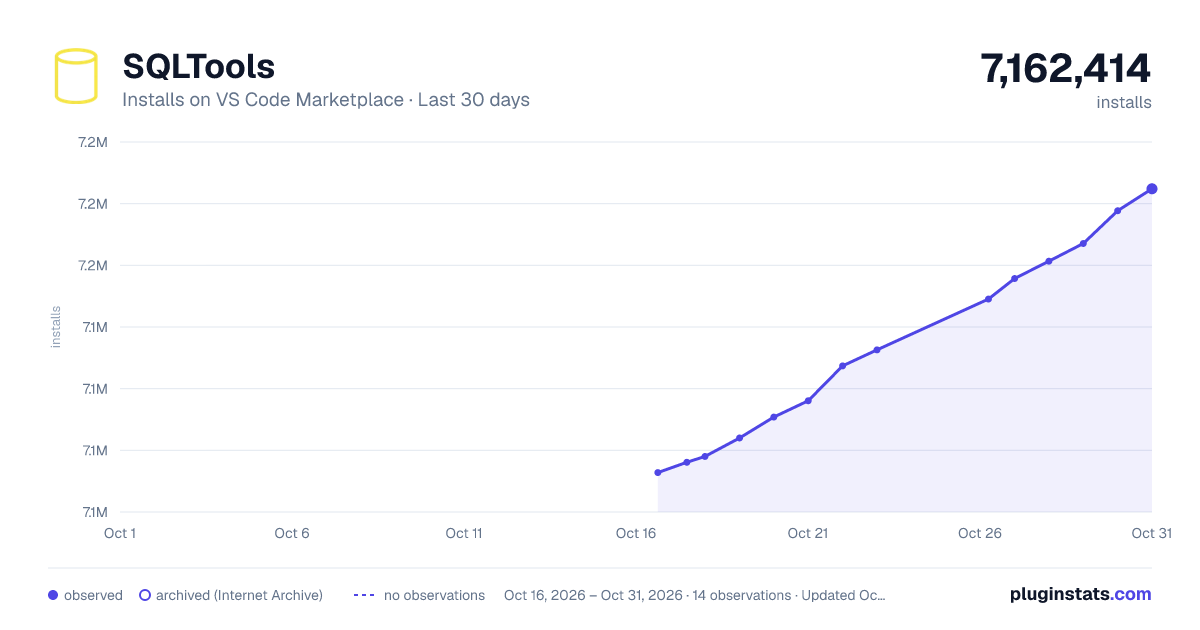
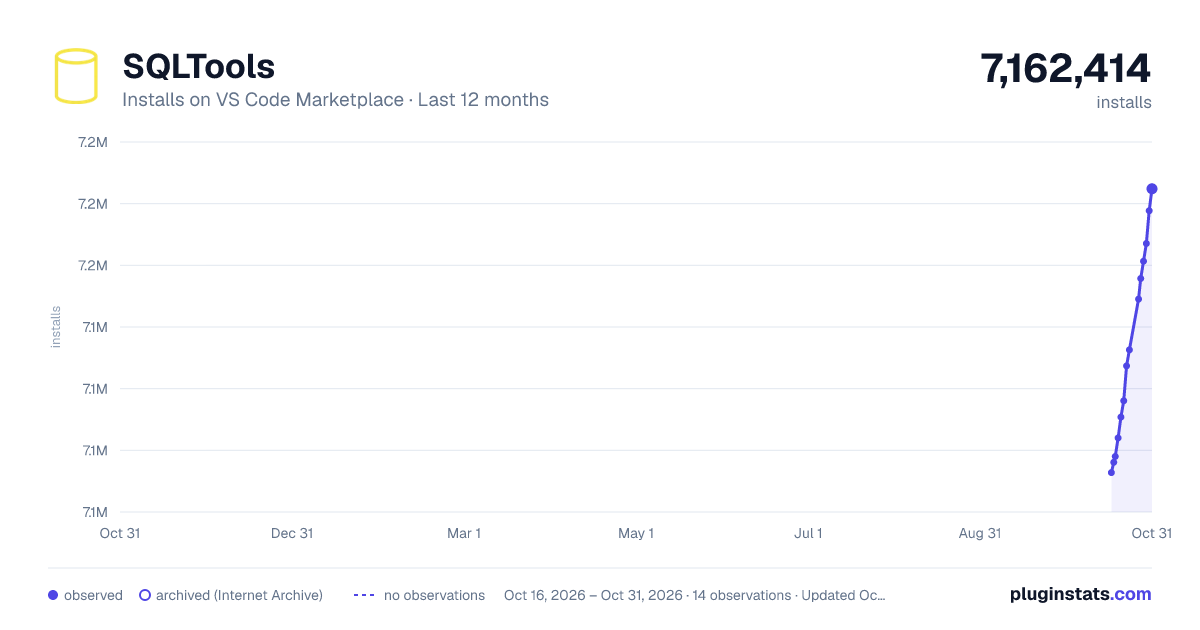
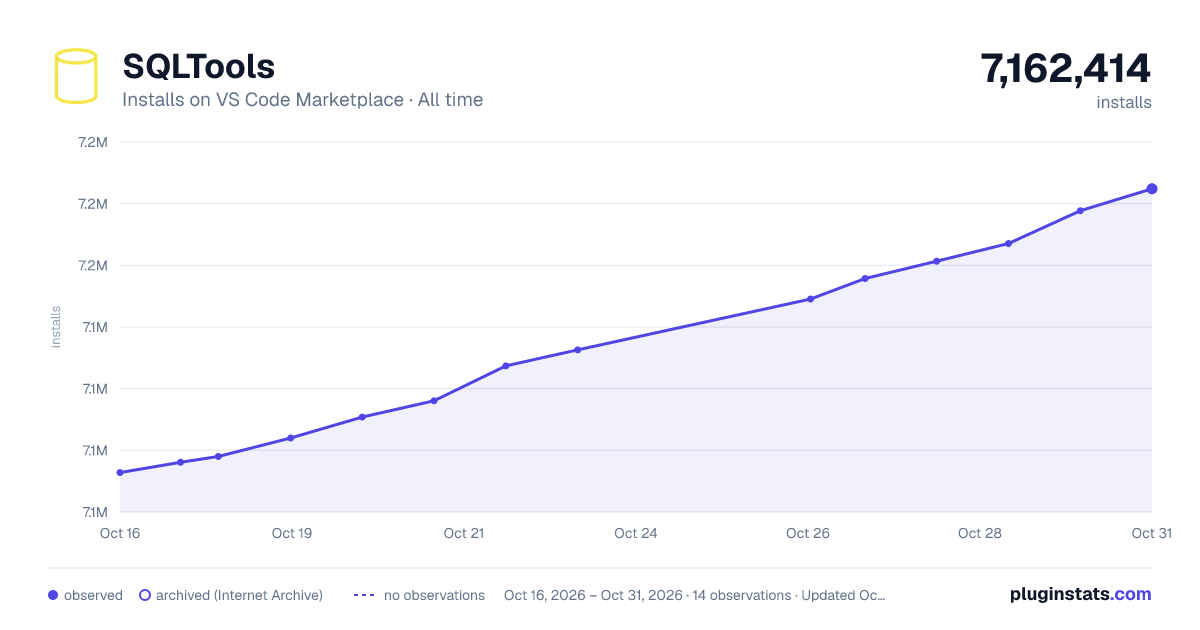

Adoption over time


7/30/90-day growth


Filled points are observed values; hollow points come from Internet Archive snapshots of the listing page. Dashed segments span periods with no observations — values between points are not interpolated.
Recent observations
Full history (4)Similar VS Code Marketplace Programming Languages plugins
Data source
Install counts, average rating, and rating counts come from the public Visual Studio Marketplace gallery API. Installs are cumulative and exclude updates.
Listing: https://marketplace.visualstudio.com/items?itemName=mtxr.sqltools. First seen Oct 16, 2026; last successful collection Oct 19, 2026. See the methodology.