 PluginStats
pip-packages installs statistics
By etmoffat · VS Code Marketplace · Other
Install/update pip packages into virtual environments
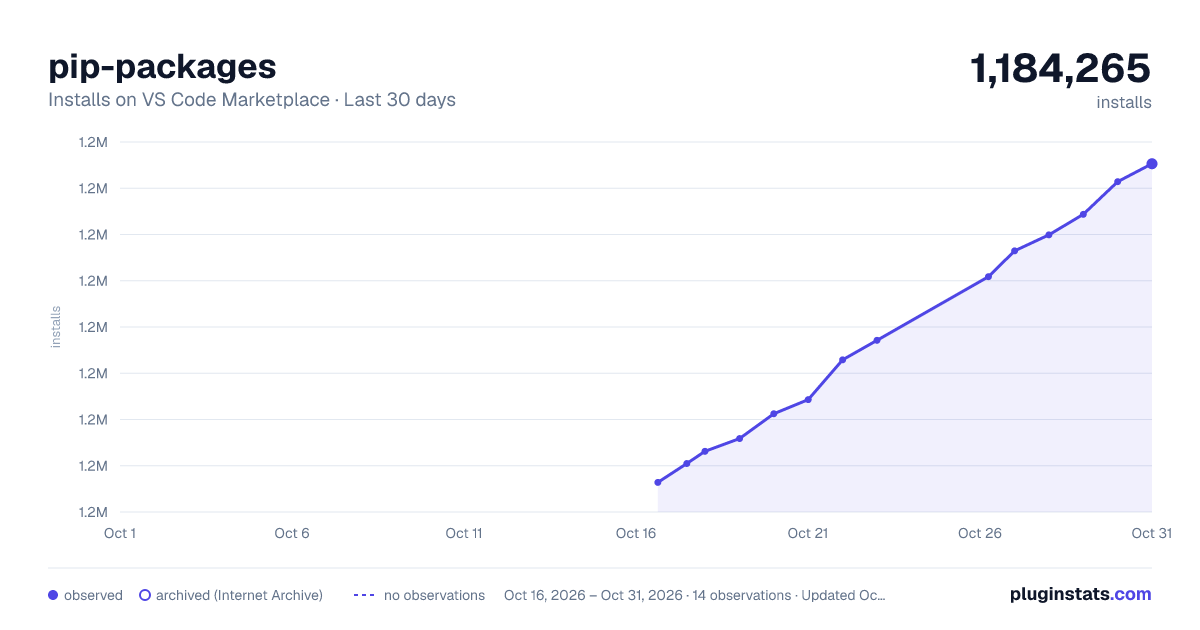
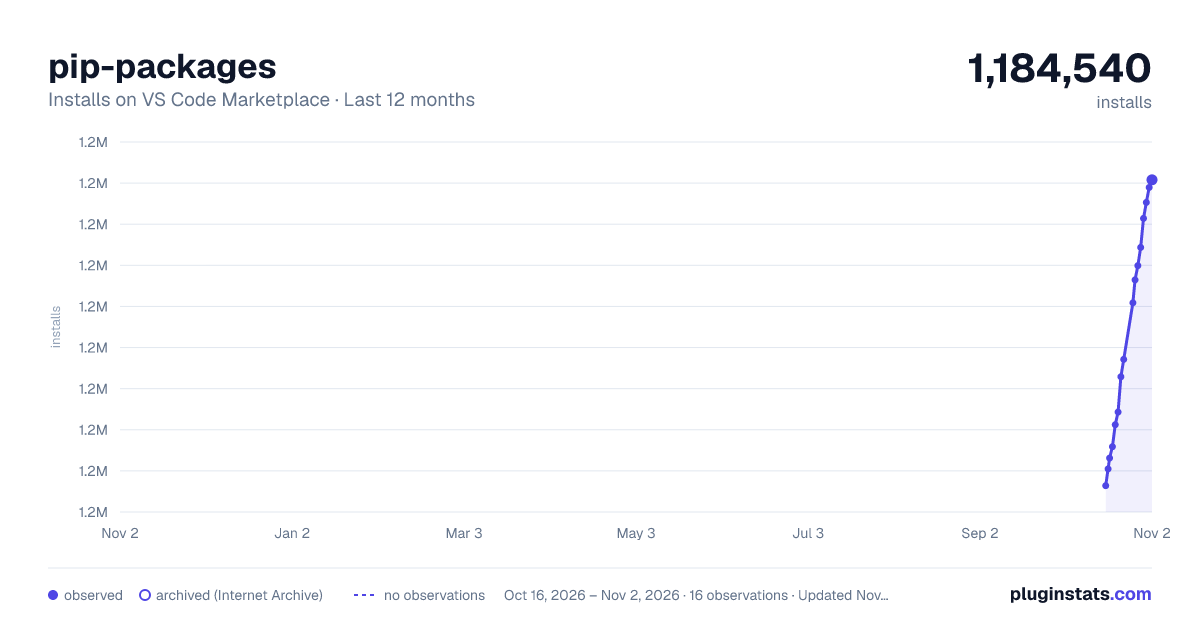
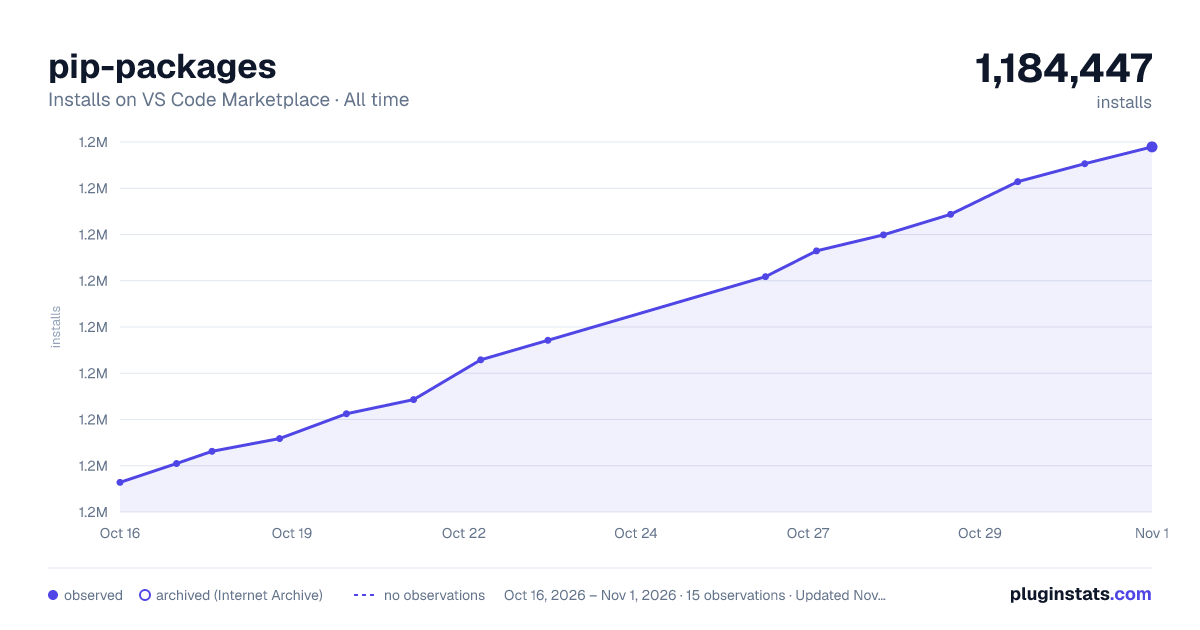
pip-packages has 1,181,156 recorded installs on VS Code Marketplace.
It ranks #492 of 2,500 tracked VS Code Marketplace listings by installs.
It is rated 3.0 out of 5 from 2 ratings.
PluginStats has 3 daily observations since Oct 16, 2026; the latest is from Oct 18, 2026.
Rating: 3.00 / 5 from 2 ratings
About pip-packages
pip-packages README
A vscode extension for installing/updating pip packages into virtual environments
Features
• Invoke via command pip-packages: Update pip packages from vscode command window • Install specified pip packages with specified versions • Supports multiple installations of python • Supports multiple virtual environments
Requirements
Valid python install(s) must exist on the system before this extension will work.
Configuration in vscode must be set to point at the valid python install(s), and must specify specific packages (see extension settings section).
Extension Settings
pip-updater.AutoUpdate
Description
Boolean value that toggles auto-update behavior. Setting 'true' will cause the extension to update packages automatically when vscode is launched.
Note: The behavior is still available by the command regardless of the value of this setting.
Sample
Default Value
The default value is to not run the auto-update when vscode launches. However, configuration will still be loaded as part of the startup logic.
pip-updater.PackagesAndVersions
Description
A list of packages to install and (optionally) specific versions. Ommitting the version or specifying "latest" will pull down the latest version of the package.
Sample
Default value
The default value is an empty array. At least one package must be specified.
pip-updater.VirtualEnv
Description
List of virtual environments in which packages should be installed. Ommitting this setting will cause the packages to be installed in the system python installed in the $PATH.
Virtual environment settings may also specify a path to python that should be used for the virtual environment. If this value is omitted, system python (in $PATH) will be used to install the virtual environments.
If the path to python that is specified does not contain a valid pip executable, the environment will be ignored.
Virtual environment settings may also specify a path on the system to store virtual environments. If this value is not configuration, the default of %USERPROFILE%\envs or ~/.virtualenvs is used.
Note: virtualenvwrapper will be installed into each python installation automatically in order to support virtual environments.
Note: The value of $WORKON_HOME will be overwritten if a path to the virtual environments is specified in these settings
Sample
Entries are as follows: 1. Virtual environment 'TestEnv' using system python in $PATH 2. Virtual environment 'TestEnvPy36' using python in /usr/bin/python36 (MacOS/Linux example) 3. No virtual environment, installed using python in C:\\python27 (Windows example) 4. Virtual environment 'InDifferentEnvs' will be created/stored in specified directory
Note: Sample includes mac/windows paths together, which is not a supported production use-case.
Default value
The default value is an empty array. This will install packages into default environment (no environment) using the system python.
pip-updater.Timeout
Description
Timeout (in milliseconds) when invoking external processes. If the process does not complete in the specified time limit, failure is assumed and the process is aborted.
Packages with many dependencies may take a few minutes when installing on a clean system. This value may need to be increased in order for a successful invocation.
Sample
Default value
The default value is 60000 (1 minute).
Known Issues
1. There are many issues using the default python that ships with macOS. It is *highly* recommended to download/install another python from python.org.
Release Notes
0.4.3
Fix regression where changing a configuration would cause it to reload incorrectly
0.4.2
Output will be displayed to the console in real-time instead of all at the end.
0.4.1
Use more appropriate event for catching configuration changes
0.4.0
Add auto-reload when configuration is changed. Add command for manually reloading configuration.
0.3.2
Fix bugfix for virtual environment commands on windows
0.3.1
Minor bugfix for virtual environment creation on windows
0.3.0
Extension is now supported on both Windows and macOS
0.2.0
Use value specified timeout when invoking external processes
0.1.0
Addition of 'AutoUpdate' configuration option and auto-update behavior
0.0.2-0.0.3
Minor updates (see changelog)
0.0.1
Initial release
Description from the VS Code Marketplace listing.
Where pip-packages sits in the listing
Each band is one page of 20. Installs on a log scale. Placement is projected from installs, so it can differ from the marketplace's own sort order. Hover a dot to see the listing.


Charts
Images: 30d · 1y · all time · 1600×900 dark

Adoption over time


7/30/90-day growth


Ranking history


Filled points are observed values; hollow points come from Internet Archive snapshots of the listing page. Dashed segments span periods with no observations — values between points are not interpolated.
Recent observations
Full history (3)Similar VS Code Marketplace Other plugins
Data source
Install counts, average rating, and rating counts come from the public Visual Studio Marketplace gallery API. Installs are cumulative and exclude updates.
Listing: https://marketplace.visualstudio.com/items?itemName=etmoffat.pip-packages. First seen Oct 16, 2026; last successful collection Oct 18, 2026. See the methodology.