 PluginStats
JavaScript Booster installs statistics
By Stephan Burguchev · VS Code Marketplace · Programming Languages
Boost your productivity with advanced JavaScript/TypeScript refactorings and commands
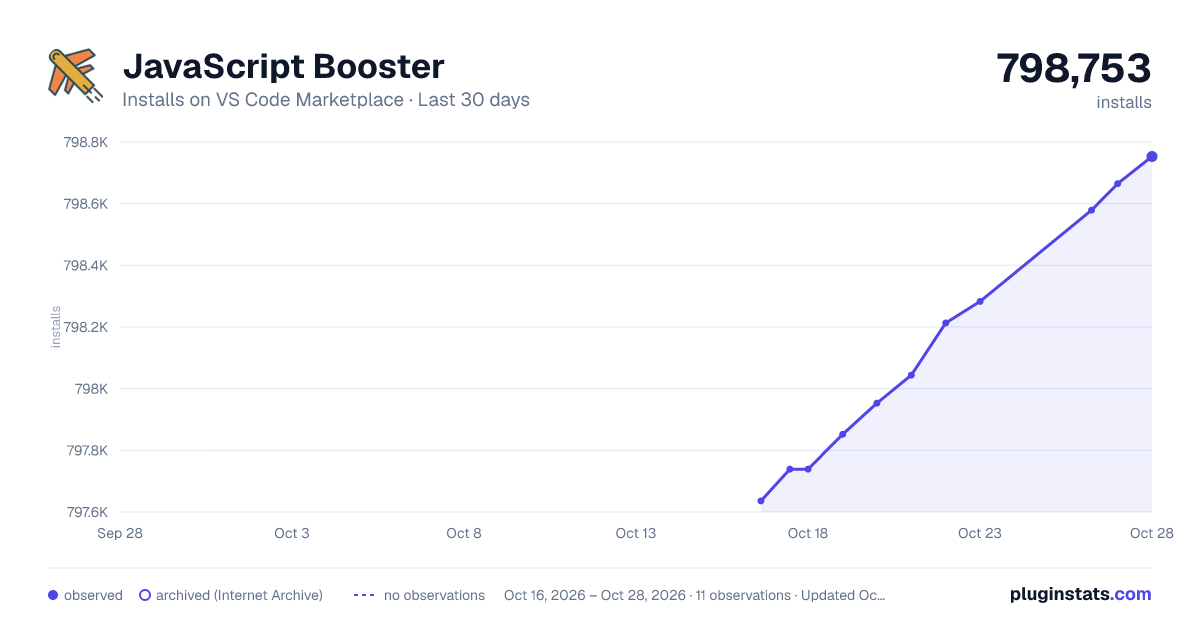
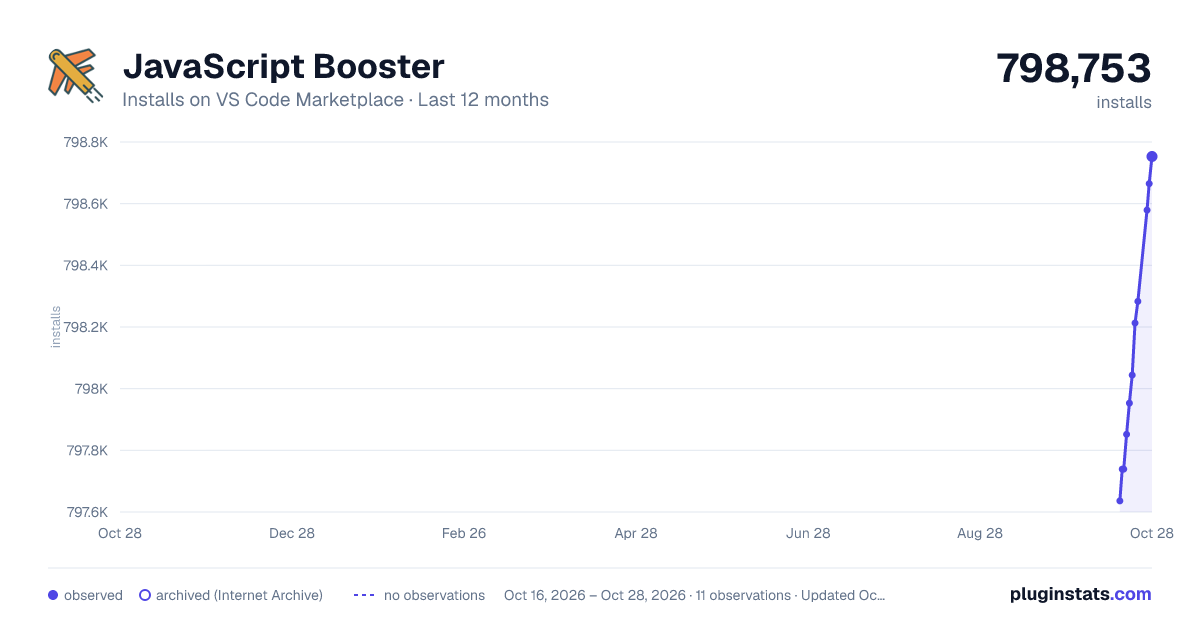
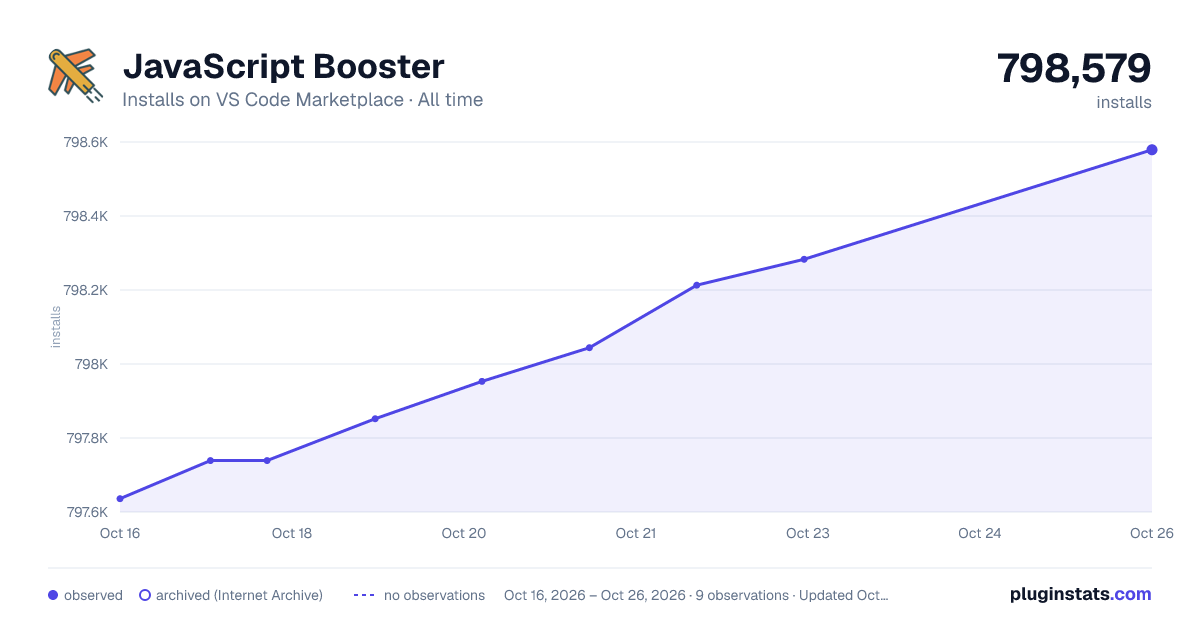
JavaScript Booster has 797,739 recorded installs on VS Code Marketplace.
It ranks #617 of 2,500 tracked VS Code Marketplace listings by installs.
It is rated 4.6 out of 5 from 19 ratings.
PluginStats has 3 daily observations since Oct 16, 2026; the latest is from Oct 18, 2026.
Rating: 4.58 / 5 from 19 ratings
About JavaScript Booster
VS Code JavaScript Booster
Make your life easier, use code actions to do repetitive tasks for you! They can help a lot, just follow the light bulb 💡!
This VS Code extension provides various code actions (quick fixes) when editing code in JavaScript (or TypeScript/Flow). Just note the light bulb at the left and press it to learn how you can transform the code under the cursor.
You might want to reassign the default shortcut for the quick fix menu to Alt+Enter if you are moving from WebStorm. Search for editor.action.quickFix command.
New: React and TypeScript-specific code actions 🚀
Installation
Install through VS Code extensions. Search for JavaScript Booster
Visual Studio Code Market Place: JavaScript Booster
Features
Code actions
• Conditions • Flip if-else • Remove redundant else • Replace if-else with ?: • Simplify if-else • Flip ?: • Simplify ?: • Merge nested if statements (new) • Declarations • Convert var/const to let • Convert var to const • Split into multiple declarations • Split into declaration and initialisation • Merge declaration and initialisation • Strings • Replace string with template string • Replace template string with regular string • Split string under cursor • Trim whitespaces inside string (new) • Functions • Convert shorthand arrow function to statement • Convert to shorthand arrow function • Add parens to single arrow function parameter • Convert function to arrow function • Convert arrow function to regular function (new) • Convert function declaration to arrow function (new) • Async • \[on selection\] Run selected await statements in parallel with Promise.all • TypeScript • Convert enum to string-enum (new) • Convert string-enum to type union (new) • Convert type union of strings to string-enum (new) • JSX / TSX • Wrap value with {} (JSX attributes) • Remove {} from JSX attribute • Collapse/Expand empty tag • React • Wrap function into useCallback() hook (new) • React: Wrap component function with React.forwardRef() (new) • React: Wrap component function with React.memo() (new) • React: Convert function to React.FunctionComponent declaration (new)
Extend/Shrink selections
These two commands allow you to successively select blocks of code so that it's easier to select what you want. Just look at the animation, rather than read this text 🤓. Unlike VS Code's embedded commands (editor.action.smartSelect.*), this extension uses an abstract syntax tree under the hood, which provides much more accurate results.
You might want to assign hotkeys for these commands, search for javascriptBooster.extendSelection and javascriptBooster.shrinkSelection. Ctrl+W and Ctrl+Shift+W (⌘W and ⌘⇧W) are used in WebStorm by default.
As this feature is only supported in JavaScript and TypeScript for now, you can configure fallback commands that will be called for other file types instead (VS Code's smartSelect.* by default). They will also be called if the file has fatal syntax errors.
Roadmap
More code actions
• Convert if -> switch-case • TS: Change member access (public -> private etc) • TS: Convert alias to interface • TS: Generate missing switch cases for enum • ...?
New commands
• Duplicate line/selection • Navigate to related files (Hello.jsx -> Hello.scss, Hello.spec.jsx)
Others
• Support loading code actions from user workspace: users can create their own, project-related refactorings! 😅
Inspiration
Largely inspired by WebStorm and its variety of code refactorings. The extension uses Babylon to parse the code and then manipulates the abstract syntax tree using jscodeshift.
Contribution
PRs are always welcome. Please refer to the Contribution Guide for tips on how to work with this project. The guide includes basic development workflows like running tests and debugging as well as useful links for creating new code actions.
If you like this project and find it useful, you could also donate to support its development .
Release Notes
14.0.0
In this release: a bunch of new code actions including React and TypeScript; resolve technical debt and do the groundwork for more exciting features!
• New code actions • React: Wrap function into useCallback() hook • React: Wrap component function with React.forwardRef() • React: Wrap component function with React.memo() • React: Convert function to React.FunctionComponent • TS: Convert enum to string-enum • TS: Convert string-enum to type union • TS: Convert type union of strings to string-enum • Function: Convert arrow function to regular function • Function: Convert function declaration to arrow function • Conditions: Merge nested if statements declaration • String: Trim whitespaces inside string • Fixes • replace-with-regular-string should not trigger on tagged template strings • React: convert to regular function now supports React function components • Others • Add action scoping (e.g. react-only, ts-only) • Use strict TypeScript in the language server • Migrate to ESLint • Switch to Yarn (for selective deps resolution) • Add log-level, add verbose performance logs
0.12.0
• Add new refactoring: Replace ?: with if-else (#19): • Fixed 'Remove redundant else' refactoring not to appear when there is not else statement (#21). • The project now uses Webpack internally to minimize the extension size and improve performance (#22).
0.11.0
• Add new range-based code action: Call await statements in parallel with Promise.All() (#7): • Add new option to adjust formatting for generated code (only needed when a code action generates new code, the formatting of the unaffected code is always preserved). See javascriptBooster.formattingOptions and #10. • Bumped @babel/parser, adds proper Angular support (#13). • Fixed Convert to arrow function refactoring, now works correctly with async functions (#11). • Fixed replace if-else with ?: refactoring, now supports refactoring of pure expressions:
0.10.0…
Description from the VS Code Marketplace listing.
- code actions
- javascript
- javascriptreact
- refactoring
- typescript
- typescriptreact
Where JavaScript Booster sits in the listing
Each band is one page of 20. Installs on a log scale. Placement is projected from installs, so it can differ from the marketplace's own sort order. Hover a dot to see the listing.


Charts
Images: 30d · 1y · all time · 1600×900 dark

Adoption over time


7/30/90-day growth


Ranking history


Filled points are observed values; hollow points come from Internet Archive snapshots of the listing page. Dashed segments span periods with no observations — values between points are not interpolated.
Recent observations
Full history (3)Similar VS Code Marketplace Programming Languages plugins
Data source
Install counts, average rating, and rating counts come from the public Visual Studio Marketplace gallery API. Installs are cumulative and exclude updates.
Listing: https://marketplace.visualstudio.com/items?itemName=sburg.vscode-javascript-booster. First seen Oct 16, 2026; last successful collection Oct 18, 2026. See the methodology.