 PluginStats
Bootstrap 4, Font awesome 4, Font Awesome 5 Free & Pro snippets installs statistics
By Ashok Koyi (3 listings) · VS Code Marketplace · Snippets
Bootstrap 4 snippets based on documentation + Font awesome 4 + Font Awesome 5 Free & Pro snippets
Bootstrap 4, Font awesome 4, Font Awesome 5 Free & Pro snippets has 3,922,791 recorded installs on VS Code Marketplace, ranking #207 of 2,501 tracked listings.
Rating: 3.79 / 5 from 28 ratings
About Bootstrap 4, Font awesome 4, Font Awesome 5 Free & Pro snippets
Bootstrap 4, Font awesome 4, Font Awesome 5 Free & Pro snippets for Visual studio code
Visual studio code plugin containing Bootstrap 4, Font awesome 4 & Font Awesome 5 Free & Pro snippets. This plugin works in both in the stable & the insiders build

The detailed list of supported template triggers are listed below
Feel free to let me know what else you want added via the issues
Suggestions, feedback and other comments welcome via @1tontech on Twitter.
Installation (in 2 easy steps)
- Install plugin
- Press
F1, pasteext install bootstrap4-vscode& then pressenter(or) - Goto extensions by pressing
Ctrl-Shift-X(Windows/Linux) orCmd-Shift-X(Mac) & Search forBootstrap 4, click on install - Reload your editor
You are good to go
Usage
To use the bootstrap snippets, open a HTML file, and start typing b4-, followed by pressing Ctrl+Space. A list of bootstrap snippets will show up
To use font awesome 4 snippets, open a HTML file, and start typing fa4-, the editor will show you all the snippets
To use font awesome 5 free snippets, open a HTML file, and start typing fa5-, the editor will show you all the snippets
To use font awesome 5 pro snippets, open a HTML file, and start typing fa5p-, the editor will show you all the snippets
The detailed list of supported actions are listed below under documentation section
Here are the conventions that will make it easy to lookup templates
If a template trigger starts with @ variation, this snippet targets the attribute of an html element in your markup. Think of @ as html attribute
Mind map
@ => Targets html attribute
Contribution guidelines
- Clone this repo
- To modify bootstrap templates, you can find the templates for each snippet under
../snippets/bootstrap. These html templates must follow sublime text snippet format. - To modify font awesome snippets, you would need to modify
font-awesome*-icons*.ymlunder../snippets - If you need to change
README.md(or)package.json, you should modify their templates (which are used to generate the actual files) undersrc/util/resources. For eg., If you wantpackage.jsonwithin plugin to be modified, you should changepackage-template.jsonundersrc/util/resources. A newpackage.json&README.mdare regenerated for every build from their corresponding templates. - Send me a pull request
Changelog
See here
Documentation
Here are available live templates
Bootstrap 4 snippets
Bootstrap master template
| Trigger | Description |
|---|---|
| b4-$ | Bootstrap master template |
Alert
| Trigger | Description |
|---|---|
| b4-alert-additional-content | Alert additional content |
| b4-alert-closable | Alert closable |
| b4-alert-default | Alert default |
| b4-alert-dismissible | Alert dismissible |
| b4-alert-link | Alert link |
Badge
| Trigger | Description |
|---|---|
| b4-badge-button | Badge button |
| b4-badge-default | Badge default |
| b4-badge-heading | Badge heading |
| b4-badge-link | Badge link |
| b4-badge-pill | Badge pill |
Bgroup
| Trigger | Description |
|---|---|
| b4-bgroup-default | Bgroup default |
| b4-bgroup-dropdown-vertical | Bgroup dropdown vertical |
| b4-bgroup-dropdown | Bgroup dropdown |
| b4-bgroup-size | Bgroup size |
| b4-bgroup-toolbar | Bgroup toolbar |
Breadcrumb
| Trigger | Description |
|---|---|
| b4-breadcrumb-default | Breadcrumb default |
| b4-breadcrumb-list | Breadcrumb list |
Button
| Trigger | Description |
|---|---|
| b4-button-a | Button a |
| b4-button-block | Button block |
| b4-button-checkbox | Button checkbox |
| b4-button-default | Button default |
| b4-button-disabled-a | Button disabled a |
| b4-button-input | Button input |
| b4-button-outline | Button outline |
| b4-button-radio | Button radio |
| b4-button-sizes | Button sizes |
| b4-button-toggle | Button toggle |
Card
| Trigger | Description |
|---|---|
| b4-card-align | Card align |
| b4-card-background-custom | Card background custom |
| b4-card-background | Card background |
| b4-card-blockquote | Card blockquote |
| b4-card-border | Card border |
| b4-card-columns | Card columns |
| b4-card-decks | Card decks |
| b4-card-default | Card default |
| b4-card-grid | Card grid |
| b4-card-groups | Card groups |
| b4-card-head-foot | Card head foot |
| b4-card-links | Card links |
| b4-card-list | Card list |
| b4-card-overlay | Card overlay |
| b4-card-pill-head | Card pill head |
| b4-card-subtitle | Card subtitle |
| b4-card-tab-head | Card tab head |
Carousel
| Trigger | Description |
|---|---|
| b4-carousel-caption | Carousel caption |
| b4-carousel-default | Carousel default |
Collapse
| Trigger | Description |
|---|---|
| b4-collapse-accordion | Collapse accordion |
| b4-collapse-button | Collapse button |
| b4-collapse-default | Collapse default |
Dropdown
| Trigger | Description |
|---|---|
| b4-dropdown-alignment | Dropdown alignment |
| b4-dropdown-anchor | Dropdown anchor |
| b4-dropdown-button | Dropdown button |
| b4-dropdown-colored | Dropdown colored |
| b4-dropdown-default | Dropdown default |
| b4-dropdown-sized | Dropdown sized |
| b4-dropdown-split | Dropdown split |
| b4-dropdown-up-split | Dropdown up split |
| b4-dropdown-up | Dropdown up |
Form…
Description from the VS Code Marketplace listing.
- bootstrap
- snippet
README badge
Show your rank in a README or on your website. The badge updates automatically.
Charts
Images: 30d · 1y · all time · 1600×900 dark
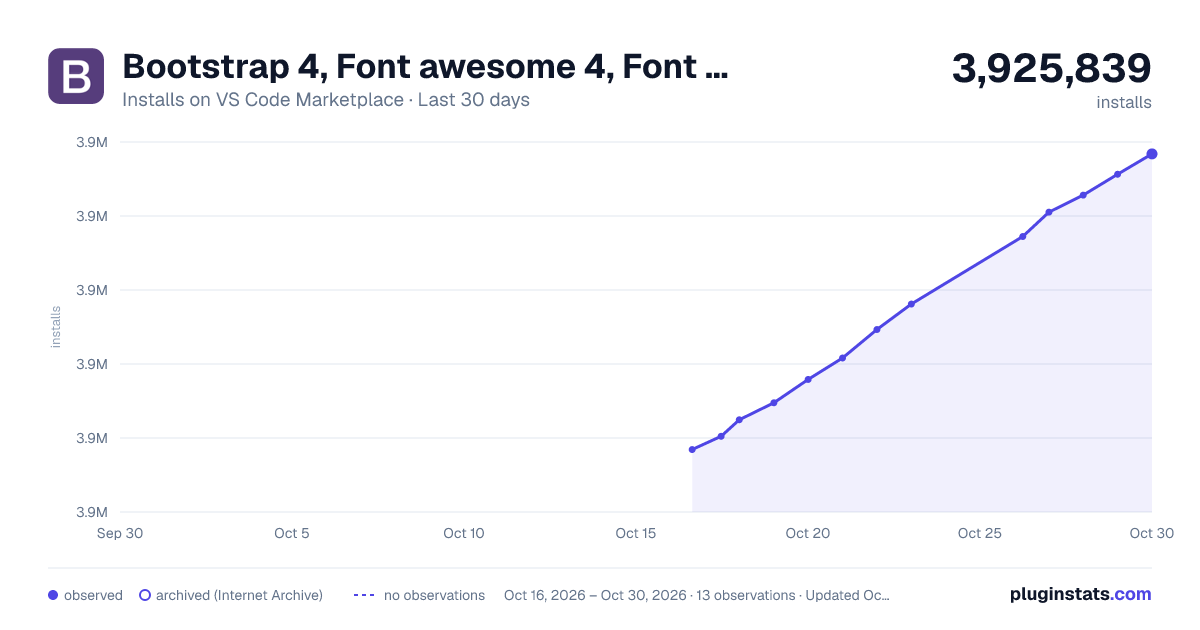
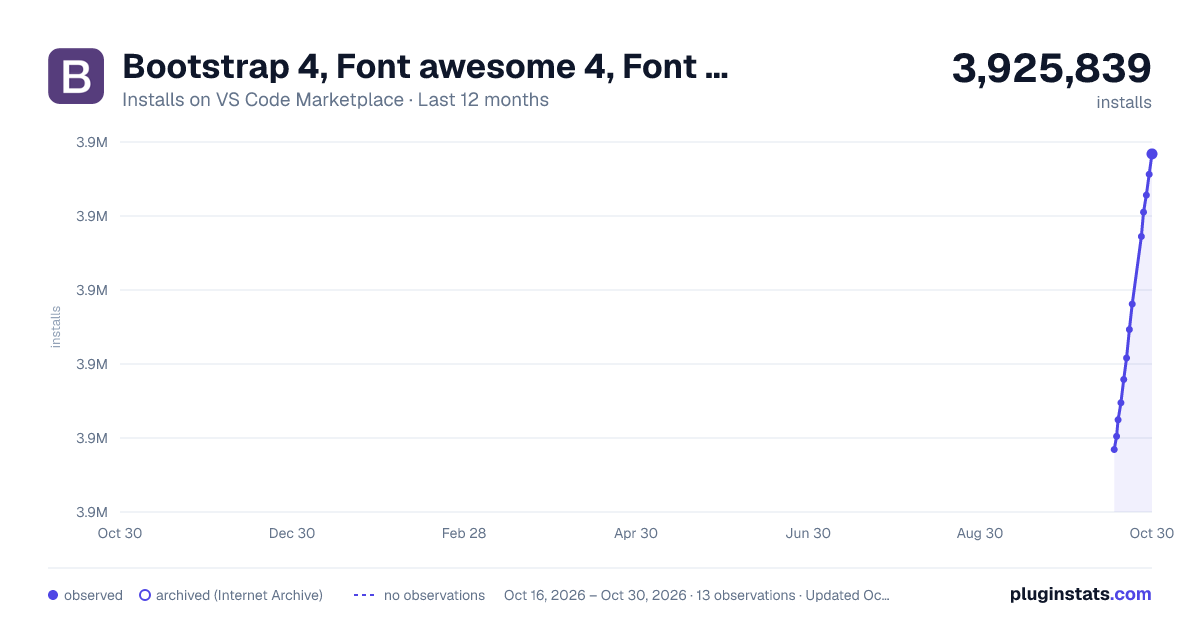


Adoption over time
7/30/90-day growth
Ranking history
Ratings over time
Listing placement
Listing placement
Filled points are observed values; hollow points come from Internet Archive snapshots of the listing page. Dashed segments span periods with no observations — values between points are not interpolated.
Each band is one page of 20. Installs on a linear scale. Placement is projected from installs, so it can differ from the marketplace's own sort order. Hover a dot to see the listing.
Recent observations
Full history (5)Similar VS Code Marketplace Snippets plugins
All 20 Bootstrap 4, Font awesome 4, Font Awesome 5 Free & Pro snippets alternativesData source
Install counts, average rating, and rating counts come from the public Visual Studio Marketplace gallery API. Installs are cumulative and exclude updates.
Listing: https://marketplace.visualstudio.com/items?itemName=thekalinga.bootstrap4-vscode. First seen Oct 16, 2026; last successful collection Oct 20, 2026. See the methodology.