 PluginStats
Path Autocomplete installs statistics
By Mihai Vilcu (2 listings) · VS Code Marketplace · Other
Provides path completion for visual studio code and VS Code for Web.
Path Autocomplete has 2,508,489 recorded installs on VS Code Marketplace.
It ranks #293 of 2,501 tracked VS Code Marketplace listings by installs.
It is rated 4.8 out of 5 from 57 ratings.
PluginStats has 4 daily observations since Oct 16, 2026; the latest is from Oct 19, 2026.
Rating: 4.75 / 5 from 57 ratings
About Path Autocomplete
Path Autocomplete for Visual Studio Code
Provides path completion for visual studio code.
Features
• it supports relative paths (starting with ./) • it supports absolute path to the workspace (starting with /) • it supports absolute path to the file system (starts with: C:) • it supports paths relative to the user folder (starts with ~) • it supports partial paths (./tmp/fol will suggest ./tmp/folder1 if it exists) • it supports items exclusions via the path-autocomplete.excludedItems option • it supports npm packages (starting with a-z and not relative to disk) • it supports automatic suggestion after selecting a folder • it supports custom mappings via the path-autocomplete.pathMappings option • it supports conditional path mappings that apply to certain sub-folders only • it supports custom transformations to the inserted text via the path-autocomplete.transformations • it supports Windows paths with the path-autocomplete.useBackslash • it supports VS Code for Web (including on Windows) • it supports language specific configurations
Installation
You can install it from the marketplace. ext install path-autocomplete
Options
• path-autocomplete.extensionOnImport - boolean If true it will append the extension as well when inserting the file name on import or require statements. • path-autocomplete.includeExtension - boolean If true it will append the extension as well when inserting the file name. • path-autocomplete.excludedItems This option allows you to exclude certain files from the suggestions.
minimatch is used to check if the files match the pattern.
• path-autocomplete.pathMappings Useful for defining aliases for absolute or relative paths.
In monorepos the following setup could be used:
Supported variables: | Name | Description |
| ${home} | User home folder | | ${folder} | The root folder of the current file | | ${workspace} | The root folder of the current workspace | | ${fileDirname} | The directory of the current file | | ${relativeFileDirname} | The current opened file's dirname relative to workspaceFolder |
• path-autocomplete.pathSeparators - string Lists the separators used for extracting the inserted path when used outside strings. The default value is: \t({ • path-autocomplete.transformations List of custom transformation applied to the inserted text. Example: replace _ with an empty string when selecting a SCSS partial file.
Supported transformation:
• replace - Performs a string replace on the selected item text. Parameters: • regex - a regex pattern • replaceString - the replacement string • modifiers - modifiers passed to the RegExp constructor • inputReplace - Performs a string replace on the input path. Parameters: • regex - a regex pattern • replaceString - the replacement string • modifiers - modifiers passed to the RegExp constructor
The fileName and path can be used for filtering the items/instances where the transformation should be applied.
For the replace transformation considering we selected /home/mihai/a.txt:
• fileName - regex applied to the basename of the selected suggestion a.txt • path - regex applied to the the full path of the selected suggestion /home/mihai/a.txt
For the inputReplace transformation considering that what we typed so far is /home/mihai:
• path - regex applied to the path inserted so far /home/mihai • path-autocomplete.triggerOutsideStrings boolean - if true it will trigger the autocomplete outside of quotes • path-autocomplete.enableFolderTrailingSlash boolean - if true it will add a slash after the insertion of a folder path that will trigger the autocompletion. • path-autocomplete.disableUpOneFolder boolean - disables the up one folder (..) element from the completion list. • path-autocomplete.useBackslash boolean - if true it will use \\ when iserting the paths. • path-autocomplete.useSingleBackslash boolean - If enabled it will insert a single backslash (\\) even inside quoted strings. • path-autocomplete.ignoredFilesPattern - string - Glob patterns for disabling the path completion in the specified file types. Example: "\*_/_.{css,scss}" • path-autocomplete.ignoredPrefixes array - list of ignored prefixes to disable suggestions on certain preceeding words/characters. Example: -
Language specific configurations
All settings can be overwritten by language specific configurations.
Configure VSCode to recognize path aliases
VSCode doesn't automatically recognize path aliases so you cannot alt+click to open files. To fix this you need to create jsconfig.json or tsconfig.json to the root of your project and define your alises. An example configuration:
Tips
• if you want to use this in markdown or simple text files you need to enable path-autocomplete.triggerOutsideStrings • ./ for relative paths
If ./ doesn't work properly, add this to keybindings.json: { "key": ".", "command": "" }. Refer to https://github.com/ChristianKohler/PathIntellisense/issues/9
• When I use aliases I can't jump to imported file on Ctrl + Click This is controlled by the compiler options in jsconfig.json. You can create the JSON file in your project root and add paths for your aliases. jsconfig.json Reference https://code.visualstudio.com/docs/languages/jsconfig#_using-webpack-aliases • if you have issues with duplicate suggestions please use the path-autocomplete.ignoredFilesPattern option to disable the path autocomplete in certain file types • if you need more fine grained control for handing duplicate items you can use the path-autocomplete.excludedItems option as follows:
Release notes
The release notes are available in the [CHANGELOG.md file.
Author
Mihai Ionut Vilcu
• github/mihai-vlc • twitter/mihai_vlc
Credits
This extension is based on path-intellisense
Description from the VS Code Marketplace listing.
- alias
- autocomplete
- intellisense
- path
- suggestion
Charts
Images: 30d · 1y · all time · 1600×900 dark
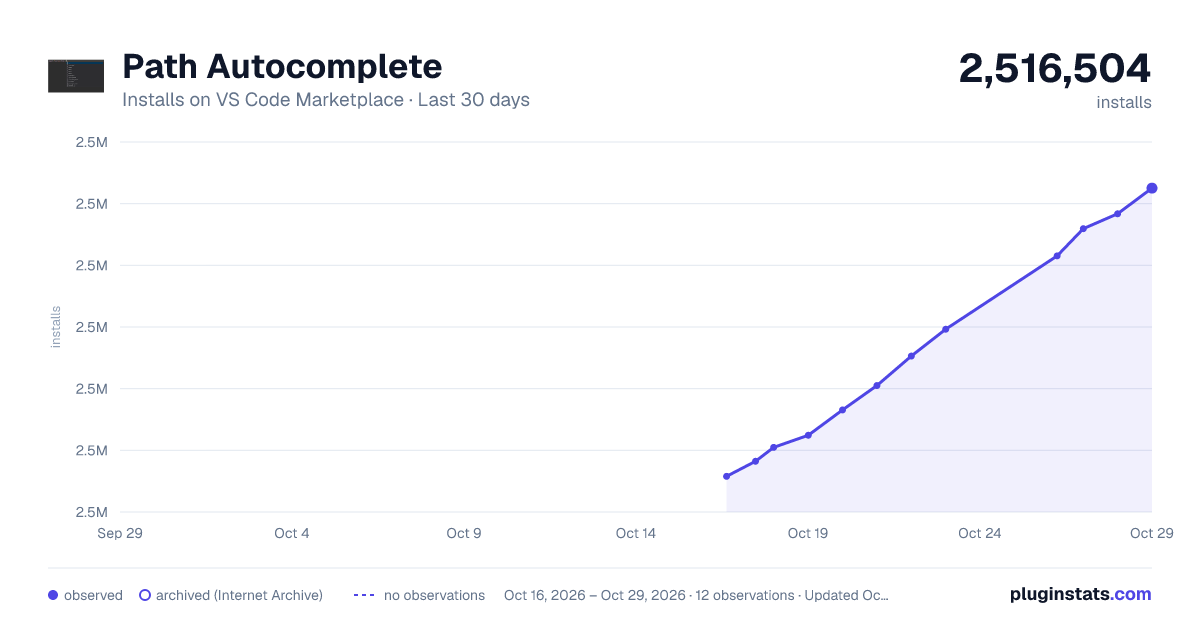
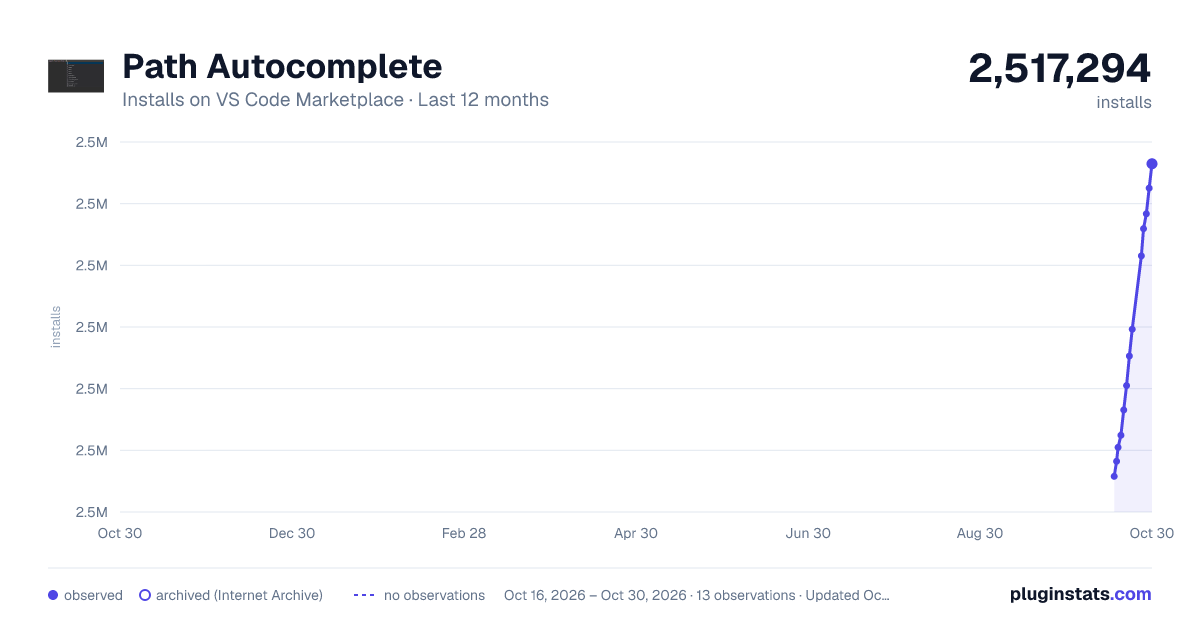
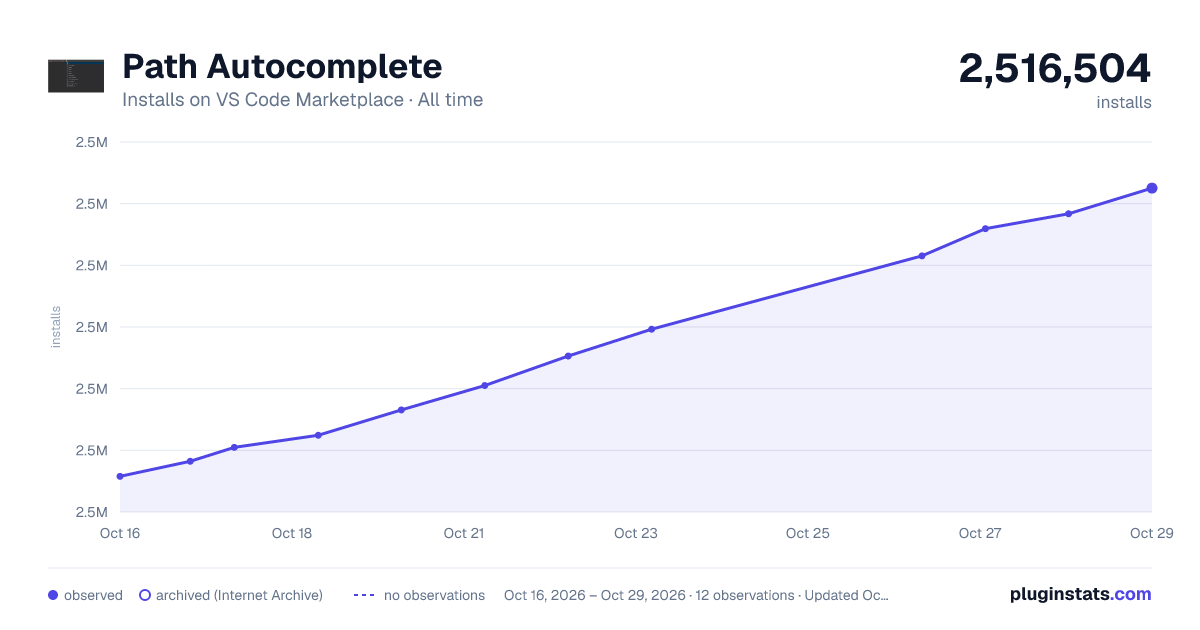

Adoption over time


7/30/90-day growth


Ranking history


Ratings over time


Listing placement


Filled points are observed values; hollow points come from Internet Archive snapshots of the listing page. Dashed segments span periods with no observations — values between points are not interpolated.
Each band is one page of 20. Installs on a log scale. Placement is projected from installs, so it can differ from the marketplace's own sort order. Hover a dot to see the listing.
Recent observations
Full history (4)Similar VS Code Marketplace Other plugins
All 20 Path Autocomplete alternativesData source
Install counts, average rating, and rating counts come from the public Visual Studio Marketplace gallery API. Installs are cumulative and exclude updates.
Listing: https://marketplace.visualstudio.com/items?itemName=ionutvmi.path-autocomplete. First seen Oct 16, 2026; last successful collection Oct 19, 2026. See the methodology.