 PluginStats
Office Viewer installs statistics
By Database Client (11 listings) · VS Code Marketplace · Visualization
View word, excel, powerpoint files and using WYSIWYG editor for markdown.
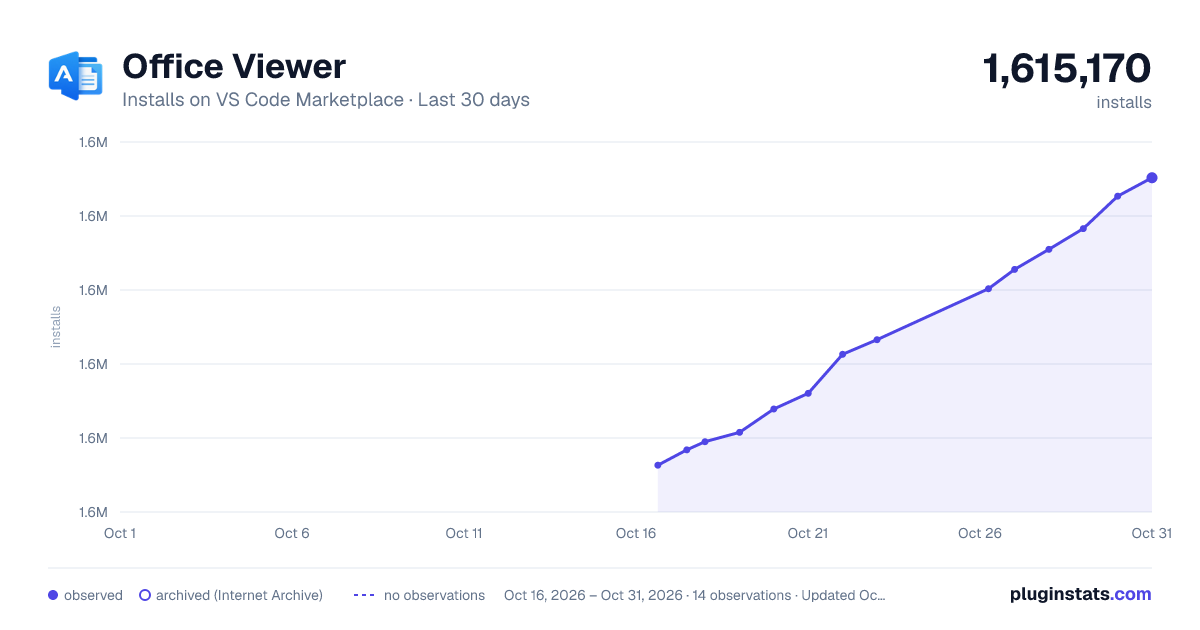
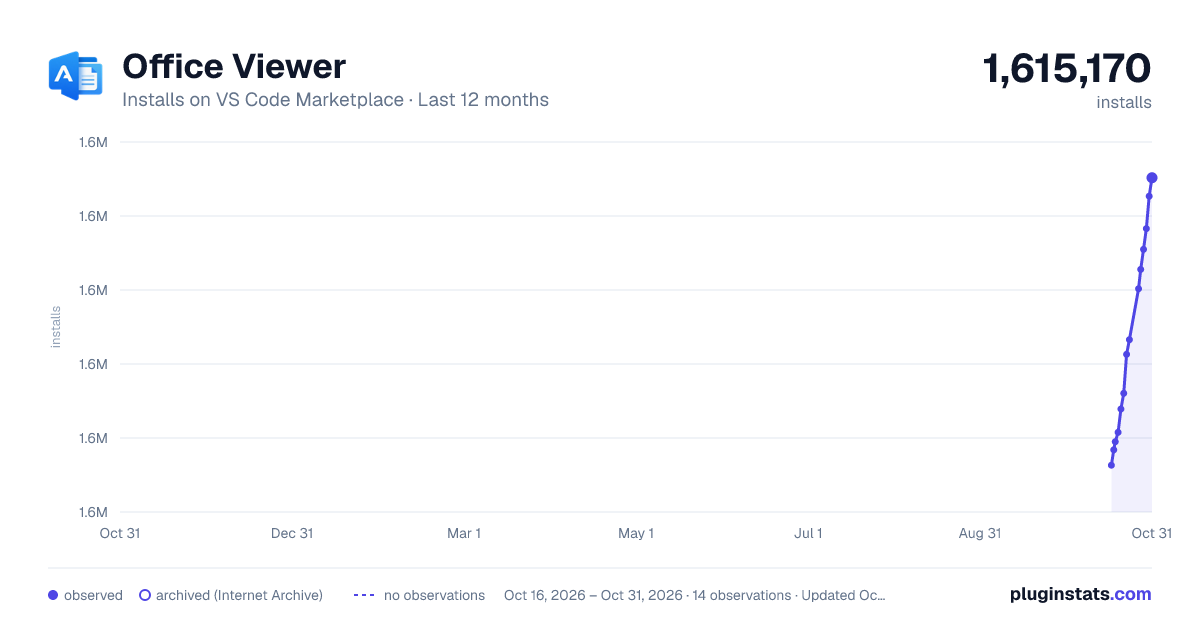
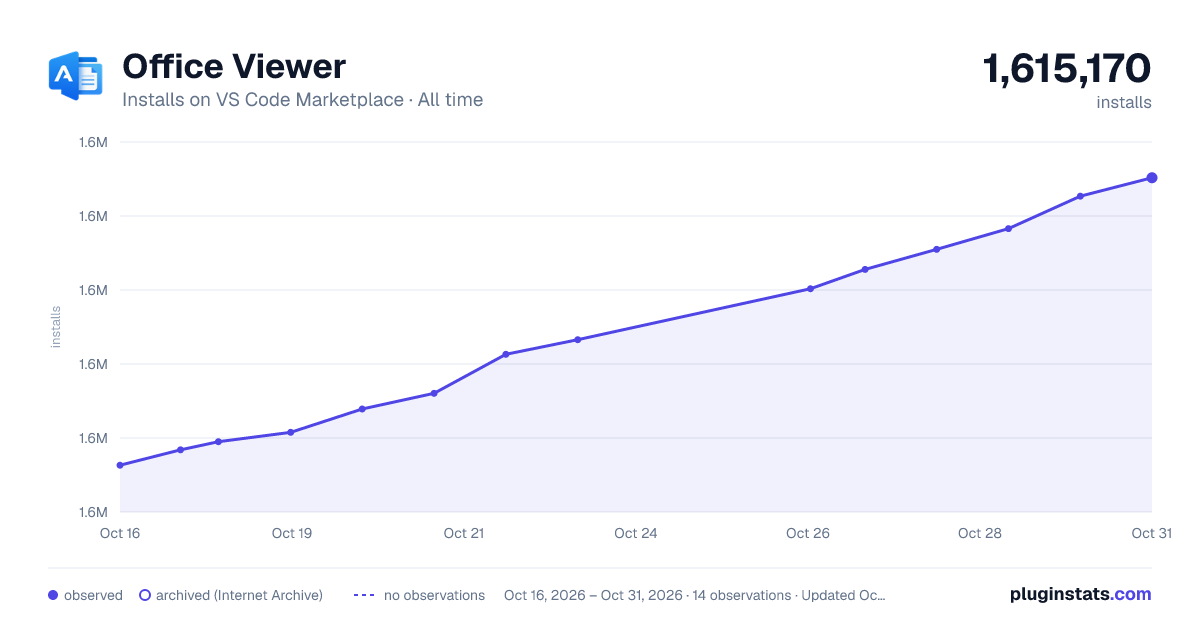
Office Viewer has 1,583,918 recorded installs on VS Code Marketplace, ranking #401 of 2,501 tracked listings.
Rating: 4.31 / 5 from 101 ratings
About Office Viewer
Office Viewer
Introduction
This extension lets you preview and edit common office and design files directly in VS Code.
- Excel:
.xls,.xlsx,.xlsm,.csv,.ods - Word:
.docx,.dotx - PowerPoint:
.pptx,.pptm - PDF & eBook:
.pdf,.epub - HEIC/TIFF:
.heic,.heif,.tiff - Design:
.psd,.xmind,.icns,.svg - Font:
.ttf,.otf,.woff,.woff2 - Markdown:
.md,.markdown - HTML:
.html,.htm - HTTP request:
.http,.rest - Java:
.class(decompiler) - Compressed files:
.zip,.jar,.vsix,.rar,.7z,.tar,.tar.gz,.tgz,.apk
Git History
Office Viewer includes a full Git History workspace for exploring repositories without leaving VS Code. Open it from the Source Control view, the editor title bar, the editor context menu, or the file explorer context menu.

Markdown
This extension replaces the default Markdown editor with a WYSIWYG editor.
To use the built-in VS Code Markdown editor instead, add this to your settings.json:
{
    "workbench.editorAssociations": {
        "*.md": "default",
        "*.markdown": "default"
    }
}
Right-click in the editor to export Markdown to PDF, DOCX, or HTML. PDF export requires Chromium; set the browser path with vscode-office.chromiumPath.

Shortcuts: Based on shortcut.md, plus:
- New line:
Ctrl+Enter/⌘ Enter - Hard line break:
Shift+Enter/⇧ Enter - Edit hyperlink:
Alt+Enter/^ Enter - Set CodeMirror language:
Alt+Enter/^ Enter - Edit in VS Code:
Ctrl Alt E/⌘ ^ E - Paste as plain text:
Ctrl+Shift+V/⌘ ⇧ V
Other features
- HTML: live preview while editing; press
Ctrl+Shift+Vto open the live view - YAML: document outline and anchor navigation (Go to Definition for alias references)
- Icon theme: includes a subset of Material Icon Theme icons, plus Office Material Icon Theme and One Dark Modern color themes
- Excel: preview and save
.xlsx,.xls,.xlsm,.csv, and.odsfiles - HTTP: send requests from
.httpand.restfiles (integrated from REST Client with fixes for local request issues); pressCtrl+Enter/⌘ Enterto send - Java: decompile and view
.classfiles
Sponsor

Database Client for Visual Studio Code, supporting the management of MySQL/MariaDB, PostgreSQL, SQLite, Redis, and ElasticSearch, and works as an SSH client to boost your productivity! Get it now.
Development Guide
Prerequisites
Getting started
git clone https://github.com/cweijan/vscode-office.git
cd vscode-office
npm install
Development
Desktop extension (full feature set):
npm run dev
Press F5 in VS Code, or choose Extension from Run and Debug.
Web extension (Markdown, HTML, YAML in the browser):
npm run dev:web
Choose Extension (Web) from Run and Debug.
Build & package
npm run build    # production build
npm run package  # create .vsix
Usage data
Office Viewer collects anonymous usage data to understand which preview features are used, so we can improve the extension. Data is sent to Azure Application Insights via the official @vscode/extension-telemetry module.
What we collect
| Event | When | Properties |
|---|---|---|
view.open | A custom preview/editor is opened | viewType (e.g. excel, markdown, pdf), fileType (extension only, e.g. xlsx, md) |
We do not collect file paths, file names, URLs, repository names, request contents, or other personally identifiable information.
How to opt out
Telemetry is sent only when both of the following allow it:
- VS Code global telemetry is enabled (
telemetry.telemetryLevelis notoff, ortelemetry.enableTelemetryistrueon older versions). - Extension telemetry is enabled: set
vscode-office.enableTelemetrytofalsein Settings.
You can also disable all VS Code telemetry in Settings → Application → Telemetry.
Maintainer setup
If you build and publish this extension yourself, see docs/telemetry.md for Azure Application Insights setup and sample queries.
Credits…
Description from the VS Code Marketplace listing.
- archive
- color-theme
- csv
- docx
- epub
- excel
- font
- git
- git-history
- http
- icon-theme
- keybindings
- kotlin
- KQL
- kusto
- markdown
- nginx
- NGINX Conf
- parquet
README badge
Show your rank in a README or on your website. The badge updates automatically.
Charts
Images: 30d · 1y · all time · 1600×900 dark

Adoption over time
7/30/90-day growth
Ranking history
Ratings over time
Listing placement
Listing placement
Filled points are observed values; hollow points come from Internet Archive snapshots of the listing page. Dashed segments span periods with no observations — values between points are not interpolated.
Each band is one page of 20. Installs on a linear scale. Placement is projected from installs, so it can differ from the marketplace's own sort order. Hover a dot to see the listing.
Recent observations
Full history (5)Similar VS Code Marketplace Visualization plugins
All 20 Office Viewer alternativesData source
Install counts, average rating, and rating counts come from the public Visual Studio Marketplace gallery API. Installs are cumulative and exclude updates.
Listing: https://marketplace.visualstudio.com/items?itemName=cweijan.vscode-office. First seen Oct 16, 2026; last successful collection Oct 20, 2026. See the methodology.